
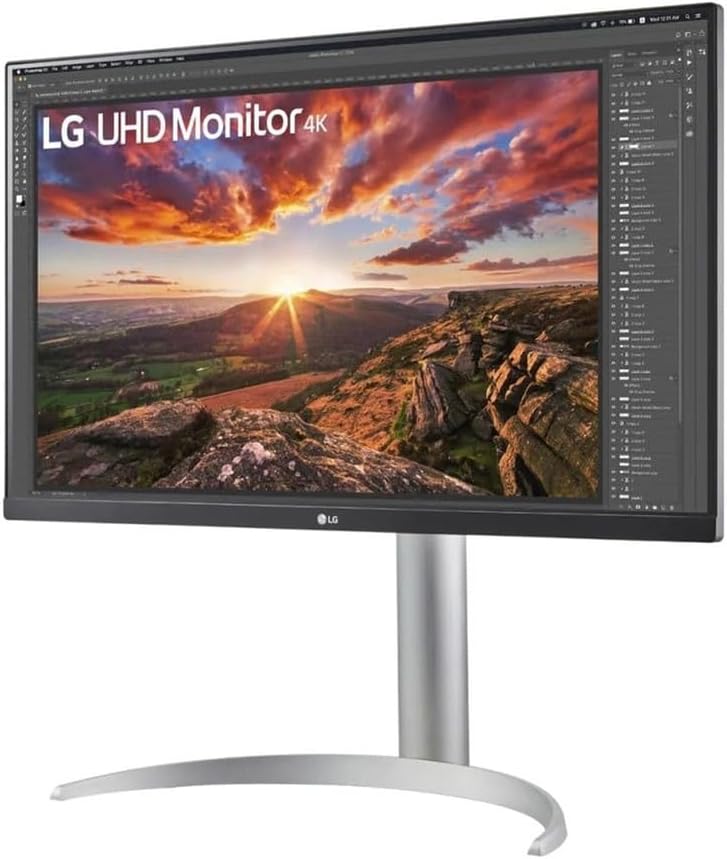
LG 27UP850K-W 27″ UHD 4K IPS Monitor Review: Stunning Clarity Awaits
Quick Verdict
The LG 27UP850K-W is a solid choice for professionals and home users who crave sharp, vibrant visuals with a reliable colour performance. Its 27-inch 4K IPS panel delivers excellent clarity and colour accuracy, making it well suited for photo editing, video work, and general productivity. While it doesn’t target hardcore gamers, its responsiveness and HDR400 support offer a versatile experience for most tasks. Overall, it represents a compelling option that blends professional-level image quality with decent office ergonomics and connectivity.

Overview and First Impressions
LG’s 27UP850K-W arrives as a premium 27-inch 4K monitor, positioned squarely towards creators and remote workers keen on grid-like pixel precision and wide colour fidelity. LG is a recognised name for quality panels in the UK market, often trusted by those seeking accurate colour reproduction without stepping into the ultra-expensive range. The 27UP850K-W’s design favours function over flash; it sports a sleek, matte white casing with fairly slim bezels—about 7mm on the sides and around 10mm at the top—making it unobtrusive for multi-monitor setups.
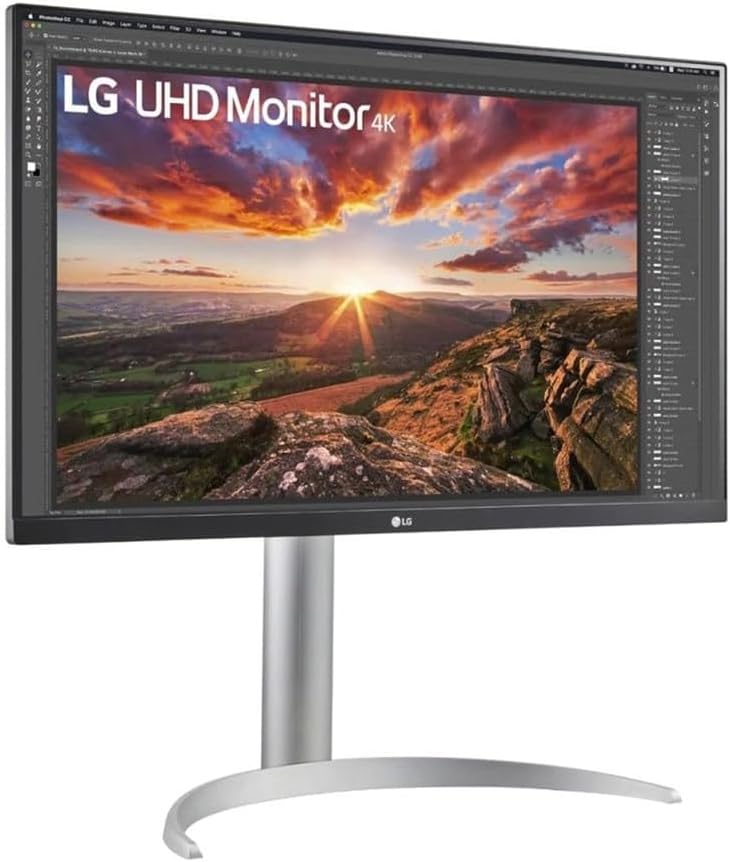
Build quality feels reassuringly robust, with a solid metal stand that offers height adjustment, tilt, swivel, and pivot, allowing users to tailor the screen position to long work sessions and reduce neck strain. The overall footprint strikes a good balance, neither overwhelming nor cramped, so it easily slots onto typical desks without demanding extra space.
Port selection is comprehensive: you get two HDMI 2.0 ports, one DisplayPort 1.4, and a USB-C port offering 85W power delivery, making it particularly attractive for laptop users needing a single-cable docking solution. This USB-C connection also supports DisplayPort Alt mode and data transfer, reducing cable clutter. Additionally, a USB 3.0 hub with two downstream ports rounds out the connectivity, though there’s no built-in card reader or headphone jack on this model, which might matter to photographers or videographers.
Discover the LG 27UP850K-W 4K Monitor
Display Technology and Features Explained
The standout feature of the LG 27UP850K-W is undoubtedly its 27-inch IPS panel with a UHD 4K resolution of 3840 x 2160 pixels. The use of IPS technology here ensures consistent colour accuracy and wide viewing angles (typically around 178 degrees horizontally and vertically), meaning colours and contrast maintain their fidelity even when viewing the screen off-centre—a key advantage over VA or TN panels which often lose vibrancy at angle. This quality is invaluable for content creators who need reliable colour irrespective of their posture or multiple viewer positions.
At 27 inches, 4K UHD resolution results in a pixel density of approximately 163 pixels per inch, which translates into crisp, finely detailed images. Text is razor-sharp, and you can comfortably nest multiple windows side-by-side without sacrificing clarity. However, 4K at this screen size benefits most users who have good eyesight or use the monitor for detailed design tasks rather than casual browsing, where some find scaling necessary to maintain readable UI elements.
The panel’s brightness peaks at 400 nits, which is strong for a 27-inch monitor in this class. This level makes it comfortably usable in bright ambient lighting, preventing washed-out colours or loss of shadow detail during daytime use. Combined with DisplayHDR 400 certification, it can display HDR content with a noticeable improvement in dynamic range, delivering brighter highlights and deeper shadow detail compared to standard SDR monitors. That said, DisplayHDR 400 remains an entry-level HDR certification; the monitor cannot sustain the peak brightness or local dimming zones required for true HDR mastery, so HDR content will impress but not dazzle.
Colour gamut coverage is a crucial selling point here: the screen covers 95% of the DCI-P3 colour space, which is significantly wider than standard sRGB (which sits around 72%). DCI-P3 is a colour space used primarily in digital cinema and increasingly in video production and photography workflows. This wide gamut means the LG 27UP850K-W can reproduce vibrant, lifelike colours, making it suitable for serious creative tasks. The 10-bit colour depth support also helps deliver smoother gradients without obvious banding—a must for post-production grading or image editing.
Upgrade Your Display with 27′ UHD Clarity
The refresh rate is a standard 60Hz, sufficient for smooth general use and video playback but not designed for fast-paced gaming. Response time hovers around 5ms grey-to-grey, which is typical for IPS panels. While this means occasional slight ghosting might be perceptible in very rapid motion scenes, this won’t detract from most productivity work or casual multimedia consumption. Competitive gamers might find this lag too high, but the monitor’s focus is clearly on image quality rather than esports performance.
Anti-glare coating minimises reflections but can slightly soften image sharpness compared to glossy panels. This is a smart choice for reducing eye strain in long sessions, particularly in well-lit rooms.
Real-World Performance — What Customers Say
Owner feedback consistently praises the LG 27UP850K-W’s colour fidelity straight out of the box, noting that the factory calibration is impressively accurate with Delta E values generally under 2, meaning the colour reproduction is precise enough for professional-grade work without urgent need for custom calibration. Users have also commented on the pleasant naturalness of colours, particularly highlighting skin tones and nature imagery as appearing realistic.
Uniformity across the screen is generally strong, with very little backlight bleed reported—some units have minor clouding near the bottom edges, but nothing substantial enough to disrupt dark scenes or colour-critical work. The anti-glare finish and brightness work excellently in well-lit rooms, though some reviewers mention that the HDR effect doesn’t quite match their expectations based on brighter, local-dimming displays seen in higher-end models.
Longevity and build quality have received favourable notes, with no widespread reliability issues after months of daily use. The stand’s stability and adjustability have been well received as well, making it comfortable for prolonged periods without awkward viewing angles.
That said, a handful of users report initial confusion over the Colour Calibration settings, as the monitor includes presets like Reader and sRGB mode that slightly change the output to meet specific needs. These are easy to adjust but not always straightforward without reading the manual.
Connectivity, Ergonomics and Setup
The monitor’s three video inputs cover most bases. Dual HDMI 2.0 ports accommodate two devices without needing to swap cables—ideal if you want a console and a PC attached simultaneously. The DisplayPort 1.4 input ensures compatibility with most modern desktops, with full support for 4K at 60Hz without compression artefacts.
The USB-C port supporting 85W power delivery is a highlight for laptop owners, particularly those with compatible MacBooks or Windows ultrabooks such as the Dell XPS or HP Spectre. This single cable can charge the device while streaming UHD video and connecting USB peripherals, reducing desk clutter significantly.
In terms of ergonomics, the fully adjustable stand is a notable advantage. It offers 130mm of height adjustment, a tilt range of +20° to -5°, 90° pivot for portrait workflow, and 350° swivel. This covers nearly every ergonomic need, whether you tend to sit upright or lean back. The stiffness feels balanced: solid enough to avoid wobble but not so tight as to make adjustments cumbersome.
VESA 100mm mounting compatibility means the screen can be mounted on third-party arms or wall brackets if preferred. The rear panel integrates basic cable management loops, helping keep the workspace tidy.
Setup is straightforward, with plug-and-play functionality on all major operating systems. The OSD (On-Screen Display) menu is logical and responsive, though its extensive colour presets and HDR options can require a little exploration to get perfect.
Who Should Buy This
The LG 27UP850K-W fits content creators such as photographers, video editors, and graphic designers who require a sharp 4K workspace and strong DCI-P3 coverage for accurate colour workflows. It is also an excellent option for remote workers and office professionals who want crisp text, extensive ergonomic freedom, and USB-C convenience without leaning into gaming territory.
Casual home users will appreciate the excellent image quality and HDR 400 support for watching films and general use, though the contrast levels and true HDR impact will not match premium OLED or high-end VA panels better suited for cinema buffs.
However, those prioritising fast-paced gaming or OLED-level HDR should look elsewhere. This LG doesn’t have a refresh rate beyond 60Hz or extensive dynamic contrast controls, which means input lag and motion blur will be noticeable to serious esports or action gamers.
Compared to similarly priced models, the 27UP850K-W shines with its USB-C power delivery capability and refined colour accuracy, setting it apart from typical sRGB monitors lacking these extras.
For further options in this segment, this website offers extensive reviews tailored to all needs.
Pros and Cons
Pros:
- Factory calibration ensures Delta E below 2, ready for colour-critical tasks without further adjustment.
- 95% DCI-P3 gamut coverage and 10-bit panel deliver vibrant, smooth colours ideal for creative professionals.
- USB-C port with 85W power delivery simplifies connections for laptop users while maintaining 4K60 support.
- Fully adjustable ergonomic stand (height, tilt, swivel, pivot) suits extended use and multiple workspace arrangements.
Cons:
- 60Hz refresh rate and 5ms response time may not satisfy competitive gamers or those sensitive to motion blur.
- HDR400 certification offers modest HDR impact; falls short of brightness and contrast needed for transformative HDR experiences.
- No built-in headphone jack or card reader limits direct multimedia workflow convenience.
- Slight anti-glare coating can dull vibrancy marginally compared to glossy displays in some lighting conditions.
Final Verdict and Recommendation
The LG 27UP850K-W balances excellent image fidelity, wide colour gamut, and practical USB-C connectivity, making it a highly competent choice for creatives and professionals in 2026 who want crisp 4K clarity paired with versatile ergonomics. Its modest HDR support and standard refresh rate steer it away from hardcore gaming but reinforce its primary focus on productivity and colour accuracy. The thoughtful design and adjustable stand further support long workdays, while the connectivity suite caters well to modern multi-device setups.
If your priorities include reliable colour reproduction, sharp UHD detail, and a clean single-cable solution for laptops, this monitor deserves close consideration. Check current availability on Amazon to secure this versatile, quality display for your desktop setup.
As an Amazon Associate, I earn from qualifying purchases.