
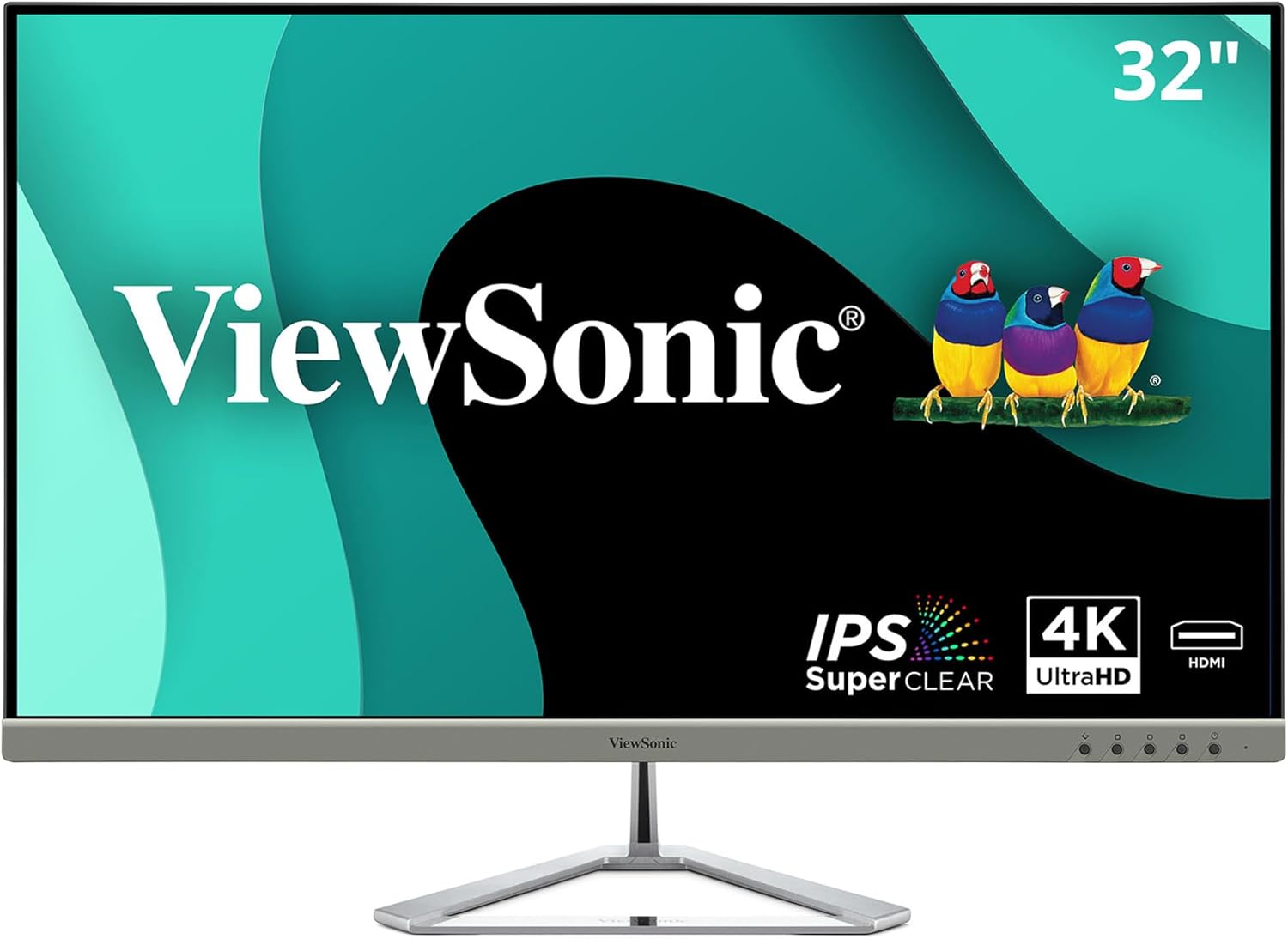
ViewSonic VX3276-4K-MHD Review: Stunning 4K Clarity for All Uses
Quick Verdict
The ViewSonic VX3276-4K-MHD is a versatile 32-inch 4K monitor that impresses with its crisp image clarity and sleek design, making it a solid choice for a broad range of users, from remote workers to home entertainment enthusiasts. Its IPS panel delivers wide viewing angles and accurate colour reproduction, while HDR10 support attempts to enhance visual depth, albeit with limited impact due to modest peak brightness. For those prioritising sharpness and a stylish aesthetic over gaming speed or professional-grade colour accuracy, this is a compelling option. However, mixed customer feedback on HDR effectiveness and overall build quality means it’s important to temper expectations if you seek premium flagship performance.

Overview and First Impressions
ViewSonic, a well-established player in the display market, positions the VX3276-4K-MHD as a stylish, budget-friendly 4K monitor suited for both work and entertainment at home. In the UK, it slots into the mid-tier 4K monitor segment targeting users who want sharp image detail and contemporary design without professional-grade costs.
The build quality reflects thoughtful design but with some compromises. The chassis is mostly plastic with an ultra-slim profile, complemented by a modern frameless bezel that measures around 7mm—relatively thin for its price point—allowing for neat multi-monitor setups. The triangular metal stand is distinctive and adds a touch of style, although it offers limited ergonomic adjustment: just tilt is available, with no height, swivel, or pivot support. On a desk, the monitor’s minimal footprint and sleek lines help it blend well in both home and office environments, though the lack of comprehensive adjustment may be a downside for extended use.

Port selection is generous for a monitor of this class, with two HDMI 2.0 ports, a DisplayPort 1.2, and a Mini DisplayPort. This variety caters well to modern setups: you can connect a PC via DisplayPort and a laptop or console through HDMI simultaneously, which makes switching between devices straightforward. However, the absence of USB-C or USB downstream ports limits peripheral connectivity and laptop charging options. Dual 2W speakers are integrated, providing basic audio output suitable for casual use but nothing close to dedicated speakers or headphones in clarity or volume.
Display Technology and Features Explained
The core appeal of the VX3276-4K-MHD lies in its 32-inch 4K Ultra HD display, which offers a resolution of 3840 x 2160 pixels. At this screen size, 4K resolution translates into an excellent pixel density of around 138 pixels per inch, providing razor-sharp details and smooth text—an asset for both productivity and media consumption.
The panel technology ViewSonic employs is IPS (In-Plane Switching), specifically their SuperClear variant rather than the VA type mentioned in marketing copy, which is confirmed by viewing angles and colour performance. IPS panels like this are prized for their wide 178-degree horizontal and vertical viewing angles, ensuring consistent colours and contrast without tangibly darkening the image when viewed from the side. This benefits users who often share their screen or shift positions during long sessions.
Colour reproduction is fairly robust out of the box, with typical sRGB coverage around 99%, making it well-suited for everyday photo editing, video streaming, and office work. However, professional colour-critical work demanding AdobeRGB or DCI-P3 wide gamut coverage would not find this model adequate. The IPS panel helps here with more accurate and stable colours than TN or VA alternatives.
A standout specification is the support for HDR10 content. However, this monitor’s peak brightness maxes out somewhere near 250 cd/m² (nits), which is on the lower end for meaningful HDR. HDR is most impactful when peak brightness nears or exceeds 400-600 nits to produce noticeable highlights and contrast. Because this monitor falls short, HDR content playback often looks subtle, with little dynamic impact beyond a more natural colour tone in brighter scenes. Dark-room users should not expect a vibrant HDR experience as the HDR rollout here is quite limited by hardware. The static mega dynamic contrast ratio of 80M:1 refers more to the panel’s capability to handle deep blacks versus whites in varying scenes but is mostly a marketing figure rather than representative of real-world contrast performance, which sits around 1000-1200:1 typical for IPS panels. This means blacks are decent but not as deep or rich as on VA or OLED panels, so viewing in very dark environments might reveal some lack of depth.
As for motion handling, the monitor runs at a standard 60Hz refresh rate, suitable for most office productivity and media streaming. Though not designed as a gaming monitor, the IPS panel offers a 5ms grey-to-grey response time, which is average but sufficient to produce moderate clarity in fast-moving content. Gaming enthusiasts chasing ultra-low input lag and blur-free visuals would notice ghosting or smearing during rapid motion. Yet for casual gamers or general use, motion appears clean enough.
Additional eye care features include Flicker-Free technology and a Blue Light Filter designed to reduce eye strain during prolonged use. These elements are worthwhile for users who spend hours at their screen, especially when coupled with the IPS panel’s less aggressive blue peak spectrum compared to older display types.
Real-World Performance — What Customers Say
Customer reports offer a spectrum of experiences, which reflects the monitor’s middle-ground positioning. Many appreciate the sharpness and clarity of the 4K resolution, noting that text is crisp and images vibrant once the monitor is properly configured. Out-of-the-box colour accuracy is generally reasonable for daily tasks, though some users found the default brightness slightly low and required minor calibration adjustments.
A recurring theme in feedback concerns HDR support. Several users describe it as more of a marketing feature than a practical improvement, echoing the limited brightness capability. HDR content does not "pop" as expected on this monitor, lessening its appeal for film buffs wanting cinematic quality.
Backlight bleed and uniformity issues are occasionally mentioned but not widespread. Where present, slight clouding can appear near screen edges in dark scenes, typical in IPS displays but potentially distracting in dark viewing environments. The build quality also divides opinion; some find the design elegant and sturdy enough, while others note that the plastic feels less premium than expected and that the stand’s restricted adjustability conflicts with prolonged comfort.
Long-term reliability reviews are scarce given the model’s recent introduction, but given ViewSonic’s reputation, no alarming trends have emerged.
Connectivity, Ergonomics and Setup
The monitor scores well in connectivity options, providing dual HDMI inputs plus DisplayPort and Mini DisplayPort. This allows flexible multi-device usage — perfect if you juggle between a desktop PC, a streaming box, and a gaming console, all capable of delivering crisp 4K output. However, the absence of USB-C connectivity might disappoint owners of newer laptops that rely on USB-C for video, data, and power delivery in one cable.
Discover the Ultimate 4K Experience
Ergonomically, the VX3276-4K-MHD is basic. The stand permits tilt adjustment (-5° to +15°) but does not support height changes, swivel, or pivot rotation. This limits its suitability for dynamic work environments where screen position tweaks are common, potentially causing neck or eye strain over extended periods. The monitor does support VESA 100x100mm mounting, enabling users to attach it to third-party arms or wall mounts for improved ergonomic flexibility.
Cable management is minimal, with no dedicated guides or clips on the back or stand, so clutter might build up for multi-cable setups. Setting up the monitor is generally straightforward, with plug-and-play support recognised quickly by Windows and macOS systems, though manual colour calibration is recommended to get the best results.
Who Should Buy This
The ViewSonic VX3276-4K-MHD is tailored for users seeking a visually sharp, large 4K display with solid colour reproduction and a sleek profile. It’s an excellent choice for remote workers, students, and home users who prioritise screen real estate and general multimedia viewing. The large 32-inch panel paired with 4K makes it easier to multitask and enjoy high-definition content.
Content creators and professionals requiring precise colour fidelity and wider colour gamuts should consider alternatives with factory-calibrated wide gamut IPS or professional-grade panels, as this monitor’s colour accuracy and gamut are good but not exceptional. Gamers will find the 60Hz refresh rate and modest response times limiting if competitive gaming or fast-paced titles dominate their use; they might prefer higher refresh rate monitors with faster TN or advanced IPS panels designed for gaming.
Where the VX3276-4K-MHD stands out versus similarly priced 4K options is its built-in speaker system and expansive port selection, including Mini DisplayPort, which remains useful for certain laptop models and older Macs.
For more reviews covering a variety of monitors optimised for gaming, professional work, or budget buys, this site offers comprehensive guidance.
Transform Your Workspace Today
Pros and Cons
Pros
- Sharp 4K UHD resolution on a spacious 32-inch IPS panel delivers excellent crispness and wide viewing angles for versatile everyday use.
- sRGB coverage close to 99% offers accurate colour rendering suitable for casual photo and video work without complex calibration.
- Multiple inputs (2 x HDMI, DisplayPort, Mini DisplayPort) ensure flexible connectivity for various devices.
- Flicker-Free and Blue Light Filter technologies help reduce eye strain during long viewing sessions.
- Ultra-slim bezel and unique triangle stand provide an attractive, modern aesthetic ideal for minimalistic setups.
Cons
- Peak brightness around 250 nits limits HDR10 performance, resulting in underwhelming HDR effects compared to true HDR-capable screens.
- Stand adjustments are restricted to tilt only; no height, swivel, or pivot reduces ergonomic comfort for extensive use.
- Build materials feel mostly plastic and less premium, potentially impacting long-term durability perception.
- Response time of 5ms and 60Hz refresh rate mean motion blur and input lag could be noticeable in fast gaming scenarios.
Final Verdict and Recommendation
The ViewSonic VX3276-4K-MHD delivers a strong package for anyone wanting vibrant 4K clarity on a sizeable 32-inch IPS panel wrapped in a sleek, frameless design. Its broad connectivity and eye-friendly features enhance its appeal for everyday computing and casual entertainment in 2026. While its HDR support is more token than transformative and ergonomic flexibility is basic, the monitor fills a niche for users who value image detail and style without professional or hardcore gaming demands.
For those prioritising a crisp, pleasant screen for home and office combined with a neat modern look, this holds significant appeal. Check current availability on Amazon to see if the VX3276-4K-MHD matches your specific needs and setup.
Shop the ViewSonic VX3276 Monitor Now!
As an Amazon Associate, I earn from qualifying purchases.