
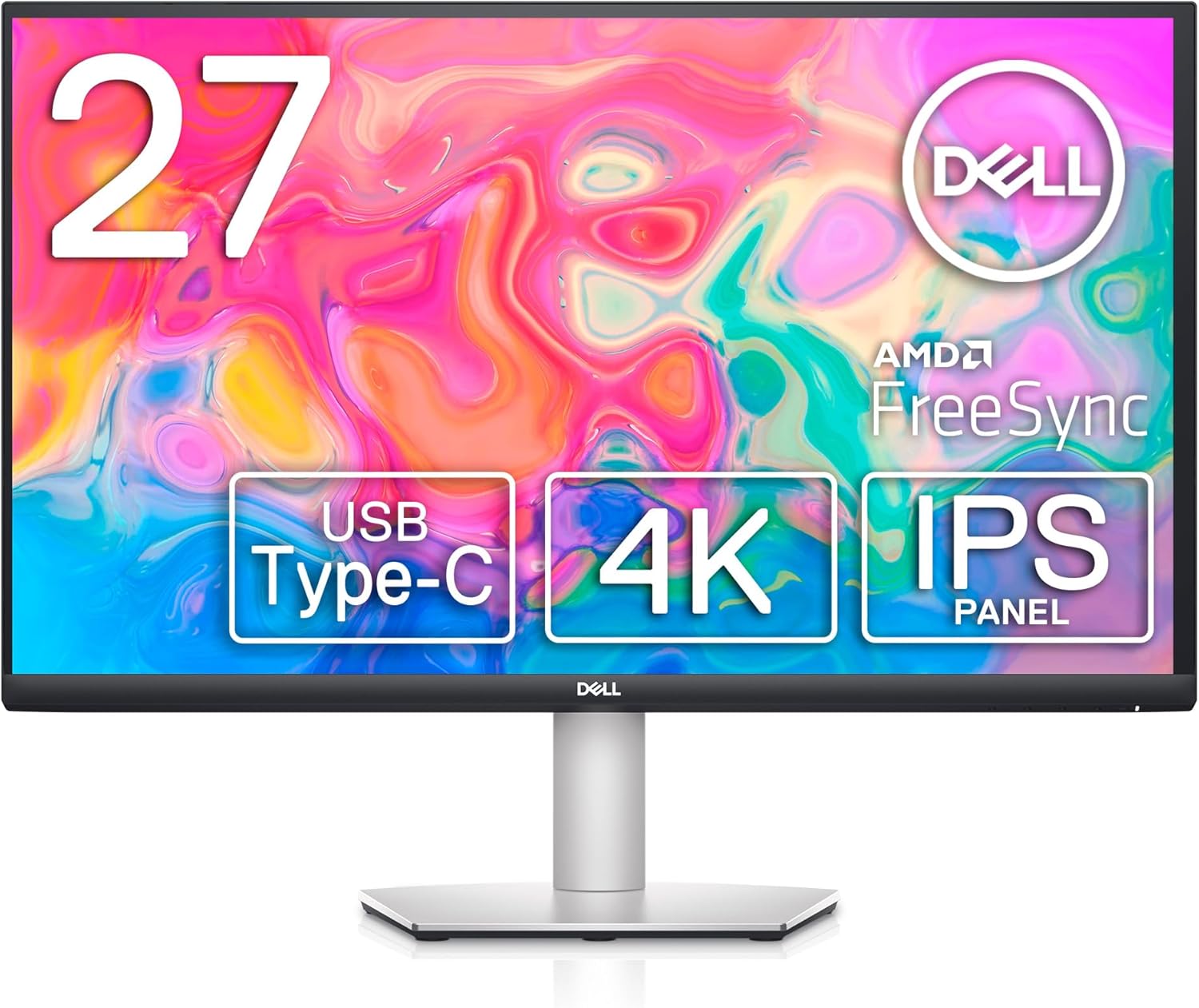
Dell S2722QC 27-inch Monitor Review: Stunning 4K Clarity Awaits!
Quick Verdict
The Dell S2722QC offers a compelling package for anyone seeking a 27-inch 4K monitor with solid colour performance and convenient connectivity, especially for home office or casual content consumption. Its IPS panel ensures accurate colours and wide viewing angles, making it well suited to photographers, designers starting out, and remote workers who prioritise image clarity and eye comfort. However, the 60Hz refresh rate and 8ms response time limit its appeal to serious gamers chasing ultra-smooth motion. Overall, the S2722QC delivers excellent visual fidelity and decent ergonomics, representing good value for buyers needing a sharp, comfortable 4K display without hobbies that demand ultra-fast response or higher refresh rates.

Overview and First Impressions
Dell has long been a recognised name for reliable monitors that excel in business and creative environments, and the S2722QC fits neatly within its mainstream 27-inch 4K offerings. Targeted primarily at home office users, content creators on a budget, and multimedia enthusiasts, this latest iteration presents a restrained but premium look with a sleek platinum silver chassis. The build quality feels robust without being hefty, sporting a matte plastic finish that avoids fingerprints yet lacks the flair of metal trims seen on pricier models.
Bezels are slim on the top and sides, about 7mm, which keeps the visual focus on the screen, useful if you use multi-monitor setups. The bottom bezel is a bit thicker, branded with a subtle Dell logo but doesn’t distract much. It comes with a compact, stable stand that offers tilt, height adjustment, swivel, and pivot flexibility, making it appropriate for long workdays where positioning is key for posture and eye comfort.
In terms of connectivity, Dell loads this monitor with essentials: DisplayPort 1.4, two HDMI 2.0 ports, and a USB-C port that supports 65W Power Delivery, data transfer, and video. This USB-C inclusion means you can connect and charge a laptop with a single cable, which declutters your desk and streamlines your workflow. Additionally, a USB 3.2 Gen 1 Type-A port is cleverly placed along the right edge for quick access, perfect for plugging in a flash drive or charging a phone without reaching behind the monitor. Overall, the physical package is well thought out for everyday use, providing flexibility for various setups often seen in UK homes and offices today.
Elevate Your Screen Experience – View Details
Display Technology and Features Explained
The heart of the Dell S2722QC is its 27-inch 4K panel running at 3840 x 2160 resolution, a detail that translates into a dense pixel count of roughly 163 pixels per inch. What does that mean practically? Text and images are razor-sharp compared with 1080p or even 1440p alternatives at the same size. Small details in photos and documents appear crisp, which better serves tasks like photo editing or spreadsheet work without the usual aliasing or fuzziness found on lower-resolution screens.
The panel type used is IPS (In-Plane Switching), a technology that prioritises colour accuracy and wide viewing angles over contrast. Viewing angles here are excellent — colours and brightness remain consistent up to around 178 degrees horizontally and vertically. This is ideal for collaborative work or movie nights where multiple people might view the screen from differing angles without colour shifts or washed-out images. IPS also generally delivers more natural and vibrant colours than VA or TN panels, though it sacrifices some contrast, meaning blacks won’t appear as deep or inky as on a VA panel. That said, the S2722QC’s contrast ratio is typical of IPS models, around 1000:1, which suffices in most indoor environments.

Brightness is rated up to 350 nits (cd/m²), providing enough luminance for bright UK homes and offices where daylight can be unpredictable. It won’t bring out reflections like a glossy panel would, and its anti-glare coating reduces eye strain in environments with mixed lighting. For dark room use, this brightness level is more than appropriate — the screen can dim to comfortable levels without losing colour fidelity, and local dimming is absent, which means darker scenes won’t have the “pop” associated with HDR TVs but won’t frustrate with uneven backlight, either.
Speaking of HDR, the S2722QC supports HDR10 content but doesn’t offer the hardware capabilities to make it meaningful. Its peak brightness and contrast fall short of the 600+ nits and 10,000:1 contrast usually required for true HDR experience. This means HDR films won’t show the intended highlight detail or dynamic range expansion, remaining closer to standard dynamic range visually.
Colour gamut coverage stands at approximately 99% of the sRGB spectrum, which is the primary colour space for web and most consumer content creation. This ensures colours are vivid and accurate for everyday use and will satisfy amateur photographers and graphic designers who need reasonably consistent output for online publishing or print works within sRGB. It isn’t designed for AdobeRGB or DCI-P3 wide gamut professional demands, so high-end colour grading or cinema work might require something more specialised.
The monitor handles up to 60Hz refresh rate with AMD FreeSync support, aiming to smooth out screen tearing and stutter mainly in video playback and some casual gaming. For productivity-focused users, this refresh rate is sufficient; smooth scrolling and window movements are natural without flicker or judder. However, from a fast-paced gaming perspective, 60Hz coupled with an 8ms grey-to-grey response time treads the line — while adequate for strategy or puzzle games, motion blur and ghosting become noticeable in rapid action titles. The 8ms response time implies some visual persistence; fast-moving objects may have mild trailing, but careful tuning in User Settings can mitigate this. Serious competitive gamers often look for sub-5ms panels with refresh rates of 120Hz or higher.
One thoughtful inclusion is Dell’s ComfortView feature, which reduces blue light emissions. Blue light is known to disrupt sleep cycles and contribute to digital eye strain. In practical terms during long hours of remote work or study, this reduces fatigue and makes late-night sessions easier on the eyes without significant colour shift or yellowing, unlike poorly implemented software filters.
Lastly, the integrated dual 3W speakers are convenient for casual media consumption or conference calls, providing decent audio fidelity given their size. They’re not a replacement for desktop speakers or headphones but useful if desk space or budget prevents additional equipment.
Real-World Performance — What Customers Say
User reviews across UK retailers and Amazon reflect a generally positive reception for the Dell S2722QC, with an average rating above 4 stars out of nearly 2,000 reviews. Buyers repeatedly praise the sharp 4K clarity and colour accuracy out of the box, noting that the monitor requires minimal calibration to deliver consistent, vibrant images suitable for home and professional use. This aligns well with the factory calibration claims Dell typically upholds for this series.
A significant number of users report excellent uniformity, with minimal backlight bleed or clouding even on darker scenes. Some note minor issues at the screen edges under specific lighting conditions, but nothing that materially affects everyday use. While these issues are quite common for IPS panels and within typical tolerances, Dell’s manufacturing consistency appears good.
Connectivity reports are favourable; users appreciate the versatility of the USB-C port and quick-access USB-A port, mentioning easier cable management and workspace tidiness. Some feedback suggests that the on-screen display (OSD) menus could be more intuitive, a typical complaint across many monitor brands, but this is a minor irritation rather than a deal breaker.
Eye comfort features like ComfortView gain consistent approval, with remote workers highlighting reduced eye strain after prolonged sessions. The integrated speakers receive mixed feedback: they are adequate for video calls but lack bass and volume for immersive movie watching, so most buyers recommend separate audio solutions for richer sound.
Gaming users confirm the monitor suits casual or moderate gaming, with no major complaints about tearing thanks to FreeSync. However, some players seeking high responsiveness note the necessity to turn down some visual settings or accept mild blurring in fast-paced games, aligning with the expected performance from an 8ms 60Hz IPS panel.
Long-term reliability reports are generally positive, with Dell’s reputation for build quality holding true. A few isolated cases mention stuck pixels or dead zones, but these are statistically rare. Overall, the user experience matches the specifications closely, with strong real-world colour fidelity and usability.
Connectivity, Ergonomics and Setup
The Dell S2722QC’s connectivity suite is both modern and practical. The single USB-C port supports DisplayPort Alternate Mode alongside 65W Power Delivery. For laptop users, particularly those with USB-C enabled devices like the Dell XPS or MacBooks running Windows, this means you can feed video, transfer data and charge your computer simultaneously through one cable. This convenience eliminates the clutter of multiple adapters and power bricks.
Discover Stunning Clarity – Shop Now!
Two HDMI 2.0 ports cater well to desktop PCs, laptops without USB-C, and consumers who want to connect consoles or streaming devices, while the DisplayPort 1.4 input provides a high-bandwidth option for graphics cards equipped with this output. The inclusion of a single USB 3.2 Gen 1 Type-A port at the front-right edge is a thoughtful touch, enabling quick access to peripherals such as a thumb drive or phone charging cable without the hassle of reaching behind the monitor. However, the absence of additional downstream USB ports and audio out limits peripheral expansion and headset connectivity unless users rely on their PC’s ports.
The stand offers good ergonomics with height adjustment up to roughly 15cm, tilt range of -5 to +21 degrees, swivel capabilities close to 45 degrees, and pivot function for vertical screen orientation. This flexibility is vital for reducing neck strain and adapting to various work postures. The monitor is also VESA 100x100mm compatible, allowing easy attachment to alternative stands or wall mounts for more customised desk setups.
Cable management is basic but effective; a built-in clip on the stand’s neck keeps cables bundled and off the desk surface, helping maintain a clean workspace. Initial setup is straightforward with clear instructions and basic drivers that Windows recognises instantly, no need for additional software. The OSD is controlled by buttons along the panel’s bottom edge, which may take a little getting used to but are tactile and responsive.
Who Should Buy This
The Dell S2722QC suits a versatile range of users. Photographers, graphic designers, and video editors working mainly within sRGB colour space will appreciate the high pixel density and factory-calibrated IPS panel that delivers consistent, accurate colours. Remote workers and hybrid office users benefit from its ergonomic stand, eye comfort technologies like ComfortView, and USB-C docking capabilities, which reduce cable clutter and support modern laptops.
Casual gamers can also enjoy this monitor, particularly those playing slower-paced or narrative-driven titles where 60Hz is sufficient. However, fast-paced esports gamers or users chasing ultra-responsive displays should consider monitors offering 120Hz or above and lower response times, which come with corresponding trade-offs in resolution or price.
Home users looking for a solid all-rounder for media streaming, office work, or student use will find this monitor more than adequate. The 4K clarity enhances multimedia viewing and productivity, while built-in speakers and flexible inputs cover basic, everyday needs.
Compared to similarly priced 27-inch 4K monitors, the S2722QC stands out for its comprehensive USB-C implementation with adequate power delivery, solid build quality, and balanced feature set that does not overwhelm with gimmicks. It doesn’t aim to be the fastest gamer’s screen or a professional-level colour grading tool but shines at providing sharp, reliable performance across mixed uses in 2026. With more reviews on the website, readers interested in other 27-inch 4K IPS options or higher refresh rate gaming monitors can explore detailed comparisons to find the exact feature mix that fits their priorities.
Pros and Cons
Pros:
- Factory-calibrated IPS panel with 99% sRGB coverage delivers impressively accurate and vibrant colours for professional and creative tasks.
- 3840 x 2160 27-inch screen offers sharp text and detailed images, ideal for photo editing and detailed work.
- USB-C port with 65W Power Delivery enables single-cable laptop charging, video, and data connection for clean and simplified desk setups.
- Adjustable ergonomic stand provides height, tilt, swivel, and pivot options, promoting comfort during long work sessions.
- Anti-glare coating and ComfortView blue light reduction reduce eye strain significantly over prolonged use.
Cons:
- Limited to 60Hz refresh rate and 8ms response time, which may cause noticeable motion blur for competitive or fast-paced gamers.
- HDR10 support is minimal due to peak brightness and contrast limitations, offering only basic HDR effect without real impact.
- Integrated 3W speakers lack depth and volume for immersive audio, leading most users to prefer external sound solutions.
- Sparse USB connectivity beyond a single USB-C and USB-A port restricts peripheral expansion directly through the monitor.
Final Verdict and Recommendation
The Dell S2722QC 27-inch 4K monitor offers a clear, well-rounded package that delivers excellent image quality, solid ergonomics, and modern connectivity ideal for professionals, remote workers, and general multimedia enthusiasts in the UK. Its 4K IPS panel excels at producing accurate colours and sharp visuals, with thoughtful features like ComfortView easing eye strain during long hours on screen. Though the 60Hz refresh rate and response time limit gaming performance somewhat, it remains a fine choice for casual players and multimedia consumption.
As an Amazon Associate, I earn from qualifying purchases.
Those prioritising fast motion clarity or HDR should look elsewhere, but for most users wanting a dependable, sharp 4K screen with the convenience of USB-C integration in 2026, this model deserves serious consideration. Check the latest availability of the Dell S2722QC on Amazon to see how it fits your needs and setup.