
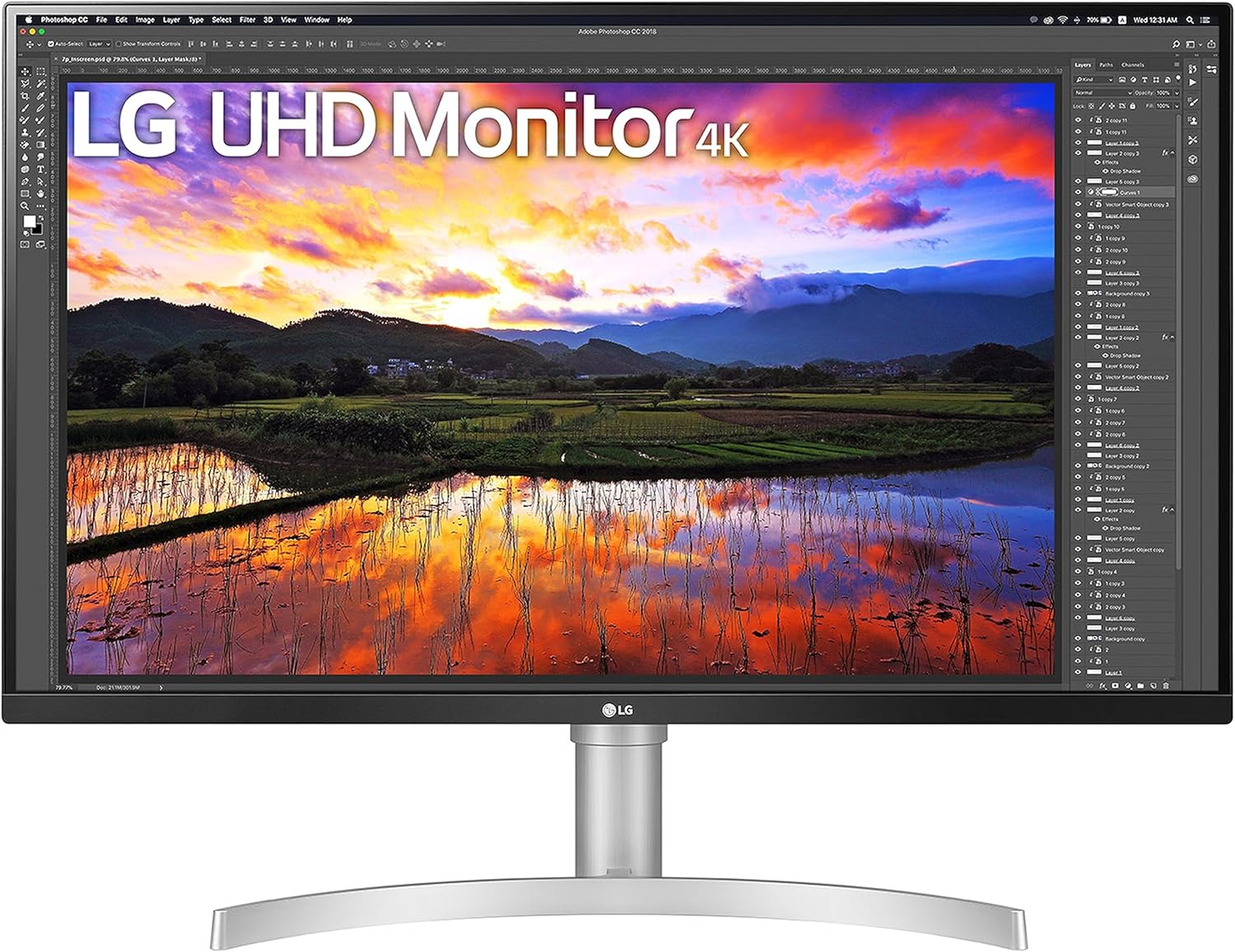
LG UHD Monitor 32UN650P Review: Stunning 4K Clarity for Professionals
Quick Verdict
The LG UHD Monitor 32UN650P is an excellent choice for professionals and creatives seeking solid 4K clarity and colour accuracy without splashy extras. Its 31.5-inch IPS panel offers crisp detail and accurate wide-gamut colour reproduction, making it well-suited for photo and video editing, as well as general productivity tasks. While the 60Hz refresh rate and 5ms response time limit its appeal for competitive gamers, the inclusion of AMD FreeSync and HDR10 support add useful value for casual multimedia use. Overall, it represents strong 4K performance at this segment, offering reliable colour precision and good ergonomics, but might not satisfy those needing ultrafast speeds or top-tier HDR.

Overview and First Impressions
LG has long been a key player in the display market, and the 32UN650P slots into the mid-to-upper range 4K monitor category, targeting creative professionals and serious home users who demand clarity and colour fidelity without compromising on screen real estate. The sizeable 31.5-inch screen has a minimalist aesthetic with narrow bezels on three sides – LG calls this a ‘borderless’ design, which helps keep multi-monitor setups neat and immersive. The chassis is mostly white with a clean matte finish, adding an airy feel to a desk without excess bulk.
Build quality feels solid for the price, with a sturdy plastic stand that allows for smooth height adjustment and tilt, conveniently geared for ergonomic comfort over longer hours. However, the stand lacks swivel and pivot options, which might frustrate users who require full positioning flexibility. The one-click installation mechanism simplifies setup without fiddly screws, making it a plug-and-play experience from the get-go.
Connectivity includes two HDMI 2.0 ports and a DisplayPort 1.4, standard fare that covers everything from Windows and macOS PCs to modern consoles. USB-C is absent, which is a minor disappointment for users who use MacBooks or want single-cable docking convenience. Still, the port selection suits most typical desktop arrangements well.

Overall, this monitor feels like a purposeful tool rather than a flashy gaming screen or multimedia extravaganza, styling itself as a reliable workhorse with clean looks and the essentials needed in a professional environment.
Discover the LG UHD Monitor 32UN650P
Display Technology and Features Explained
Diving deeper into the display itself unveils what the LG 32UN650P truly offers. The panel is an IPS (In-Plane Switching) type, known for excellent colour accuracy and wide viewing angles compared to VA or TN panels. IPS technology means you can expect consistent colours and brightness even when glancing at the screen from sharp angles—crucial for colour-critical work and collaborative environments where others may need to view the screen simultaneously.
The native resolution is UHD 4K (3840 x 2160 pixels) on 31.5 inches, delivering a pixel density of roughly 140 PPI — comfortably sharp for most professional uses. Text and images appear crisp without the demand for aggressive scaling, which some 4K screens at smaller sizes require. This translates to more workspace on screen for timelines, toolbars, or spreadsheets.
A 60Hz refresh rate is standard for office and creative work, ensuring smooth cursor movement and video playback without visible flicker or judder. However, this is not a gaming-centric monitor; competitive gamers will notice the frame rate ceiling limits fluidity compared to 120Hz or higher panels. The 5ms GtG (grey-to-grey) response time is respectable, and motion clarity on fast-moving objects avoids the common ‘ghosting’ or trailing that plagues slower panels. So while not the best for twitch gaming, the monitor handles everyday video and casual gaming well enough.
HDR10 support is a welcome addition, but it’s important to temper expectations. The panel’s peak brightness maxes out around 350 nits—which is decent but shy of the 600-plus nits needed for a true HDR spectacle. Similarly, it lacks local dimming which limits contrast performance. In practice, HDR content will look better than SDR, with brighter highlights and deeper shadows—which improves film and video work—but not as dramatically as more expensive HDR monitors.
Colour reproduction is where this display shines. It covers 95% of the DCI-P3 colour gamut, a wider spectrum than the standard sRGB commonly used for web content but highly relevant for digital cinema and professional video editing workflows. LG calibrates the monitor at the factory to deliver Delta E values below 2, ensuring colours on screen are a faithful representation of the original material. This means less time fiddling with calibration tools and more trust in your edits.
Contrast ratio for IPS panels typically sits around 1000:1; this one is no exception, rendering blacks as dark grey in dim environments rather than true deep black. This is common with IPS tech, and fine for editing, but not ideal if you want rich shadow detail in darker gaming or movie scenes. The anti-reflective coating also helps reduce glare in bright rooms, aiding daytime use without losing vibrancy.
LG includes AMD FreeSync support, a variable refresh rate technology that smooths out frame pacing for compatible graphics cards and consoles. This reduces screen tearing and stutter during motion, crucial if you plan to play any games. For productivity, though, FreeSync is a nice to have rather than essential.
In sum, the 32UN650P’s display features offer a strong 4K panel tailored to professional users who prioritise colour accuracy and workspace clarity. While HDR and gaming features add value, they are supplementary rather than central to this model’s appeal.
Real-World Performance — What Customers Say
Owners of the LG 32UN650P highlight the monitor’s sharp 4K clarity and faithful colour performance straight out of the box, which aligns well with LG’s factory calibration claims. Photographers and video editors appreciate the wide DCI-P3 coverage and consistent accuracy, allowing them to trust their work without additional colour profiling in most cases.
Some users have noted minor backlight bleed around corners and edges when viewing dark scenes in dark rooms, which is not unusual for IPS panels but worth considering if pure blacks are crucial. Uniformity across the screen is generally good, although a few customers mention slight variances in brightness—again typical for large IPS monitors.
A recurring theme is the ergonomic stand’s limited swivel and pivot, which some find restrictive especially if their desk setup requires frequent rotation or portrait mode. However, the height and tilt adjustment do meet basic needs, and the monitor’s overall stability is praised.
Long-term reliability and build quality receive positive feedback, with no widespread reports of dead pixels or colour degradation even after prolonged use. The 60Hz refresh rate and response time settings also hold up well, with most users reporting smooth video playback and no distracting ghosting during typical office or creative tasks. Gamers, however, generally regard this as a casual setup rather than a competitive rig, due to its moderate refresh rate.
Connectivity, Ergonomics and Setup
Connectivity includes two HDMI 2.0 ports that support 4K at 60Hz, making it easy to connect multiple devices like a PC, games console, or streaming box without constant cable swapping. DisplayPort 1.4 adds flexibility for higher bandwidth signals and is ideal for modern desktop computers that use this standard. The absence of USB-C means less simplicity for MacBook users or those wanting to connect peripherals and power via one cable.
The stand offers smooth height adjustment and a good tilt range, allowing you to position the screen comfortably for long working days. However, no swivel or pivot functions mean you can’t easily rotate the display for vertical workflows or adjust the horizontal alignment without physically repositioning the whole base. This might be a minor inconvenience for photographers or coders who prefer portrait orientation.
VESA 100x100mm mounting is supported, letting you swap the stand for a third-party arm or wall mount. This is a helpful option for those needing greater flexibility or saving desk space. Cable management is basic but effective, with a small clip providing neat routing at the rear.
Shop Now: Elevate Your Viewing Experience!
The initial setup is straightforward with the monitor’s one-click stand assembly. On-screen menus are intuitive, and preset colour modes including sRGB and Reader Mode help streamline use for various tasks. The OSD controls are responsive and well-labelled.
Who Should Buy This
This LG 32UN650P suits creative professionals such as photographers, video editors, and designers who need large, sharp 4K screens with faithful colour reproduction, but don’t require the most advanced HDR or highest refresh rates. It’s particularly attractive for remote workers or office users seeking expansive workspace for spreadsheets, multitasking, or media consumption without sacrificing accuracy.
Casual gamers who play graphically rich but not ultra fast-paced titles will enjoy the FreeSync support and solid picture quality, but competitive or high-frame rate fans should consider faster panels. Home users wanting excellent 4K clarity for films and streaming will also find this a satisfying choice.
Conversely, anyone needing USB-C connectivity or full swivel/pivot ergonomic adjustments should look elsewhere. Those prioritising true HDR brightness or deep contrast may prefer monitors with local dimming and higher nit peaks, such as the LG 32UN880 or higher-end alternatives.
For more expert reviews and monitor comparisons tailored to UK buyers, the website offers a rich resource to explore options.
Pros and Cons
Pros:
- Factory-calibrated IPS panel covers 95% DCI-P3, making it genuinely usable for colour-critical professional work without immediate recalibration.
- Crisp UHD 4K resolution on 31.5-inches delivers detailed images and expansive workspace.
- Effective AMD FreeSync support smooths casual gaming and video playback by minimising tearing and stutter.
- Solid build quality with smooth height and tilt adjustments plus easy installation.
Cons:
- 60Hz refresh rate and 5ms response limit appeal for highly competitive or fast-paced gamers.
- HDR10 support is handicapped by moderate 350-nit peak brightness and absence of local dimming.
- Lack of swivel and pivot on the stand restricts ergonomic flexibility for professional setups needing portrait mode.
- Missing USB-C port reduces convenience for Mac users and laptop single-cable workflows.
Final Verdict and Recommendation
The LG UHD Monitor 32UN650P delivers dependable 4K clarity and colour accuracy tailored to professionals and serious content creators who need a spacious, sharp, and colour-rich display without extraneous gaming gimmicks. Its IPS panel offers excellent viewing angles and wide DCI-P3 coverage, making it a trustworthy canvas for your edits and designs in 2026. While HDR and gaming features are present, they serve more as value adds than showstoppers.
If your workflow depends on colour precision and high resolution with basic ergonomic comfort, and you can overlook the lack of USB-C or full stand adjustability, this monitor offers strong performance for the price. It’s a straightforward, well-rounded display that suits creative offices, home productivity, and casual multimedia enjoyment. Check current availability on Amazon to see if it fits your setup.
Explore Features of the 32 Inch 4K Monitor
As an Amazon Associate, I earn from qualifying purchases.