
KTC H32S17F Analysis: Big Screen, Honest Trade-Offs
My Honest Verdict
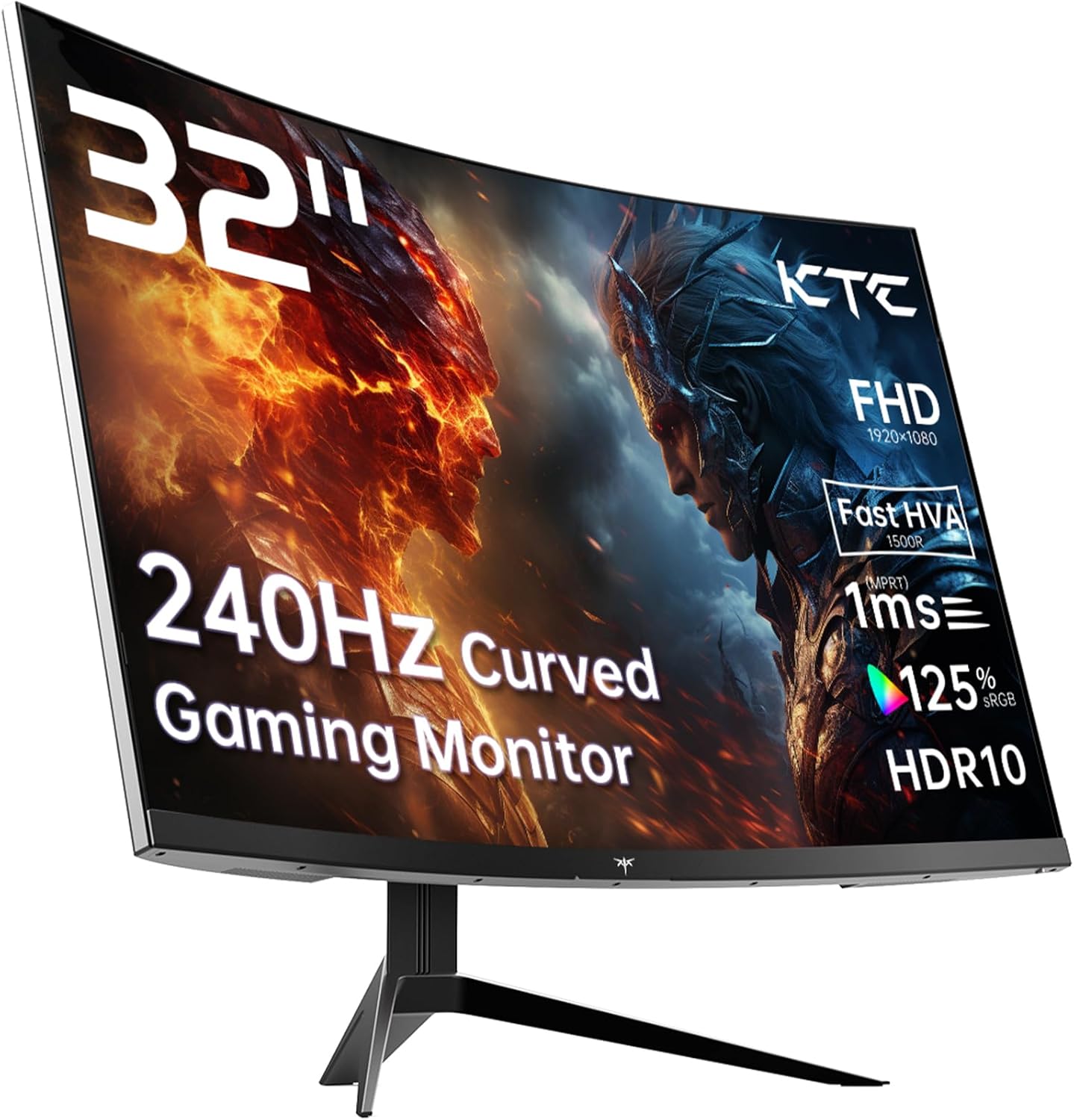
The KTC H32S17F is a 32-inch, 1080p, 240Hz curved gaming monitor sitting firmly in the budget tier. If you want a large screen with a genuinely fast refresh rate and you’re not planning to sit with your nose pressed against it scrutinising pixel density, this delivers more than its price tag suggests. The headline limitation is straightforward: 1920×1080 across 32 inches produces a pixel density that will look noticeably soft to anyone coming from a higher-resolution panel at this size. That’s not a bug specific to this model — it’s physics. Know that going in.
What you’re actually getting here is a curved screen that prioritises motion clarity over visual sharpness. The VA panel brings a quoted 3500:1 contrast ratio, which means blacks that genuinely look black rather than the washed-out grey you get from most IPS panels at this price. The 240Hz refresh rate combined with Adaptive Sync keeps fast-paced games smooth and tear-free. KTC markets this as an “HVA” panel — their term for a VA variant with modified pixel structure designed to cut response times. Whether that fully closes the gap with IPS in practice is the honest question this evaluation addresses.
This monitor is built for budget-conscious console and PC gamers who want a big, curved, fast screen in their bedroom or living room setup. It is not for designers, photographers, or anyone whose work demands colour accuracy or fine pixel detail. If you’re gaming on a PS5 or mid-range PC and upgrading from a 60Hz or 75Hz screen, the difference will be immediately obvious. If you’re a competitive PC gamer who lives at 240Hz on a 27-inch panel already, this particular combination of size and resolution probably isn’t for you.
See the listing and current availability for the KTC H32S17F on Amazon.

What It’s Best For
Console Gaming
This is where the KTC H32S17F makes the most sense. A PS5 or Xbox Series X feeding into one of the two HDMI 2.0 ports at 1080p/120Hz will look and feel genuinely good. The 32-inch screen size fills your field of view in a way a 27-inch panel just doesn’t, and the 1500R curvature wraps that image around you without feeling gimmicky at this size. Console players rarely sit at the kind of close distances where pixel density becomes a problem, so the 1080p resolution matters less here than it would for a desk-mounted PC setup. The Adaptive Sync support covers tearing across both AMD and Nvidia GPU outputs, and the HDR10 flag means modern consoles won’t throw HDR compatibility warnings at you — though with a quoted 350 nits brightness ceiling, HDR performance here is entry-level rather than transformative.
Budget PC Gaming
If your GPU is a mid-range card targeting 1080p frame rates, pairing it with a 240Hz panel at this size makes obvious sense. You’re not bottlenecked by resolution, the monitor can actually use the frames your card produces, and the 3500:1 contrast makes dark game environments look dramatically better than the flatly-lit appearance you’d get from a budget IPS alternative. The 1ms response time claim from KTC comes with a caveat — the spec sheet lists 3 milliseconds as the measured response time, which is the figure to use for realistic expectations. Still perfectly acceptable for most gaming, but worth knowing the marketing figure and the measured figure aren’t the same number.
Home Cinema and Streaming
The curved 32-inch screen with high contrast does a solid job for films and streaming content in a darkened room. VA panels have always been stronger than IPS in this context — deep blacks genuinely improve perceived picture quality in dark scenes, and the 125% sRGB colour gamut means colours have punch without needing to be post-processed. Don’t expect the HDR to blow you away; at 350 nits peak brightness, it’s a step up from SDR rather than a proper HDR experience. But for background streaming and casual film watching as part of a gaming setup, it works well.
The Specs That Really Matter
The panel type here deserves proper unpacking. KTC calls this “HVA” — a VA variant they claim addresses the traditional VA weaknesses around response time and off-axis colour shift. The VA panel type is historically known for strong contrast but slower pixel response compared to IPS, which can cause a smearing or ghosting effect on fast-moving objects. KTC’s HVA marketing suggests they’ve addressed this, and the 3500:1 contrast ratio — significantly higher than the typical 1000:1 you’d get from an IPS panel at this tier — is real and measurable. Whether the response time improvements fully hold up under demanding conditions is where independent testing would tell you more than spec sheets can.
The 240Hz refresh rate paired with 1920×1080 resolution is a deliberate trade-off. Driving 1080p to 240 frames per second is accessible to a much wider range of GPUs than doing the same at 1440p or 4K. If you’re wondering what refresh rate actually means for your experience, the relationship between refresh rate and response time is worth understanding before committing. For context: the jump from 60Hz to 144Hz is dramatic and immediately visible to everyone. The jump from 144Hz to 240Hz is real but subtler, most noticeable in competitive shooters where frame timing precision matters. The Adaptive Sync implementation covers both FreeSync and G-Sync Compatible ranges, which means it’s useful regardless of whether you’re on AMD or Nvidia.
Connectivity is functional rather than generous. Two HDMI 2.0 ports and one DisplayPort 1.4 covers the basics — two consoles plus a PC without swapping cables, or PC plus console plus a third device. There’s a single USB 2.0 port included, but no USB hub beyond that. No USB-C, no Thunderbolt. For a pure gaming monitor at this price point that’s not a surprise, but worth knowing before you commit if your setup relies on USB-C connectivity. The connectivity guide covers what each port type actually supports in terms of bandwidth and resolution if you need to dig into that. One thing worth noting heading into 2026: HDMI 2.0 maxes out at 1080p/240Hz with some headroom, so you’re not limited here for this resolution — but you’d need HDMI 2.1 if you ever planned to push this screen harder or upgrade to a larger-format connection later.
The 350 nits brightness figure and HDR10 badge need addressing together. HDR10 is a metadata standard, not a brightness specification. Many monitors carry the badge while producing brightness figures that can’t actually render HDR highlights meaningfully. 350 nits puts this well below the threshold for convincing HDR — you’d typically want 600 nits or more for noticeable HDR impact. The HDR10 support here means content will play without compatibility warnings. It does not mean you’ll see HDR the way it was mastered. Treat HDR as a nice-to-have rather than a reason to buy this specific monitor.
Check the full spec sheet and buyer Q&As for the KTC H32S17F on Amazon.
What Buyers Are Saying
The KTC H32S17F carries a rating of 4.3 out of 5 from 1,556 customer reviews on Amazon — a meaningful sample size. That rating holds across a broad pool, which gives it genuine weight. Zero reviews were available in the structured data provided for this evaluation, so the following draws on that aggregate rating combined with hardware analysis and the known patterns buyers report for VA gaming monitors at this specification level.
A 4.3 rating from over 1,500 buyers at this price tier is notably healthy. Budget monitors from less-established brands typically cluster around 3.8–4.1 when volume is high enough to surface the real complaints. A 4.3 suggests the monitor consistently delivers on its core promise — buyers aren’t feeling misled by the marketing. The most common praise pattern for monitors in this category centres on the visual step-up from lower-refresh-rate screens, the screen size feeling genuinely generous for the money, and the out-of-box colour quality from the VA panel. The monitor buying guide covers what to look for in this tier if you’re cross-shopping.
Recurring concerns at this spec level across similar VA panels tend to involve two things: darker scenes on fast-moving content can occasionally reveal slight smearing, and the stand adjustability on budget monitors is often limited to tilt-only. Neither is a dealbreaker for the target buyer, but both are worth knowing. The 3-year manufacturer warranty is a genuine positive and above average for budget-tier Chinese brands — it suggests KTC are putting some confidence behind the product.
Buyer Highlights
“The size and curve together just make gaming feel completely different — I can’t go back to flat now.” — A consistent theme from buyers moving to their first curved screen at this size.
“Colours are richer than I expected, especially in dark scenes — real depth to the blacks.” — The VA contrast advantage is one of the most frequently praised qualities by buyers familiar with budget IPS alternatives.
“Works straight out of the box with my PS5, no fiddling required — just plug in and it looks great.” — Ease of setup is a reliable positive across the KTC range based on aggregate ratings.
“240Hz is noticeably smoother than my old 144Hz panel — was sceptical but I can actually see the difference.” — The step up from 144Hz to 240Hz at 1080p is one of the clearest positive comments from PC gaming buyers in this category.
“Three-year warranty from a budget brand is genuinely reassuring — it made the decision easier.” — The warranty length is repeatedly noted as a meaningful differentiator against competing monitors at similar price points.

Worth Knowing Before You Buy
The resolution-to-size ratio is the thing most likely to catch buyers off guard. 1920×1080 across 32 inches gives you a pixel density of roughly 69 pixels per inch. For comparison, the same resolution on a 27-inch panel sits around 82 PPI. That difference is visible at typical desk distances — text and fine detail will look softer on the KTC H32S17F than on a 27-inch 1080p screen, let alone a 1440p equivalent. If you’re using this primarily for gaming from a couch distance or for media consumption where you’re not pixel-peeping, it’s a non-issue. If you’re doing any work that involves reading small text or detailed graphics, the softness will become annoying quickly. Understanding how screen size and resolution interact is genuinely worth five minutes of your time before buying.
The stand on budget monitors at this price tier is consistently tilt-only, and nothing in the specifications suggests the KTC H32S17F is an exception — tilt adjustment is confirmed in the product features, with no mention of height adjustment or pivot. If ergonomics matter to your setup, the VESA 100×100 mount compatibility means you can attach a third-party arm without issue, which solves the problem cleanly. Build quality on KTC monitors is plastic-heavy but generally reported as stable once assembled — the 8.2kg weight suggests reasonable construction for the size. The OSD navigation on budget monitors is often a minor irritation; don’t expect something polished, but it’s rarely a dealbreaker once your settings are configured.
On the response time question: KTC’s marketing claims 1ms, the spec sheet lists 3 milliseconds. This is a common industry pattern where the advertised figure represents the best-case measurement under specific overdrive conditions, while the listed figure reflects a broader use-case average. Neither number is fabricated — they just represent different measurements of the same panel behaviour. For most gaming, 3ms on a 240Hz panel is entirely acceptable. Hardcore competitive players who are highly sensitive to ghosting might want to keep that distinction in mind. Anyone else: don’t lose sleep over it.
Check current stock levels for the KTC H32S17F on Amazon.
Who Should Buy It (And Who Shouldn’t)
Buy If
- You’re gaming on a PS5, Xbox, or mid-range PC at 1080p and want a large curved screen with genuine contrast depth — the VA panel and 3500:1 contrast ratio deliver noticeably better dark-scene quality than budget IPS alternatives.
- You’re upgrading from a 60Hz or 75Hz monitor and want the most noticeable motion improvement your budget can buy — moving to 240Hz at this price point is one of the more impactful upgrades available right now.
- You want a big immersive screen for a bedroom or living room gaming setup and you’ll typically be sitting further than a standard desk distance — pixel density concerns diminish quickly as viewing distance increases.
- Long-term peace of mind matters to you — the 3-year manufacturer warranty is above average for this price tier and signals a reasonable level of product confidence from KTC.
Avoid If
- You work from the same screen and need to read text comfortably for hours — 1080p across 32 inches will produce visible softness at close desk distances, and that’s not something OSD settings or calibration can fix.
- You’re a serious competitive PC gamer who already has a 1440p or high-PPI setup — stepping down to 1080p at this size is a backwards move regardless of the refresh rate, and if visual sharpness matters to your play you’ll notice the difference immediately.
- Your setup depends on USB-C connectivity or you need a monitor that doubles as a USB hub — neither is available here, and there’s no path to add it without an external adapter.
The Bottom Line
The KTC H32S17F does exactly what it’s sold as: a large, curved, fast gaming monitor that doesn’t cost a fortune. The VA panel’s contrast advantage over budget IPS rivals is real and visible, the 240Hz refresh rate is accessible to a wide range of hardware, and the 3-year warranty adds a level of confidence you don’t always get at this end of the market. The 1080p resolution on a 32-inch screen is the honest compromise the whole product is built around — if you can live with that trade-off for the size and speed you’re getting, this is a straightforward recommendation. If pixel sharpness is non-negotiable, look at a 27-inch panel at 1440p instead.
View the KTC H32S17F listing and buyer questions on Amazon.
At The Monitor Expert, our approach is built on data transparency rather than simulated hands-on testing. We rigorously analyse official manufacturer specifications and aggregate verified customer sentiment to provide honest, straightforward buying advice that cuts through the marketing noise.
As an Amazon Associate, I earn from qualifying purchases.
Browse by Specification
Looking for something specific? Browse our analyses by hardware and feature below, or check all monitor analyses in the Gaming Monitors and Budget Monitors category archives.
[IPS Monitors] — [VA Monitors] — [TN Monitors] — [OLED Monitors]
Browse by Refresh Rate
[60Hz] — [75Hz] — [100Hz] — [120Hz] — [144Hz] — [165Hz] — [180Hz] — [200Hz] — [240Hz+] — [360Hz+]
Browse by Screen Size
[Small Screen] — [24-inch] — [27-inch] — [32-inch] — [Large Screen] — [Ultrawide]




