
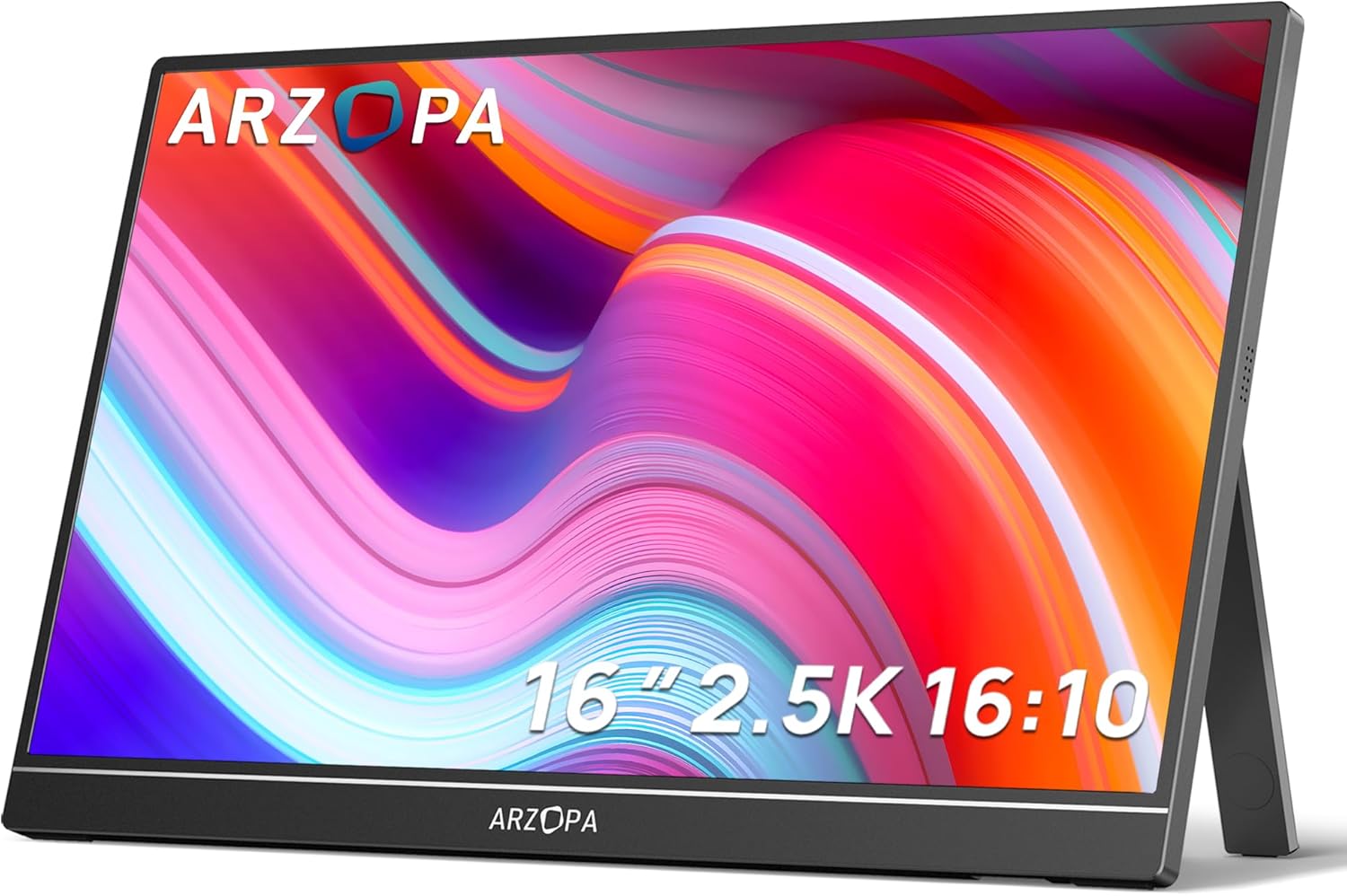
ARZOPA Z1RC Analysis: Sharp 2.5K in Your Bag
My Honest Verdict
The ARZOPA Z1RC is a genuinely capable portable monitor that delivers where it counts most for its target buyer: sharp resolution in a light, travel-friendly package. At 16 inches with a native 2560×1600 resolution and a 16:10 aspect ratio, this is one of the better-spec’d portable screens in its class. If you need a second screen you can throw in a bag and use anywhere without fussing with drivers or power bricks, this earns a real recommendation. The headline limitation is straightforward: 60Hz refresh rate means competitive gaming on it is a non-starter, and a specific compatibility issue with M4 Macs running Thunderbolt 5 is worth knowing before you buy.
In everyday use, the 2.5K resolution on a 16-inch panel means text is crisp and detailed — noticeably sharper than the 1080p portable monitors that still dominate this category. The 16:10 ratio adds a meaningful extra strip of vertical space compared to a widescreen, which makes a real difference for documents, code, and spreadsheets. Brightness is rated at 500 nits in the spec sheet (the product listing mentions 400 nits in a couple of places — take the higher figure as the marketed claim, but don’t expect it to eat direct sunlight). The IPS panel brings wide viewing angles and decent colour reproduction, which matters when you’re sharing the screen with someone next to you on a train or in a meeting room.
This is built for remote workers, developers, students, and anyone who regularly sets up a temporary workstation away from a desk. It’s also a solid companion for a Steam Deck or a laptop that needs more screen real estate on the road. If you’re after a gaming monitor with high refresh rates, look elsewhere — and if you own an M4 Mac, read the connectivity section carefully before committing. For everyone else, this is one of the stronger options in the portable monitor category at this spec level.
See the ARZOPA Z1RC listed on Amazon before reading further.

What It’s Best For
Remote and mobile work is where the ARZOPA Z1RC genuinely shines. The combination of 2560×1600 resolution and the taller 16:10 aspect ratio means you’re not squinting at compressed text or endlessly scrolling through long documents. Developers running an IDE on one screen and documentation on the other, analysts juggling spreadsheets, writers who just need more vertical real estate — all of these use cases are well served. The plug-and-play USB-C setup means you unpack it, plug one cable in, and get a working second screen in under a minute. Multiple buyers working in software development specifically called out how well the screen handles code, and that tracks — at this pixel density on a 16-inch panel, fine detail holds up well. For a practical guide on whether this size and resolution combination suits your workflow, the display size and resolution guide is worth a look.
Travel gaming and console use is a secondary but legitimate use case. Buyers are pairing this with Steam Decks, PS4/PS5 units, and Xbox consoles, and getting a usable portable gaming screen without carting a full desktop monitor around. The 60Hz cap isn’t ideal for fast-paced titles, but for RPGs, strategy games, and single-player experiences it’s entirely fine. One buyer described using it as a lightweight travel PC setup with just a Steam Deck, this monitor, and a Bluetooth keyboard and mouse — and that’s a genuinely smart use of what this screen does well. The FreeSync adaptive sync support at least smooths out frame pacing even within the 60Hz ceiling.
Photo and document review on the go also makes sense here. The IPS panel with its 178-degree viewing angles and a claimed 123% colour gamut value (which, if accurate, suggests extended sRGB coverage) means colours stay consistent when you’re showing work to a colleague beside you. This isn’t a colour-grading tool for professional video work, but for reviewing photos, presenting designs, or checking documents with a client, the screen holds up better than most portable monitors in this class.
The Specs That Really Matter
The IPS panel is the right choice for a portable monitor aimed at productivity and general use. IPS brings consistent colours across wide angles — critical when you’re sharing the screen — and avoids the washed-out look of cheaper TN alternatives. If you want to understand how panel types affect what you actually see day to day, the panel types guide covers it properly. The ARZOPA Z1RC doesn’t have OLED depth or VA contrast, but for a portable screen this is the sensible call.
The 2560×1600 resolution at 16 inches produces a pixel density that makes text genuinely sharp. This is a meaningful step up from 1920×1080 portable monitors — fine print stays readable, icons don’t look chunky, and images have real detail rather than a smeared approximation of it. You’ll likely want to run 125% scaling on Windows (one buyer confirmed this works well) or use a tool like BetterDisplay on macOS to get scaling that matches your workflow. The 16:10 aspect ratio adds roughly 11% more vertical screen space compared to a 16:9 equivalent, which sounds modest but is noticeable when you’re working rather than watching.
The 60Hz refresh rate is the most limiting spec for anyone who games seriously. In 2026, even mid-range portable monitors are pushing 120Hz or higher — so if frame rate matters to you, this isn’t the right pick. For office work, documents, video, and casual gaming it makes no practical difference whatsoever. The 26ms response time is slow by gaming standards — this is the kind of figure measured under conditions that flatter rather than reflect real use — but again, for the target audience it doesn’t register as a problem. The refresh rate and response time breakdown explains why these numbers can mislead if you’re not already familiar with how they’re measured.
Connectivity is a genuine strength. The ARZOPA Z1RC offers USB-C (with power delivery and video over a single cable) and mini HDMI, and the box includes cables for both. For most laptop and console connections, the USB-C route is the cleaner option — one cable handles both power and signal. The HDMI input requires a separate power connection, which slightly undermines the one-cable appeal, but it does widen device compatibility significantly. If you want a full breakdown of what these port options mean in practice, the connectivity guide covers the details.
The HDR claim deserves flagging. This screen is marketed with HDR support, but there’s no HDR certification tier listed (no DisplayHDR 400 or above in the spec data). At 500 nits brightness with a 1200:1 contrast ratio, the hardware can produce reasonably punchy images, but don’t expect HDR to look meaningfully different from SDR here. HDR on LCD panels at this contrast level is largely a marketing label rather than a transformative visual feature.
Check the full spec sheet and buyer Q&As for the ARZOPA Z1RC on Amazon.
What Buyers Are Saying
The ARZOPA Z1RC holds a 4.4 out of 5 rating from 554 Amazon customer reviews, which is a solid and meaningful sample. The overall sentiment is strongly positive, with the vast majority of buyers satisfied with both the image quality and the portability. Praise is consistent and specific rather than generic — buyers are pointing to particular things they like rather than just saying it’s good.
Image quality comes up repeatedly. Multiple buyers describe the display as sharp, bright, and clear, with colour reproduction that exceeded their expectations for a screen in this category. Several specifically called out the 2560×1600 resolution as a deciding factor — they’d looked at lower-res portable monitors and chose this one precisely because the pixel count is higher than most similarly sized alternatives. One buyer running it for software development noted the screen held up well for IDE work at 125% scaling on Windows 11, with minimal bezels and a build quality that felt more considered than the price suggests.
Setup experience is another consistent theme. The plug-and-play USB-C connection gets repeated mentions — buyers describe unpacking it, plugging it in, and having a working second screen with no drivers, no app installs, and no faff. Several note that the included cable bundle covers most common connection scenarios out of the box. One buyer pairing it with a Steam Deck described a clean single-cable travel setup that just worked.
The complaints worth noting are specific rather than widespread. One buyer reported a single-cable USB-C incompatibility with M4 Mac Thunderbolt 5 ports — it works fine over HDMI and with Thunderbolt 4, but the M4 Mac single-cable setup requires a firmware update that hadn’t shipped at time of writing. One buyer reported dead pixels on arrival, though they also documented that ARZOPA replaced the unit after sending photos — the after-sales response was described as polite and efficient. A smaller number of buyers flagged the built-in speakers as weak, which is accurate for virtually every portable monitor in this class — treat them as an emergency fallback rather than a feature.
Buyer Highlights
“The picture quality exceeded my expectations — bright, sharp, and vibrant straight out of the box.” — A consistent first impression from buyers upgrading from lower-resolution portable screens.
“Plugged in the USB-C cable and that was it — no setup, no downloads, just worked.” — Repeated across multiple reviews from buyers who valued the genuinely simple out-of-box experience.
“Very light, fits in my laptop bag, and the built-in stand is more stable than I expected.” — Common observation from buyers using this as a daily travel companion.
“Works with my Steam Deck as a lightweight travel PC setup — one power adapter for both devices.” — A specific and practical use case flagged by buyers who don’t want to carry a laptop.
“Dead pixels on arrival, but they replaced it quickly and the new unit has been fine.” — An isolated quality control complaint that was resolved through warranty support.

Worth Knowing Before You Buy
The M4 Mac Thunderbolt 5 issue is the one thing most likely to catch buyers out. If you own an M4 MacBook Pro, MacBook Air, or Mac Mini with Thunderbolt 5 ports, a single USB-C cable connection does not currently work without a firmware update from ARZOPA. The workaround is HDMI — which does work, but requires a separate power cable and loses the one-cable clean setup that makes portable monitors convenient. If you’re on a Thunderbolt 4 machine (any M1, M2, or M3 Mac, and most Windows laptops), there’s no issue. Worth confirming which Thunderbolt generation your machine has before ordering. For anyone unsure about which type of monitor suits their setup, that’s a useful starting point.
Build quality comes across as genuinely decent for the price point. The 810-gram weight feels light in hand, and buyers consistently describe the construction as more solid than they anticipated. The integrated fold-out stand gets positive mentions for stability. No cover is included in the box — if you’re transporting this regularly, a protective sleeve is worth picking up separately, and one buyer noted this explicitly. Dead pixels on arrival have appeared in a small number of reviews, but ARZOPA’s replacement process appears to be responsive — they request photos and act on them rather than stonewalling. The 1-year manufacturer warranty is standard for this category.
The speakers are weak. This is true of virtually every portable monitor at any price, but worth stating plainly — don’t factor them into your decision as a feature. Use headphones or a Bluetooth speaker if audio matters. Also worth flagging: the 26ms response time is slow, and if you’re sensitive to motion blur on fast-moving content, this will be visible at 60Hz. For productivity and casual media use it’s a non-issue. For anything competitive, it’s a genuine limitation.
Check current availability for the ARZOPA Z1RC on Amazon.
Who Should Buy It (And Who Shouldn’t)
Buy If
- You need a portable second screen for remote or mobile work and want noticeably sharper resolution than a standard 1080p portable monitor — the 2560×1600 resolution and 16:10 ratio make a real difference for documents, code, and spreadsheets.
- You use a Thunderbolt 4 laptop (any M1/M2/M3 Mac or most Windows machines) and want a genuine one-cable setup — plug in USB-C and you have power and display sorted with nothing else required.
- You want a portable gaming screen for a Steam Deck, Switch, or console in travel scenarios where a 60Hz cap is acceptable — the image quality and compact form factor make it a strong fit for this use case.
- You regularly present or share your screen with someone beside you — the IPS panel with 178-degree viewing angles means the image holds up from any reasonable angle without washing out.
Avoid If
- You own an M4 Mac with Thunderbolt 5 and rely on a single-cable USB-C setup — until a firmware fix is confirmed, you’ll be stuck on HDMI with a separate power cable, which significantly reduces portability.
- You need a monitor for competitive gaming or any scenario where refresh rate above 60Hz matters — this screen is not built for that, and the 26ms response time will add motion blur that serious gaming makes visible.
- You want HDR that makes a meaningful visual difference — the HDR support here is entry-level at best, and the contrast ceiling of 1200:1 limits how much depth HDR content can actually produce.
The Bottom Line
The ARZOPA Z1RC is a well-judged portable monitor that gets the things that matter most right: a sharp 2.5K display, a genuinely useful 16:10 aspect ratio, plug-and-play USB-C connectivity, and a build quality that doesn’t feel like it was assembled to a price. For remote workers, mobile developers, and anyone who regularly works away from a fixed desk, this is among the more capable options in the portable monitor category at this size. Keep your expectations calibrated on refresh rate and HDR, check your laptop’s Thunderbolt generation if you’re on a recent Mac, and this is a screen that earns its place in your bag.
View the ARZOPA Z1RC on Amazon and read the latest buyer questions and answers.
At The Monitor Expert, our approach is built on data transparency rather than simulated hands-on testing. We rigorously analyse official manufacturer specifications and aggregate verified customer sentiment to provide honest, straightforward buying advice that cuts through the marketing noise.
As an Amazon Associate, I earn from qualifying purchases.
Browse by Specification
Looking for something specific? Browse our analyses by hardware and feature below, or check all monitor analyses in the Portable Monitors and Budget Monitors category archives.
[IPS Monitors] — [VA Monitors] — [TN Monitors] — [OLED Monitors]
Browse by Refresh Rate
[60Hz] — [75Hz] — [100Hz] — [120Hz] — [144Hz] — [165Hz] — [180Hz] — [200Hz] — [240Hz+] — [360Hz+]
Browse by Screen Size
[Small Screen] — [24-inch] — [27-inch] — [32-inch] — [Large Screen] — [Ultrawide]




