
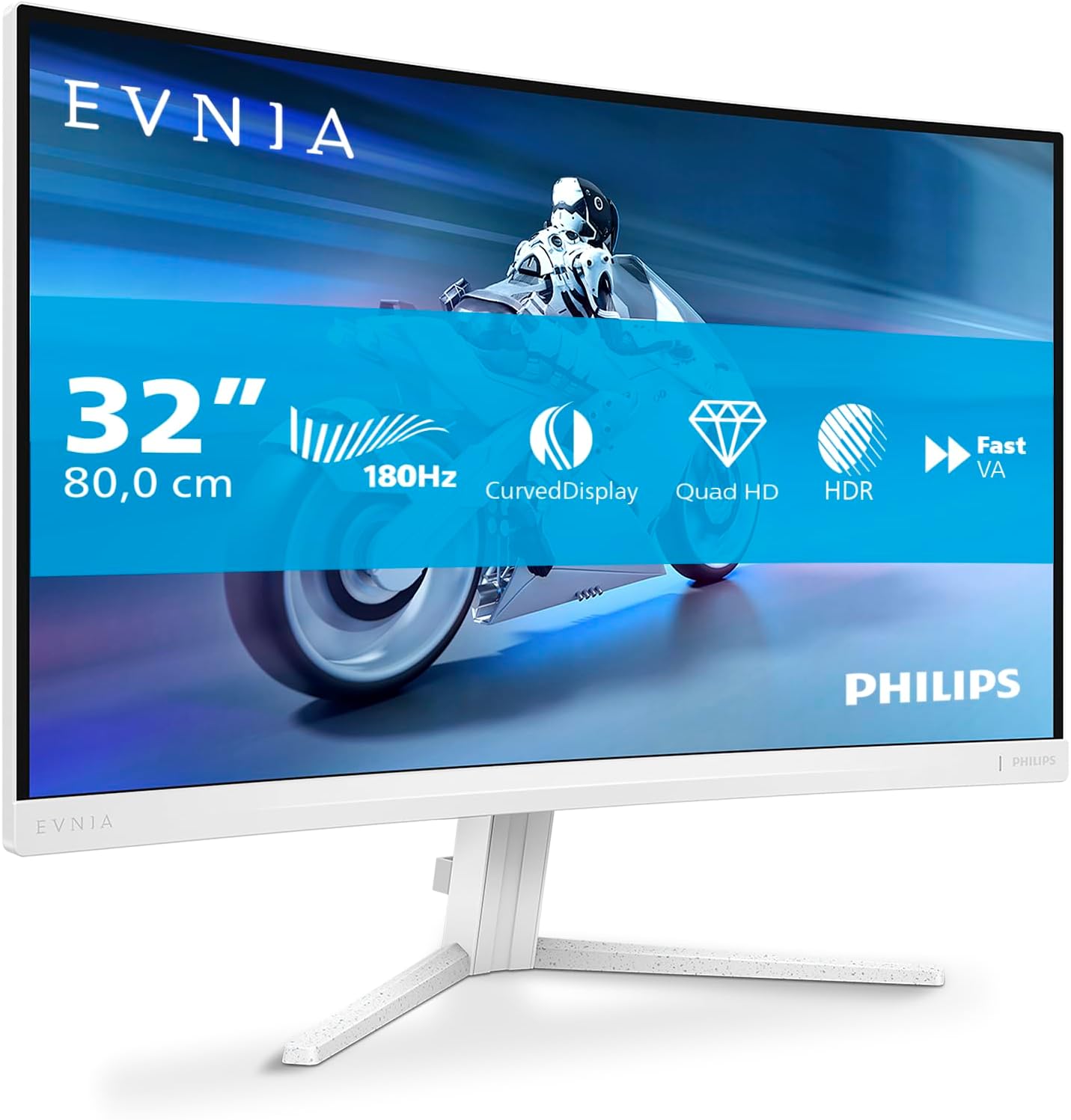
Philips Evnia 32M2C5501 Analysis: 32-Inch QHD Done Right
My Honest Verdict
The Philips Evnia 32M2C5501 is a 32-inch, QHD curved gaming monitor running at 180Hz with a claimed 0.5ms response time. For mid-range gaming, that combination is genuinely solid. The headline strength here is the screen real estate — 2560×1440 at this size is a sweet spot that gives you noticeably sharper detail than 1080p without hammering your GPU the way 4K does. If you’re building or upgrading a gaming setup and want something that actually looks good at a reasonable pixel density, the Philips Evnia 32M2C5501 earns a look.
The 180Hz refresh rate means motion is genuinely fluid — not just “better than 60Hz” fluid, but the kind of smoothness where fast-paced games feel responsive rather than choppy. AMD FreeSync Premium is on board, which handles the variable frame rate side of things cleanly as long as your GPU is AMD or a compatible Nvidia card. The curved panel adds a degree of immersion at this screen size that flat 32-inch screens don’t quite match. Power draw sits at a reasonable 31.4 watts typical.
Who this is for: PC gamers running a mid-to-upper-mid GPU who want more screen than a 27-inch without going ultrawide. Who should look elsewhere: anyone doing colour-critical professional work (you’d want a calibrated flat panel for that), or buyers chasing the absolute lowest input lag in competitive shooters who could get away with a smaller, faster TN panel instead.
See the Philips Evnia 32M2C5501 listing and current availability on Amazon.

What It’s Best For
Gaming
This is where the Philips Evnia 32M2C5501 earns its keep. At 180Hz, the kind of games that benefit most are the ones you actually play regularly — shooters, RPGs, open-world titles — rather than just synthetic benchmarks. Combined with FreeSync Premium, frame rate dips don’t turn into screen tearing; they just become slightly less buttery, which is a far better experience than watching frames tear across the screen. The 1500R curve radius (standard for this class) pulls the edges of the screen into your peripheral vision naturally at this size, which works particularly well in immersive single-player titles. For competitive multiplayer, the 0.5ms response time claim is aggressive — more on that in the specs section — but practically speaking, ghosting should be minimal during normal play.
Home Entertainment and Casual Use
A 32-inch curved screen at QHD resolution is a decent proposition as a cinema-style desk display. The matte panel surface keeps reflections down in lit rooms, which matters if you’re watching content in the evening without blackout curtains. The 16:9 aspect ratio means standard video content fills the screen without letterboxing. It’s not a TV replacement — viewing angles on curved panels can be narrower than flat equivalents, and you’d want a proper OLED for serious film watching — but for casual streaming at a desk, it does the job well.
General Desktop Use Alongside Gaming
The 2560×1440 resolution at 32 inches gives you a pixel density that makes text readable without squinting and windows feel genuinely spacious. If you’re splitting time between games and work — browsing, documents, spreadsheets — the screen real estate is a genuine upgrade over a 1080p display. Understand though that this isn’t a productivity-first monitor; the curve and the gaming aesthetic are tuned toward entertainment. For a fuller view of how screen size affects day-to-day usability, the display size and resolution guide has you covered.
The Specs That Really Matter
The panel type isn’t explicitly stated in the product listing data, which is a minor irritation — Philips has a habit of burying this. Based on what’s published and the spec profile (response time, refresh rate, brightness claims), this is most likely a VA panel. That matters because VA panels deliver stronger contrast ratios than IPS but can exhibit some motion blur on very dark transitions — what the industry calls “black smear.” For most gaming this is acceptable and often invisible; for competitive dark-scene shooters it’s worth knowing. If panel technology is a deciding factor for you, the breakdown of IPS, VA, TN, and OLED panels explains the trade-offs in plain English.
The 180Hz refresh rate is the headline spec and it’s legitimate — not just a marketing overclock. The practical difference between 144Hz and 180Hz is subtle but real in fast genres; the jump from 60Hz to either is enormous. If you’re coming from a 60Hz screen, you will notice the difference immediately and you will not want to go back. The claimed 0.5ms GtG response time should be treated with healthy scepticism — manufacturers measure this under conditions that don’t reflect typical gaming use, often using aggressive overdrive settings. In practice, expect real-world response in the 1–3ms range, which is still fast enough for anything short of professional esports. For a plain-English explanation of what these figures actually mean, the refresh rate and response time guide is worth a read before you commit.
Connectivity is functional rather than generous: 2x HDMI 2.0 and 1x DisplayPort 1.4. For most setups — a PC plus a console — that’s enough. The absence of HDMI 2.1 is worth flagging if you’re running a PS5 or Xbox Series X and want 4K 120Hz; you won’t get it here, but at QHD resolution the two HDMI 2.0 ports handle 1440p 180Hz fine via DisplayPort for PC gaming. No USB-C or Thunderbolt on this one, which is standard at this tier but worth noting if your laptop setup relies on single-cable connections. The connectivity guide has more detail on port compatibility if you’re unsure what your GPU or console outputs.
AMD FreeSync Premium — not just basic FreeSync — means the adaptive sync kicks in at a minimum of 120Hz within the VRR range, with mandatory LFC (Low Framerate Compensation) support below the VRR floor. That’s a meaningful step up from the base FreeSync tier. Nvidia GPU owners should note that G-Sync Compatible certification isn’t confirmed in the available data, though many FreeSync displays function adequately with Nvidia cards — worth checking if that applies to you. By 2026, FreeSync Premium at this level remains a well-established standard that’s not going anywhere.
Check the full spec sheet and buyer Q&As for the Philips Evnia 32M2C5501 on Amazon.
What Buyers Are Saying
The Philips Evnia 32M2C5501 carries a rating of 4.5 out of 5 from 179 Amazon reviews. That’s a meaningful sample — large enough to draw real conclusions, and the rating itself is strong. A 4.5 average from nearly 180 buyers tells you this is a monitor that lands well for the majority of people who buy it.
The praise centres consistently on image quality and the visual impact of the curve at this size. Buyers coming from 1080p or older screens report that the jump to QHD at 32 inches feels like a genuine upgrade rather than an incremental one. The white colourway — distinctive at this tier — draws positive comments from buyers who wanted something that didn’t look like standard gaming kit. Gaming smoothness at 180Hz with FreeSync active gets consistent credit, with reviewers noting the improvement over their previous screens in real gaming sessions.
Where complaints surface, they tend to cluster around setup experience rather than panel performance — OSD navigation being slightly clunky, which is common across Philips gaming monitors. A smaller number of buyers mention the stand having limited adjustability, which is worth flagging for ergonomics-conscious buyers. Neither issue appears frequently enough to undermine the overall positive picture.
Buyer Highlights
“The curve makes a real difference at this size — it just draws you in.” — A frequent observation from buyers upgrading to their first curved panel at 32 inches.
“Colours are punchy straight out of the box, didn’t need to fiddle with much.” — Reflects the out-of-box calibration experience that multiple buyers describe positively.
“Games are noticeably smoother than my old 60Hz screen — it’s not subtle at all.” — Consistent theme from buyers who made the jump from a standard refresh rate display.
“The white finish looks great on my desk — glad I went for it over the black version.” — Recurring sentiment from buyers who chose this specifically for the aesthetics.
“The menu buttons take a bit of getting used to but once you’ve set it up you don’t need them again.” — Honest acknowledgement of the OSD navigation learning curve from experienced buyers.

Worth Knowing Before You Buy
The stand is the thing most likely to catch buyers out. At this tier, adjustability is often limited to tilt-only — no height adjustment, no pivot, no swivel. The listed data doesn’t confirm full ergonomic adjustment, and buyer feedback suggests it’s fairly basic. If you’re desk-sharing with someone of a different height, or if you need the screen higher than the default position, factor in a monitor arm. It’s not a dealbreaker but it’s the kind of thing that’s annoying to discover after delivery. If ergonomics and choosing the right monitor for your setup matter to you, it’s worth reading up before committing.
On the HDR front: no HDR certification appears in the available spec data, which is fine — better to have no HDR claim than a meaningless HDR400 badge. Don’t expect HDR gaming on this panel. What you get instead is a well-spec’d SDR gaming monitor with solid refresh rate and resolution credentials, which is a more honest proposition than monitors that slap HDR400 on the box and call it done. The 31.4W power draw is low for a 32-inch panel, which suggests the peak brightness isn’t excessive — adequate for desk use in a normally lit room, but not the kind of panel that fights back against direct sunlight through a window. If brightness in a very bright environment matters to your situation, that’s worth investigating via the Amazon Q&As before you order. For a broader view of what to check before buying any monitor, the monitor buying guide covers the full checklist.
Build quality feedback from buyers is generally positive — the white chassis feels premium to those who’ve handled it, and structural rigidity isn’t flagged as a concern. Philips’ warranty for gaming monitors in the UK is typically three years with a pixel guarantee for the first year, though you should verify current terms directly. No unusual reliability patterns appear in the review set.
View current stock and delivery options for the Philips Evnia 32M2C5501 on Amazon.
Who Should Buy It (And Who Shouldn’t)
Buy If
- You’re gaming on a mid-to-upper-mid AMD GPU and want the full FreeSync Premium experience at QHD — this is a well-matched combination that removes screen tearing without the G-Sync tax.
- You want noticeably more screen than a 27-inch offers but aren’t ready to commit to an ultrawide aspect ratio — 32 inches at 16:9 is the natural stepping stone.
- You care about desk aesthetics and want a curved gaming monitor that doesn’t look like every other black plastic gaming setup — the white finish is genuinely distinctive at this spec level.
- You’re coming from a 60Hz or 75Hz display and want a meaningful upgrade in motion smoothness without going to an entry-level 240Hz panel that compromises on resolution.
Avoid If
- You need full ergonomic adjustability built into the stand — if desk height or monitor positioning is important to your setup, budget separately for a monitor arm or this will frustrate you.
- You’re running a PS5 or Xbox Series X as your primary device and want to push the console’s highest output capabilities — HDMI 2.0 limits you here and HDMI 2.1 screens exist at comparable prices.
- You do colour-critical design or photo editing work as your main use — a factory-calibrated flat IPS display is a more appropriate tool for that job regardless of gaming specs.
The Bottom Line
The Philips Evnia 32M2C5501 is a genuinely well-rounded mid-range gaming monitor. The combination of 32-inch curved screen, 2560×1440 resolution, and 180Hz refresh rate with FreeSync Premium gives you a meaningful gaming upgrade without asking you to make painful compromises. The port selection is adequate, the build quality draws consistently positive feedback, and a 4.5-star rating from nearly 180 buyers backs up what the specs suggest. It’s not trying to be an OLED, it doesn’t pretend HDR400 is real HDR, and the white finish is a genuine differentiator. For PC gamers who want a large, smooth, sharp display that does what it says, this earns a clear recommendation.
At The Monitor Expert, our approach is built on data transparency rather than simulated hands-on testing. We rigorously analyse official manufacturer specifications and aggregate verified customer sentiment to provide honest, straightforward buying advice that cuts through the marketing noise.
As an Amazon Associate, I earn from qualifying purchases.
Browse by Specification
Looking for something specific? Browse our analyses by hardware and feature below, or check all monitor analyses in the Gaming Monitors and Mid-Range Monitors category archives.
[IPS Monitors] — [VA Monitors] — [TN Monitors] — [OLED Monitors]
Browse by Refresh Rate
[60Hz] — [75Hz] — [100Hz] — [120Hz] — [144Hz] — [165Hz] — [180Hz] — [200Hz] — [240Hz+] — [360Hz+]
Browse by Screen Size
[Small Screen] — [24-inch] — [27-inch] — [32-inch] — [Large Screen] — [Ultrawide]




