
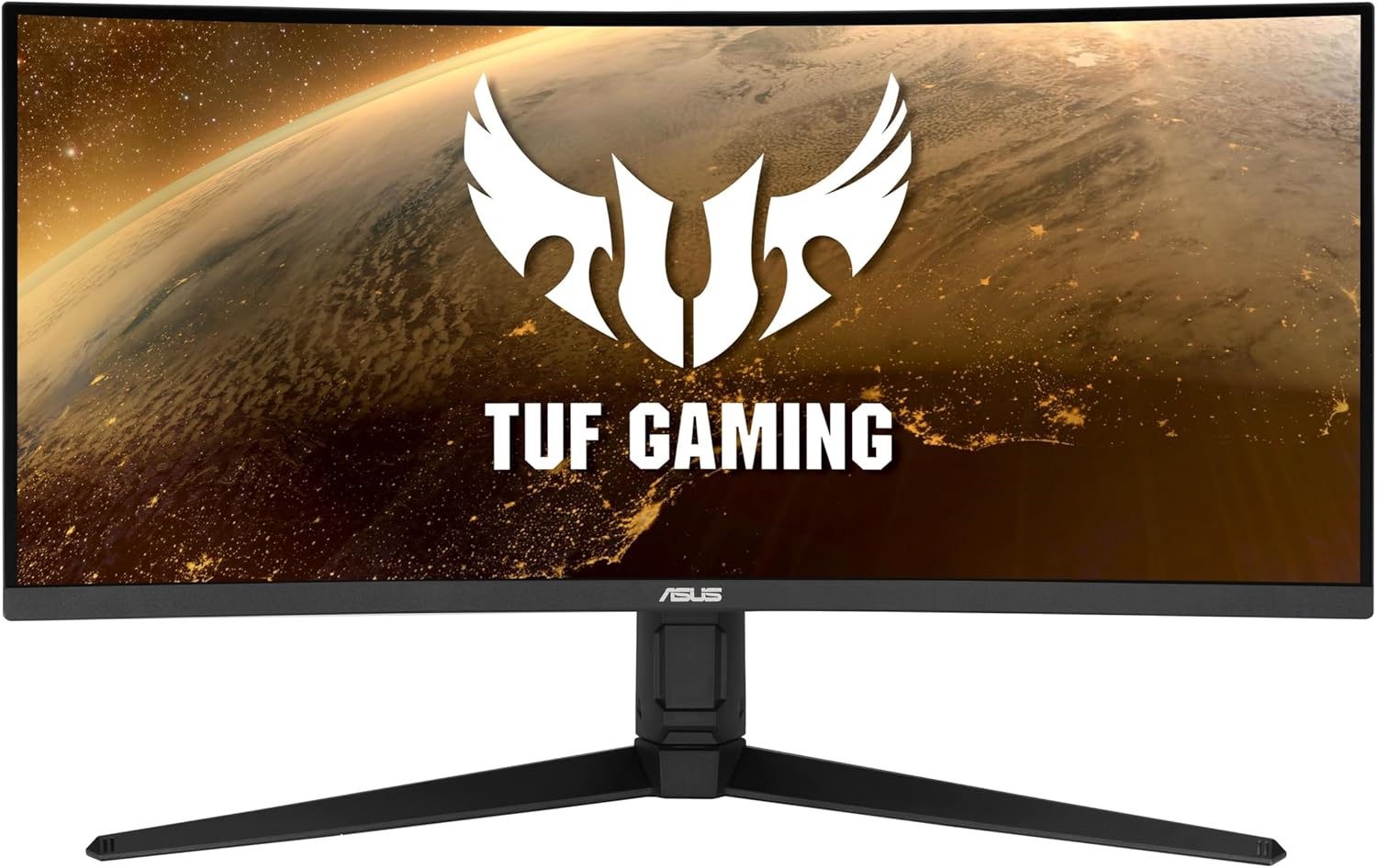
ASUS TUF Gaming VG34VQL1B Analysis: Ultrawide Done Right
My Honest Verdict
The ASUS TUF Gaming VG34VQL1B is a 34-inch ultrawide curved gaming monitor that hits a genuinely useful sweet spot: enough screen real estate to feel immersive, a refresh rate that keeps up with most gaming rigs, and a price point that doesn’t require a remortgage. The ASUS TUF Gaming VG34VQL1B earns its place in the mid-range ultrawide category without having to pretend it’s something it isn’t — which is more than can be said for a lot of the competition at this tier.
The 3440×1440 resolution across a 34-inch panel gives you genuine visual density — text is sharp, games look wide and detailed, and you’re not staring at individual pixels like you might on a lower-res screen. The 165Hz refresh rate is smooth in practice, and the 1500R curve wraps the edges into your peripheral vision in a way that flat monitors simply can’t match. The VA panel underneath all this delivers a native 1000:1 contrast ratio, which means blacks look like blacks rather than dark grey — a real advantage for anything cinematic or atmospheric.
If you’re a mid-range gamer who wants an ultrawide experience without a flagship GPU to drive it, this is a strong contender. If you’re a content creator who needs colour accuracy verified beyond casual use, or someone who demands HDR that actually looks different from SDR, look elsewhere. The DisplayHDR 400 certification here is entry-level — I’ll cover that honestly in the specs section.
See the ASUS TUF Gaming VG34VQL1B listing and current availability on Amazon.

What It’s Best For
Gaming — especially RPGs, open-world titles, and strategy games. The 21:9 aspect ratio and 1500R curve are built for games where field of view matters. Titles like Cyberpunk 2077, Red Dead Redemption 2, or any RTS where you want peripheral awareness without turning your head — this format is genuinely transformative compared to a standard 16:9 screen. The 165Hz refresh keeps motion smooth without requiring you to own a top-end GPU, and FreeSync Premium means you’re covered for frame rate fluctuations without screen tearing becoming a distraction.
Home entertainment and streaming. A 34-inch curved VA panel with a native 1000:1 contrast ratio watches films noticeably better than most IPS monitors at this size. The wider format is closer to cinema aspect ratios than a standard widescreen panel, so films shot in 2.35:1 fill the screen without black bars dominating. The contrast advantage means darker scenes in TV series actually retain shadow detail rather than washing into grey. Not a home cinema replacement, but a genuinely solid screen for someone who games and watches content on the same display.
Productivity and multitasking. The ultrawide format replaces two monitors without the gap down the middle. 3440×1440 gives you enough horizontal space to run a browser, a document, and a communication tool side by side without anything feeling cramped. It’s not a colour-grading workstation, but for general office tasks, writing, and spreadsheets, this is a comfortable and practical setup.
The Specs That Really Matter
The panel type isn’t explicitly listed in ASUS’s Amazon spec table for this model, but based on the published contrast ratio of 1000:1, the native curve, and cross-referencing ASUS’s own product documentation, this is a VA panel. That matters. VA panels sit between TN and IPS in the usual hierarchy — better contrast than IPS (which typically manages 800:1 to 1000:1 at best), decent viewing angles, but historically prone to some smearing or ghosting in fast motion. ASUS’s ELMB technology attempts to address that, and at 1ms MPRT, the marketed response time is the motion-blur-reduction figure rather than a traditional grey-to-grey measurement. Buyers expecting pixel response equivalent to a high-end IPS should calibrate expectations accordingly. For most gaming scenarios though, this is a non-issue.
The 165Hz refresh rate is worth discussing plainly. You’ll see some monitors advertised at 144Hz and others at 165Hz, and manufacturers love implying that 21Hz gap is meaningful. It isn’t — at least not perceptibly. What matters is that 165Hz is comfortably above the threshold where motion smoothness becomes genuinely noticeable versus a standard 60Hz display. If you’re coming from 60Hz, the jump here will be immediately obvious. If you’re coming from 144Hz, you probably won’t feel the difference. The more important detail is that FreeSync Premium keeps the experience consistent when your GPU isn’t constantly hitting the frame cap — which is most of the time. For a deeper look at how these numbers interact, the refresh rate and response time guide is worth a few minutes of your time.
The resolution of 3440×1440 on a 34-inch panel gives you a pixel density that’s noticeably sharper than a 2560×1440 flat monitor at 27 inches would be — the extra pixels are spread across more screen real estate, but the visual quality holds up well at normal viewing distances. The practical implication is that you need a reasonably capable GPU to push 165Hz at this resolution in demanding titles. A mid-range card will do it at medium settings; a flagship card will let you max everything. For those weighing up display size against resolution, the size and resolution guide covers the trade-offs clearly.
The DisplayHDR 400 certification deserves straight talk: 400 nits peak brightness with a static 1000:1 contrast ratio is the minimum threshold for HDR certification. It is not the HDR you’ve seen on high-end OLED TVs. In practice, enabling HDR mode on this monitor may make some content look marginally better in highlights, but you are unlikely to see the dramatic contrast punch that proper HDR delivers. If HDR is your primary motivation for this purchase, it shouldn’t be. If HDR is a nice-to-have and you understand the limitation, it won’t disappoint you because you won’t be expecting much. In 2026, genuinely capable HDR at this price tier remains elusive across the entire market — this monitor isn’t alone in that regard.
On connectivity: the specification data confirms DisplayPort and HDMI outputs, with a total of two video-out ports. There is no USB-C listed, which is worth noting if you were hoping to connect a laptop directly. For anyone assessing port options before buying, the connectivity guide breaks down what each port type is actually capable of. The HDMI port count is listed as one, so if you’re connecting two devices simultaneously — say, a PC and a console — plan accordingly.
Check the full spec sheet and buyer Q&As for the ASUS TUF Gaming VG34VQL1B on Amazon.
What Buyers Are Saying
The ASUS TUF Gaming VG34VQL1B holds a rating of 4.4 out of 5 from 471 customer reviews on Amazon. That’s a meaningful sample at a healthy rating — not the inflated 4.8 you see on listings with 12 reviews, but a genuine aggregate from a decent pool of buyers. The pattern across that feedback is consistent enough to draw useful conclusions.
The most common praise centres on the visual impact of the ultrawide format — buyers upgrading from standard 16:9 screens consistently describe the switch as immediately noticeable, particularly in gaming. The curve gets specific positive mentions for making the edges feel genuinely in view rather than peripheral. The contrast quality — that VA advantage — gets called out regularly by buyers who’ve owned IPS monitors before and notice the difference in darker content. Image setup and out-of-box calibration get broadly positive marks, with most buyers reporting acceptable image quality without significant manual tweaking required.
Criticism is present but contained. A subset of buyers note that the stand offers limited adjustability — height and tilt are there, but swivel is limited and there’s no pivot (which you wouldn’t use on an ultrawide anyway). A few buyers mention that the OSD menu navigation isn’t the most intuitive, which is a recurring issue across ASUS’s TUF range more broadly. There are occasional mentions of backlight bleed at screen edges, which is a known characteristic of VA panels and more likely to be visible on solid dark screens than in typical gaming or video content.
Buyer Highlights
“Going back to a flat 16:9 monitor after this would be genuinely painful.” — A recurring reaction from buyers who’ve had the VG34VQL1B as their first ultrawide.
“The blacks are so much better than my old IPS — darker scenes in games actually look dramatic now.” — Consistent observation from buyers coming from IPS panels at similar price points.
“Set up was straightforward, image looked good from the moment I plugged it in.” — Repeated across multiple reviews referencing the out-of-box experience and assembly.
“The curve makes such a difference — it feels like the screen is wrapping around you rather than just sitting in front.” — Common sentiment from buyers gaming at close to medium desk distances.
“The stand could do with more height adjustment, but the screen itself is genuinely great for the money.” — A balanced take that appears often enough to be considered representative rather than isolated.

Worth Knowing Before You Buy
The stand is the most consistent practical complaint in buyer feedback, and it’s worth taking seriously if you have a specific desk setup. Height adjustment is present but the range is modest, and there’s no USB hub built into the base — something you find on pricier monitors that makes cable management easier. The monitor is VESA compatible, so wall mounting or an aftermarket arm is a straightforward solution if the stock stand doesn’t suit you. At 11.7kg, it’s not featherlight, so factor that into arm compatibility if you go that route.
VA panel characteristics are worth understanding before you commit. The contrast advantage is real and visible. The potential downside — motion smearing on very fast transitions — is something ASUS’s ELMB technology mitigates but doesn’t eliminate entirely. For competitive shooters where pixel response is everything, a VA panel at any refresh rate is a compromise compared to a fast IPS. For RPGs, strategy, driving games, and cinematic content, it’s an excellent choice. Knowing which camp your gaming falls into is the most important factor here — our monitor selection guide can help you work that out if you’re unsure.
The warranty listed in the product data contains a conflict — the listing shows both “No Manufacturer Warranty” and “2 year manufacturer” warranty in different fields. ASUS’s standard UK warranty on TUF Gaming monitors is typically two years, and the “2 year manufacturer” entry is almost certainly the accurate figure. That said, verify this at point of purchase if warranty coverage is a specific concern for you. The power consumption of 35 watts is genuinely low for a 34-inch curved panel, which is a quiet positive if running costs matter to you.
View current stock and availability for the ASUS TUF Gaming VG34VQL1B on Amazon.
Who Should Buy It (And Who Shouldn’t)
Buy If
- You want an ultrawide gaming monitor and you play RPGs, open-world titles, racing games, or strategy — genres where the wide field of view and immersive curve directly improve the experience rather than just looking good in screenshots.
- You’re upgrading from a standard 60Hz flat monitor and want a meaningful step up in both smoothness and immersion without needing a top-tier GPU — the 165Hz at 3440×1440 is achievable with mid-range hardware at reasonable settings.
- You watch a significant amount of film and video content on your monitor and want better black depth than a typical IPS screen delivers — the VA contrast ratio makes a visible difference here.
- You multitask heavily and want to replace a dual-monitor setup with a single screen that gives you enough horizontal space to work across multiple windows without feeling cramped.
Avoid If
- You play fast-paced competitive shooters where pixel response time is critical — a high-refresh IPS panel will serve you better, as VA motion characteristics are a genuine trade-off in that specific scenario regardless of ELMB claims.
- You need USB-C connectivity for direct laptop use, or you were expecting meaningful HDR output — neither is available here, and if either is a primary requirement, a different screen is the right answer. Check the monitor buying guide to map your requirements before committing.
The Bottom Line
The ASUS TUF Gaming VG34VQL1B is a well-executed mid-range ultrawide that delivers on its core promise: a wide, curved, smooth screen for gaming and general use at a price that doesn’t require a second thought. The VA panel’s contrast advantage is genuine and visible, the 165Hz refresh rate handles the majority of gaming scenarios comfortably, and 471 buyers at 4.4 stars don’t lie. The stand has limitations, the HDR is entry-level, and there’s no USB-C — none of which should matter to the buyer this is designed for. If an ultrawide gaming monitor is what you’re after and you game in genres that reward the format, this earns a clear recommendation.
Find the ASUS TUF Gaming VG34VQL1B on Amazon and see what other buyers are saying.
At The Monitor Expert, our approach is built on data transparency rather than simulated hands-on testing. We rigorously analyse official manufacturer specifications and aggregate verified customer sentiment to provide honest, straightforward buying advice that cuts through the marketing noise.
As an Amazon Associate, I earn from qualifying purchases.
Browse by Specification
Looking for something specific? Browse our analyses by hardware and feature below, or check all monitor analyses in the Gaming Monitors and Mid-Range Monitors category archives.
[IPS Monitors] — [VA Monitors] — [TN Monitors] — [OLED Monitors]
Browse by Refresh Rate
[60Hz] — [75Hz] — [100Hz] — [120Hz] — [144Hz] — [165Hz] — [180Hz] — [200Hz] — [240Hz+] — [360Hz+]
Browse by Screen Size
[Small Screen] — [24-inch] — [27-inch] — [32-inch] — [Large Screen] — [Ultrawide]




