
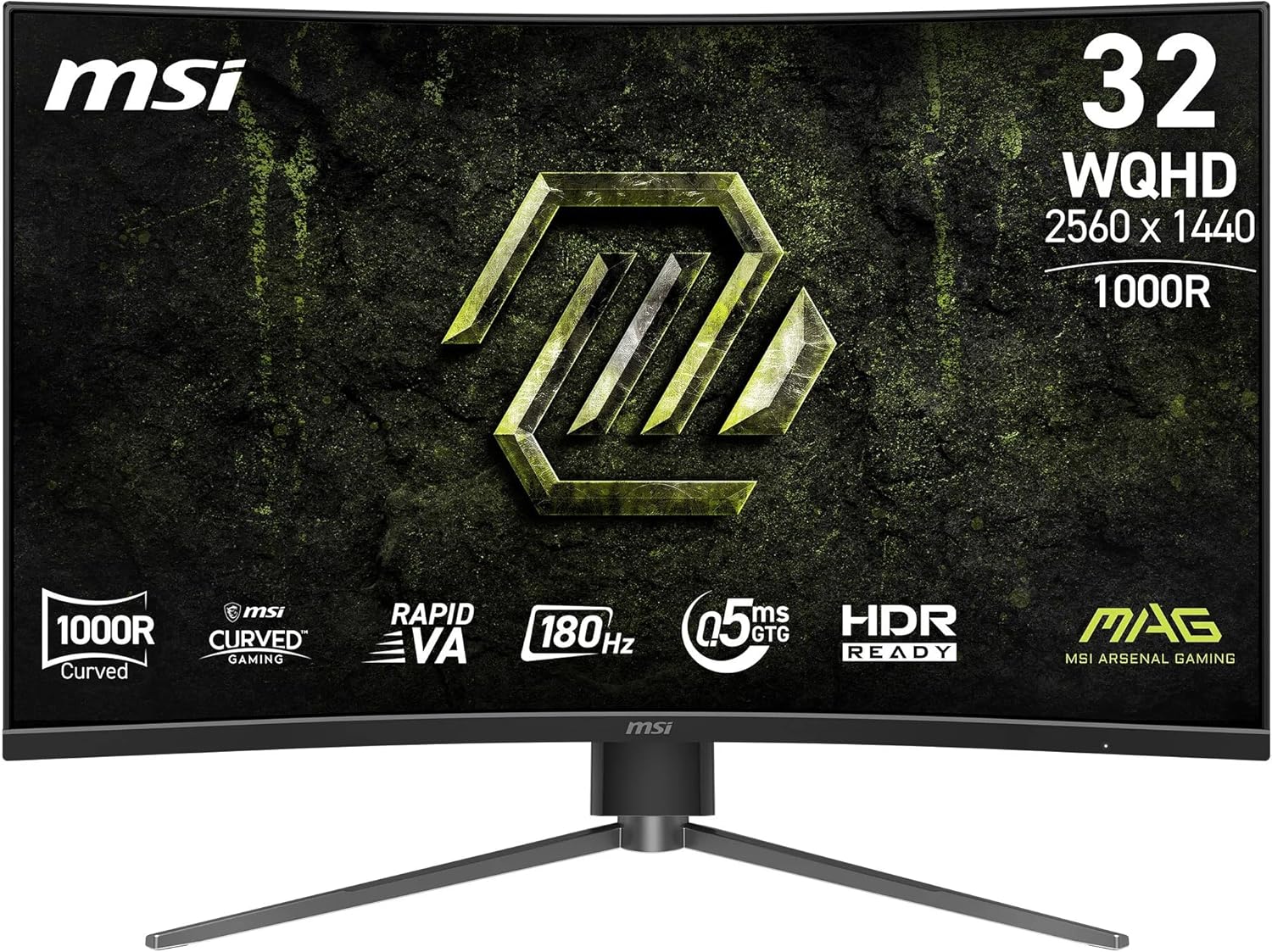
MSI MAG 325CQPF E18 Analysis: Contrast That Earns Its Curve
My Honest Verdict
The MSI MAG 325CQPF E18 is a 31.5-inch, WQHD curved gaming monitor that gets the core spec combination right for the money. You’re getting a VA panel with proper 3500:1 native contrast, 180Hz refresh rate, and a tight 1000R curvature — all in a package that looks the part on a gaming desk. The headline strength is that contrast ratio. VA does deep blacks in a way IPS simply can’t match at this tier, and on a 32-inch screen with a close curve radius, that translates into genuinely immersive dark scenes. The headline limitation is equally predictable for VA: colour accuracy out of the box tends to need tweaking, and viewing angles are narrower than IPS — though at a 1000R curve sitting directly in front of it, the latter matters less than it would on a flat panel.
In everyday use, 2560×1440 resolution on a 31.5-inch panel is a sweet spot. Sharper than 1080p without the GPU demands of 4K — text is crisp, games have detail, and you’re not burning extra frames to push unnecessary pixel counts. The 180Hz refresh rate keeps motion smooth for most gaming scenarios, and the claimed 0.5ms response time (MPRT, not GtG — an important distinction) should keep ghosting minimal in fast gameplay. FreeSync adaptive sync is present via both HDMI 2.0b and DisplayPort 1.4a, which handles screen tearing without needing to maintain a locked frame rate. One of the early buyers confirmed it runs at 1440p 120Hz on PS5 without issue, which is useful to know for console players.
This is a monitor for gamers — specifically those who play in darker environments, value immersion over colour accuracy, and want a curved big-screen experience without going ultrawide. If you’re a content creator who needs accurate colour grading, look at an IPS panel instead. If you’re predominantly doing office work in a bright room, the VA viewing angle limitations will surface more noticeably. But for someone building or upgrading a gaming setup who wants proper contrast and fluid motion at WQHD, the MSI MAG 325CQPF E18 makes a compelling case.
See the current listing and availability for the MSI MAG 325CQPF E18 on Amazon.

What It’s Best For
Gaming — especially in darker environments. This is what the MAG 325CQPF E18 is built for. The VA panel’s 3500:1 native contrast ratio means shadow detail and dark scenes render with genuine depth rather than the washed-out grey blacks you get from budget IPS panels. Paired with the 1000R curve at 31.5 inches, your peripheral vision is pulled into the image more than on flat or gently-curved screens. At 180Hz with adaptive sync active, fast-paced games feel smooth and tear-free. This setup suits third-person action games, racing simulators, RPGs, and competitive shooters alike — though the contrast advantage is most pronounced in anything with significant dark environments.
Console gaming. One of the early buyers specifically confirmed PS5 use at 1440p 120Hz via HDMI 2.0b, which is the practical ceiling for current-gen consoles anyway. HDMI CEC support means the monitor can automatically detect and sync settings with connected devices — a small convenience that adds up. If you’re a PS5 or Xbox Series X player who wants a significant step up from a budget 1080p screen without moving to a full TV, the MSI MAG 325CQPF E18 hits a genuinely useful spec point. The 32-inch size works well at a typical desk-to-seat distance without needing to constantly move your eyes across the full width the way an ultrawide demands.
Mixed gaming and casual home use. Buyers have noted it holds up reasonably well for everyday productivity and home media use alongside gaming. The 2560×1440 resolution means browser windows, documents, and video content all look sharp. The OSD joystick — a single 5-way navigator rather than a row of unlabelled buttons — makes switching between presets genuinely painless. It’s not a colour-critical workstation tool, but for someone who games in the evenings and uses the same screen for lighter daytime tasks, it covers both bases without compromise.
The Specs That Really Matter
The panel type is the most important spec here and it’s worth understanding what you’re actually getting. VA panels sit between IPS and TN in the panel type hierarchy — they offer significantly better contrast than IPS (the 3500:1 native contrast on this monitor versus the typical 1000:1 on IPS panels is a meaningful, visible difference), but they have narrower viewing angles and can exhibit colour shift when viewed off-axis. At a 1000R curve sitting directly centred in front of the screen, the off-axis issue is largely mitigated by geometry — the panel edges curve toward you rather than away. The deep blacks are the real selling point here. If dark scenes matter to you, this outperforms most IPS panels at similar prices without question.
The 180Hz refresh rate paired with FreeSync adaptive sync does exactly what it needs to for this class of gaming monitor. If you’re coming from a 60Hz screen, the difference will genuinely change how games feel. If you’re upgrading from 144Hz, the jump to 180Hz is real but modest — don’t buy this specifically for that extra 36Hz. For a detailed look at what these numbers actually mean in practice, the refresh rate and response time guide covers it well. The 0.5ms figure quoted here is MPRT (Moving Picture Response Time), which is measured differently from GtG (grey-to-grey) — it’s a best-case backlight strobing figure rather than a pixel transition measurement. Real-world pixel transitions on VA panels typically run higher than this suggests, though in practice buyers aren’t reporting ghosting issues at normal gaming settings.
Resolution and screen size work together, and 2560×1440 on a 31.5-inch panel is a genuinely good pairing. The pixel density is comfortable — noticeably sharper than 1080p at this size without demanding the GPU horsepower 4K requires. For anyone uncertain about how resolution scales with screen size, the display size and resolution guide breaks it down clearly. Heading into 2026, WQHD at 32 inches sits at a practical sweet spot for mid-range gaming rigs — your GPU can push useful frame rates at 1440p without needing top-tier hardware.
Connectivity is functional rather than expansive. You get one HDMI 2.0b port and one DisplayPort 1.4a — one source each, which is fine for most single-device setups but worth noting if you’re planning to run a PC and console simultaneously. No USB hub, no USB-C. For buyers who need to manage multiple sources or want USB passthrough, check the connectivity guide to understand what to look for. The HDR on this monitor is listed as “HDR Ready” — there’s no VESA DisplayHDR certification tier stated. Treat it as entry-level HDR at best; the native contrast of the VA panel will do more for your perceived dynamic range than the HDR certification will.
Check the full spec sheet and buyer Q&As for the MSI MAG 325CQPF E18 on Amazon.
What Buyers Are Saying
The MSI MAG 325CQPF E18 currently holds a rating of 4.1 out of 5 from 11 reviews on Amazon UK. That’s a small sample — too small to draw statistically firm conclusions — so treat this section as early signal rather than settled consensus. With that caveat on the table, the pattern in what buyers are saying is consistent enough to be useful.
The dominant theme among positive buyers is that the image quality — particularly contrast and colour depth — exceeds expectations for the price point. Multiple buyers independently reference it delivering near-OLED-quality blacks when settings are dialled in. The 1000R curvature gets specific praise from someone who upgraded from a 1500R monitor and found the tighter radius noticeably more immersive for sim racing. Build quality is consistently described as solid, with the metal stand base drawing particular mention. The 5-way joystick OSD navigator receives genuine enthusiasm from buyers who’ve dealt with fiddly multi-button OSD setups on previous monitors.
On the negative side, one buyer received a unit with a scratch out of the box — a packaging or quality control issue rather than a design flaw, but worth inspecting on arrival. One buyer noted the stand footprint extends further toward the keyboard than expected, which is a fair heads-up for compact desks. One buyer flagged that HDR out of the box is underwhelming — consistent with what we’d expect from an uncertified “HDR Ready” panel — but noted that adjusting Nvidia control panel settings resolves it. One buyer also noted the monitor is available at lower prices elsewhere, which isn’t a product concern but is worth bearing in mind before purchasing.
Buyer Highlights
“Delivers OLED-like contrast and deep blacks when you get the settings right.” — A recurring observation from buyers who took time to calibrate the display.
“The 1000R curved screen gives more immersion than my previous 1500R monitor.” — Specific feedback from a sim rig user comparing curve radii directly.
“The joystick control is amazing — navigating through menus is a doddle with the directional interface.” — Consistent praise from buyers who found multi-button OSDs frustrating on previous monitors.
“Setup was quick and straightforward, and the stand feels solid with a sturdy metal base.” — Out-of-box experience feedback from a buyer new to gaming monitors.
“Once you go 32 inches, there’s no going back.” — Typical reaction from buyers upgrading from 27-inch screens.
Worth Knowing Before You Buy
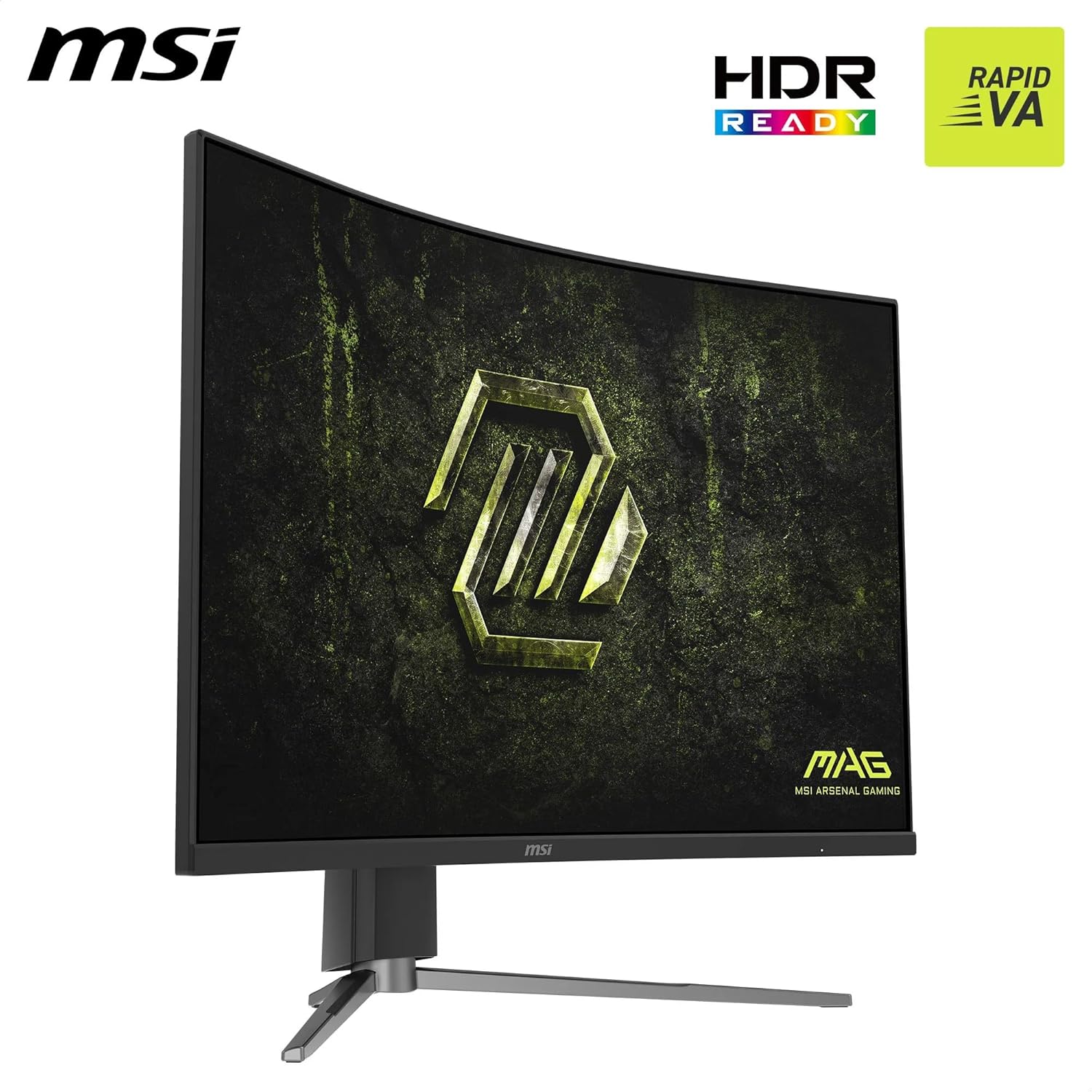
The stand depth is a genuine desk space consideration. Multiple buyers flag that the base extends further toward you than typical monitor stands — on a shallow desk this can encroach on keyboard space. MSI does include 100mm VESA compatibility, so a monitor arm is a practical alternative if desk depth is tight. The stand does offer height and tilt adjustment, which is better than fixed-only stands at this tier, but if you need significant ergonomic flexibility a VESA arm gives you more range. At 7.35kg, make sure any arm you choose is rated to handle the weight — one buyer specifically calls this out.
The HDR situation deserves a plain-language explanation. “HDR Ready” with no DisplayHDR tier certification means the backlight peak brightness likely isn’t high enough to produce the specular highlights that make proper HDR content look distinct. The good news is that the VA panel’s 3500:1 native contrast ratio does a better job of delivering perceived dynamic range than the HDR badge alone would suggest — deep blacks lift the perceived contrast significantly even without peak brightness highlights. Adjust your expectations: this isn’t a monitor for HDR purists, but the image quality in SDR with settings tweaked is genuinely strong. Buyers confirm that bumping colour saturation in Nvidia control panel settings makes a noticeable difference if the default HDR mode looks flat. If you’re buying in 2026 and HDR is a primary requirement, a monitor with a VESA DisplayHDR 600 or higher certification would serve you better.
One quality control incident — a scratched unit — appears in the reviews. It’s a single data point in a small sample, so it’s not a pattern, but it’s worth inspecting the panel surface immediately on unboxing and processing a return if there’s cosmetic damage. MSI’s 2-year manufacturer warranty covers defects, and their UK support has a reasonable reputation among the gaming monitor community. The review sample is still small enough (11 reviews at time of writing) that long-term reliability data simply isn’t available yet — if you’re the type who likes to see 200+ reviews before committing, check back or consult the monitor buying guide for alternative options in this spec tier.
View current stock levels for the MSI MAG 325CQPF E18 on Amazon.
Who Should Buy It (And Who Shouldn’t)
Buy If
- You game in a darker room and want genuine deep blacks — the VA panel’s 3500:1 contrast delivers this where IPS panels at this price point won’t.
- You’re on PS5 or Xbox Series X and want a 32-inch WQHD screen that runs at 1440p 120Hz over HDMI without needing an expensive TV-sized panel.
- You’re upgrading from a 27-inch or smaller screen and want more immersive screen real estate — the 1000R curve at 31.5 inches wraps noticeably into your field of view.
- You want a single monitor that handles gaming in the evening and lighter productivity tasks during the day without buying two separate screens.
Avoid If
- Colour accuracy matters to you — content creators, photo editors, or anyone doing colour-critical work should prioritise a wide-gamut IPS panel instead. A VA panel at this tier isn’t the right tool for that job.
- You need to run two sources simultaneously — one HDMI and one DisplayPort means one active connection at a time with no USB hub or KVM functionality.
- You’re specifically chasing certified HDR performance — “HDR Ready” without a DisplayHDR tier rating won’t satisfy anyone who considers HDR a genuine buying criterion rather than a checkbox.
The Bottom Line
The MSI MAG 325CQPF E18 does what it sets out to do. A 31.5-inch VA panel with 3500:1 contrast, 180Hz, WQHD resolution, and a tight 1000R curve is a coherent, well-matched spec set for immersive gaming. The deep blacks are the genuine differentiator here — this outperforms IPS at a comparable price on that metric, and buyers are noticing it. The limitations are predictable for the category: HDR is entry-level at best, port selection is minimal, and the stand footprint needs desk space. None of those are surprises in this tier. If a curved, high-refresh 32-inch gaming monitor is what you’re after and you’re not chasing colour accuracy or certified HDR, this earns a straightforward recommendation. For more context on which monitor type suits your use case, that’s worth a read before committing.
Find the MSI MAG 325CQPF E18 and read the latest buyer questions and answers on Amazon.
At The Monitor Expert, our approach is built on data transparency rather than simulated hands-on testing. We rigorously analyse official manufacturer specifications and aggregate verified customer sentiment to provide honest, straightforward buying advice that cuts through the marketing noise.
As an Amazon Associate, I earn from qualifying purchases.
Browse by Specification
Looking for something specific? Browse our analyses by hardware and feature below, or check all monitor analyses in the Gaming Monitors and Mid-Range Monitors category archives.
[IPS Monitors] — [VA Monitors] — [TN Monitors] — [OLED Monitors]
Browse by Refresh Rate
[60Hz] — [75Hz] — [100Hz] — [120Hz] — [144Hz] — [165Hz] — [180Hz] — [200Hz] — [240Hz+] — [360Hz+]
Browse by Screen Size
[Small Screen] — [24-inch] — [27-inch] — [32-inch] — [Large Screen] — [Ultrawide]




