
MSI PRO MP341CQ Analysis: Ultrawide Without the Fuss
My Honest Verdict
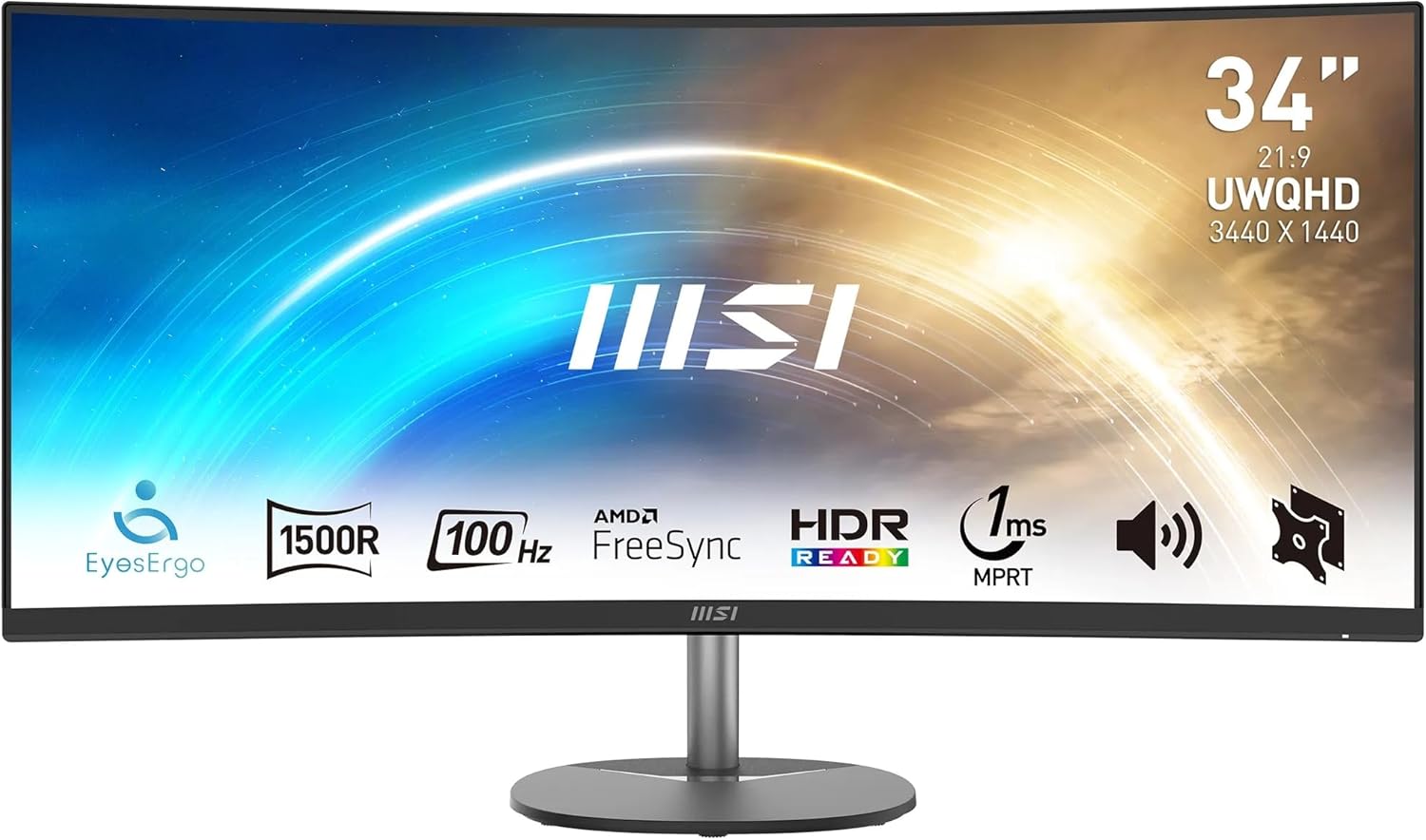
The MSI PRO MP341CQ is a 34-inch ultrawide office monitor that gets the fundamentals right for desk workers who want more screen real estate without paying for features they’ll never use. The 3440 x 1440 resolution across a curved 21:9 panel is the headline draw, and at this screen size it translates to a noticeably sharper, more spacious workspace. If you spend most of your day juggling browser tabs, spreadsheets, and video calls, that’s a meaningful quality-of-life upgrade over a standard widescreen.
The headline limitation is equally clear: this isn’t built for serious gaming. A 100Hz refresh rate is a comfortable step up from 60Hz for everyday use, but it’s not where you’d land if competitive titles are a priority. The HDR label is also worth treating carefully — “HDR ready” at 300 nits brightness is marketing shorthand for entry-level HDR support. It’ll tick the compatibility box, but don’t expect anything that resembles the HDR experience you’d get from a proper HDR600 or HDR1000 display.
For office workers, content consumers, and anyone stepping up from a single flat monitor to their first ultrawide, the MSI PRO MP341CQ makes a strong case. If you’re a gamer expecting a 34-inch curved gaming screen, the spec sheet is pointing you somewhere else.
See the MSI PRO MP341CQ listed on Amazon before reading further.
What It’s Best For
Office and Productivity Work
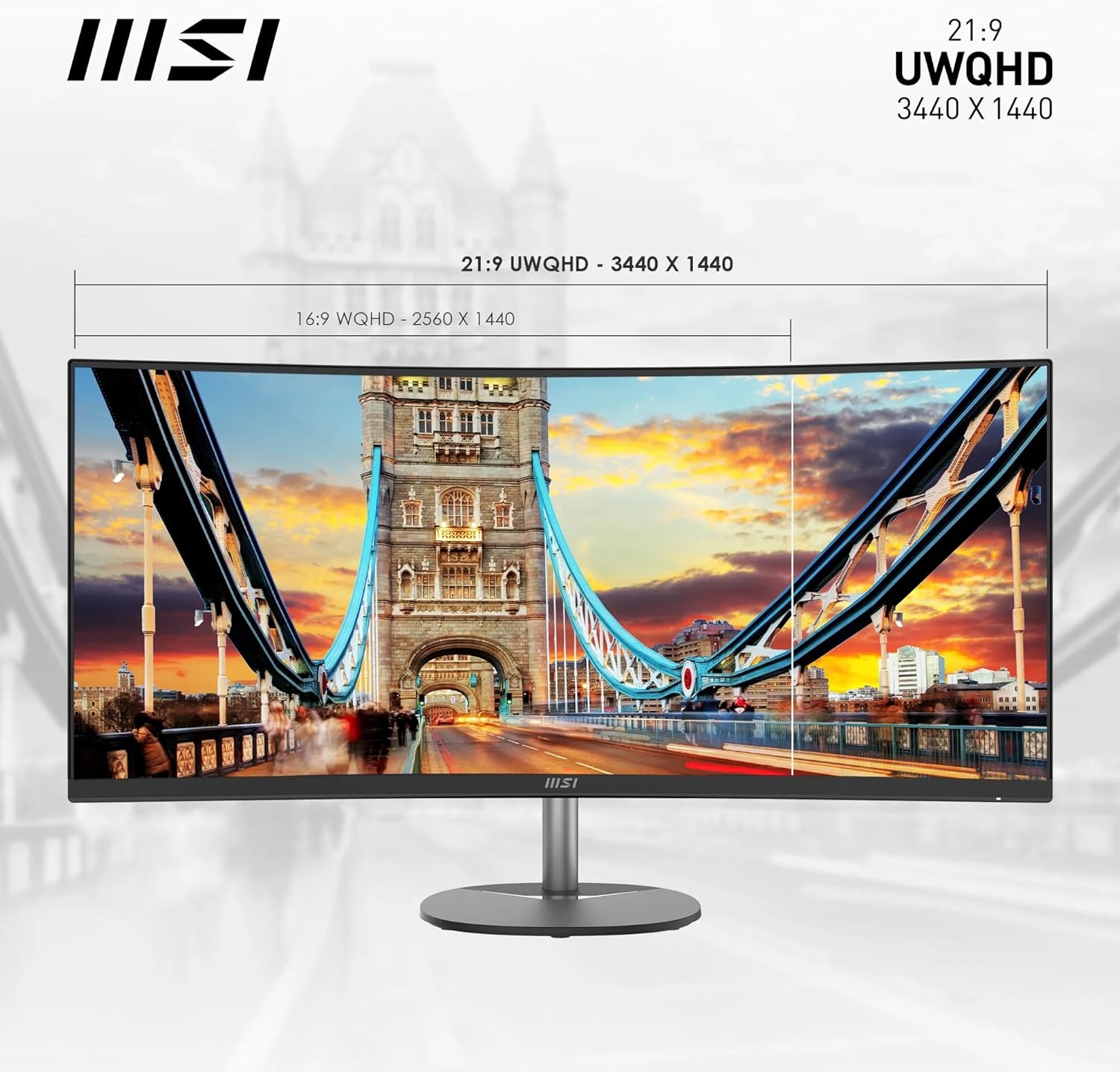
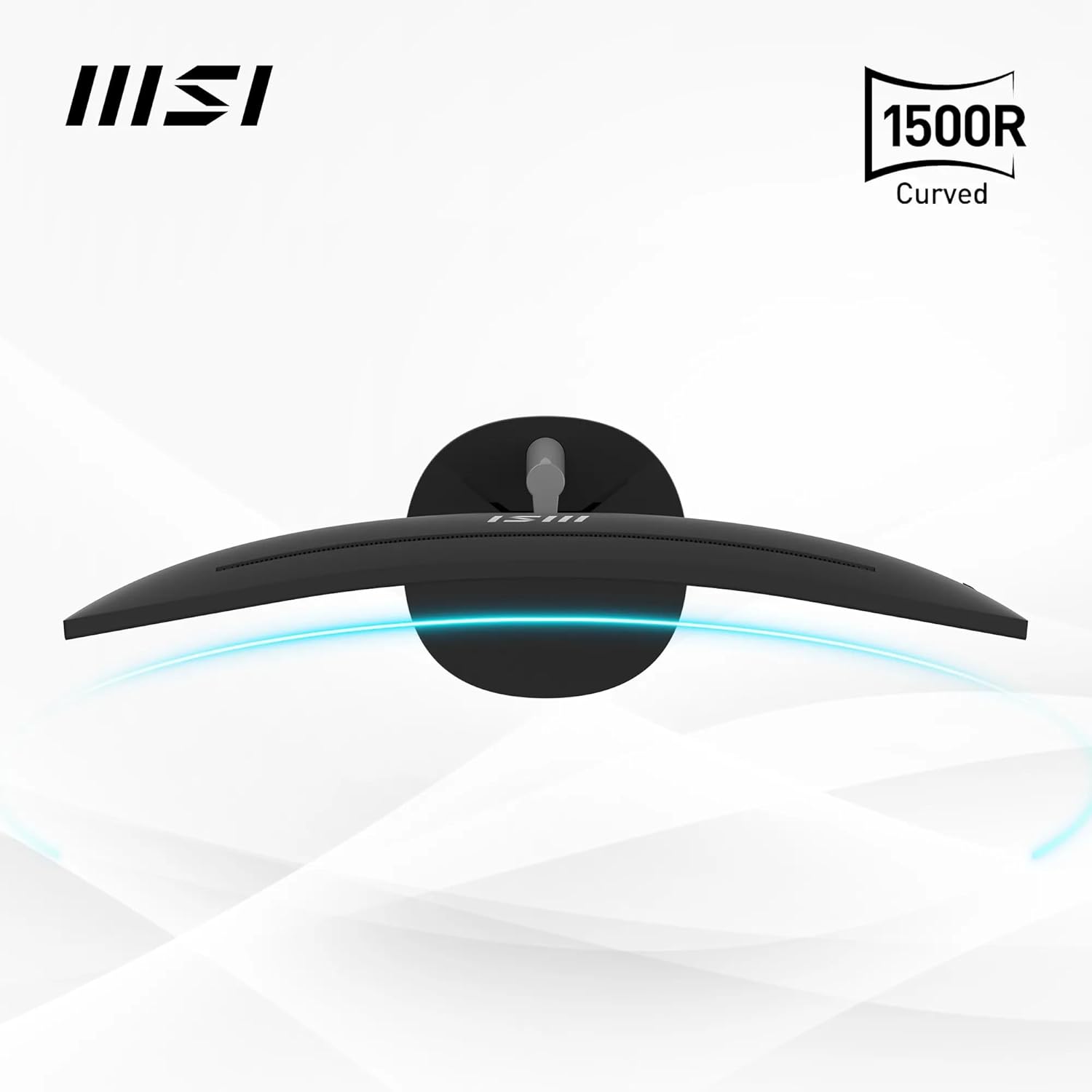
This is where the MSI PRO MP341CQ earns its keep. Spreading a spreadsheet, a browser, and a communication app across a 3440 x 1440 34-inch ultrawide removes the constant window-shuffling that makes single-monitor work feel cramped. The 1500R curve radius keeps the edges of the screen in comfortable peripheral vision rather than making you turn your head. Buyers have specifically called out how transformative this is for multi-app working — less task-switching, better overview, noticeably less fatigue across a long day. The TÜV Rheinland Eye Comfort certification, anti-flicker technology, and Less Blue Light hardware filters are genuine additions here, not just badge-collecting.
Home Media and Streaming
A 3000:1 contrast ratio is a real strength for watching films and TV in a dimmed room. VA-type panels — which this almost certainly is, given that contrast ratio and 1500R curve — produce noticeably deeper blacks than IPS at this price bracket, which helps dramatically with dark scenes. The 21:9 aspect ratio also means most widescreen films play without letterboxing. The built-in 2W speakers are genuinely adequate for casual media consumption and video calls, though you’d want external audio for anything serious.
Stock Trading and Multi-Data Workflows
One buyer specifically mentioned using this for stock trading, and it makes sense. Financial dashboards, charting software, and multi-column data feeds benefit from exactly the kind of horizontal space a 34-inch 21:9 layout provides. The pixel density at UWQHD keeps figures readable and clean at normal viewing distances without needing to scale the interface, which is a persistent problem with 4K displays at smaller sizes.
The Specs That Really Matter
The panel type isn’t stated outright in the product listing, but a 3000:1 contrast ratio and 1500R curve strongly indicate a VA panel rather than IPS. That matters practically: VA panels offer better black depth and contrast for media consumption and general desk use, but they carry some risk of colour shift when viewed from off-centre angles — though the specified 178-degree viewing angle suggests MSI has minimised this as much as the technology allows. If accurate colour reproduction for design or photo editing is your primary need, understanding the trade-offs between panel types is worth your time before committing.
The 100Hz refresh rate sits in a useful middle ground for this type of monitor. It’s not a gaming spec, but it makes scrolling, cursor movement, and general desktop interaction feel noticeably smoother than 60Hz. For the office and productivity audience this monitor targets, that’s a genuine daily improvement. The stated 4ms response time (listed in specifications) is the grey-to-grey figure — the product description also mentions 1ms MPRT, which is a motion-blur reduction measurement, not a pixel transition time. Don’t conflate the two; for how refresh rate and response time actually relate to each other, they’re measuring different things. For office use, neither figure is a concern.
Resolution at this size deserves a moment. 3440 x 1440 across 34 inches gives a pixel pitch of 0.285mm, which translates to a sharp, detailed image without needing display scaling. Text is clean, icons are crisp, and fine detail in images holds up well. The 116.25% sRGB colour gamut coverage with 10-bit colour depth and 1.07 billion colours means this isn’t a washed-out budget screen — colours have punch and depth. For context on what those numbers actually mean day to day, the display size and resolution guide breaks it down clearly.
Connectivity is functional rather than generous. You get DisplayPort 1.2a and 2 x HDMI 2.0b — enough to run a desktop PC and a console simultaneously without cable swapping. There’s no USB-C, which is worth flagging in 2026 where laptop users increasingly expect that option. No USB hub either. If your setup relies on a single cable from a modern laptop, this port selection is a limitation. For a full breakdown of what these connectors actually support, see the monitor connectivity guide.
Check the full spec sheet and buyer Q&As for the MSI PRO MP341CQ on Amazon.
What Buyers Are Saying
The MSI PRO MP341CQ carries a rating of 4.4 out of 5 from 45 customer reviews on Amazon. That’s a decent signal, though 45 reviews is a relatively modest sample — broad patterns are visible, but individual experiences carry more weight here than they would with several hundred reviews. Take the overall picture directionally rather than as settled consensus.
The dominant theme is straightforward satisfaction. Multiple buyers comment on the visual quality — colours described as realistic and vivid, the curved display praised for making multi-app working feel natural. First-time ultrawide owners are particularly enthusiastic, with several noting they wouldn’t go back to a flat widescreen. The setup experience also draws consistent positive mentions — buyers describe it as quick and uncomplicated, with both OSD buttons and the MSI Display Kit software app flagged as workable options.
The complaints are few but worth noting. One buyer reports significant flickering and screen blackouts at the monitor’s native 3440 x 1440 resolution, which they resolved by dropping to 2560 x 1080. That’s an unusual issue and may be cable or GPU related rather than a monitor fault, but it’s worth ensuring your DisplayPort cable and graphics card can comfortably drive the native resolution before assuming a problem with the unit. More seriously, one buyer reported the unit beginning to smoke and shut down after several months of use, citing what an electrician described as poorly designed mainboard components. That’s a single report from 45, but it’s not the kind of failure mode you ignore — it’s the kind that makes a three-year warranty worth keeping the paperwork for.
Buyer Highlights
“First curved monitor I’ve had, and I’m finding it works really well with multiple apps open at the same time.” — A sentiment that comes up repeatedly from buyers making the move to ultrawide for the first time.
“It delivers everything it promised — I took a chance and I’m very pleased with this purchase.” — Typical reaction from buyers who were cautious about the brand before buying and came away satisfied.
“Great value monitor and excellent picture quality.” — The most common pairing of compliments across the review set, even from the buyer who flagged the resolution issue.
“Really like this, wish I went bigger though — a great monitor for the money.” — A recurring buyer instinct: satisfaction with what they bought, combined with retrospective appetite for the next size up.
“The colours are realistic and even playing older games the screen makes them look so much better.” — Reflects the visual uplift buyers get when moving from older flat panels to a curved UWQHD display.
Worth Knowing Before You Buy
The stand only adjusts for tilt — there’s no height adjustment or swivel. For long desk sessions, that’s a genuine ergonomic consideration. The 100mm VESA mount support means a monitor arm is a straightforward upgrade if you want full positioning flexibility, and MSI includes the brackets, which is a nice touch. If you’re spending eight hours a day at this screen, factor in whether a monitor arm is part of your setup budget. The accessory slot on the stand is a minor but genuinely useful detail for cable or headset storage.
The “HDR ready” label needs to be read clearly. At 300 nits peak brightness, this monitor can accept an HDR signal and display it, but the visual result is a long way from what true HDR looks like on a capable display. If HDR content quality matters to you, this monitor won’t deliver it. For a straightforward office monitor at this spec tier, that’s not a meaningful criticism — it’s just the honest picture. The three-year warranty is solid and worth registering promptly given the single reliability report in the review set. If something goes wrong, you want that paperwork in order. For anyone new to the category, the monitor buying guide covers what to look for across different budget and use-case tiers.
One final point on connectivity: the specification listing mentions one total HDMI port in some fields and two HDMI 2.0b ports in the product title and description. The product title and feature list consistently state two HDMI ports — treat the single-port figure in the spec table as likely a data entry error, but verify on the Amazon listing before buying if this matters to your setup. See the monitor specs explained page if any of the port labelling is unclear.
View current stock levels for the MSI PRO MP341CQ on Amazon.
Who Should Buy It (And Who Shouldn’t)
Buy If
- You work across multiple applications simultaneously and want a single screen that replaces the need for a dual-monitor setup — the 34-inch 21:9 layout handles this well.
- You’re upgrading from an older flat 1080p or 1440p monitor and want a meaningful visual step up without moving into gaming monitor territory or paying for specs you won’t use.
- You watch films regularly at your desk — the 3000:1 contrast ratio and 21:9 aspect ratio are a genuine upgrade for widescreen content, and the VA-type panel delivers black depth that cheaper IPS panels can’t match at this price point.
- You want VESA compatibility baked in from day one so you can mount it on an arm without buying additional hardware.
Avoid If
- Gaming is your primary use — 100Hz and a 4ms response time are not competitive specs for fast-paced titles, and you’ll find monitors with higher refresh rates and faster pixel response for a similar outlay in the gaming category.
- You need USB-C connectivity — this monitor has none, which makes it a poor fit for modern laptops that rely on a single-cable connection for both video and power delivery.
- You need height adjustment or swivel out of the box without buying a separate arm — the stand is tilt-only, which limits ergonomic positioning for shorter or taller users.
The Bottom Line
The MSI PRO MP341CQ is a well-matched office ultrawide that doesn’t oversell itself into a spec tier it can’t deliver. The 3440 x 1440 resolution, 3000:1 contrast, and 1500R curve on a 34-inch panel make it a genuinely capable daily driver for desk workers and media consumers who want the ultrawide format without the gaming monitor price tag. The connectivity is serviceable for most setups, the eye-comfort credentials are legitimate rather than token, and the three-year warranty provides reasonable cover. If you’re choosing a monitor for work and want to know which use-case category this fits into, the how to choose a monitor guide is worth a quick read. For the intended audience, this earns a straightforward recommendation.
Find the MSI PRO MP341CQ on Amazon and check the current listing details.
At The Monitor Expert, our approach is built on data transparency rather than simulated hands-on testing. We rigorously analyse official manufacturer specifications and aggregate verified customer sentiment to provide honest, straightforward buying advice that cuts through the marketing noise.
As an Amazon Associate, I earn from qualifying purchases.
Browse by Specification
Looking for something specific? Browse our analyses by hardware and feature below, or check all monitor analyses in the Office Monitors and Mid-Range Monitors category archives.
[IPS Monitors] — [VA Monitors] — [TN Monitors] — [OLED Monitors]
Browse by Refresh Rate
[60Hz] — [75Hz] — [100Hz] — [120Hz] — [144Hz] — [165Hz] — [180Hz] — [200Hz] — [240Hz+] — [360Hz+]
Browse by Screen Size
[Small Screen] — [24-inch] — [27-inch] — [32-inch] — [Large Screen] — [Ultrawide]




