
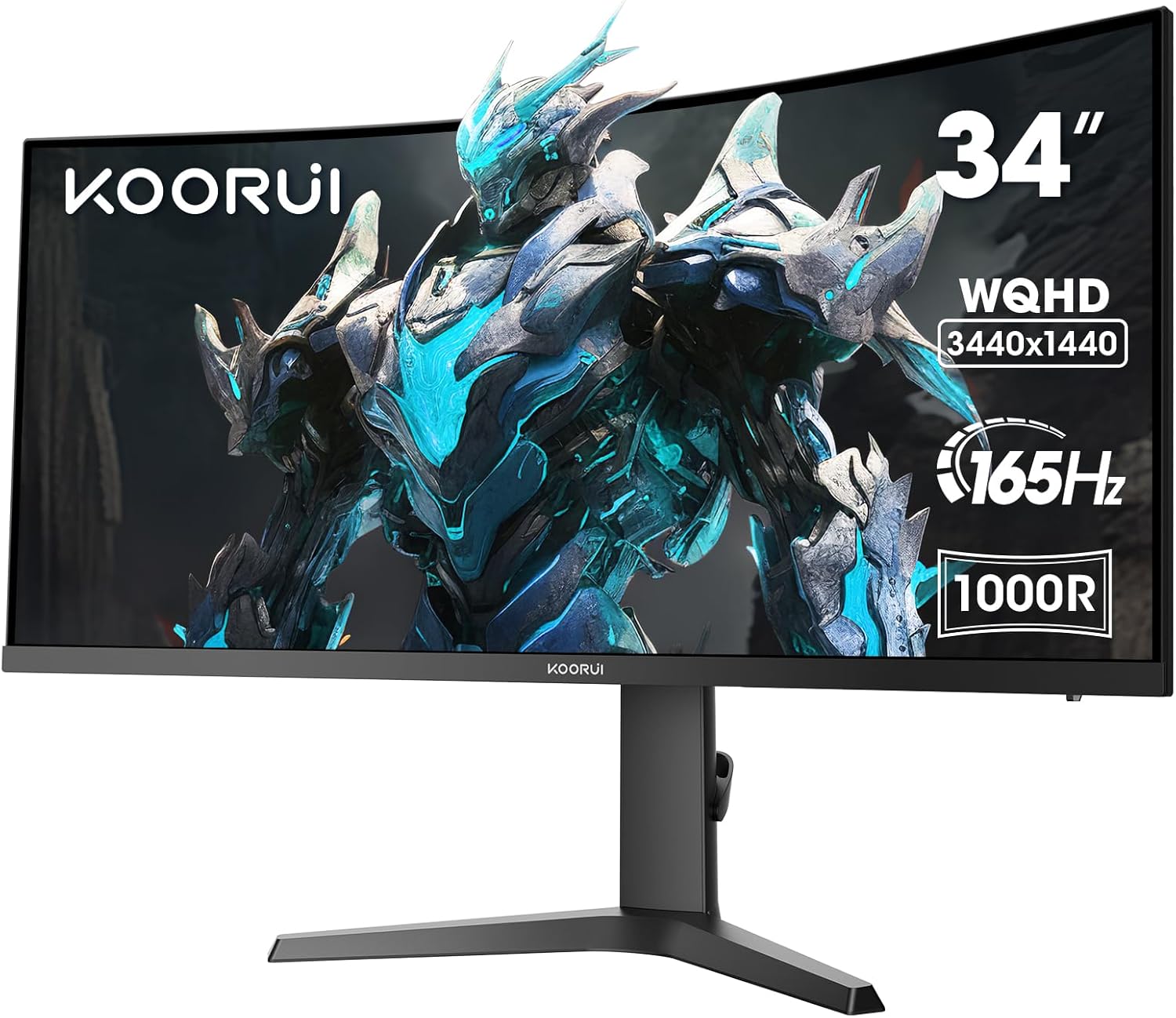
KOORUI 34E6UC Analysis: Ultrawide Without the Tax
My Honest Verdict
The KOORUI 34E6UC is a 34-inch ultrawide curved gaming monitor that punches well above what you’d expect from a brand most people haven’t heard of. It delivers WQHD 3440×1440 resolution at 165Hz on a VA panel with a tight 1000R curve — and for buyers who want the ultrawide gaming experience without spending big, this is one of the more credible options at this price point. The KOORUI 34E6UC earns its place by getting the fundamentals right where they matter most for gaming: screen real estate, refresh rate, and contrast.
The VA panel gives you a 3000:1 contrast ratio, which is a meaningful advantage over IPS alternatives at this size and price. Dark scenes in games look properly dark, not the washed-out grey you get from mid-range IPS. The trade-off is that VA panels can ghost in fast motion if you push the response time settings too aggressively — more on that shortly. The 21:9 aspect ratio at 3440×1440 is a genuinely substantial upgrade over a standard 16:9 1440p setup, both for field of view in games and for running multiple apps side by side. The 1000R curve radius is aggressive, and it shows — this wraps around your peripheral vision in a way that a 1500R or 1800R simply doesn’t.
This is built for someone who wants to get into ultrawide gaming without taking out a second mortgage. If you need pixel-perfect response times for competitive FPS at high framerates, or you’re colour-grading video professionally, look elsewhere. But if you’re a PC gamer who wants a wide, immersive screen with solid contrast and a smooth refresh rate, and you’re willing to spend ten minutes calibrating it out of the box, the KOORUI 34E6UC is a genuinely strong option.
See the current listing and availability for the KOORUI 34E6UC on Amazon.

What It’s Best For
Immersive single-player gaming is where this monitor earns its keep. The 34-inch 21:9 panel combined with the 1000R curve creates a genuinely wraparound field of view that makes open-world games, racing titles, and RPGs feel noticeably more involving than a flat 16:9 screen at the same size. At 165Hz, motion in fast-action games is smooth and the screen keeps pace with mid-to-high-end GPUs without demanding the kind of raw horsepower you’d need to feed a 240Hz panel at this resolution. One buyer who upgraded from a 240Hz-capable setup noted their rig couldn’t push those frames at 3440×1440 anyway — which is an honest reality check worth keeping in mind.
Productivity and multitasking also benefit significantly. The extra horizontal real estate from the 21:9 format means you can have a browser, a document, and a reference window open simultaneously without any of them feeling cramped. Buyers have mentioned using it with multiple apps open as a genuine workflow improvement, not just a vanity upgrade. The ergonomic stand — tilt, swivel, and height adjustable — helps you get the screen positioned correctly when you’re sitting at it for long stretches, which matters more with a curved ultrawide than a flat standard-size monitor.
Casual media consumption is a reasonable third use case, though with caveats. The VA panel’s contrast makes darker content look better than an equivalent IPS would, but HDR 400 certification is worth being honest about: it means the panel can hit 400 cd/m² peak brightness, but it doesn’t deliver the local dimming or wide colour volume that makes HDR genuinely impressive. The DCI-P3 90% colour gamut is decent for a monitor at this price point, and colours with some OSD calibration are reported to be vibrant and accurate enough for everyday use. If you’re watching films or streaming shows alongside gaming, it does the job well.
The Specs That Really Matter
The VA panel is the single most important spec decision KOORUI made here, and it’s the right one for this use case. VA sits between TN and IPS in most respects — it’s slower than TN but has far better colour, and it has substantially better contrast than IPS while falling short on viewing angles. For a curved ultrawide that you’re sitting directly in front of, the viewing angle limitation is largely irrelevant. What you get instead is that 3000:1 contrast ratio, which is roughly three times what a typical IPS panel delivers. If you want to understand how panel technology affects what you actually see on screen, the panel types guide covers this in plain English. The practical upshot: black levels on VA look genuinely black in a dark room, not dark grey.
The 165Hz refresh rate is legitimate and meaningful at this resolution tier. Going from 60Hz to 165Hz is transformative — motion is fluid, scrolling feels sharp, and gaming feels more responsive in a way that’s immediately noticeable. The gap between 144Hz and 165Hz is marginal and most buyers won’t perceive it, but the gap between this and a standard 60Hz screen is substantial. Pair it with FreeSync Adaptive Sync and screen tearing becomes a non-issue as long as your GPU is in the supported range. Worth noting: the product title lists this as AdaptiveSync, and the spec data confirms FreeSync — so NVIDIA G-Sync compatibility isn’t guaranteed, though many FreeSync monitors do work with G-Sync Compatible mode. Check your GPU before buying. For a fuller look at how refresh rate and response time interact in real-world use, that’s worth a read before committing.
The 3440×1440 resolution across 34 inches gives you a pixel pitch of 0.217mm, which translates to a clean, sharp image — noticeably better than 1080p at the same size, though not as dense as a 4K panel. For gaming, this is the sweet spot: enough pixels to look genuinely good, not so many that you need a top-tier GPU to drive it. One buyer noted the pixel density felt sharper than a 24-inch 1080p screen but not so extreme that it demands constant DPI scaling in Windows. That’s an accurate assessment. If you’re thinking through screen size versus resolution trade-offs, this combination sits comfortably in the practical middle ground for 2026 GPU capabilities.
On connectivity: you get 2x HDMI 2.0 and 1x DisplayPort 1.4. DisplayPort 1.4 handles 165Hz at 3440×1440 without compression. HDMI 2.0 is fine for consoles at lower refresh rates but won’t push full 165Hz at this resolution — keep that in mind if you’re planning to run a PC at full spec through HDMI. There’s no USB-C or Thunderbolt. If your setup relies on those, this isn’t your monitor. The connectivity guide covers exactly what each port version can and can’t do.
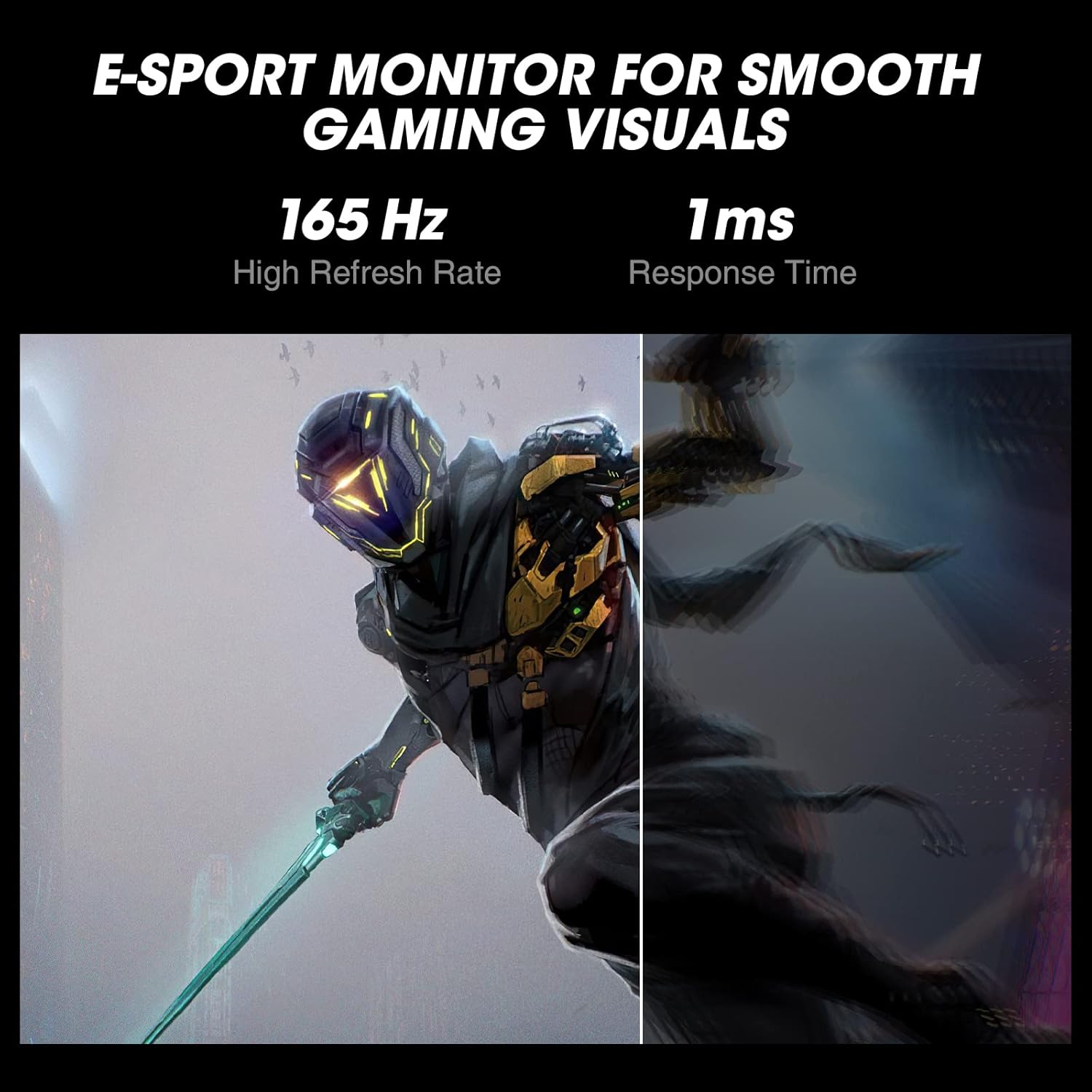
The 1ms MPRT response time claim needs context. MPRT (Moving Picture Response Time) is measured differently from GtG (grey-to-grey) and tends to look better on paper. In practice, VA panels at this price point can exhibit some motion blur and ghosting in fast-paced scenes, particularly with the response time mode set too aggressively. Buyers have found the “Fast” mode usable but the fastest mode causes visible smearing. It’s not a dealbreaker for the target audience — someone playing story-driven games or racing titles won’t notice. Competitive FPS players who need sub-millisecond precision should be aware.
HDR 400 is on the spec sheet. I’ll be blunt: HDR 400 without local dimming makes almost no visible difference to HDR content compared to SDR on a high-brightness panel. It’s a checkbox, not a feature. One buyer found that enabling HDR through Windows calibration significantly improved white levels and overall image quality — which suggests the benefit here is more about the Windows HDR pipeline than the panel’s HDR capabilities specifically. Don’t buy this for HDR. Buy it despite HDR.
Check the full spec sheet and buyer Q&As for the KOORUI 34E6UC on Amazon.
What Buyers Are Saying
The KOORUI 34E6UC holds a rating of 4.3 out of 5 from 220 reviews — a meaningful sample that gives a reasonably clear picture of what buyers actually experience. The overall tone is strongly positive, with the most consistent themes being value for money, the quality of the image after calibration, and the immersiveness of the 1000R curve. Negative feedback is present but represents a small minority, concentrated around one specific issue.
The image quality praise is worth taking seriously because several reviewers explicitly mention coming from other VA panels or IPS monitors and finding this superior after calibration. One buyer who had given up on VA panels previously found that OSD tweaks — adjusting the Dark Field Control, switching response time to Fast rather than Normal or Fastest, and selecting the right gamma preset — produced results they described as better than their previous IPS. That’s notable because it suggests the panel has decent underlying quality that’s just shipped with suboptimal defaults. Out-of-box performance isn’t the strong suit; post-calibration performance is. If you’re the type of buyer who dials things in before forming an opinion, you’ll likely be pleased. If you expect perfection from the moment you plug it in, budget some time for the OSD.
The single significant complaint in the reviews is ghosting. One buyer had a notably poor experience and couldn’t resolve it through any settings combination, also receiving a unit with a faulty HDMI port. This reads like a unit-level quality control issue rather than a universal design flaw — the majority of buyers don’t report ghosting as a problem, and several specifically say they can’t notice ghosting on the Fast response setting. Defective units do happen with any brand. A three-year manufacturer warranty should cover that. Still worth knowing it’s been reported.
Build quality feedback is largely positive. The stand assembly requires no tools, the height and tilt adjustment is smooth, and the counter-weighted mechanism gets specific praise. The OSD button placement draws mild criticism — the physical controls are on the back of the panel, which is standard for bezel-free designs, but several buyers note you have to feel around for them until you memorise the layout.
Buyer Highlights
“Out of the box this display isn’t amazing, but after some calibration I’m highly impressed.” — A repeated sentiment from buyers who took the time to adjust settings before judging.
“The 1000R curve is immersive AF — and although this is 165Hz instead of 240Hz, my rig doesn’t push 240 on 3440×1440 anyway.” — Honest framing from a buyer who thought through the real-world GPU requirements before buying.
“The colour reproduction looks great and makes working with multiple apps open on my desktop a breeze.” — Consistent feedback from buyers using this for productivity as well as gaming.
“It’s held up really well over time with no issues, and the performance is still just as good as when I first got it.” — Long-term durability feedback from a buyer who’s been using the monitor since 2023.
“Came with one bad HDMI port and suffers with ghosting badly — tried all settings and couldn’t fix it.” — An outlier experience that reads like a defective unit rather than a widespread fault, but worth knowing about.
Worth Knowing Before You Buy
The out-of-box calibration issue is real enough to flag clearly. Multiple buyers across different review dates mention that the default settings don’t show the panel at its best — colours can look flat or contrast poorly balanced straight out of the box. The fix is straightforward: spend time in the OSD adjusting the Dark Field Control, choosing the right gamma preset, and picking a colour mode that suits your use. If you’ve never calibrated a monitor before, the monitor buying guide has a section on what to look for. This isn’t unusual at this price point, but it’s a known characteristic of this specific model and worth going in prepared.
The VA panel’s characteristic ghosting risk on the fastest response time mode is something to be aware of. Buyers consistently report that the “Normal” setting is too slow for gaming, “Fast” is the usable sweet spot, and “Fastest” introduces visible smearing. Stick with Fast and you should be fine for the majority of gaming genres. Competitive FPS players who need the absolute minimum input lag and zero motion blur should look at a TN or fast IPS panel instead — VA at this price tier simply can’t compete on that specific metric, and no amount of settings adjustment will change the underlying panel physics. For anything else — racing games, RPGs, strategy, streaming — it’s not a meaningful concern.
Port selection is functional but not generous. No USB hub, no USB-C, no Thunderbolt. The box includes a DP cable and power cord but no HDMI cable — if your setup uses HDMI and you don’t have a spare cable, factor that in. The 2x HDMI 2.0 ports are useful for connecting a console and PC simultaneously, though the reported faulty HDMI port on one unit is a reminder to test all ports on arrival. The three-year manufacturer warranty means you have recourse if something arrives broken or fails early — that’s a solid warranty term for a monitor at this price level and better than the one-year coverage you see from some budget brands.
View current stock and availability for the KOORUI 34E6UC on Amazon.
Who Should Buy It (And Who Shouldn’t)
Buy If
- You want to get into ultrawide gaming and the immersive 34-inch 21:9 format is a priority — this delivers that experience at a price point well below the established brands.
- You play story-driven games, racing titles, RPGs, or strategy games where the wide field of view and strong contrast matter more than sub-millisecond response times.
- Your GPU is mid-range — the 3440×1440 at 165Hz sweet spot is achievable with cards that would struggle to feed a 240Hz panel, and FreeSync keeps the experience smooth when framerates fluctuate.
- You’re happy to spend a few minutes in the OSD on day one — buyers who calibrate report genuinely strong results that justify the buy.
Avoid If
- You play competitive FPS games where every fraction of a millisecond matters and zero motion blur is non-negotiable — a fast IPS or TN panel will serve you better, and this VA panel’s ghosting characteristics at max response settings are a genuine limitation.
- Your workflow requires USB-C connectivity, a built-in USB hub, or Thunderbolt passthrough — none of those are here, and there’s no getting around that absence. Check the how to choose a monitor guide if you’re unsure what your setup actually needs.
- You’re buying specifically for HDR content — HDR 400 without local dimming is not meaningful HDR, and expecting a premium HDR experience from this panel will lead to disappointment.
The Bottom Line
The KOORUI 34E6UC is a credible, well-specified ultrawide gaming monitor that gets the core proposition right. A 34-inch VA panel at 3440×1440 with a 165Hz refresh rate, a 1000R curve, and a genuinely adjustable stand is a lot of monitor for the money. It needs calibration out of the box, it’s not for competitive FPS purists, and HDR 400 deserves its usual scepticism. But for immersive gaming, comfortable long-session productivity, and buyers who want the wide-screen experience without the premium brand tax, this earns a straightforward recommendation.
Find the KOORUI 34E6UC and read the latest buyer questions on Amazon.
At The Monitor Expert, our approach is built on data transparency rather than simulated hands-on testing. We rigorously analyse official manufacturer specifications and aggregate verified customer sentiment to provide honest, straightforward buying advice that cuts through the marketing noise.
As an Amazon Associate, I earn from qualifying purchases.
Browse by Specification
Looking for something specific? Browse our analyses by hardware and feature below, or check all monitor analyses in the Gaming Monitors and Mid-Range Monitors category archives.
[IPS Monitors] — [VA Monitors] — [TN Monitors] — [OLED Monitors]
Browse by Refresh Rate
[60Hz] — [75Hz] — [100Hz] — [120Hz] — [144Hz] — [165Hz] — [180Hz] — [200Hz] — [240Hz+] — [360Hz+]
Browse by Screen Size
[Small Screen] — [24-inch] — [27-inch] — [32-inch] — [Large Screen] — [Ultrawide]




