
AOC Gaming Q27G42XNE Analysis: Fast VA at a Sharp Price
My Honest Verdict
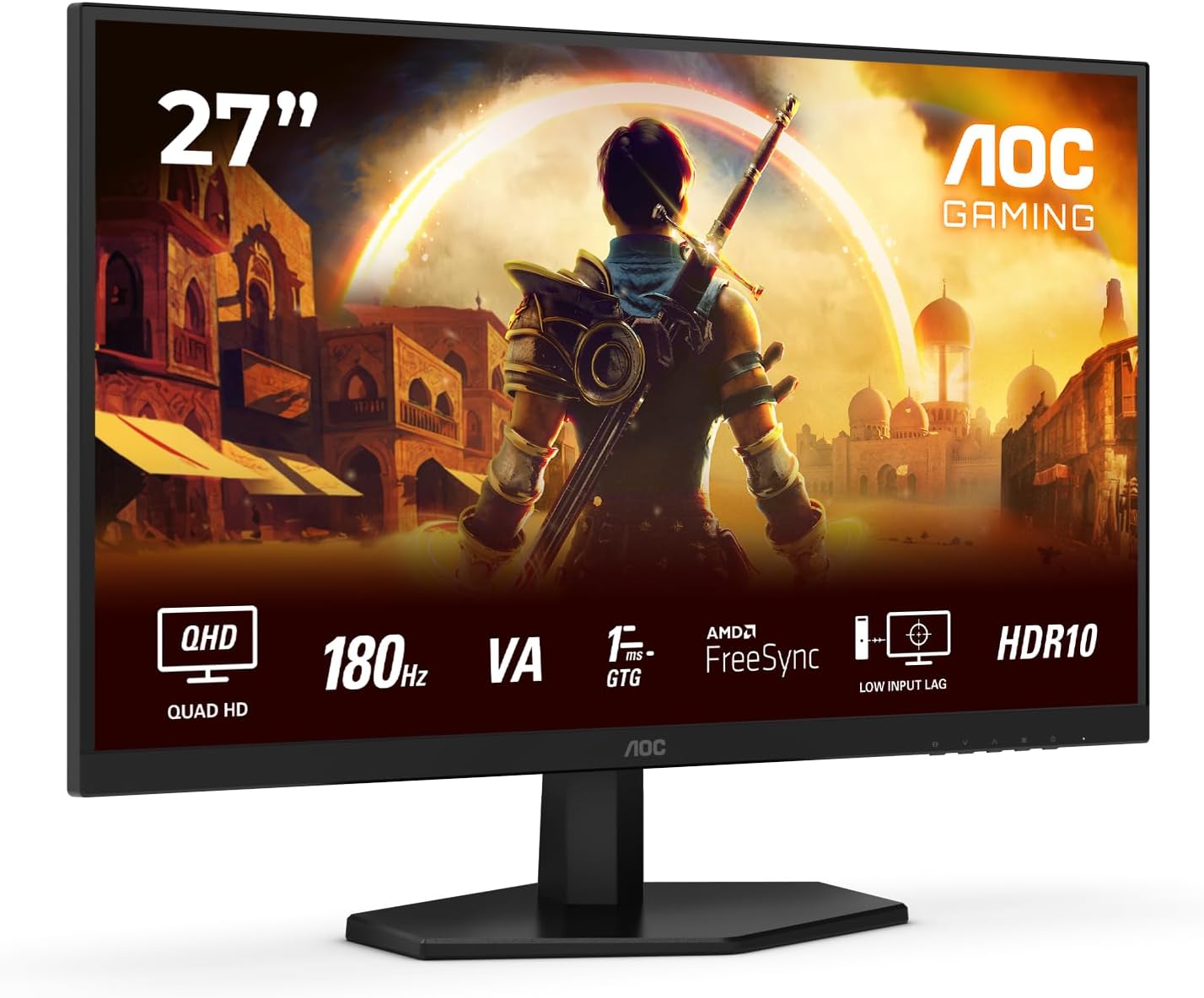
The AOC Gaming Q27G42XNE is a 27-inch QHD gaming monitor that gets the fundamentals right at a price point where that’s genuinely hard to do. Fast VA panel, 2560×1440 resolution, 180Hz refresh rate — on paper that’s a strong combination for anyone upgrading from a 1080p screen or an older 60Hz display. The headline strength is that pixel density and refresh rate together: 1440p on a 27-inch screen looks sharp without needing a high-end GPU to drive it, and 180Hz is enough headroom that competitive play actually benefits.
The limitation worth knowing upfront: VA panels carry trade-offs, and the AOC Q27G42XNE is no exception. You get deep blacks and strong contrast — 1000:1 — which makes darker game scenes genuinely pop. What you don’t get is the off-axis colour accuracy of IPS. Sit square in front of it and it looks good. Move off-centre and colours shift. There’s also a known VA characteristic called black smearing, where dark objects on dark backgrounds can look slightly blurry in motion — though at least one buyer here specifically noted they didn’t experience ghosting, which suggests AOC’s “Fast VA” tuning does some real work.
This is the right buy for a budget-conscious PC gamer who wants 1440p sharpness and smooth gaming at 180Hz without paying IPS prices. It’s not for content creators who need accurate colour at wide viewing angles, and it’s not for PS5 owners who want VRR — the HDMI 2.0 ports cap that out. For its actual target audience — someone sitting directly in front of a PC playing games — it delivers more than its price suggests it should.
See the AOC Gaming Q27G42XNE listing and current availability on Amazon.

What It’s Best For
Competitive and casual PC gaming is where the AOC Q27G42XNE earns its keep. At 180Hz you’re well past the threshold where motion feels genuinely smooth — enemy movements stay readable, fast-paced scenes don’t blur into mush, and the whole experience feels responsive in a way that 60Hz simply can’t replicate. FreeSync Premium adaptive sync means screen tearing is off the table as long as your GPU is AMD or you’re running a compatible Nvidia card, and the 1ms MPRT response time (or 1ms GtG as the description notes — more on the distinction later) keeps the image clean during fast movement. For the kind of gamer who spends hours in FPS titles or fast-action RPGs, this is a genuinely well-matched screen.
Upgrading from 1080p is perhaps the single best use case here. Going from 1920×1080 to 2560×1440 on a 27-inch screen is a meaningful, visible jump — text is sharper, game worlds have more detail, and the increase in pixel density is obvious from the moment you switch. If you’ve been running a budget 1080p monitor and you’re wondering whether the step up to QHD is noticeable, the answer is yes, and the AOC Gaming Q27G42XNE makes that upgrade accessible. You get the resolution gain without sacrificing the refresh rate, which is exactly what you want if you’re also playing games.
Everyday home use and media gets a fair experience here too. The VA panel’s deeper blacks work in its favour for films and streaming — dark scenes have actual depth rather than the washed-out grey you’d get from a typical budget IPS panel. HDR10 won’t transform your viewing experience (more on that in the specs section), but the native contrast makes dark content look better than the numbers alone would suggest. As a general-purpose home screen that also handles gaming, it covers the bases without needing a second display.
The Specs That Really Matter
The panel type is the most important thing to understand here. VA (Vertical Alignment) sits between TN and IPS in most practical respects — better contrast than either, worse off-axis viewing than IPS, typically less prone to ghosting than older VA designs. AOC brands this as “Fast VA”, meaning it’s been tuned for quicker pixel transitions, which matters at 180Hz because standard VA panels can struggle to keep up at high refresh rates. If you want to understand the full trade-off between VA, IPS, and TN panels before deciding, that’s worth a read. Short version: VA here means deep blacks, good for gaming, fine for general use, not ideal for professional colour work.
The 180Hz refresh rate is real and relevant. There’s a legitimate question about whether you’ll notice the difference between 144Hz and 180Hz in practice — for most people, the honest answer is barely — but the bigger story here is the jump from 60Hz or 75Hz, which is transformative. If you’re coming from a standard refresh rate screen, the smoothness at 180Hz will be immediately obvious. The response time figures need a bit of unpacking: the spec sheet quotes 0.5ms MPRT, while the description mentions 1ms GtG. MPRT and GtG measure different things — GtG is the more practically relevant number for gaming clarity, and 1ms GtG is genuinely fast. If you want the full breakdown of what these figures actually mean in use, the refresh rate and response time guide explains it without the manufacturer spin.
The HDR10 certification is here, and it’s worth being straight about what that means. HDR10 is a format standard, not a brightness tier. Without knowing the peak brightness spec, which AOC hasn’t published in the available data, it’s hard to know whether this delivers a meaningful HDR experience or a technically-compliant one that looks similar to SDR. At this price tier, “entry-level HDR” is the realistic expectation — it’s not going to match a proper HDR600 or HDR1000 display. Use it as a bonus, not a deciding factor. One German buyer specifically called out the HDR as working well and occasionally appearing extremely bright, which suggests it’s at least functional rather than cosmetic. As we head into 2026, HDR10 is increasingly table stakes at this price point rather than a differentiator — don’t buy or avoid this monitor based on it alone.
Connectivity is worth a look before buying. Two HDMI 2.0 ports and one DisplayPort 1.4 give you enough to connect a PC and a console simultaneously, but the HDMI 2.0 spec matters if you’re a PS5 or Xbox Series X owner. Those consoles need HDMI 2.1 for VRR (variable refresh rate), and this monitor doesn’t have it. At 2560×1440, you’ll still get the resolution via HDMI 2.0, but you lose VRR support on console, which a PS5 owner in the reviews noted specifically. PC users connected via DisplayPort 1.4 won’t hit this limitation. For a full picture of what your port selection means for your setup, the connectivity guide covers it properly.
Check the full spec sheet and buyer Q&As for the AOC Gaming Q27G42XNE on Amazon.
What Buyers Are Saying
The AOC Gaming Q27G42XNE currently sits at 4.1 out of 5 from 33 ratings. That’s a modest sample — worth treating the patterns here as directional rather than statistically conclusive, but the feedback is clear enough to be useful.
The majority of buyers are satisfied, and the praise is consistent: image quality and value for money come up repeatedly across UK, Italian, and German reviews. No one’s complaining that it looks bad or that it underdelivers on the core promise. Multiple buyers specifically call out the picture quality as exceeding expectations at this price. The out-of-box experience also gets positive mentions — buyers describe it as straightforward to set up with no faffing required.
The complaints worth paying attention to: one buyer flagged a serious discrepancy between the Amazon spec listing (which shows four USB 2.0 ports) and the actual hardware, which has none. That’s a spec sheet error on the listing, not a hidden defect — but if USB passthrough matters to your setup, be aware the ports aren’t there. A separate buyer complained about missing speakers, which is a fair gripe if you assumed the monitor had them. Check your expectations against what the hardware actually includes rather than what the listing accidentally suggests. And one buyer with a one-star rating uploaded a photo of something that appeared on first boot — the review doesn’t describe it clearly enough to draw a firm conclusion, so it’s flagged but not weighed heavily.
The VA ghosting question is worth addressing directly: one UK buyer explicitly said they had no ghosting or smearing despite having used other VA monitors that did exhibit it. That’s meaningful. Fast VA panels can vary significantly in practice, and that feedback suggests the AOC Q27G42XNE is towards the better end of what VA can deliver.
Buyer Highlights
“No ghosting or smearing unlike some VA monitors I’ve tried.” — Specific praise from a long-term user who clearly had a comparison point — reassuring for anyone nervous about VA motion quality.
“Very good if you want a cheap, good quality monitor.” — A recurring sentiment: buyers feel they’re getting more than the price implies, which is about the best thing you can say about a budget screen.
“It’s shameful there are no USB ports — the Amazon listing says there are four.” — A legitimate frustration, though it reflects a listing error rather than a hardware fault. Worth knowing before you buy.
“Works great with PS5, just lacks VRR over HDMI — the 2.0 ports are the only weak point.” — Useful context from a console user who otherwise rated it positively. The limitation is real but specific.
“Runs excellently, no image defects, the HDR actually works — occasionally feels extremely bright.” — From a German buyer who tested it at length. Suggests the HDR implementation is at least functional.

Worth Knowing Before You Buy
The USB port situation needs to be addressed head-on. Amazon’s spec listing for this monitor shows four USB 2.0 ports. At least one buyer received the monitor and found none. This appears to be a listing error rather than a batch variation, but it’s the kind of thing that causes genuine frustration if you’re planning to run a USB hub through your monitor. Don’t factor USB passthrough into your buying decision — assume it’s not there and you won’t be caught out. If having USB ports on your monitor is important to your desk setup, that’s a reason to look elsewhere or check the monitor buying guide for alternatives where connectivity is a priority.
The stand is worth a mention. AOC describes it as co-designed with esports professionals, with a compact base footprint that allegedly lets you slide your keyboard underneath it. Practical or marketing gimmick depends entirely on your desk layout, but the cable management channel is a genuine quality-of-life feature. What the spec data doesn’t confirm is the full ergonomic range — tilt and height adjustment details aren’t in the available data, so if you need significant monitor height adjustment for your setup, verify this before committing.
Build quality feedback from one Italian reviewer pointed to lightweight plastics with sharp edges as a concern. Worth noting, but the majority of buyers don’t mention it as a problem. At this price tier, the chassis isn’t going to feel like a premium product — that’s expected. What matters is whether it’s stable in daily use, and nothing in the feedback suggests it isn’t. The 3-year manufacturer warranty from AOC is a genuine plus at any price point and shouldn’t be overlooked. AOC’s warranty support has a reasonable reputation and three years is meaningfully better than the one or two years you get from some competitors.
View current stock and availability for the AOC Gaming Q27G42XNE on Amazon.
Who Should Buy It (And Who Shouldn’t)
Buy If
- You’re upgrading from a 1080p or 60Hz monitor and want a meaningful step up in both sharpness and smoothness — 1440p at 180Hz on a 27-inch screen is a substantial improvement in daily use.
- You play fast-paced PC games and want FreeSync Premium with genuine high-refresh performance at a lower price than comparable IPS options.
- You watch a lot of dark content or play games with dark environments — the VA panel’s deeper blacks genuinely improve that experience compared to a standard budget IPS.
- You want a three-year warranty included without paying extra — AOC’s coverage here is better than most at this tier.
Avoid If
- You’re a PS5 or Xbox Series X owner who wants VRR — HDMI 2.0 doesn’t support it, and you’ll need HDMI 2.1 for that feature on console. If you’re unsure which monitor suits your console setup, the monitor selection guide walks through it.
- You need accurate colours at wide viewing angles for design, photo editing, or video work — VA panels shift colour off-axis and this isn’t a colour-calibrated screen.
- USB hub functionality through your monitor matters to your setup — the ports listed on Amazon aren’t present on the actual hardware.
The Bottom Line
The AOC Gaming Q27G42XNE does exactly what a good budget gaming monitor should: it takes the specs that matter — 2560×1440, 180Hz, Fast VA — and delivers them without obvious compromise. The listing errors around USB ports are irritating and should be fixed, and console gamers who need HDMI 2.1 need to look elsewhere. But for a PC gamer who wants to escape 1080p and 60Hz without a significant outlay, this is a genuinely capable screen backed by a solid warranty. It earns its rating.
Find the AOC Gaming Q27G42XNE on Amazon and see the latest buyer feedback.
At The Monitor Expert, our approach is built on data transparency rather than simulated hands-on testing. We rigorously analyse official manufacturer specifications and aggregate verified customer sentiment to provide honest, straightforward buying advice that cuts through the marketing noise.
As an Amazon Associate, I earn from qualifying purchases.
Browse by Specification
Looking for something specific? Browse our analyses by hardware and feature below, or check all monitor analyses in the Gaming Monitors and Budget Monitors category archives.
[IPS Monitors] — [VA Monitors] — [TN Monitors] — [OLED Monitors]
Browse by Refresh Rate
[60Hz] — [75Hz] — [100Hz] — [120Hz] — [144Hz] — [165Hz] — [180Hz] — [200Hz] — [240Hz+] — [360Hz+]
Browse by Screen Size
[Small Screen] — [24-inch] — [27-inch] — [32-inch] — [Large Screen] — [Ultrawide]




