
Amazon Basics 24-inch Monitor Analysis: IPS at a Low Bar
My Honest Verdict
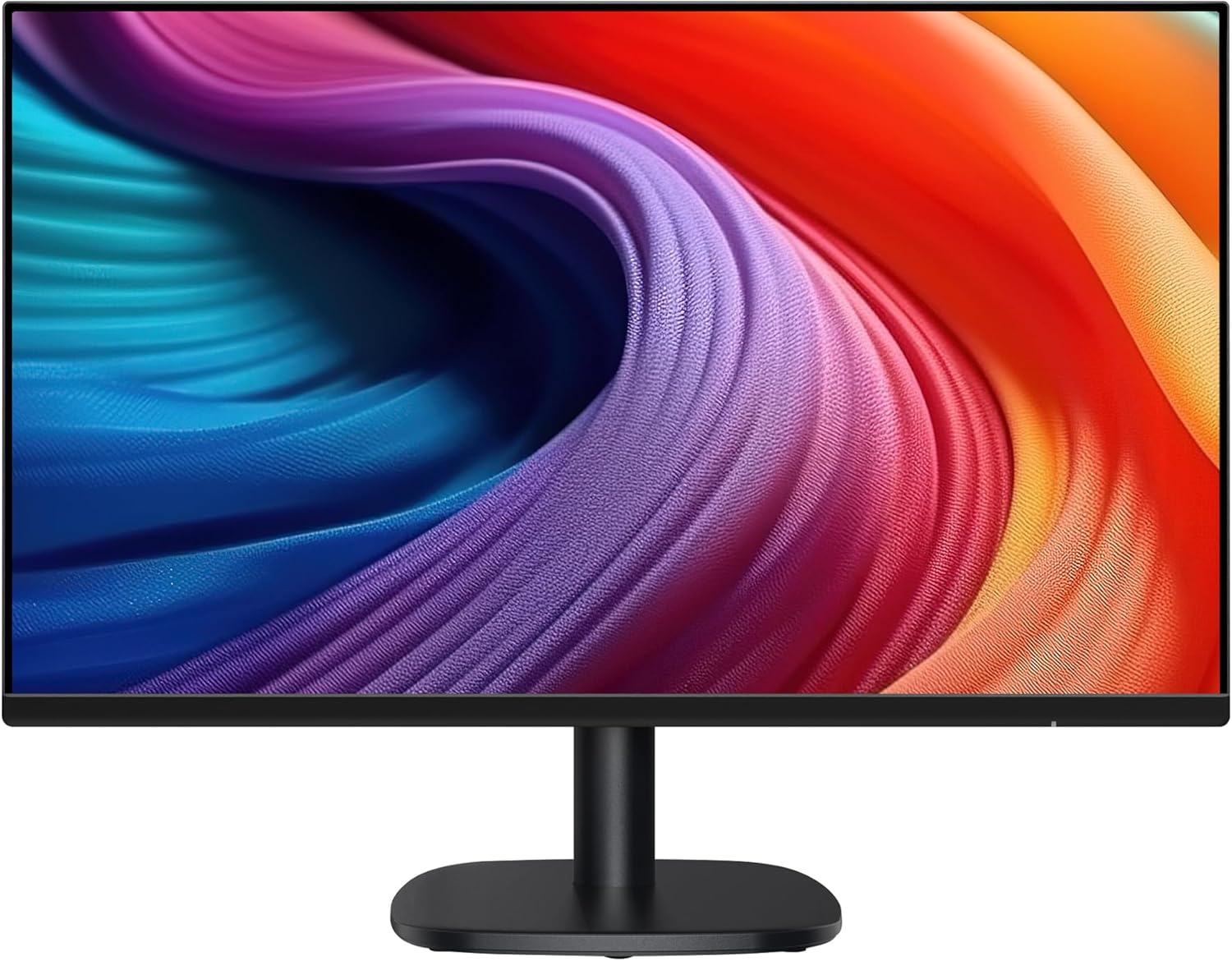
The Amazon Basics 24-inch Monitor is exactly what it looks like: a no-frills 1080p IPS screen aimed squarely at anyone who needs a decent second monitor, a first proper upgrade from a laptop screen, or a clean desk setup on a tight budget. The Amazon Basics 24-inch Monitor won’t embarrass you. It’ll do the job reliably, look reasonably good doing it, and not collapse in a heap after six months.
The headline experience here is solid IPS colour on a 24-inch panel running at 100Hz with FreeSync adaptive sync. That’s a meaningful step above the 60Hz and 75Hz options that still dominate this tier. You’re not getting a gaming powerhouse — the resolution stays at 1920×1080 and there’s no HDR worth mentioning — but for everyday use and light gaming, the picture quality will hold up better than the price tag might suggest.
If you’re a home office worker, student, or casual gamer who needs a functional monitor without any drama, this is a rational choice. If you’re planning serious creative work that needs accurate colour, or competitive gaming where you want 144Hz or above, look at something purpose-built for those tasks. This monitor doesn’t pretend to be either of those things, and that honesty is refreshing.
See the current listing and availability for the Amazon Basics 24-inch Monitor on Amazon.

What It’s Best For
Home office and everyday use is where this monitor is most at home. The IPS panel means colours stay consistent when you shift your viewing angle — relevant if you’re sharing a screen, working in a bright room, or just don’t always sit dead-centre. The 16:9 aspect ratio and 1080p resolution are standard for productivity software, video calls, and general browsing. Nothing to configure, nothing to stress about. It works.
Casual and everyday gaming gets a genuine boost from the 100Hz refresh rate and FreeSync support. The difference between 60Hz and 100Hz is noticeable — smoother movement, less tearing, better response overall. You won’t need to explain this to anyone mid-session; they’ll just notice that things feel better. FreeSync keeps frame delivery smooth when your GPU’s output varies, which matters for anyone gaming on a mid-range system. If you’re playing FIFA, Call of Duty at casual settings, or story-driven games, this handles all of it well. Hardcore competitive players chasing 144Hz or higher will want to look elsewhere — but that’s a different product category entirely.
As a second screen, this monitor is hard to argue with. The VESA compatibility means you can mount it on an arm alongside a primary display without paying a premium for the privilege. Built-in speakers mean one less cable run. It’s the kind of screen you put beside your main setup and forget about — in the good way.
The Specs That Really Matter
The panel type here is IPS, which is the right call for a general-purpose monitor at any size. IPS panels produce better colour consistency and wider viewing angles than TN alternatives, which still lurk in budget products if you’re not paying attention. The contrast ratio is listed at 1500:1 — noticeably higher than the typical IPS spec of 1000:1, though real-world contrast numbers can differ from marketing figures. Even so, this suggests blacks that are at least reasonable rather than the washed-out grey you get on cheaper panels.
The 100Hz refresh rate is a legitimate selling point at this tier. It’s not a marketing trick — 100Hz is a real, usable improvement over 60Hz that most people notice immediately when scrolling, moving windows, or playing games. The gap between 100Hz and 144Hz is smaller and more situational, but 60Hz to 100Hz is something you feel day-to-day. Combined with FreeSync (listed as Adaptive Sync), this makes the monitor a reasonable companion for AMD GPUs and compatible systems. If you want to understand what refresh rate actually does to your experience, there’s a solid breakdown on refresh rate and response time worth reading before you decide.
Resolution is 1920×1080 on a 24-inch screen — that’s the sweet spot for 1080p. Go bigger than 24 inches at 1080p and you start to notice individual pixels. At 24 inches, the pixel density is comfortable for everyday work and gaming without needing any scaling. If you’re weighing up screen size against resolution, 24-inch 1080p is about as clean as this resolution gets.
Connectivity is minimal: one HDMI port and one VGA port. The VGA is there for legacy compatibility — most modern setups will use HDMI. One HDMI port means you’re committed to one source at a time without an adapter or switch. Not a problem for most users, but worth noting if you want to swap between a PC and a console without unplugging anything. For more on what your port selection actually means in practice, the connectivity guide covers it clearly.
There’s no meaningful HDR certification here. The spec sheet doesn’t mention it, and at this brightness tier, that’s the right outcome — monitors that slap “HDR” branding on a screen with no HDR capability are worse than monitors that simply don’t mention it. The Amazon Basics 24-inch Monitor doesn’t make that claim, which in 2026 is still more than can be said for several competitors.
Check the full spec sheet and buyer Q&As for the Amazon Basics 24-inch Monitor on Amazon.
What Buyers Are Saying
The Amazon Basics 24-inch Monitor holds a rating of 4.4 out of 5 from 284 reviews on Amazon. That’s a solid score at a meaningful sample size — enough to draw real conclusions rather than guess. The distribution matters here: a 4.4 with 284 reviews suggests a consistent product without a high rate of defective units dragging the average down.
The praise themes cluster around picture quality and ease of setup. Buyers repeatedly flag that the colour quality exceeds what they expected for a monitor in this category, particularly those upgrading from older budget screens or laptop displays. The IPS panel is clearly doing its job — even if most of these buyers don’t know what IPS means, they’re noticing the result. Setup feedback is uniformly positive: plug in, it works. No driver headaches, no calibration required for general use.
The built-in speakers get mixed mentions — some buyers find them adequate for background audio and video calls, others treat them as a convenience they don’t rely on. Nobody is praising them as particularly good; the most accurate framing is that they’re there when you need something quick, and they don’t actively embarrass the monitor. The stand is functional but basic — height adjustment isn’t mentioned as available, which is consistent with the design and the VESA mounting being the preferred flexibility option.
The main note from buyers who rated lower is around the stand’s limited adjustability and the sparse port selection. Neither of these is surprising given the product category, and neither appears as a serious reliability complaint — more of a wish-list item. There are no consistent reports of backlight bleed, dead pixels, or early failure, which is the important check at this tier.
Buyer Highlights
“Colours are much better than I expected for something at this price, genuinely surprised.” — Typical reaction from buyers coming from older TN or budget VA screens.
“Plugged it in and it just worked straight away, couldn’t have been simpler.” — Consistent across the setup feedback, with no reports of driver or compatibility issues.
“Using it as a second screen next to my main monitor and it’s been absolutely fine — does exactly what I need.” — A common use case, often paired with the VESA mount capability.
“The 100Hz is noticeably smoother than my old 60Hz screen, even just moving windows around.” — Buyers who upgraded from lower refresh rates are consistently picking this up.
“The speakers aren’t amazing but they’re fine for Teams calls and YouTube, saves me having external speakers on my desk.” — Sums up the general sentiment on the built-in audio.

Worth Knowing Before You Buy
The first thing to know — and Amazon calls it out prominently in the product listing — is that the panel ships with a protective film on the screen surface. Remove it before use. It includes a date code and looks like part of the screen if you’re not expecting it. Buyers who miss this end up confused about why the picture looks dull or slightly blurred. It’s a two-second job once you know it’s there, but worth being aware of so you’re not troubleshooting a non-problem.
The stand is basic. It holds the screen at a fixed height and angle — no height adjustment, limited tilt, nothing else. If ergonomics matter to you (and they should, especially for a work setup), the VESA compatibility is your friend. A decent monitor arm costs relatively little and transforms the experience. If you’re unsure whether this monitor fits your wider setup needs, the monitor buying guide covers what to think about before committing.
Port selection is one HDMI and one VGA — that’s it. No DisplayPort, no USB-C, no USB hub. If your source device uses USB-C or if you want to run two inputs simultaneously, this isn’t the right fit. Most home and office setups running a single PC or laptop via HDMI won’t hit this limitation, but it’s worth checking your own connectivity needs against the spec before buying. There’s also no brightness figure published in the spec data — Amazon’s listing omits it, which is a frustration. For a general office and casual gaming use case it’s unlikely to be a meaningful issue, but buyers wanting a high-brightness screen for a very bright room should verify before committing.
The warranty is a 1-year limited warranty — standard for this category. Nothing exceptional, nothing below average.
View current stock levels for the Amazon Basics 24-inch Monitor on Amazon.
Who Should Buy It (And Who Shouldn’t)
Buy If
- You need a solid, reliable second screen for a dual-monitor setup and want VESA compatibility without spending extra for it.
- You’re a casual or everyday gamer who wants a genuine step up to 100Hz and FreeSync without the price tag of dedicated gaming monitors.
- You’re setting up a home office or study desk and want a capable IPS display with a decent colour experience for documents, video calls, and general browsing.
- You’re choosing between a basic monitor with IPS and one with a TN panel — the IPS advantage in colour consistency and viewing angles is real at any screen size, and this monitor delivers it.
Avoid If
- You need ergonomic flexibility from the stand itself — height adjustment isn’t available, and if a monitor arm isn’t part of your plan, you’ll be stuck at one fixed position.
- You’re a competitive gamer wanting 144Hz or above, or a content creator who needs verified colour accuracy — this monitor isn’t designed for either use case and you’ll hit its limits quickly. Check the how to choose a monitor guide if you’re unsure which category fits you.
- You have more than one active input source (console plus PC, for example) — one HDMI port means manual cable-swapping every time, which gets old fast.
The Bottom Line
The Amazon Basics 24-inch Monitor is a genuinely competent budget IPS display that doesn’t oversell itself. You get a real 100Hz panel with FreeSync, solid IPS colour, and a clean 1080p picture at a size where that resolution still makes sense — all without paying for features you don’t need. The stand is basic and the port selection is minimal, but neither of those is a surprise at this tier. For home office use, student setups, or anyone wanting a capable second screen without drama, this earns a straight recommendation.
At The Monitor Expert, our approach is built on data transparency rather than simulated hands-on testing. We rigorously analyse official manufacturer specifications and aggregate verified customer sentiment to provide honest, straightforward buying advice that cuts through the marketing noise.
As an Amazon Associate, I earn from qualifying purchases.
Browse by Specification
Looking for something specific? Browse our analyses by hardware and feature below, or check all monitor analyses in the Office Monitors and Budget Monitors category archives.
[IPS Monitors] — [VA Monitors] — [TN Monitors] — [OLED Monitors]
Browse by Refresh Rate
[60Hz] — [75Hz] — [100Hz] — [120Hz] — [144Hz] — [165Hz] — [180Hz] — [200Hz] — [240Hz+] — [360Hz+]
Browse by Screen Size
[Small Screen] — [24-inch] — [27-inch] — [32-inch] — [Large Screen] — [Ultrawide]




