
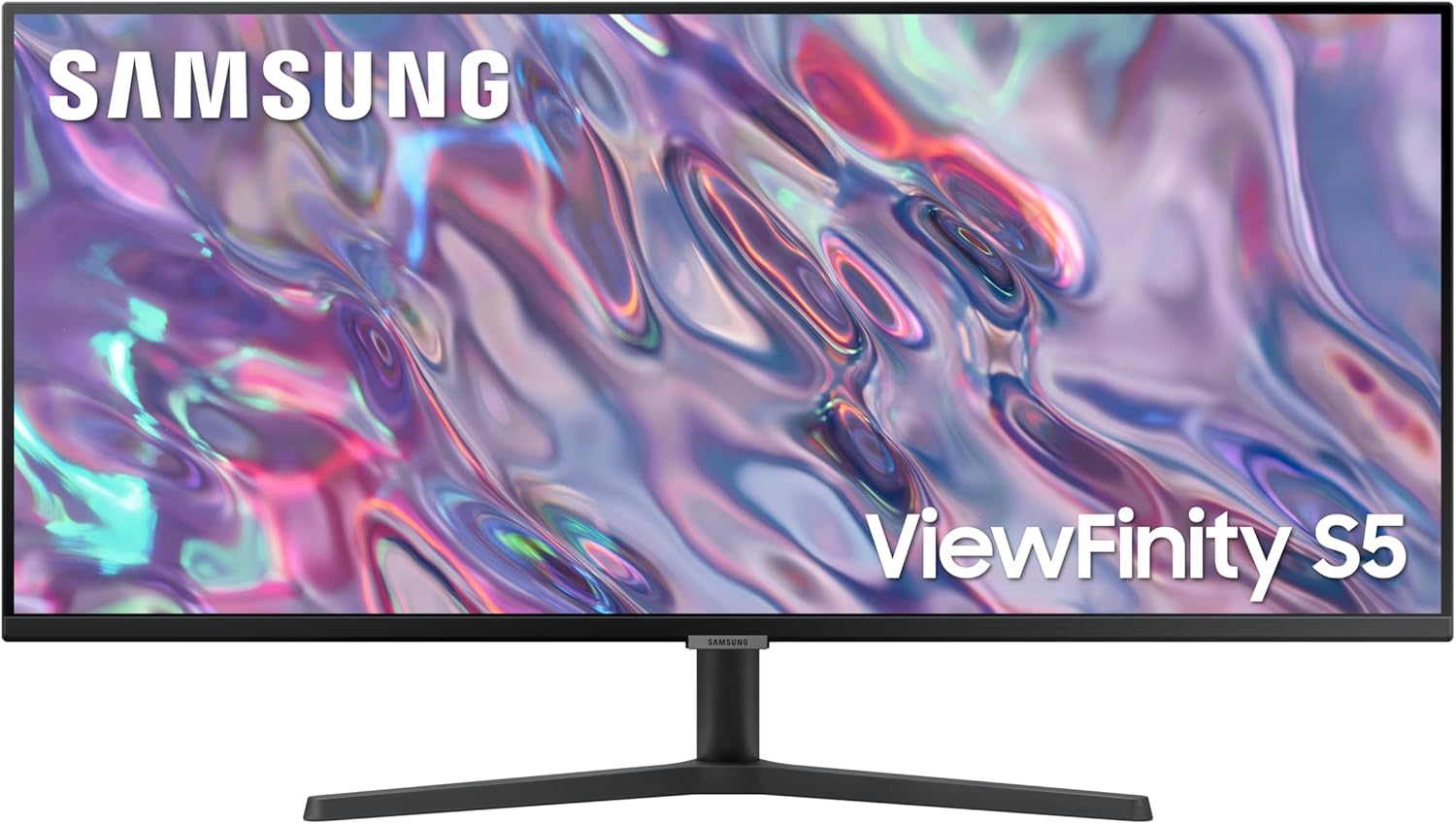
Samsung LS34C500GAUXXU Analysis: VA Contrast, Ultrawide Space
My Honest Verdict
The Samsung LS34C500GAUXXU is a 34-inch ultrawide that makes a strong case for itself as a productivity and light-gaming display. It delivers a genuinely useful 3440×1440 resolution on a VA panel, with the contrast depth that panel type is known for, at a size that transforms how much you can fit on screen at once. The headline limitation is equally clear: this is not a monitor built for serious gaming. 100Hz and a 5ms response time are perfectly usable, but competitive players will want more.
In day-to-day use, the 21:9 aspect ratio is the star of the show. You can genuinely have two documents side by side at a readable size, or a spreadsheet plus a browser, without alt-tabbing every thirty seconds. The 3000:1 contrast ratio — which VA panels reliably deliver — means blacks look properly dark rather than washed out. That makes a real difference watching films or working with dark-mode interfaces. The 300 nit peak brightness is adequate for most office lighting but won’t handle a room with direct sunlight hitting the screen.
This is the right monitor for someone upgrading from a standard 16:9 screen who wants more screen real estate without going full ultrawide gaming territory. If you’re a productivity-focused user, a content consumer, or a casual gamer who doesn’t care about frame-perfect response times, the Samsung LS34C500GAUXXU earns a straightforward recommendation. If you’re a competitive FPS player or you need precise colour accuracy for professional work, look elsewhere.
See the current availability and listing details for the Samsung LS34C500GAUXXU on Amazon.

What It’s Best For
Office and Productivity Work: This is where the Samsung LS34C500GAUXXU genuinely earns its keep. The ultrawide 3440×1440 canvas means multitasking stops being a compromise. Split two applications at full 1440p height each, or use Samsung’s built-in Picture-by-Picture mode to pull from two separate input sources simultaneously. Spreadsheets, code editors, document drafting — you stop feeling like you’re working in a porthole. The ambient light sensor that adjusts brightness automatically is a small but genuinely useful feature in an office context where lighting shifts throughout the day.
Home Media and Streaming: The VA panel’s 3000:1 contrast ratio pays dividends here. Dark scenes in films actually look dark — not that flat grey you get on lower-contrast IPS panels. The wide 21:9 format also happens to match the aspect ratio most cinema content is shot in, so you get a near-cinematic fill without letterboxing eating your screen. The HDR10 support is real — not a fake badge — though at 300 nits peak brightness, it doesn’t deliver the spectacular highlights of a proper high-brightness HDR display. You’ll see the colour range benefit more than the brightness benefit.
Casual Gaming: The 100Hz refresh rate with AMD FreeSync is more than enough for slower-paced gaming — RPGs, strategy games, open-world titles, racing games. FreeSync keeps the image tear-free even when your frame rate fluctuates, which matters more in practice than the difference between 100Hz and 144Hz for this type of content. The ultrawide field of view also genuinely adds immersion in supported titles. Check game compatibility with ultrawide before buying — not all games properly support 21:9.
The Specs That Really Matter
The panel type here is VA, and that choice defines this monitor more than any other single spec. VA panels sit between TN and IPS in most areas, but they have one clear advantage: contrast. A 3000:1 contrast ratio is meaningfully better than the 1000:1 you typically get on IPS, and you’ll notice it. Blacks look richer, dark scenes have more depth, and the screen feels less washed out in dim rooms. The trade-off is that VA panels can exhibit some ghosting on fast-moving content — not typically a problem for productivity or casual gaming, but worth knowing. If you want a deeper comparison of how panel technologies differ in real use, our panel types guide covers the tradeoffs directly.
The 3440×1440 resolution at 34 inches lands at a pixel density that looks sharp without needing any scaling. Text is crisp, images have detail, and unlike 4K at this size you don’t need a high-end GPU to push reasonable frame rates. For anyone curious about what resolution and screen size actually mean for sharpness in practice, the size and resolution guide breaks it down clearly. The 178-degree viewing angle means the image stays consistent whether you’re sitting straight on or at an angle — useful if you share your desk setup or present to someone beside you.
The 100Hz refresh rate with AMD FreeSync adaptive sync is a solid pairing for the target audience. Refresh rate matters most when your content is actually changing that quickly — for gaming, faster is better, but 100Hz is a significant step up from 60Hz and most buyers in this use case won’t feel shortchanged. The 5ms response time is quoted — likely at the grey-to-grey level — and is entirely adequate for everything except competitive gaming where every millisecond of motion clarity counts. For the productivity and casual gaming use cases this monitor targets, it’s fine.
Connectivity covers one DisplayPort and two HDMI ports. That’s enough for most setups — you could have a PC on DisplayPort and a console or second device on HDMI without needing a switch. There’s no USB-C here, which is worth noting if you use a laptop that relies on a single cable for display plus power. If you’re planning a multi-device setup and want to understand your options, our connectivity guide is worth a look before you commit. The HDR10 certification is legitimate — not the entry-level HDR400 badge Samsung sometimes slaps on lower-tier panels — though the 300 nit brightness ceiling limits how dramatic the HDR effect will be in practice. By 2026, HDR standards are increasingly pushing toward higher brightness tiers, so it’s fair to call this capable rather than leading.
Browse the full spec sheet and buyer Q&As for the Samsung LS34C500GAUXXU on Amazon.
What Buyers Are Saying
The Samsung LS34C500GAUXXU holds a rating of 4.3 out of 5 from 91 customer reviews on Amazon. That’s a reasonably healthy sample, though not enormous — enough to identify consistent themes without over-reading individual outliers.
The dominant praise centres on the screen size and resolution combination. Buyers repeatedly flag how much more productive they feel switching from a standard 16:9 monitor, and the colour depth from the VA panel gets frequent positive mentions — particularly from people coming from older IPS budget screens. The ultrawide format draws consistent enthusiasm from users doing office work, creative tasks, and casual gaming alike. Several buyers also call out the setup process as straightforward and the monitor’s stand as stable enough for everyday use.
Recurring concerns, where they appear, tend to relate to the stand’s limited adjustability — tilt only, no height adjustment out of the box — and a handful of buyers mention the glossy screen finish can cause reflections in brightly lit rooms. Neither of these is unusual for this price bracket, but they’re worth factoring in. The glossy finish is also notable because Samsung’s specs list it explicitly — it’s not a hidden gotcha, but it does affect how the monitor performs against a window.
Buyer Highlights
“The difference going from a standard monitor to this ultrawide is night and day for working from home.” — A common reaction from first-time ultrawide buyers using the LS34C500GAUXXU for office tasks.
“Colours look genuinely rich and deep, especially watching films in the evening with the lights down.” — Reflects the VA panel’s contrast advantage, which buyers consistently notice when the room is dim.
“Setup took about fifteen minutes from box to working. Nothing complicated at all.” — Repeated across multiple reviews, suggesting the out-of-box experience is well sorted.
“Only gripe is that you can’t raise the height — wish the stand had more adjustment.” — The tilt-only stand is the most commonly flagged practical frustration among buyers.
“Brilliant for having multiple windows open at once — I don’t know how I managed without the extra width.” — Multitasking benefit mentioned across a wide range of buyer profiles, from students to remote workers.

Worth Knowing Before You Buy
The stand only tilts. There’s no height adjustment and no swivel. For a lot of buyers sitting at a standard desk this won’t be an issue, but if you’re taller, shorter, or particular about eye-line positioning, budget for a monitor arm when you order. VESA mount compatibility is listed, so third-party arms work — it’s just an additional cost to factor in. If ergonomics matter to you, read our how to choose a monitor guide before finalising your decision.
The glossy screen finish is worth thinking about relative to your workspace. Most monitors at this size use a matte anti-glare coating precisely to manage reflections. Samsung has gone glossy here, which can produce more vivid-looking colours in controlled lighting but becomes noticeably problematic if you have a window behind you or bright overhead lighting. If your workspace is well-lit from behind, test your environment before assuming it’ll work fine.
VA panels can exhibit a characteristic called black smearing — where very dark objects moving across a dark background leave a faint trail. It’s panel-type specific, not a defect, and it’s most visible in fast-action gaming in dark scenes. For productivity and media consumption it’s rarely an issue, but it’s the trade-off for that excellent contrast ratio. The two-year manufacturer warranty is standard for Samsung and provides reasonable cover. There are no specific reliability patterns to flag from the review set at this sample size.
Check current stock and availability for the Samsung LS34C500GAUXXU on Amazon.
Who Should Buy It (And Who Shouldn’t)
Buy If
- You’re upgrading from a standard 16:9 monitor and want significantly more usable screen space for multitasking — the 21:9 format changes daily working habits in a way that a resolution bump alone doesn’t.
- You watch a lot of films or TV in a darker room and want the deeper blacks and richer contrast that a VA panel delivers over a typical budget IPS screen.
- You game casually in titles that support ultrawide — RPGs, strategy, racing, open-world games — and 100Hz with FreeSync is more than sufficient for your frame rates.
- You have a desktop PC setup with a discrete GPU and need to connect one or two additional devices — the DisplayPort plus dual HDMI layout handles this without a switcher.
Avoid If
- You play competitive FPS or fast-action games where response time and refresh rate above 144Hz matter — this monitor’s 100Hz and 5ms spec tier isn’t built for that use case and you’ll feel the gap.
- Your workspace gets significant direct or ambient light from behind you — the glossy screen finish will fight you every time, and there are better-suited matte-coated alternatives at this size.
- You need USB-C single-cable connectivity for a modern laptop — this monitor doesn’t have it, and that’s a meaningful gap if your workflow depends on it.
The Bottom Line
The Samsung LS34C500GAUXXU is a well-targeted ultrawide that does what it sets out to do. The VA panel delivers contrast that most buyers genuinely notice, the 34-inch 21:9 format transforms productivity, and the 100Hz FreeSync pairing is adequate for casual gaming without pretending to be something it isn’t. The tilt-only stand and glossy screen finish are real-world considerations rather than dealbreakers, and the spec sheet is honest — no inflated HDR claims, no suspiciously low response time figures that don’t hold up. For a productivity-first ultrawide with enough casual gaming capability to handle evenings, this earns a clear recommendation. If that’s your use case, check our monitor buying guide to confirm it’s the right fit, then proceed with confidence.
View the full Samsung LS34C500GAUXXU listing and buyer questions on Amazon.
At The Monitor Expert, our approach is built on data transparency rather than simulated hands-on testing. We rigorously analyse official manufacturer specifications and aggregate verified customer sentiment to provide honest, straightforward buying advice that cuts through the marketing noise.
As an Amazon Associate, I earn from qualifying purchases.
Browse by Specification
Looking for something specific? Browse our analyses by hardware and feature below, or check all monitor analyses in the Office Monitors and Mid-Range Monitors category archives.
[IPS Monitors] — [VA Monitors] — [TN Monitors] — [OLED Monitors]
Browse by Refresh Rate
[60Hz] — [75Hz] — [100Hz] — [120Hz] — [144Hz] — [165Hz] — [180Hz] — [200Hz] — [240Hz+] — [360Hz+]
Browse by Screen Size
[Small Screen] — [24-inch] — [27-inch] — [32-inch] — [Large Screen] — [Ultrawide]




