
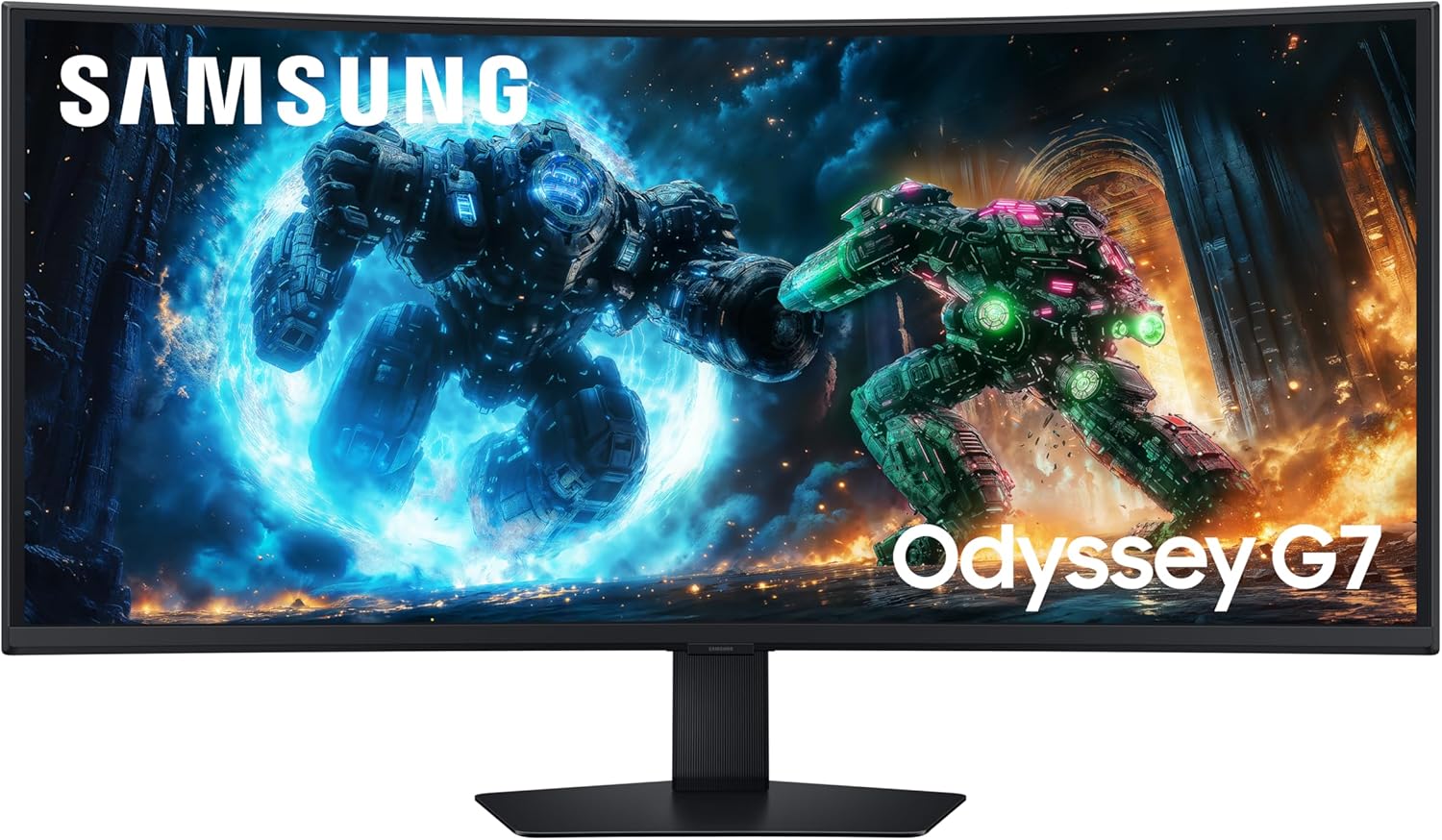
Samsung Odyssey G7 LS40FG756EUXXU Analysis: One Screen, Two Jobs
My Honest Verdict
The Samsung Odyssey G7 LS40FG756EUXXU is a serious ultrawide that earns its place in the premium tier. A 40-inch, 5120×2160 curved panel at 180Hz is a rare combination — and Samsung has packaged it with enough real substance that it’s genuinely hard to argue with for the right buyer. If you want a single screen that handles both competitive gaming and proper productivity work without compromise on either front, this is one of the few options that actually delivers both.
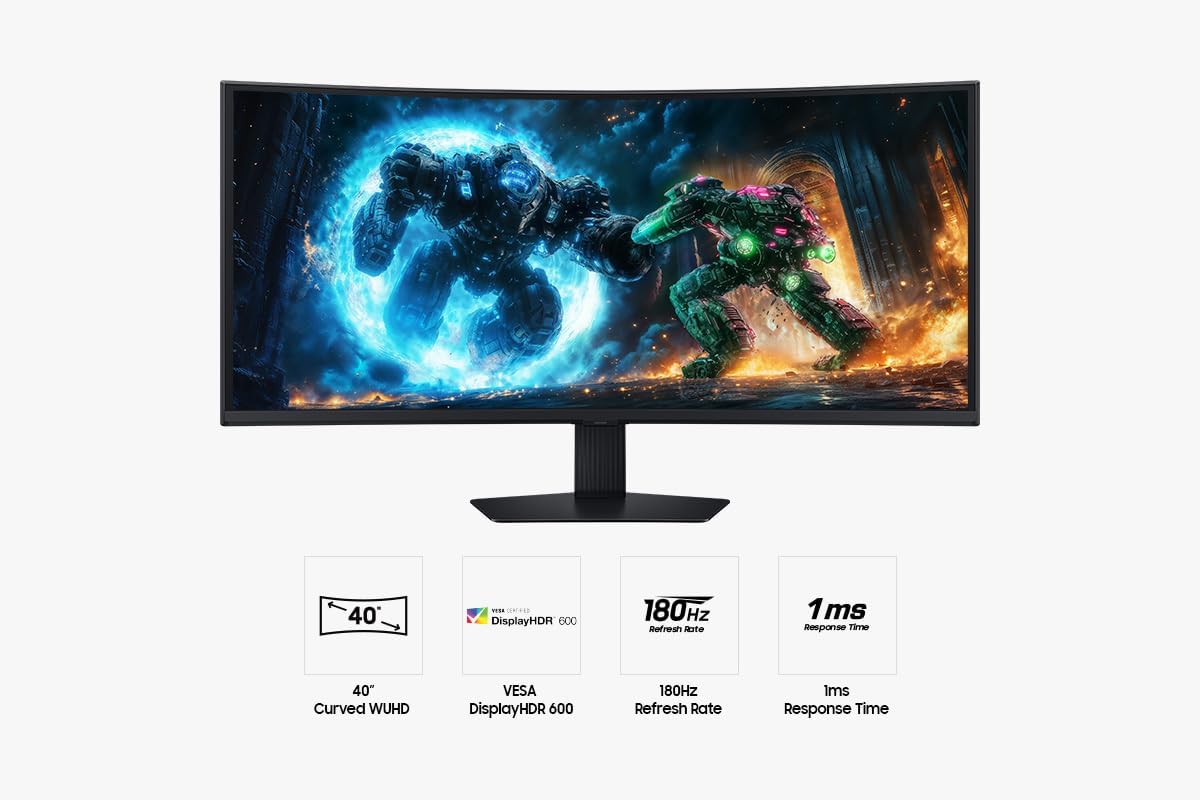
The headline numbers translate into something tangible. At 5K2K resolution across a 40-inch canvas, pixel density is genuinely sharp — text is crisp, fine detail in games reads clearly, and you’re getting significantly more usable screen real estate than a standard 4K display in a 16:9 format. The 1000R curve pulls the edges into your peripheral vision in a way that a flat ultrawide simply doesn’t. Pair that with 180Hz refresh and 1ms response time, and you have a monitor that doesn’t force you to pick between visual fidelity and gaming pace.
Who should look elsewhere? If you’re a competitive FPS player who values frame rate above all else, a flat 1080p or 1440p panel at 240Hz or above will serve you better. And if colour accuracy is your primary need — photo editing, video grading — the VA panel here has inherent limitations worth understanding before you commit. Everyone else: a creative professional who games, a developer drowning in windows, or a sim/RPG player who wants to actually feel inside the world — this monitor was built for you.
See the Samsung Odyssey G7 LS40FG756EUXXU listing and current availability on Amazon.
What It’s Best For
Gaming — particularly immersive single-player and sim. The 21:9 aspect ratio and aggressive 1000R curve do something genuinely different to your field of view in open-world games, racing sims, and space games. You’re not looking at a screen — you’re looking into one. The 180Hz refresh keeps motion clean, and AMD FreeSync Premium Pro handles the variable frame rate side of things properly, not just nominally. Tearing and stutter are not things you’ll be tolerating here.
Productivity and multi-window work. This is quietly where the Samsung Odyssey G7 LS40FG756EUXXU makes the strongest case for itself. The 5120×2160 resolution gives you the kind of horizontal space where you can have a full IDE, documentation, and a terminal open side-by-side without anything feeling cramped. One buyer — an electronics and software engineer — specifically notes moving from two stacked 27-inch FHD monitors and finding both reduced eye strain and a contiguous desktop with no gaps. Logic Pro users, developers, and anyone who lives in multiple application windows simultaneously will feel an immediate improvement over a conventional single monitor setup.
Home entertainment and gaming from a console. With HDMI 2.1 connectivity, this handles modern console output properly. The VESA DisplayHDR 600 certification is meaningful here — unlike HDR400 which is largely cosmetic, DisplayHDR 600 with a 3000:1 contrast ratio and 350 cd/m² peak brightness actually produces visible HDR lift in dark scenes and bright highlights. It’s not OLED, but it’s not pretending to be.
The Specs That Really Matter
Panel type first, because it shapes everything else. The Samsung Odyssey G7 LS40FG756EUXXU uses a VA panel — and that’s a deliberate choice worth understanding before you buy. VA gives you that 3000:1 native contrast ratio, which is significantly better than IPS and meaningfully better than TN. Dark scenes in games actually look dark. The tradeoff is viewing angle consistency and, historically, ghosting on fast-moving content. Modern high-refresh VA has improved considerably — buyers here specifically report that ghosting is only apparent if you actively test for it, not in normal use. If you want a deeper dive on panel types and what they actually mean, that’s worth reading before deciding.
The 5120×2160 resolution is genuinely rare at this size. On a 40-inch screen, that works out to roughly 145 PPI — meaningfully sharper than a 3440×1440 ultrawide at the same size, and noticeably crisper for text-heavy work. The tradeoff is GPU demand: pushing native 5K2K at 180Hz in modern games requires real hardware. An RTX 4080 or RX 7900 XTX tier GPU is where you’d want to be to use the full refresh rate in demanding titles. At lower frame rates, the monitor scales cleanly. If you’re thinking about what resolution makes sense at different screen sizes, there’s a useful breakdown on display size and resolution.
The 180Hz refresh rate paired with a 1ms GtG response time puts this firmly in the gaming-capable tier, not just the gaming-adjacent one. FreeSync Premium Pro is the better tier of AMD’s adaptive sync — it mandates low framerate compensation (LFC), which means the sync still works properly when your frame rate dips below the monitor’s minimum sync range. That matters in a demanding 5K2K workload where GPU output isn’t always consistent. For a proper explanation of what refresh rate and response time numbers actually mean in practice, that’s worth a look.
VESA DisplayHDR 600 with HDR10+ Gaming support is worth calling out specifically. This isn’t the HDR400 badge that gets slapped on monitors with no meaningful HDR capability — DisplayHDR 600 requires verified peak brightness and local dimming performance that produces a genuine visual difference. It’s still edge-lit rather than mini-LED, which has implications for uniformity (more on that below), but the HDR performance here is real rather than theatrical. Connectivity covers HDMI 2.1 and DisplayPort, plus USB 3.2 Gen 1 and USB 2.0 ports — a solid suite for a 2026 ultrawide at this level. Full details on what the port selection means in practice are covered in our connectivity guide.
Check the full spec sheet and buyer Q&As for the Samsung Odyssey G7 LS40FG756EUXXU on Amazon.
What Buyers Are Saying
The Samsung Odyssey G7 LS40FG756EUXXU carries a rating of 4.8 out of 5 from 19 reviews. That’s a small sample — too small to treat as statistically definitive — so take the headline rating with appropriate caution and focus on the specific feedback patterns rather than the number itself. What’s notable is that the reviews that do exist are detailed and considered, not the usual five-word enthusiasm of someone who’s had a monitor for two days.
The strongest consistent praise is around the form factor decision: buyers who looked at the 49-inch G9 and chose this instead are uniformly satisfied with that call. The reasoning keeps repeating — the G9’s 1440px vertical height feels limiting relative to its physical size, whereas the G7’s extra vertical resolution at a more manageable physical width hits a better balance for both gaming immersion and productivity layout. One buyer specifically notes going from two stacked 27-inch monitors and feeling the improvement immediately, with reduced eye strain and a genuinely contiguous desktop.
The VA panel gets credit for being better than expected. Multiple buyers flag that they were anticipating more obvious ghosting and came away pleasantly surprised — it’s only apparent in deliberate edge-case testing, not in actual use. Colour and contrast performance is repeatedly described as strong for the price tier, with the caveat acknowledged clearly that it’s not OLED and doesn’t pretend to be. One buyer notes that not being OLED is actually a feature in their eyes — no burn-in risk, no long-term panel degradation concern, years of reliable use ahead.
The one legitimate criticism that surfaces across reviews is edge-lit backlight bleed on the curved panel, most visible when watching dark content with room lights off. One buyer specifically flags this for movie watching in dark conditions. This is a known characteristic of edge-lit VA at this size and isn’t unique to this model, but it is worth knowing going in.
Buyer Highlights
“The G7 is by far the better form factor — more real estate and 180Hz versus 144Hz on the G9.” — A recurring verdict from buyers who considered the 49-inch before committing to this size.
“Ghosting is only really noticeable if you specifically test for it — in normal gaming and entertainment, I have not noticed it once.” — Consistent across multiple VA panel sceptics who expected worse.
“I can now have an entire Logic Pro project open with side panels and the full sequencer timeline — it’s transformed my workflow.” — Typical feedback from productivity users replacing dual-monitor setups.
“The sharpness of the image is perfection itself, and the curve actually works correctly when seated — each end equidistant to the viewpoint as the centre.” — Repeated praise for how the 1000R curve behaves at typical desk distances.
“Solid colour and contrast performance without having to worry about burn-in — I can use it for the best part of a decade with no issues.” — A sentiment that reframes the VA vs OLED question as a long-term reliability argument.

Worth Knowing Before You Buy
The backlight bleed issue raised by one reviewer is worth understanding in context. Edge-lit VA panels on large curved screens have a structural challenge: the backlight travels across a longer physical distance from the edges, and at extreme curvatures like 1000R, light uniformity is harder to maintain than on a flat panel. In a brightly lit room, or in games and content that aren’t predominantly dark, this is unlikely to bother you. In a dark room watching dark films — think cinematic noir or horror — you may notice a glow along the edges. If that’s a core use case for you, it’s the one genuine caveat to take seriously. A local-dimming mini-LED panel would handle this better; this monitor uses edge-lit backlighting.
The Picture-in-Picture feature gets a specific mention from one buyer who planned to use it for CCTV monitoring alongside the main display — it works, but it reduces the output to 8-bit colour, drops HDR, and caps the frame rate at 120Hz in PiP mode. If you’re planning to use PiP heavily as part of your workflow, test your specific use case against those constraints. For most people it won’t matter, but it’s worth knowing the limitations up front rather than discovering them post-purchase. The stand covers height adjustment, tilt, and swivel — ergonomics are genuinely well covered here, not an afterthought. macOS users should note that the monitor may default to a scaled resolution rather than native — easily fixed in display settings, but worth being aware of. For broader guidance on what to check before committing to any monitor purchase, the monitor buying guide covers the key questions worth asking.
One final point: this resolution demands serious GPU bandwidth. If your current graphics card was mid-range two or three years ago, you may find that native 5120×2160 at 180Hz in demanding games isn’t achievable. The monitor will still work — you can drop resolution or refresh rate — but you won’t be getting the full picture it’s capable of. Worth stress-testing your GPU situation before assuming you’ll hit the top spec from day one.
View current stock and availability for the Samsung Odyssey G7 LS40FG756EUXXU on Amazon.
Who Should Buy It (And Who Shouldn’t)
Buy If
- You want a single screen that genuinely covers both heavy multitasking and immersive gaming without meaningful compromise on either — the 5K2K resolution and 21:9 ratio make this one of the few monitors that pulls both off convincingly.
- You’ve been running dual monitors and want to consolidate — the horizontal real estate here replaces a dual-27-inch setup with room to spare, and having no bezel gap in the middle is a quality-of-life change that buyers consistently flag as transformative.
- You play games where field of view and immersion matter — sim racing, open-world RPGs, space games — and you want a screen that actively enhances that experience rather than just displaying it.
- You want proper HDR rather than a marketing badge — DisplayHDR 600 with 3000:1 native contrast actually produces visible HDR results, particularly in dark scenes with highlights.
- You need a monitor that will last — the VA panel avoids OLED’s burn-in risk, and buyers are explicitly comfortable committing to a decade of use without worrying about gradual panel degradation.
Avoid If
- Competitive multiplayer gaming is your primary use — a flat 1080p or 1440p panel at 240Hz or above will give you lower input lag and better frame rate headroom for the GPU cost, and many competitive games aren’t optimised for ultrawide aspect ratios anyway.
- You regularly watch films in a completely dark room — edge-lit backlight bleed on large curved VA panels is a known limitation, and if that’s a frequent scenario, a local-dimming mini-LED or OLED alternative would serve you better.
- Your GPU isn’t in the current high-end tier — pushing native 5120×2160 at 180Hz in demanding titles requires serious hardware, and buying this monitor without the GPU to match means leaving most of its capability on the table. If you need help thinking through which monitor suits your specific setup, this guide on choosing the right monitor is a practical starting point.
The Bottom Line
The Samsung Odyssey G7 LS40FG756EUXXU is a genuinely well-executed ultrawide that hits a sweet spot the 49-inch G9 misses: enough vertical resolution to feel like real screen estate, enough curve to feel immersive, and enough refresh rate to game on properly. The VA panel performs better than its reputation, the HDR is real rather than cosmetic, and the productivity case is just as strong as the gaming one. The edge-lit backlight uniformity is the one honest limitation, and it only matters in specific viewing conditions. For the buyer who wants one screen to do it all — and do it properly — this earns a straightforward recommendation.
Find the Samsung Odyssey G7 LS40FG756EUXXU on Amazon and check the current listing details.
At The Monitor Expert, our approach is built on data transparency rather than simulated hands-on testing. We rigorously analyse official manufacturer specifications and aggregate verified customer sentiment to provide honest, straightforward buying advice that cuts through the marketing noise.
As an Amazon Associate, I earn from qualifying purchases.
Browse by Specification
Looking for something specific? Browse our analyses by hardware and feature below, or check all monitor analyses in the Gaming Monitors and Premium Monitors category archives.
[IPS Monitors] — [VA Monitors] — [TN Monitors] — [OLED Monitors]
Browse by Refresh Rate
[60Hz] — [75Hz] — [100Hz] — [120Hz] — [144Hz] — [165Hz] — [180Hz] — [200Hz] — [240Hz+] — [360Hz+]
Browse by Screen Size
[Small Screen] — [24-inch] — [27-inch] — [32-inch] — [Large Screen] — [Ultrawide]




