
Gawfolk GF320F Analysis: 4K Contrast Without the Fuss
My Honest Verdict
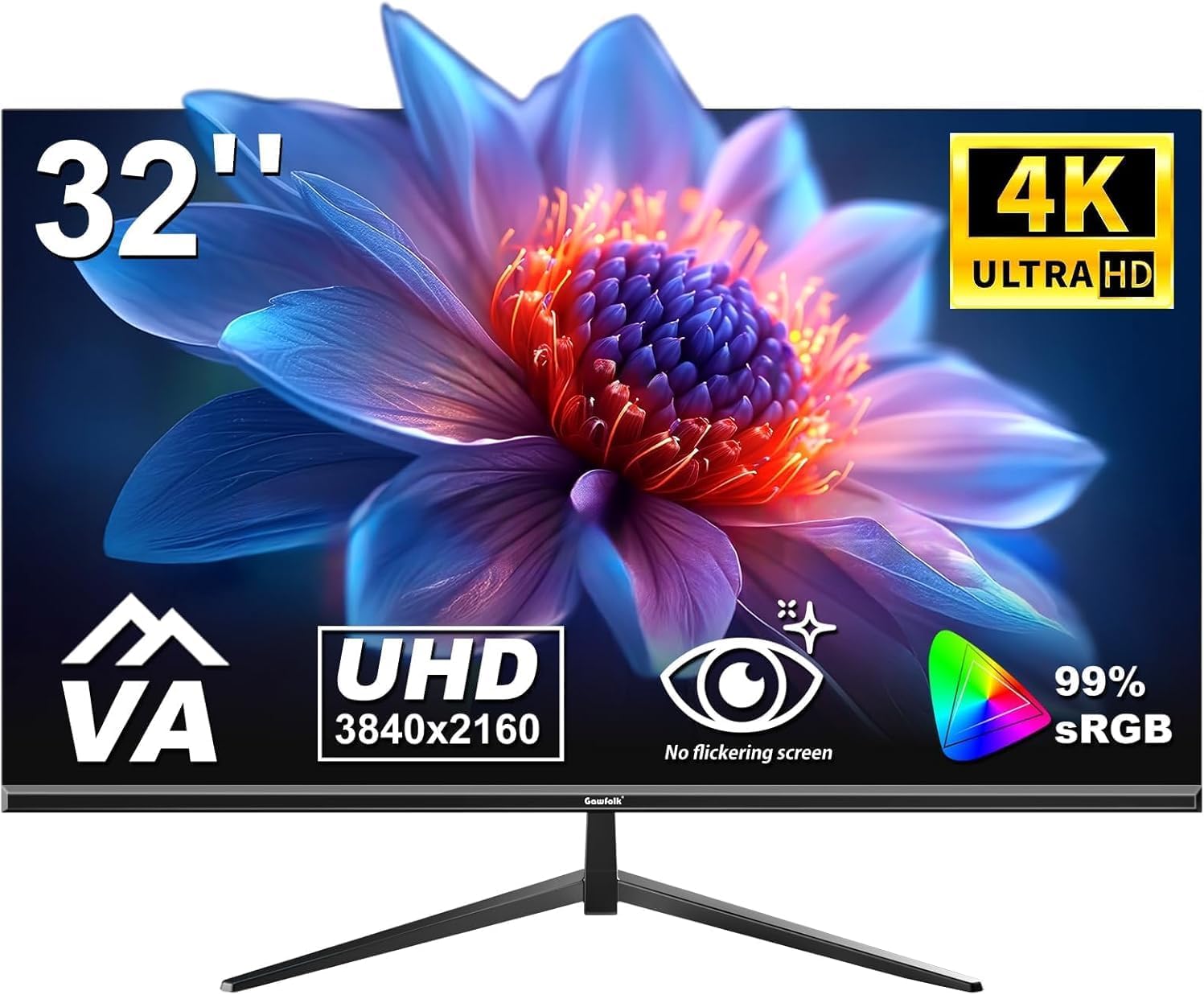
The Gawfolk GF320F is a straightforward 4K office and home-use monitor that does exactly what it advertises — a 32-inch VA panel running at 3840 x 2160 resolution at 60Hz, with a price point that makes large-format 4K genuinely accessible. This is not a gaming monitor dressed up in work clothes. It’s the other way around: a productivity and media screen that happens to handle light gaming well enough for casual players.
The headline strength is straightforward: 4K UHD at 32 inches gives you a pixel density that makes text sharp, spreadsheets readable without squinting, and photos genuinely detailed. The VA panel brings a native 4000:1 contrast ratio, which means blacks look like blacks — not the washed-out grey you get on budget IPS screens. The limitation is equally clear: 60Hz refresh rate and 200 cd/m² brightness cap mean this isn’t built for competitive gaming or bright rooms. If you want high frame rates, look elsewhere.
This is right for someone who spends most of their time on documents, video calls, media consumption, and the occasional casual game — and wants a genuinely large, sharp screen without paying premium monitor prices. Anyone who plays fast-paced multiplayer titles and cares about frame rates should skip it entirely.
See the Gawfolk GF320F listed on Amazon before reading further.

What It’s Best For
Office and productivity work is where this monitor genuinely earns its keep. At 32 inches with 3840 x 2160 resolution, you can have two full documents side by side with room to spare and still read every character without leaning in. Text rendering at 4K on a screen this size is notably crisper than on a 1080p or even 1440p panel at the same diagonal. The matte screen finish handles office lighting without turning your display into a mirror, which matters more than most people realise until they’ve suffered a glossy panel under fluorescent lights. Flicker-free technology and the low blue light mode are genuine additions for anyone staring at a screen for eight hours a day, not just marketing copy — even if they’re table stakes at this point.
Home media and streaming is the second strong suit. The VA panel’s contrast advantage makes a real, visible difference when watching films with dark scenes. Where an IPS panel at this price would show greyish blacks, the 4000:1 dynamic contrast here keeps darker content looking convincing. Streaming 4K content — Netflix, Disney+, YouTube — fills the screen properly, and the 16:9 aspect ratio is a natural fit for standard widescreen content. This isn’t a replacement for a dedicated home cinema setup, but as a desk-side media screen it does a convincing job.
Casual and console gaming is serviceable, if not spectacular. The 60Hz ceiling means you won’t be pushing high frame rates here, and competitive FPS players should have walked away two paragraphs ago. But for console players on PS5 or Xbox Series X running at 4K/60 — which is the native output of a lot of current-gen titles — this monitor is a reasonable match. The 3ms response time is adequate for this use case, and FreeSync adaptive sync support helps eliminate screen tearing when frame rates dip. Choosing the right monitor type for your gaming style matters more than specs alone, and if your gaming is primarily single-player or cinematic, the trade-offs here are easy to live with.
The Specs That Really Matter
The VA panel is the defining decision here. VA sits between IPS and TN in most regards — it beats IPS on contrast, loses to IPS on viewing angle consistency, and comprehensively outperforms TN on colour depth and contrast. For office and media use, the contrast advantage is the more valuable trade. The 178-degree viewing angle spec is technically accurate but typical for VA — in practice, slight colour shift becomes visible before you actually hit 178 degrees. If you’re sitting directly in front, it’s a non-issue. If multiple people are watching from the side, IPS would serve you better. For a more detailed look at how panel types compare, it’s worth understanding the trade-offs before committing.
Resolution and screen size together determine how sharp a display actually looks, and 4K UHD at 32 inches lands at roughly 138 pixels per inch — noticeably sharper than 1440p at the same size, and a substantial leap over 1080p. This is the sweet spot where 4K actually justifies itself: large enough to appreciate the extra pixels, small enough that you don’t need to sit across the room. Understanding how screen size and resolution interact is worth a few minutes if you’ve been comparing different configurations. At 32 inches with 3840 x 2160, the pixel density argument for 4K is genuinely won.
The 60Hz refresh rate deserves honesty. For the target audience — office users, content consumers, casual gamers — 60Hz is entirely sufficient. The jump from 60Hz to 144Hz or higher is most noticeable in fast-paced games; for scrolling spreadsheets and watching films, it barely registers. The 3ms response time is a manufacturer-stated figure, and VA panels typically show slightly higher grey-to-grey response times in real-world conditions — this is a known characteristic of the panel type, not unique to this model. For the use cases this monitor is actually suited to, it won’t matter.
On connectivity: one HDMI 2.0 and one DisplayPort 1.2 port, plus a 3.5mm audio output. That’s a lean but functional setup. HDMI 2.0 supports 4K at 60Hz — you won’t be left short there — and DP 1.4 is actually listed in the product title, though the spec sheet quotes DP 1.2. Either way, both carry 4K/60 without issue. There’s no USB hub, no USB-C, no Thunderbolt. If you need those, this isn’t the right monitor. For a full breakdown of what different port versions mean in practice, the connectivity guide covers it properly. The 200 cd/m² brightness rating is worth noting: this is below average for a display in 2026. It will be fine in a dim or moderately lit room; in a bright, sun-facing workspace it may look flat.
Check the full spec sheet and buyer Q&As for the Gawfolk GF320F on Amazon.
What Buyers Are Saying
The Gawfolk GF320F carries a rating of 4.4 out of 5 from 880 verified Amazon reviews — a meaningful sample that reflects consistent, settled buyer sentiment rather than a handful of early opinions. That’s a genuinely strong rating at this price tier, and the pattern behind it is fairly clear.
The dominant praise theme is image quality relative to expectations. Buyers upgrading from older 1080p screens consistently mention the step-up in sharpness as more significant than they anticipated. Text clarity in particular draws repeated comment — working with documents and spreadsheets on a 4K panel at 32 inches is a noticeably different experience from 1080p at the same size. Colour reproduction also draws positive mentions, with the VA panel’s contrast performance landing well with buyers who use the screen for streaming and general media.
Setup experience comes up frequently as a positive — buyers note it’s uncomplicated out of the box and that port compatibility with both PC and console connections worked without fuss. The frameless design earns specific praise from buyers running dual-monitor setups, where the minimal bezel makes adjacent screens feel more cohesive.
Recurring criticisms are mild rather than damning. A small number of buyers flag the stand as basic — no height adjustment, tilt only — and note that without VESA mounting the ergonomics are limited. A few mention the brightness as low in naturally bright rooms, which lines up with the 200 cd/m² spec. Neither of these is a surprise given the price point, and most buyers who mention them frame it as a trade-off accepted rather than a defect encountered.
Buyer Highlights
“The image quality at this size genuinely surprised me — everything looks crisp and detailed straight out of the box.” — A common reaction from buyers moving up from older or smaller screens.
“Works perfectly with my PS5 at 4K 60Hz, no issues with the HDMI connection at all.” — Frequently mentioned by console users confirming compatibility without additional adapters.
“Running two of these side by side and the borderless design makes them feel like one continuous screen.” — Specific feedback from buyers using this in a dual-monitor configuration.
“Colours are noticeably richer than my old IPS monitor, especially in darker scenes when watching films.” — Reflects the VA panel’s contrast advantage over budget IPS alternatives.
“Stand is fine for basic use but I ended up putting it on a monitor arm — wish height adjustment was included.” — A recurring note from buyers who prioritise ergonomics, consistent with the tilt-only stand design.
Worth Knowing Before You Buy
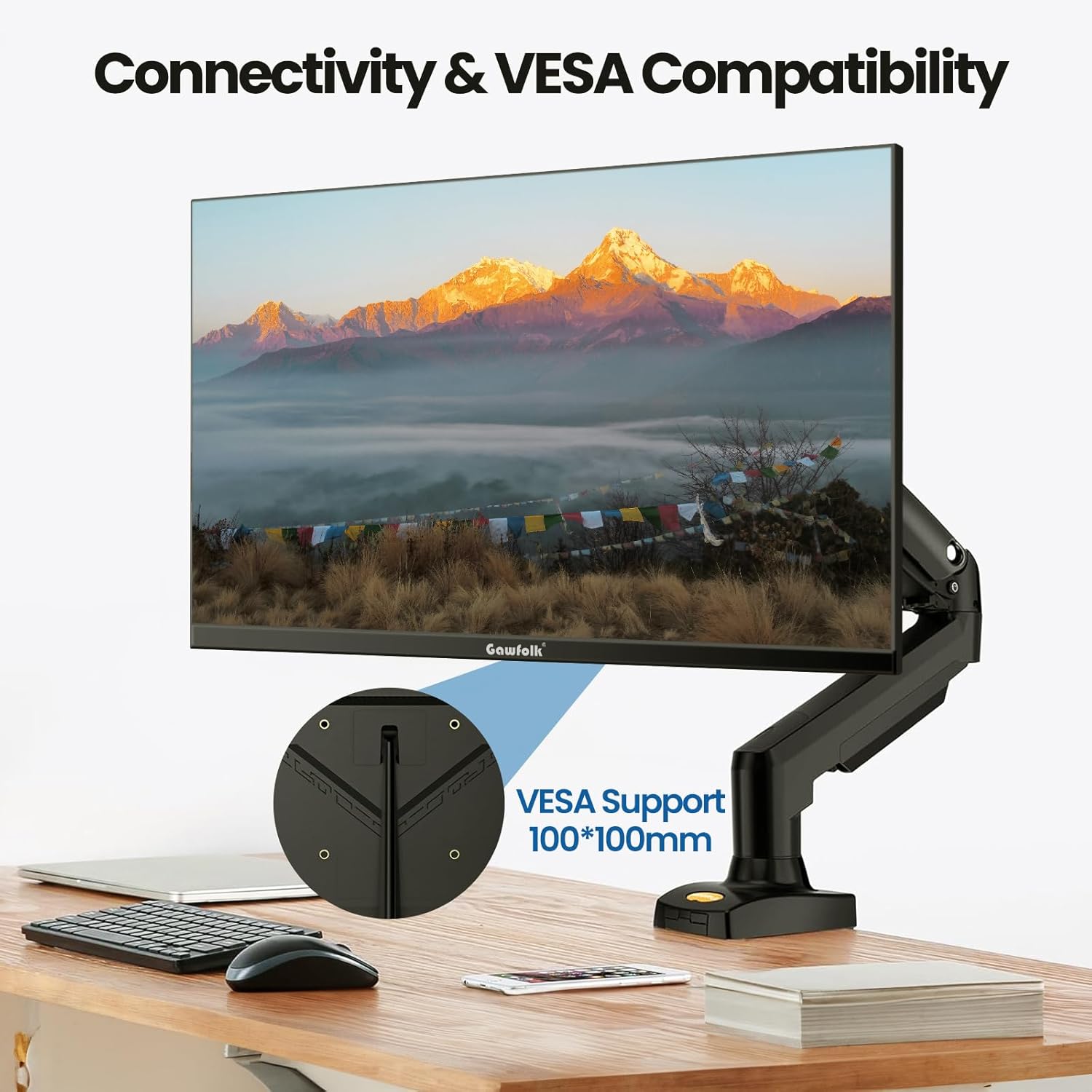
The stand is the most practical limitation to be aware of. Tilt adjustment only — no height, no swivel, no pivot. If your desk setup needs the screen at a specific height, you’re either buying a monitor arm or accepting whatever height the stand gives you. The VESA compatibility (100×100mm) is a genuinely useful inclusion: a basic monitor arm costs very little and unlocks full ergonomic control, so this doesn’t have to be a dealbreaker. But it’s worth factoring in before purchase, especially if you’re setting up for long daily use. It’s also worth checking our monitor buying guide if ergonomics are a priority — stand adjustability matters more for comfort than most spec sheets suggest.
The 200 cd/m² brightness rating is genuinely below average for a modern desktop monitor. In controlled or dimmer lighting conditions it’s perfectly usable, and the matte panel finish helps by cutting glare rather than adding to it. In a south-facing office or anywhere with significant natural light, the screen may look underpowered. This is an honest limitation of the panel, not a quality control issue — just make sure your use environment suits it. The 18-month warranty listed in the product features is worth noting, though the specification table also quotes a 1-year manufacturer warranty. If the warranty period matters to you, it’s worth confirming directly with Gawfolk before purchasing.
There’s no USB hub functionality and no USB-C input. If you want a single-cable desktop solution or need to pass power through the monitor, this isn’t the right fit. For a straightforward two-source setup — one PC and one console, or two PCs — the port selection covers it cleanly enough. No HDR certification is listed in the specifications, which is the honest answer: the spec isn’t there, so don’t expect HDR performance from this panel regardless of what the description implies about dynamic contrast.
View current stock levels for the Gawfolk GF320F on Amazon.
Who Should Buy It (And Who Shouldn’t)
Buy If
- You work primarily with documents, spreadsheets, or creative files and want a large, genuinely sharp screen — 4K at 32 inches makes a visible difference to text clarity and workspace real estate.
- You watch a lot of streaming content and want deeper blacks than budget IPS screens provide — the VA panel’s contrast ratio delivers that without needing to spend significantly more.
- You game on PS5 or Xbox Series X at 4K/60Hz and want a desk-sized screen rather than a TV — the HDMI 2.0 input handles it cleanly and the scale suits close-range viewing better than most living room panels.
- You’re planning a dual-monitor setup — the frameless design minimises the visual break between screens, which makes a real difference in day-to-day use.
Avoid If
- You play competitive multiplayer games where frame rate matters — 60Hz is a hard ceiling and no amount of contrast performance compensates for that if you’re used to 144Hz or higher.
- Your workspace gets significant natural light during the day — 200 cd/m² is not bright enough to hold its own against direct or strong ambient light, and you’ll notice it.
- You need USB-C connectivity or want a monitor that doubles as a USB hub — neither is available here, and it’s not something you can add after the fact.
The Bottom Line
The Gawfolk GF320F makes a straightforward, honest case for itself: large-format 4K with genuine VA contrast, a sharp enough picture for productive work and enjoyable media, and a setup experience that doesn’t require any configuration heroics. The stand is basic, the brightness is modest, and the 60Hz ceiling rules it out for serious gaming — but for the buyer it’s actually aimed at, those are known trade-offs rather than hidden surprises. Over 800 buyers have rated it well, and the reasons why are easy to understand from the spec sheet. If 4K at 32 inches for work and casual use is what you’re after, the GF320F earns a straightforward recommendation.
Find the Gawfolk GF320F on Amazon and check current availability.
At The Monitor Expert, our approach is built on data transparency rather than simulated hands-on testing. We rigorously analyse official manufacturer specifications and aggregate verified customer sentiment to provide honest, straightforward buying advice that cuts through the marketing noise.
As an Amazon Associate, I earn from qualifying purchases.
Browse by Specification
Looking for something specific? Browse our analyses by hardware and feature below, or check all monitor analyses in the Office Monitors and Mid-Range Monitors category archives.
[IPS Monitors] — [VA Monitors] — [TN Monitors] — [OLED Monitors]
Browse by Refresh Rate
[60Hz] — [75Hz] — [100Hz] — [120Hz] — [144Hz] — [165Hz] — [180Hz] — [200Hz] — [240Hz+] — [360Hz+]
Browse by Screen Size
[Small Screen] — [24-inch] — [27-inch] — [32-inch] — [Large Screen] — [Ultrawide]




