
MSI MPG 341CQPX QD-OLED Analysis: OLED Ultrawide Delivered
My Honest Verdict
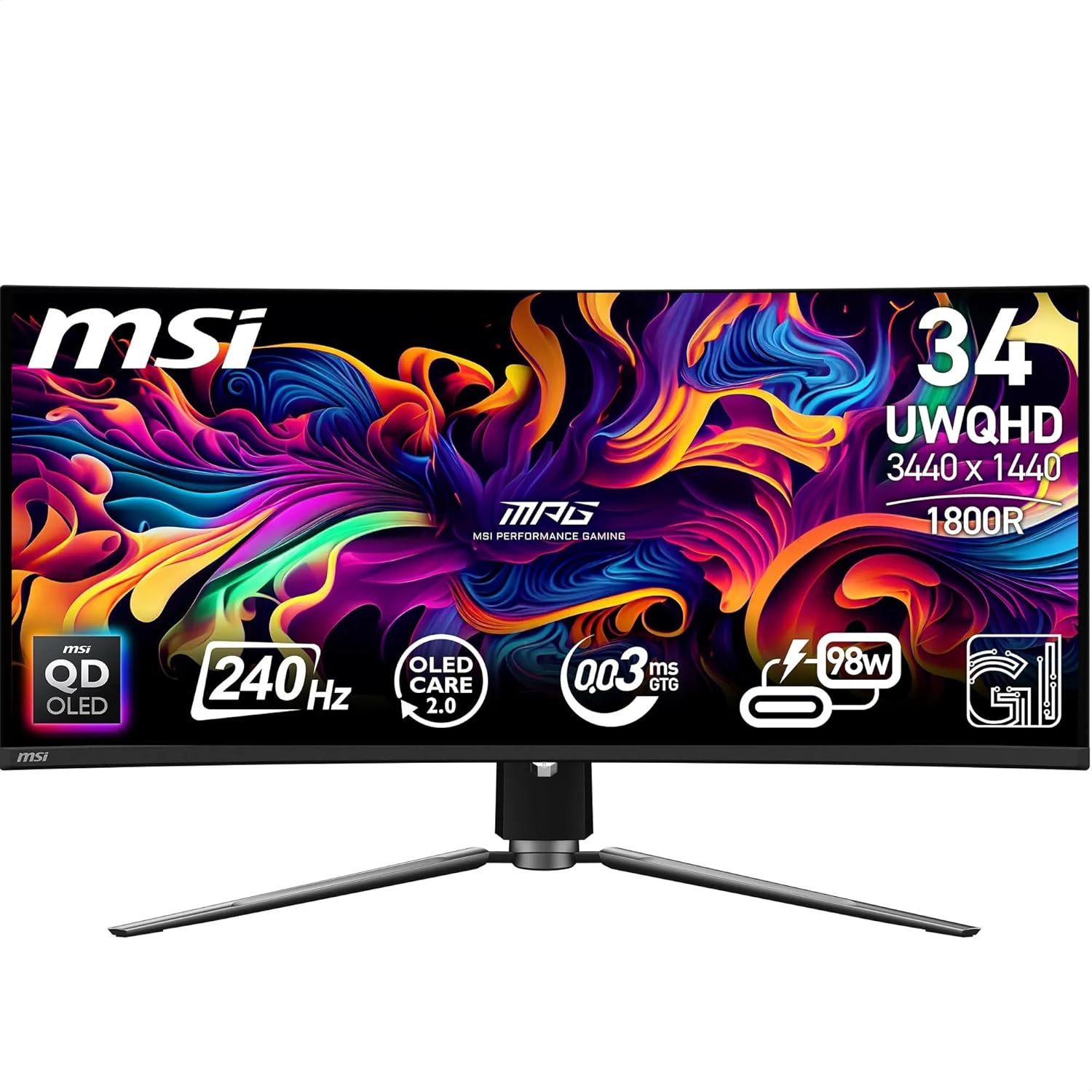
The MSI MPG 341CQPX QD-OLED is, without hedging, one of the strongest ultrawide gaming monitors available right now. A 34-inch QD-OLED panel running at 240Hz with a 0.03ms response time and proper VESA DisplayHDR True Black 400 certification — this is not a monitor that needs excuses made for it. The headline limitation is the one shared by every OLED: burn-in is a real consideration for anyone who parks static content on screen for hours, and the raised blacks in bright rooms are a known characteristic of this panel technology. Neither is a dealbreaker for the right buyer, but both are worth understanding before you commit.
What 3440 x 1440 at 34 inches gives you is a genuinely immersive ultrawide that isn’t punishing on GPU load the way 4K would be. The 21:9 aspect ratio adds meaningful horizontal screen real estate without requiring a flagship graphics card to drive it at 240Hz. The QD-OLED panel delivers self-illuminating pixels — that means no backlight, no blooming, no local dimming guesswork. Blacks are black. Contrast is measured at 1,500,000:1 native, which isn’t a marketing figure dressed up with clever algorithms — it’s what the panel physically produces. Add 99.3% DCI-P3 colour gamut coverage and 10-bit colour depth, and the image quality story writes itself.
This is the right monitor for a competitive gamer who also cares about how their setup looks, or a hybrid work-and-game user who wants a single screen that handles both without compromise. If you’re primarily a colour-accurate production professional, the known QD-OLED text fringing may irritate you. If you’re coming from a budget IPS or VA panel, the difference will feel immediate and significant. Budget-focused buyers should look at alternatives — this sits firmly in the high-end tier, and the price reflects it.
See the MSI MPG 341CQPX QD-OLED listing and current availability on Amazon.
What It’s Best For
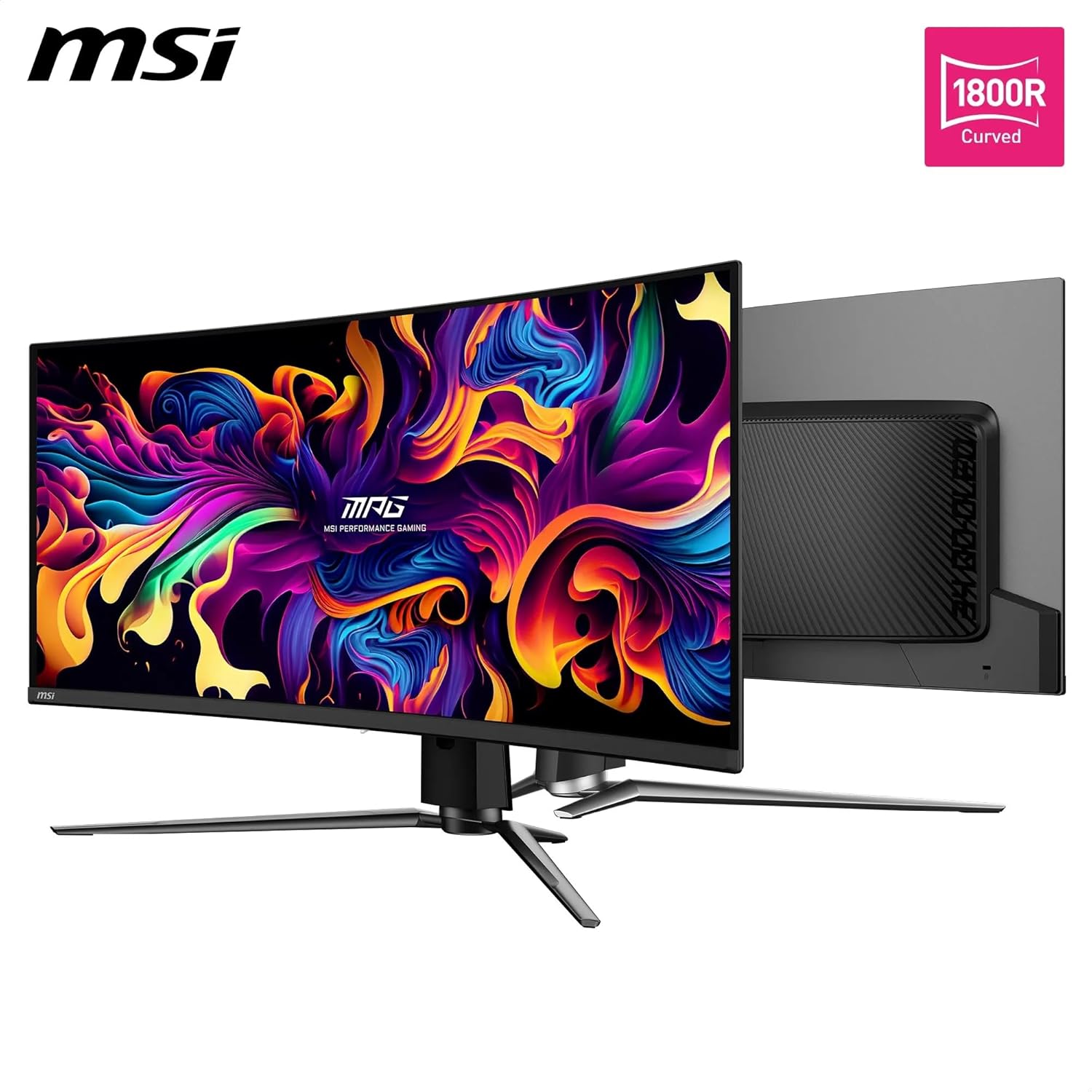
Competitive and immersive gaming. A 240Hz refresh rate combined with a 0.03ms GtG response time puts this in a category where motion blur is essentially gone. Fast-moving games — shooters, racing titles, action RPGs — look clean and sharp in ways that VA panels with their smearing simply cannot match. The VESA ClearMR 13000 certification is a standardised motion clarity rating, and landing at 13000 puts the MSI MPG 341CQPX QD-OLED at the very top of that scale. The 1800R curve keeps peripheral content within comfortable eye-tracking distance, which genuinely helps on a 34-inch ultrawide. FreeSync adaptive sync means screen tearing is handled across the refresh range, and the monitor is also G-Sync compatible — confirmed by buyer experience.
Hybrid work-from-home and gaming setups. The USB Type-C port with 98W power delivery is a genuine differentiator here. One cable connecting a work laptop, charging it at near-full speed, and routing display output — that’s a meaningfully tidier desk. The built-in KVM functionality lets you switch peripherals between a gaming PC and a work laptop without physically swapping cables. Multiple buyers have flagged this as a primary reason they chose this over competing options. The 21:9 ultrawide format also lends itself to split-screen productivity in a way that standard 16:9 screens don’t — two documents side by side without either feeling cramped.
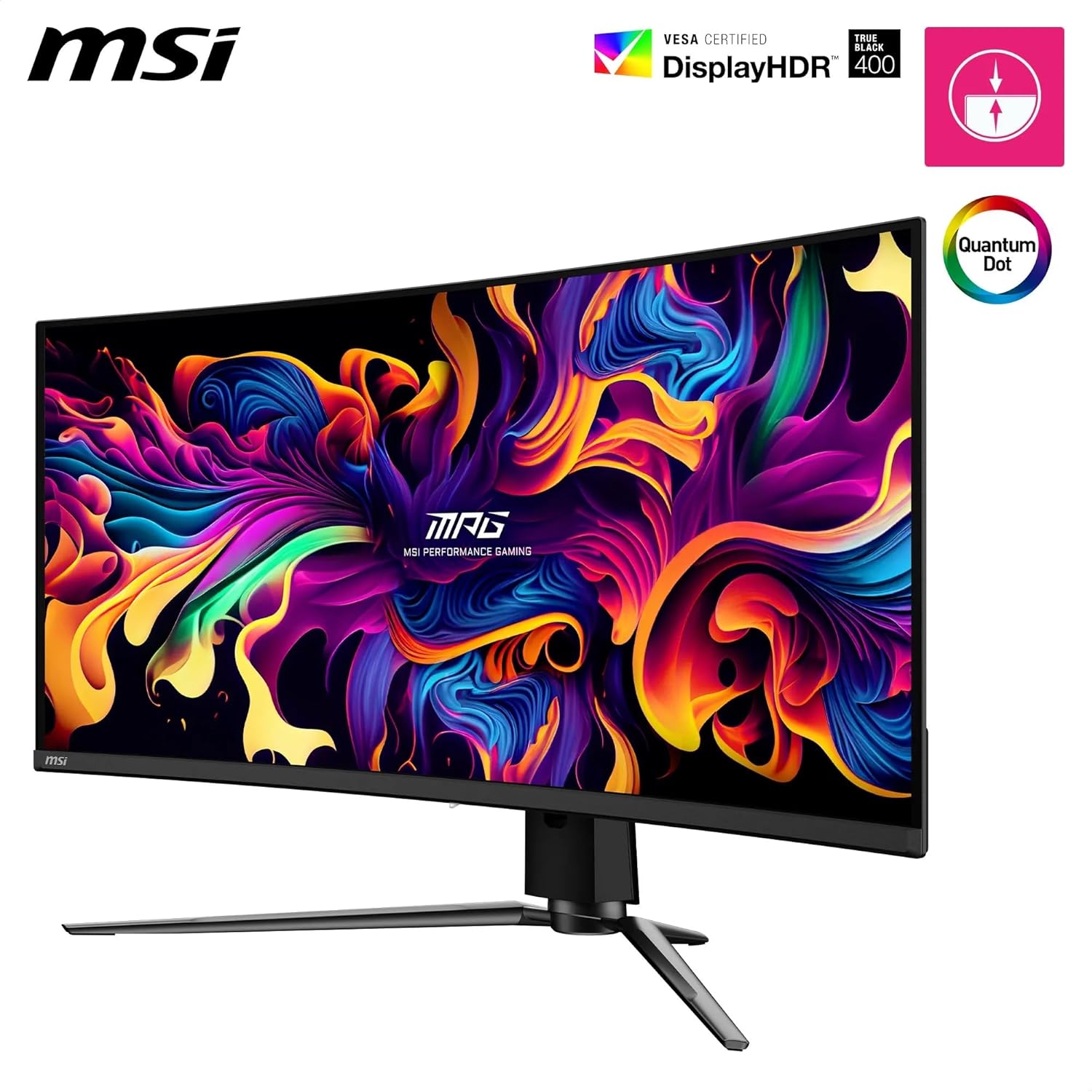
HDR content and media. Most monitors labelled “HDR” are HDR400 IPS panels where the HDR mode makes a marginal, sometimes imperceptible difference. This is not that. DisplayHDR True Black 400 on an OLED panel means the screen physically turns off pixels to achieve black — there’s no IPS glow fighting against it. HDR films and games with proper HDR mastering look genuinely different here. The 1,500,000:1 contrast ratio and up to 1000 nits peak brightness give the kind of dynamic range that makes dark scenes with bright highlights actually work as the creator intended.
The Specs That Really Matter
The QD-OLED panel is the single most important thing to understand about this monitor. OLED means self-illuminating pixels — each pixel generates its own light and can switch off completely, which is why the contrast ratio is 1,500,000:1 and the blacks are genuinely black rather than dark grey. Quantum Dot technology layered on top of that pushes colour accuracy beyond standard OLED, delivering 99.3% DCI-P3 and 10-bit colour output. If you want to understand the practical difference between panel types — OLED vs IPS vs VA — that gap is most visible in dark scenes with bright highlights, which is most of modern gaming and streaming. For those scenarios, QD-OLED is simply the better technology right now.
The 240Hz refresh rate and 0.03ms response time deserve honest context. The 240Hz figure is real and meaningful — the jump from 144Hz to 240Hz is more noticeable than most people expect, particularly in fast games where visual fluidity directly affects tracking. The 0.03ms GtG figure is measured under optimal panel conditions and represents OLED’s inherent advantage over LCD; it won’t feel the same way as a VA panel’s vague millisecond claim measured selectively. For a deeper breakdown of how refresh rate and response time actually interact, it’s worth reading before you finalise your decision. The short version: at 240Hz with this panel, motion is as clean as consumer displays get in 2026.
Connectivity is well-specced for a monitor at this tier. DisplayPort 1.4a and HDMI 2.1 both support UWQHD at 240Hz — so console and PC users both get full refresh rate output without compression caveats. The USB-C port delivering 98W power delivery is the standout for laptop users. For a full picture of what those port versions mean in practice, our connectivity guide covers HDMI and DisplayPort bandwidth in plain terms. The USB hub capability (two USB 2.0 Type-A ports via the upstream Type-B connection) is useful for peripherals, though the USB 2.0 standard limits data transfer speed — fine for a keyboard and mouse, not for fast storage.
The VESA DisplayHDR True Black 400 certification matters specifically because it’s a True Black certification rather than a standard HDR400 grade. Standard HDR400 on an IPS panel means a minimum 400 nits brightness target — it says nothing about contrast or black levels, and most buyers find the difference negligible. True Black 400 on OLED means the panel can achieve true zero-light blacks, which is what actually makes HDR content look different rather than just slightly brighter. The distinction is significant enough to call out by name every time it comes up.
Check the full spec sheet and buyer Q&As for the MSI MPG 341CQPX QD-OLED on Amazon.
What Buyers Are Saying
The MSI MPG 341CQPX QD-OLED holds a rating of 4.7 out of 5 from 36 Amazon reviews. That’s a relatively small sample — worth acknowledging — but the reviews themselves are detailed and specific rather than generic five-star pats on the back. No recurring complaints about dead pixels, no pattern of DOA units, no consistent gripes about the stand or OSD. The sentiment is unusually consistent for a monitor at this price point.
The single most common thread across reviews is the reaction to OLED contrast after coming from IPS or VA. Multiple buyers specifically describe the black levels as something you can’t go back from once you’ve seen them. Motion clarity gets nearly as much attention — buyers upgrading from VA panels in particular mention the elimination of smearing as an immediate, obvious improvement. The ultrawide format draws praise for both gaming immersion and productivity split-screening, with several buyers noting they use this as a genuine dual-purpose work and gaming display.
The USB-C power delivery feature draws specific mention from the hybrid-use crowd — one buyer described routing their entire work laptop setup through a single cable and calling it transformative for cable management. The KVM feature gets credit with a minor caveat: if the monitor sleeps, there’s occasionally a delay on the Windows Hello webcam waking in time. Minor, and the buyer who flagged it called it liveable. One buyer noted text fringing — the green and purple colouring at the top and bottom of text characters that is a known characteristic of QD-OLED’s sub-pixel arrangement. Another mentioned some screen reflectivity in bright rooms, which is an inherent property of OLED panels even with matte coatings. Neither is unique to this model.
Buyer Highlights
“Coming from a VA panel with noticeable smearing, this is a night-and-day difference — fast movement is razor sharp, no ghosting, no blur.” — A consistent reaction from buyers making the jump to QD-OLED for the first time.
“The 98W USB-C power delivery is very convenient — I can connect and charge my work laptop with a single cable.” — Frequently cited by buyers running hybrid work-and-gaming setups.
“The colours, the depth of the blacks — it really is awesome, and MSI have packaged a lot of useful extras into the menu.” — Typical of buyers discovering what proper OLED contrast actually looks like.
“HDR content actually feels like HDR instead of just a slight brightness boost.” — Buyers with previous HDR experience on IPS panels find the True Black 400 certification makes a tangible, visible difference.
“I was looking at Gigabyte and Alienware alternatives, but chose the MSI option because of the screen care and protection features.” — OLED Care 2.0 with its burn-in mitigation tools is a genuine differentiator for buyers who have done their research.
Worth Knowing Before You Buy
Burn-in is the OLED conversation nobody wants to have, but avoiding it doesn’t help anyone. QD-OLED panels can develop permanent image retention if static elements — a taskbar, a game HUD, a desktop wallpaper — are displayed at high brightness for extended periods over months and years. MSI has responded to this directly with OLED Care 2.0, which includes taskbar detection, static logo detection, boundary luminance calibration, and image boundary management. These are not just checkbox features — buyers specifically called them out as a reason they chose this over alternatives. Used sensibly, with automatic pixel refresh enabled and brightness managed in static-content scenarios, the burn-in risk is manageable. It’s not zero, which is why it’s worth saying clearly. If you run the same productivity layout at maximum brightness for twelve hours a day, every day, an OLED is the wrong choice. If you game and use it reasonably, the Care 2.0 tools reduce the risk to acceptable levels. For a broader look at what to weigh up when choosing between panel technologies and use cases, the monitor selection guide covers this clearly.
Text fringing is a QD-OLED characteristic, not an MSI defect. The sub-pixel arrangement on these panels differs from standard RGB stripe layouts, and at normal text sizes some users see faint colour fringing — usually green or purple — on the top and bottom edges of characters. Buyers who game primarily and read occasionally tend not to notice or care. Buyers who spend long hours reading documents report it more. Windows ClearType calibration can reduce it but not eliminate it entirely. The panel is also glossier than a traditional matte IPS — reflections in a brightly lit room are a genuine consideration, and one buyer flagged this specifically. The matte coating helps but this is still an OLED characteristic to account for in your room setup.
The cable port placement sits low on the back of the panel, meaning cables loop underneath the screen before routing through the stand. One buyer flagged this as an aesthetic concern for clean desk setups. The stand is 4-way adjustable — height, tilt, swivel, and pivot — which covers the ergonomics bases properly. The panel itself is extremely thin, which one buyer noted means a webcam placed on top shoots at a steep upward angle. Minor, but worth knowing if you use a clip-mount webcam. Warranty is 2 years, with a 7-year EU spare part availability commitment.
View current stock and delivery options for the MSI MPG 341CQPX QD-OLED on Amazon.
Who Should Buy It (And Who Shouldn’t)
Buy If
- You want a high-refresh ultrawide for gaming and the image quality difference of OLED over IPS or VA is something you’ll actually notice and appreciate — because you will, immediately.
- You run a hybrid desk setup — gaming PC and work laptop — and want single-cable USB-C connectivity with 98W charging plus KVM peripheral switching without buying a separate dock.
- You’re pushing a mid-to-high-end GPU and want a resolution and refresh rate combination that makes full use of it without requiring a top-tier card — UWQHD at 240Hz is more achievable than 4K at equivalent frame rates.
- Proper HDR matters to you and you’ve been burned by HDR400 IPS monitors where the HDR mode changes almost nothing — DisplayHDR True Black 400 on OLED is a categorically different experience.
Avoid If
- You display static content — a fixed taskbar, persistent HUD overlays, spreadsheets at maximum brightness — for the majority of your screen time. The burn-in risk with OLED panels under those conditions is a real long-term concern that Care 2.0 mitigates but does not eliminate.
- Text rendering is critical to your workflow and you’re sensitive to sub-pixel fringing — colour-accurate creative professionals who spend most of their time in document-heavy applications may find the QD-OLED sub-pixel layout more distracting than a high-quality IPS alternative. Check our display size and resolution guide for how panel type affects text clarity at different pixel densities.
- Your room is consistently bright with direct light hitting the screen — even with the matte coating, this panel reflects more than a traditional matte IPS in harsh lighting conditions.
The Bottom Line
The MSI MPG 341CQPX QD-OLED earns its high buyer rating. A 34-inch QD-OLED panel at 240Hz with genuine HDR credentials, 98W USB-C power delivery, and proper burn-in mitigation tools is a well-rounded package — not a spec sheet that falls apart under scrutiny. The OLED caveats are real and this analysis has named them directly, but for a gaming-primary user with a hybrid desk setup, there isn’t a more complete ultrawide at this spec level. If you’re buying your first OLED monitor and you’ve read this far, you know what you’re getting into. For anyone approaching this purchase less certain, the monitor buying guide is a sensible next stop before committing. This one, though, deserves the praise it’s getting.
Find the MSI MPG 341CQPX QD-OLED on Amazon and check current availability.
At The Monitor Expert, our approach is built on data transparency rather than simulated hands-on testing. We rigorously analyse official manufacturer specifications and aggregate verified customer sentiment to provide honest, straightforward buying advice that cuts through the marketing noise.
As an Amazon Associate, I earn from qualifying purchases.
Browse by Specification
Looking for something specific? Browse our analyses by hardware and feature below, or check all monitor analyses in the Gaming Monitors and Premium Monitors category archives.
[IPS Monitors] — [VA Monitors] — [TN Monitors] — [OLED Monitors]
Browse by Refresh Rate
[60Hz] — [75Hz] — [100Hz] — [120Hz] — [144Hz] — [165Hz] — [180Hz] — [200Hz] — [240Hz+] — [360Hz+]
Browse by Screen Size
[Small Screen] — [24-inch] — [27-inch] — [32-inch] — [Large Screen] — [Ultrawide]




