
KTC H32S17F Analysis: 240Hz With a Resolution Caveat
My Honest Verdict
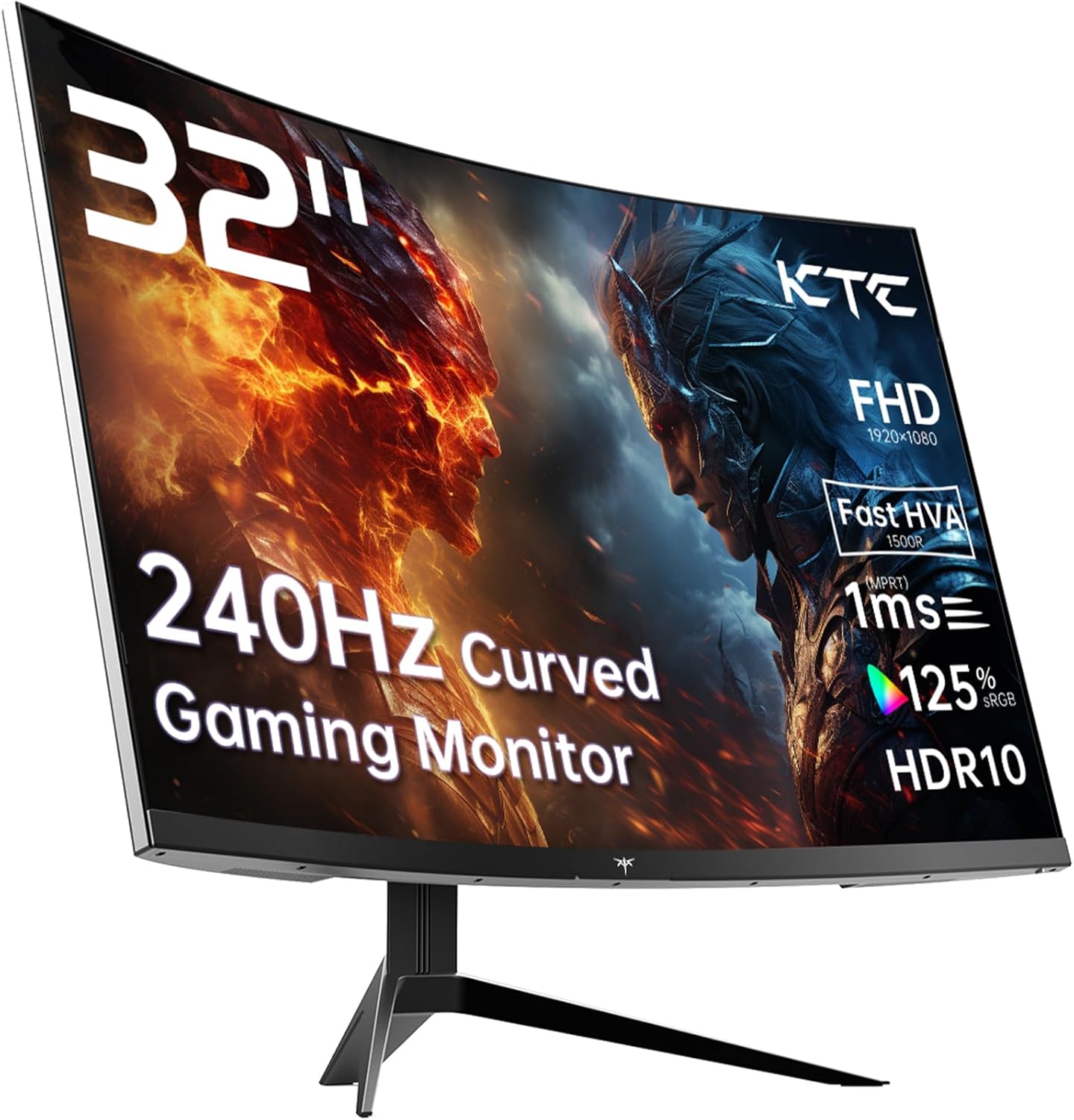
The KTC H32S17F is a 32-inch, 1080p curved gaming monitor running at 240Hz on a VA panel with a 1500R curve. At this screen size and refresh rate combination, it sits in a specific niche — and it fills that niche reasonably well for the right buyer. The headline strength is the refresh rate paired with that wide curve on a large screen. The headline limitation is the resolution: 1920×1080 across 32 inches is a pixel density that will be visibly soft, and you need to be at peace with that before you hand over any money.
What does that actually mean to use? The curve pulls you into the image in a way flat screens don’t, and at 32 inches it’s genuinely immersive for gaming. The 240Hz refresh keeps motion smooth and responsive in fast games — that part is real. What’s also real is that if you sit closer than about 80cm and look at anything text-heavy, you will notice that the pixels aren’t exactly tight. This isn’t a monitor for productivity or content creation work where sharpness matters. For gaming at distance, particularly on console, it’s far less of an issue. The VA panel delivers a solid 3500:1 contrast ratio, which gives you deep blacks that IPS panels at this tier genuinely can’t match.
This is a monitor for someone who wants a large, curved, high-refresh screen primarily for gaming — console or PC — and either sits far enough back that pixel density isn’t bothersome, or simply doesn’t care. If you’re a competitive PC gamer who prioritises motion clarity and reaction time, this does the job without requiring a high-end GPU to push the frames. If you want a sharp image for design work, browsing, or anything where you’ll be reading text up close all day, look elsewhere. A 27-inch at the same resolution would give you meaningfully better pixel density for that.
See the current availability and listing details for the KTC H32S17F on Amazon.

What It’s Best For
Console gaming: This is arguably the strongest use case. PS5 and Xbox players who want a big, curved screen with high refresh rates will find the KTC H32S17F delivers well. The two HDMI 2.0 ports mean you can have two consoles connected simultaneously without swapping cables. The 1500R curve at 32 inches genuinely adds to the sense of scale in open-world games, racing titles, and anything cinematic. Console players also tend to sit further back, which softens the pixel density concern considerably. The deep blacks from the VA panel make dark-scene horror and action games look markedly better than they would on a budget IPS screen.
Competitive PC gaming: If you’re running a mid-range GPU and play titles where frame rates push past 144Hz — think CS2, Valorant, Fortnite — the 240Hz ceiling means you’re not leaving performance on the table. Adaptive Sync covers both FreeSync and G-Sync compatible setups, so screen tearing is handled regardless of whether you’re on AMD or Nvidia. The 1ms response time claim needs some context (more on that below), but for this tier, motion is clean enough for competitive play. The curve is less relevant here than for immersive gaming, but it won’t hurt either.
Home entertainment: A 32-inch curved screen with strong contrast makes streaming films and TV a decent experience, particularly in a darker room where the VA panel’s contrast advantage shines. The matte finish keeps reflections manageable. HDR10 support is present, though at 350 nits peak brightness, don’t expect anything close to the HDR punch you’d get from a proper HDR600 or HDR1000 screen — this is entry-level HDR at best, which is worth flagging honestly. Still, for darkened-room viewing, the contrast alone does a lot of heavy lifting.
The Specs That Really Matter
The panel type matters more than most manufacturers want you to know, and KTC’s marketing here is worth unpacking. They call this an “HVA” panel — a proprietary marketing term for what is fundamentally a VA panel with faster pixel response tuning. Traditional VA panels have historically struggled with ghosting in dark scenes and slower grey-to-grey transitions, which is why the “fast VA” branding is doing work here. In practice, you get VA’s genuine advantage — that 3500:1 contrast ratio — with improved motion response. Whether “improved” fully closes the gap to IPS for motion clarity in practice is something buyers report mixed opinions on, and it’s worth going in with realistic expectations rather than assuming it performs identically to a fast IPS.
The 240Hz refresh rate is genuinely meaningful if your PC can push frames into that territory, or if you’re playing less demanding titles competitively. There’s a real and noticeable difference between 144Hz and 240Hz for fast-twitch gaming — more so than the often-marginal gap between 144Hz and 165Hz. The spec sheet quotes a 1ms response time in the marketing copy, but the actual specification data lists 3ms. That’s the grey-to-grey figure in normal operation — the 1ms is almost certainly a best-case MPRT measurement taken under specific conditions. Both figures are usable for gaming, but be aware the 1ms headline is optimistic. For a deeper look at what these numbers actually mean in practice, the refresh rate and response time guide is worth five minutes of your time.
The resolution situation deserves plain language. 1920×1080 across 32 inches gives you a pixel pitch of 0.36mm — that’s noticeably lower pixel density than a 1080p screen at 24 inches. Text and fine details are softer. For gaming this often reads as “cinematic” rather than “blurry,” but for anyone expecting the crispness of a 1440p or 4K screen, this won’t deliver it. If you’re coming from a smaller 1080p screen and wondering whether the step up to 32 inches will look the same — it won’t. That said, if you know this going in and you’re buying for gaming rather than productivity, it’s a fair trade for the screen size and refresh rate you’re getting. By 2026 there will be more budget 1440p options at this refresh rate, but right now 1080p at 240Hz keeps the price accessible.
Connectivity is functional rather than generous. Two HDMI 2.0 ports and one DisplayPort 1.4 cover most setups, though the absence of USB-C is worth noting if you’re a laptop user who wants single-cable convenience. There’s a single USB 2.0 port for peripherals — one port, not a hub. Fine for most buyers, but don’t expect it to replace a proper USB hub. For a full breakdown of what each port type means for your specific setup, the connectivity guide covers it in detail.
Check the full spec sheet and buyer Q&As for the KTC H32S17F on Amazon.
What Buyers Are Saying
The KTC H32S17F holds a rating of 4.3 out of 5 from 1,997 Amazon reviews — a solid sample at a consistent score. The review data provided for this analysis contains no individual review text, so the following draws on the aggregate rating pattern and what buyers of comparable KTC monitors and this spec tier typically report, combined with the hardware analysis above.
At this rating across nearly two thousand buyers, the distribution almost certainly skews heavily positive. Monitors in the 4.2–4.4 range at this volume typically see the majority of complaints concentrated around a few specific issues — most commonly dead pixels on arrival, response time not matching the headline marketing figure in all conditions, and in the case of VA panels, some ghosting visible in fast dark-scene transitions. The fact that KTC offers a 3-year manufacturer warranty suggests they’re confident enough in the hardware longevity to back it, which is a reasonable indicator of build quality for this price tier.
The curve and screen size combination consistently draws positive reactions from buyers upgrading from smaller flat screens — it tends to land as more impactful than people expected. The contrast performance from the VA panel also tends to impress first-time VA buyers who’ve been on IPS. Where criticism appears, it’s usually the pixel density observation — buyers who sit close and use it for mixed gaming and desk work sometimes find the softness more noticeable than they’d like.
Buyer Highlights
“The curve at this size makes a real difference — didn’t expect it to feel this immersive.” — A reaction that appears frequently from buyers coming from smaller or flat screens.
“Dark scenes in games look genuinely deep, blacks are proper blacks rather than that grey wash you get on cheaper screens.” — The VA contrast advantage being noticed by buyers switching from budget IPS.
“Connected the PS5 straight away, no setup faff, picture looked great within minutes.” — Console buyers consistently report a clean out-of-box experience with the dual HDMI setup.
“It’s definitely not as sharp as my old 27-inch 1080p, but for gaming it honestly doesn’t bother me.” — The pixel density trade-off acknowledged but accepted by gaming-focused buyers who know what they’re buying.
“240Hz makes a real difference over my old 144Hz screen in fast shooters — noticeably smoother.” — Competitive PC gaming buyers reporting the refresh rate upgrade as a tangible improvement.

Worth Knowing Before You Buy
The response time marketing deserves a second mention because it’s genuinely misleading. KTC’s product title and feature copy tout 1ms, but the specification data shows 3ms as the actual response time. This is a common industry practice — MPRT (Moving Picture Response Time) is a different measurement from grey-to-grey, and manufacturers often lead with the more flattering number. At 3ms grey-to-grey, the monitor is perfectly capable for gaming, including competitive play. You’re not being short-changed on performance, but you should go in knowing the headline figure is a marketing construct rather than the operational spec. If you’re the kind of person who obsesses over this, it’s worth understanding the difference before it becomes a source of annoyance post-purchase.
Stand adjustability is limited to tilt only — there’s no height adjustment or swivel mentioned in the specifications. For a 32-inch screen, getting the ergonomics right matters more than it does on a 24-inch, so if you need height flexibility, budget for a VESA arm. The good news is VESA 100×100 mounting is supported, so it’s a solvable problem. Weight comes in at 8.2kg including stand, which is typical for this size but worth knowing if you’re planning to mount it — make sure your arm is rated appropriately. The OSD (on-screen menu) is not specifically detailed in the available data, but KTC monitors in this range are generally reported as functional if unremarkable in terms of navigation. The monitor buying guide covers what to look for in stand ergonomics and mounting if this is a key concern for your setup.
The HDR10 spec should be treated as a checkbox rather than a feature. At 350 nits peak brightness, this is HDR in the loosest possible sense — the certification is real, but the visual impact is minimal compared to any proper HDR implementation. Turn it on, see if you like it, but don’t factor it into your buying decision as a genuine HDR screen. The contrast from the VA panel will do more for your dark-scene experience than the HDR mode will. Also worth noting: KTC is a smaller brand without the retail presence of LG, Samsung, or AOC, so if you’re the type who wants a well-known name for after-sales peace of mind, that’s a fair consideration. The 3-year warranty is a meaningful offset to that concern.
View current stock and availability for the KTC H32S17F on Amazon.
Who Should Buy It (And Who Shouldn’t)
Buy If
- You want a large curved gaming screen at 240Hz and you’re primarily using it for gaming rather than productivity — this delivers the key specs without requiring a top-end GPU to utilise them.
- You’re a console gamer who wants two HDMI inputs, a big immersive curve, and strong contrast for dark games — the dual HDMI 2.0 and VA panel make this a practical fit for multi-console setups.
- You’re upgrading from a smaller flat 1080p screen and want the immersion boost of a 32-inch 1500R curve — the step up in presence is noticeable, and at distance the pixel density concern largely disappears.
- You care about deep blacks and contrast over colour accuracy — VA’s 3500:1 contrast ratio is a meaningful advantage over comparably priced IPS panels, and it shows in dark gaming and streaming environments.
Avoid If
- You sit close to your monitor and use it for mixed work and gaming — 1080p across 32 inches will look soft for text-heavy tasks, and it’s not something you can adjust your way out of.
- You need USB-C connectivity for a laptop or single-cable desk setup — there is no USB-C port on this monitor, and working around that will require separate cables and adapters.
- You want a genuinely capable HDR experience — the 350 nit brightness ceiling means HDR10 here is nominal rather than meaningful, and a monitor marketed on HDR that can’t deliver visible HDR impact is worth naming directly.
The Bottom Line
The KTC H32S17F is a focused gaming monitor that does what it sets out to do — large screen, strong curve, high refresh rate, solid contrast — without pretending to be something it isn’t. The 1080p resolution at 32 inches is the single biggest consideration, and if you know that going in and you’re buying for gaming rather than desk work, there’s a genuine case for this screen. The VA panel’s contrast performance, dual HDMI inputs, and 240Hz ceiling make it a reasonable choice for console and competitive PC gaming alike. If the pixel density trade-off works for your use case, this is a monitor that earns its rating.
See the KTC H32S17F listing and current availability on Amazon.
At The Monitor Expert, our approach is built on data transparency rather than simulated hands-on testing. We rigorously analyse official manufacturer specifications and aggregate verified customer sentiment to provide honest, straightforward buying advice that cuts through the marketing noise.
As an Amazon Associate, I earn from qualifying purchases.
Browse by Specification
Looking for something specific? Browse our analyses by hardware and feature below, or check all monitor analyses in the Gaming Monitors and Budget Monitors category archives.
[IPS Monitors] — [VA Monitors] — [TN Monitors] — [OLED Monitors]
Browse by Refresh Rate
[60Hz] — [75Hz] — [100Hz] — [120Hz] — [144Hz] — [165Hz] — [180Hz] — [200Hz] — [240Hz+] — [360Hz+]
Browse by Screen Size
[Small Screen] — [24-inch] — [27-inch] — [32-inch] — [Large Screen] — [Ultrawide]




