
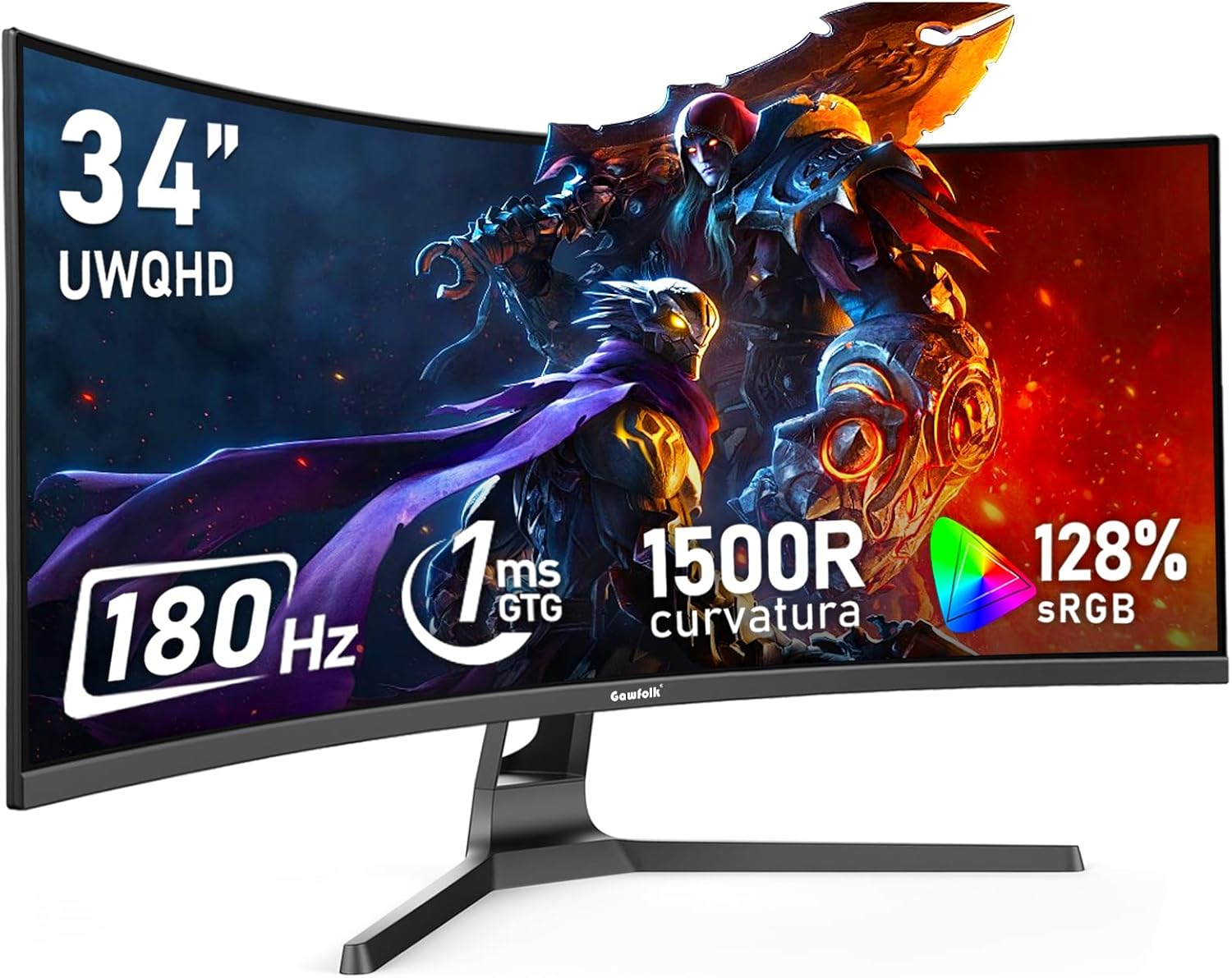
Gawfolk 34 Inch Ultrawide Curved Gaming Monitor Analysis: VA Contrast at a Low Entry Point
My Honest Verdict
The Gawfolk 34 Inch Ultrawide Curved Gaming Monitor is a budget-tier entry into the ultrawide space that punches harder than its price bracket usually allows. The headline specs — 3440×1440 resolution, 180Hz refresh rate, VA panel, and a 1500R curve — are genuinely compelling on paper, and based on buyer feedback they largely hold up in practice. If you want a wide, immersive gaming screen without spending serious money, this is worth serious consideration.
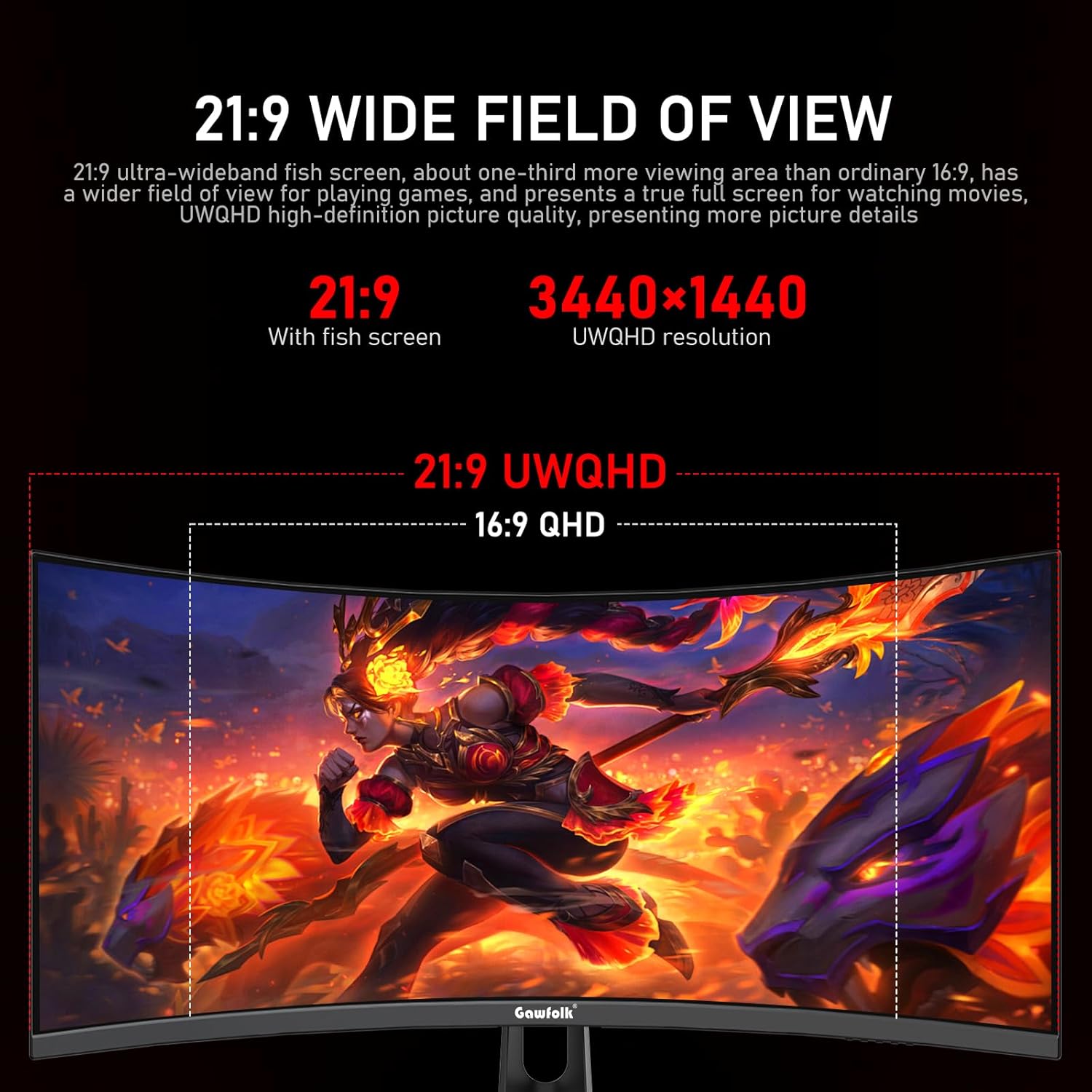
What you’ll actually notice day-to-day: the 21:9 aspect ratio makes everything feel bigger and more cinematic. Games that support ultrawide fill your peripheral vision in a way a standard widescreen simply cannot match. The 4000:1 contrast ratio from the VA panel means dark scenes look properly dark rather than washed-out grey — a meaningful advantage over IPS-based alternatives at this price. The 128% sRGB colour coverage means colours have real punch. And 180Hz with Adaptive Sync means motion is smooth when your GPU can keep up. The catch is that HDMI caps out at 100Hz — you need DisplayPort to hit the full 180Hz, and the supplied DP cable is how you get there.
This is the right buy for someone upgrading from a basic 1080p or standard-widescreen monitor who wants a large, immersive screen for gaming or productivity multitasking, and isn’t chasing professional colour accuracy or boutique build quality. If you’re a colour-critical content creator or you need a monitor with rock-solid reliability guarantees, look elsewhere. But if you want a lot of screen at a price that doesn’t sting, the Gawfolk 34 Inch Ultrawide Curved Gaming Monitor makes a reasonable case for itself.
What It’s Best For
Gaming. This is the primary use case and the monitor knows it. The 180Hz refresh rate keeps motion fluid during fast gameplay, and Adaptive Sync (both FreeSync and G-Sync compatible) handles the frame rate fluctuations that mid-range GPUs regularly produce. The VA panel’s strong contrast means dark games — horror, space sims, anything with shadowy environments — look markedly better than on a comparable IPS screen. The 1500R curve pulls the edges of the 34-inch panel into your sightline without needing to turn your head, which matters more on ultrawide than on standard formats. Buyers have specifically called out how well this works for gaming immersion.
Productivity and working from home. The 21:9 format is the real productivity story here. One buyer described it perfectly: it feels like running two monitors side by side. You can have a document open on one half and a browser or communication tool on the other without needing a second screen or a dual-monitor stand. If you’re working from home occasionally and gaming the rest of the time, one monitor serving both roles is a sensible setup — and the 3440×1440 resolution at 34 inches gives you enough pixel density to read text comfortably at normal desk distances. If you want to understand more about how screen size and resolution interact for different use cases, that’s worth a read before committing.
Entertainment and general media. Movies shot in 21:9 fill the screen completely — no black bars. Streaming content looks wide and cinematic. The 4000:1 contrast helps darker scenes hold detail, and the 128% sRGB coverage means colours feel rich rather than flat. Not a dedicated home cinema display by any stretch, but good enough that you won’t feel shortchanged watching films on it.
The Specs That Really Matter
The panel is VA, and that choice shapes almost everything about this monitor’s character. VA panels deliver better contrast than IPS — the 4000:1 contrast ratio here is genuine, not a marketing approximation, and it’s one of the areas where VA consistently beats IPS at comparable prices. The trade-off is that VA panels can exhibit some pixel response smearing in very fast dark-to-dark transitions. The claimed 1ms response time should be taken with a degree of scepticism — that figure typically reflects the fastest achievable transition under ideal conditions, not average real-world performance. For most gamers at 180Hz, it’s unlikely to be noticeable in practice, but competitive FPS players who are genuinely sensitive to this should read up on how refresh rate and response time interact before deciding. VA is also a reasonable choice if you’re used to viewing the screen slightly off-axis — the 178° stated viewing angle is on the optimistic end for VA, but it’s a curved panel used at close range, so direct viewing is the norm anyway. For a deeper breakdown of what VA means versus the alternatives, the monitor panel types guide covers it properly.
The 180Hz refresh rate is the headline gaming spec. To be clear: you need a DisplayPort connection and a capable GPU to hit it. Via HDMI, you’re limited to 100Hz. Via the supplied DP cable, you can reach the full 180Hz — but you also need to manually change the refresh rate in your display settings after connecting. The monitor defaults to 60Hz out of the box, which is a common point of confusion in the reviews. Worth knowing before you assume it’s running at its maximum. In terms of actual impact: 180Hz is a meaningful improvement over 144Hz and a substantial one over 60Hz. If your GPU can sustain frame rates above 100fps in the games you play, you’ll notice the difference.
Connectivity is functional rather than generous. You get HDMI and DisplayPort, with 2 HDMI ports noted in the spec sheet, plus a 3.5mm audio output. There is no USB hub, no USB-C, and no built-in speakers. For anyone planning to connect multiple devices or wanting a tidier cable setup, that’s worth planning around. The VESA wall mount compatibility is a legitimate plus — one buyer flagged the stand as slightly wobbly on a soft desk surface, and wall mounting solves that entirely. If connectivity decisions are shaping your choice, the monitor connectivity guide is a useful reference. As of 2026, a monitor at this tier not including USB-C is standard rather than surprising, but it’s still worth noting if your setup relies on it.
Brightness is rated at 310 nits. That’s adequate for indoor use in normal lighting conditions, but won’t cut through direct sunlight near a window. For a gaming or home office setup, it’s fine. The matte screen finish reduces glare meaningfully, which helps offset the moderate brightness ceiling.
What Buyers Are Saying
The Gawfolk 34 Inch Ultrawide Curved Gaming Monitor holds a 4.0 out of 5 rating across 1,027 customer reviews — a sample large enough to be meaningful. The majority of positive feedback clusters around three themes: the sheer amount of screen for the money, solid image quality out of the box, and straightforward setup. Multiple buyers describe the visual upgrade from a smaller or older monitor as immediately obvious. The wide format gets specific praise from people using it for both gaming and working from home, echoing the dual-purpose appeal this monitor genuinely has.
Complaints are less common but worth knowing about. A small number of buyers reported black screen flicker — brief signal dropouts when entering in-game menus or switching between applications. One buyer found it persistent enough to return the unit within two days. Separately, one buyer reported visible screen burn developing after just three days of heavy gaming use, which is an unusual and concerning report for a non-OLED display. VA panels can occasionally exhibit image retention — a temporary effect that clears — but persistent burn-in on a new VA monitor would be atypical. It may reflect a defective unit rather than a systematic problem, but it’s worth being aware of. The stand also drew comment as being prone to wobble on uneven or soft desk surfaces — not a structural failure, but noticeable. The absence of built-in speakers caught a couple of buyers off guard, so that’s flagged here too.
On balance, the positive reviews significantly outnumber the critical ones, and the strongest complaints appear to be isolated incidents rather than widespread patterns. For context on what to look for in buyer feedback and what represents a genuine concern versus a one-off, the monitor buying guide covers how to read the signal from the noise.
Buyer Highlights
“It feels just like using two monitors having windows side by side.” — A recurring observation from buyers who switched from a single standard-widescreen setup.
“I was surprised at how cheap I could find a monitor for these days — fantastic value for money.” — Typical sentiment from buyers who set a tight budget and got more than they expected.
“The picture quality is brilliant, easy to set up, and it’s sturdy.” — Common praise around the out-of-box experience, with setup time rarely mentioned as an issue.
“Continuous black screens on certain menus — too finicky, returned within two days.” — An isolated but specific complaint about signal dropout behaviour worth factoring in if stability is non-negotiable.
“Screen burn on day 3 — it’s really good but this is just poor.” — A single serious report that may indicate a defective unit rather than a product-wide issue, but warrants mention.
“My son loves it for gaming — purchased at Christmas and still going strong.” — Reassuring longer-term feedback from buyers who have been using it for several months without issue.

Worth Knowing Before You Buy
The refresh rate default is something that trips people up. The monitor ships at 60Hz regardless of how it’s connected. To reach 180Hz, you need the supplied DisplayPort cable and a manual change in Windows display settings. If you’re connecting via HDMI, 100Hz is the ceiling — and even that requires selecting it manually. This isn’t a flaw, but it’s the kind of thing that has buyers convinced the monitor is broken when they first plug it in and don’t see what they paid for. Go straight to display settings after setup.
There are no built-in speakers. The 3.5mm audio output means you can route sound out, but you need your own speakers or headset. Several buyers missed this in the product listing and were disappointed after unboxing. It’s not unusual at this tier, but it’s worth confirming your audio setup before ordering.
The stand has been flagged as wobble-prone on soft or uneven desk surfaces. The base extends forward and takes up meaningful desk space. Wall mounting via the VESA mount is a genuine solution here — and if you’re planning a clean desk setup anyway, it’s probably the better option. Build quality overall appears acceptable for the price bracket, but this isn’t a monitor with the rigidity of a more expensive unit. Gawfolk backs it with a 12-month warranty — standard for this tier. If reliability is a primary concern, it’s worth factoring that warranty period against alternatives. Understanding what you’re comparing against is easier with a structured guide on choosing the right monitor for your specific situation.
One reported case of early screen burn is noted above. VA panels can exhibit temporary image retention — a temporary ghosting effect that typically clears after the screen has been off for a while. True permanent burn-in on a VA panel so early in its life would be atypical and likely indicates a defective unit eligible for warranty replacement. Don’t let one report put you off, but do test with a range of content in the first week and raise a return quickly if you see it.
Who Should Buy It (And Who Shouldn’t)
Buy If
- You want an ultrawide gaming monitor with a genuine 180Hz refresh rate and 3440×1440 resolution, and you’re connecting via DisplayPort to take full advantage of both.
- You’re working from home and want the equivalent of a dual-monitor setup in a single screen — the 21:9 format handles this well without needing a second desk space or stand.
- You’re upgrading from a standard 1080p or 1440p 16:9 monitor and want a noticeable step up in immersion and workspace without a premium price tag.
- You already have external speakers or a headset, and don’t need the monitor to handle audio output.
- You’re planning to wall mount — the VESA compatibility makes this a cleaner installation than many budget monitors, and it sidesteps the stand wobble issue entirely.
Avoid If
- Signal stability is non-negotiable for you — the black screen flickering reported by some buyers suggests this isn’t the monitor for anyone who can’t tolerate any interruption during gaming or critical work.
- You’re doing colour-critical work — photo editing, video grading, or any workflow where accurate, calibrated colour matters. The 128% sRGB coverage is good for a gaming monitor, but this hasn’t been factory calibrated and isn’t marketed for professional colour accuracy.
- Your GPU can’t sustain frame rates above 60fps in your typical games — at that point you’re paying for 180Hz you won’t use, and a slower but more reliable panel might serve you better.
The Bottom Line
The Gawfolk 34 Inch Ultrawide Curved Gaming Monitor is a genuinely decent ultrawide at a price that would have felt implausible a few years ago. The VA panel, 3440×1440 resolution, 180Hz refresh rate, and 1500R curve all land well for gaming and home office use, and the majority of buyers report satisfaction. The caveats are real — no speakers, a stand that wobbles, a handful of reports of signal issues, and one serious early burn-in complaint — but none of these are deal-breakers for a buyer who goes in with eyes open. If you understand the HDMI refresh rate limitation and are happy to wall mount or tolerate the stand, this is a lot of monitor for the money.
At The Monitor Expert, our approach is built on data transparency rather than simulated hands-on testing. We rigorously analyse official manufacturer specifications and aggregate verified customer sentiment to provide honest, straightforward buying advice that cuts through the marketing noise.
As an Amazon Associate, I earn from qualifying purchases.
Browse by Specification
Looking for something specific? Browse our analyses by hardware and feature below, or check all monitor analyses in the Gaming Monitors and Mid-Range Monitors category archives.
[IPS Monitors] — [VA Monitors] — [TN Monitors] — [OLED Monitors]
Browse by Refresh Rate
[60Hz] — [75Hz] — [100Hz] — [120Hz] — [144Hz] — [165Hz] — [180Hz] — [200Hz] — [240Hz+] — [360Hz+]
Browse by Screen Size
[Small Screen] — [24-inch] — [27-inch] — [32-inch] — [Large Screen] — [Ultrawide]




