
LG UHD Monitor 27UP850K Analysis: Colour Work Nailed
My Honest Verdict
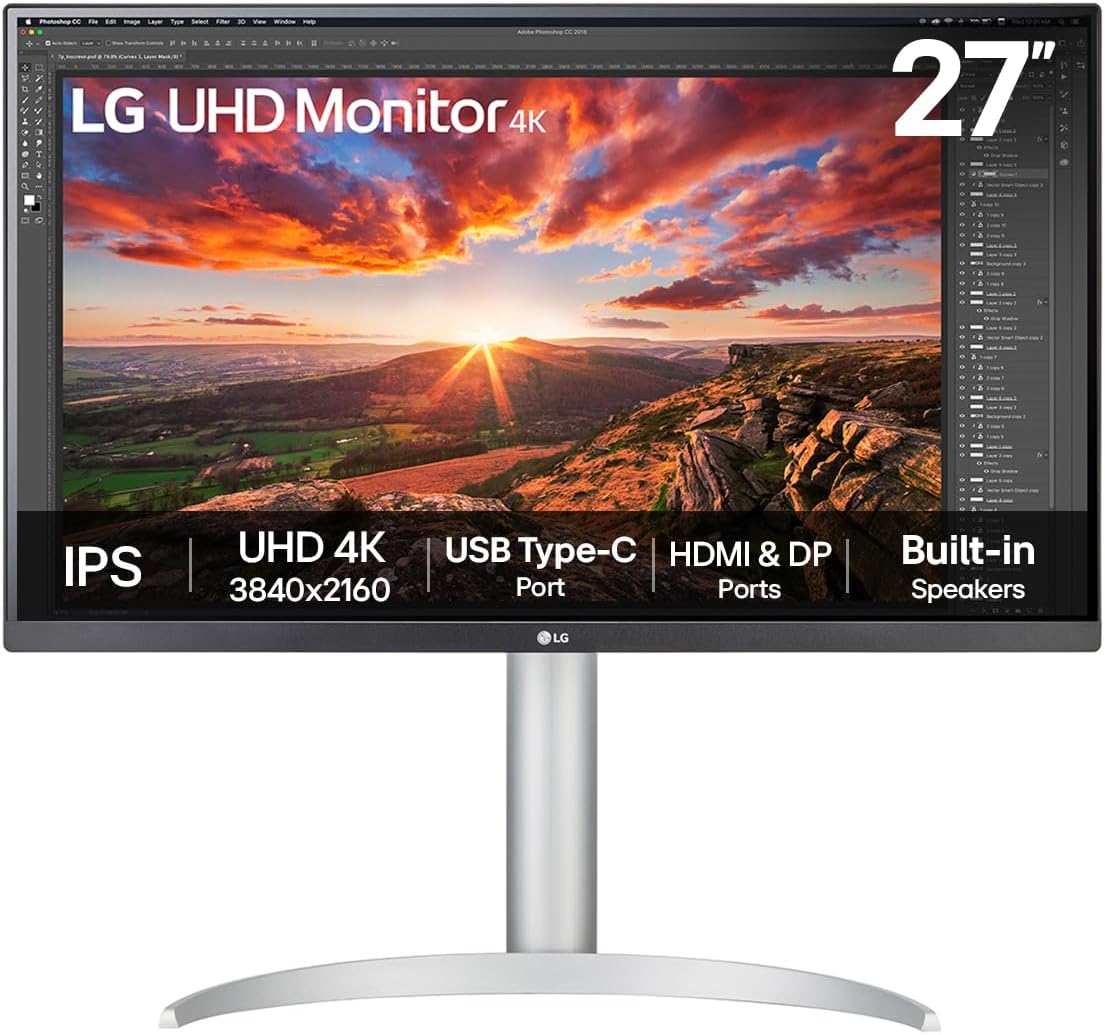
The LG UHD Monitor 27UP850K is a content creation display first and a gaming monitor a distant second. If you spend your days in Lightroom, Premiere, or any colour-critical workflow, the combination of a 4K IPS panel, 95% DCI-P3 colour coverage, and 90W USB-C delivery makes a compelling case. The white finish is genuinely nice if that matters to your setup. What it isn’t is a monitor for anyone who wants to chase frame rates — 60Hz is the ceiling here, full stop.
The LG UHD Monitor 27UP850K sits at 27 inches with a native 3840 x 2160 resolution, which at this screen size means genuinely sharp pixel density — text is crisp, fine detail in photos is actually fine. The IPS panel delivers wide viewing angles and consistent colour across the frame, which matters when you’re checking work from a natural seated position rather than dead centre. The DisplayHDR 400 certification is worth acknowledging honestly: it’s the entry level of the HDR spec ladder and won’t produce anything close to the HDR you’d see on a high-end TV. It’s there. Don’t buy this specifically for it.
This is squarely aimed at people doing photo editing, video editing, or graphic design who want a colour-accurate 4K screen with clean single-cable connectivity. It’s also a solid second monitor for creatives running a laptop setup — the USB-C port handles display, data, and 90W charging in one cable, which is a genuinely useful feature, not marketing padding. If you want to game competitively, look elsewhere. If you want to watch HDR films with actual HDR impact, same advice. But if you’re making things and you need your colours to be right, this is a sensible choice.
See the LG UHD Monitor 27UP850K listing and buyer Q&As on Amazon.

What It’s Best For
Photo and video editing. This is where the LG UHD Monitor 27UP850K earns its place. 95% DCI-P3 coverage is a meaningful number — most monitors in this category offer significantly less, and colour accuracy at this level means you’re seeing images close to how they’ll look in print or broadcast. Combined with the ability to run hardware calibration through LG’s Calibration Studio software, you have a display that can be dialled in for consistent, repeatable colour — something that matters the moment you’re delivering work to a client. The 4K resolution at 27 inches also means you can work on high-resolution files without feeling like you’re looking at a compressed thumbnail.
Laptop users and single-cable desk setups. The USB-C implementation here is properly useful. One cable connects your laptop, outputs 4K video, transfers data, and delivers up to 90W of charging power simultaneously. That covers most MacBook and Windows ultrabook power requirements without needing a separate charger on the desk. If you’re working from a clean desk with a laptop as your primary machine, this matters more than almost any other spec on the sheet. Understanding the full range of connectivity options is worth a read through our monitor connectivity guide if you want to make sure your laptop is compatible before buying.
General office and productivity work. At 3840 x 2160 on a 27-inch screen, you get a lot of usable screen real estate — multiple documents, browser windows, and reference panels without the layout feeling cramped. The IPS panel means consistent colours and brightness whether you’re looking at the screen straight-on or from a slight angle, which matters in typical desk setups where you’re not always perfectly centred. The ergonomic stand handles height, tilt, and pivot adjustments, so getting comfortable is straightforward rather than a compromise.
Console and casual gaming. Worth a brief mention, though with a caveat. LG includes Dynamic Action Sync and Black Stabiliser features, both of which are designed to reduce input lag and improve visibility in dark scenes. That’s useful for console gaming at 4K 60Hz, and most current-gen console titles run at exactly that. Competitive multiplayer where frame rate and response time are everything is a different story — this isn’t the right tool for that job. Casual, single-player gaming on a PS5 or Series X? Actually quite decent.
The Specs That Really Matter
The panel type is the foundation of everything here. IPS panels are a known quantity — better colour accuracy and viewing angles than TN, more consistent blacks than you might expect at this price tier, and no significant colour shift when you move your head. For a content creation panel, IPS is the right call. You’re not getting the deep blacks of VA or OLED, but for colour work, the accuracy trade-off is worth it. The 1000:1 contrast ratio is standard for IPS — it won’t produce cinematic blacks, but it’s perfectly usable for everything this monitor is positioned for.
Resolution and screen size are where things get interesting. 3840 x 2160 on a 27-inch screen produces a pixel density high enough that you genuinely won’t see individual pixels in normal use. Text is sharp, fine gradients in photos look smooth, and working with high-resolution source material feels appropriate rather than compromised. There’s a useful breakdown of how resolution scales with screen size in our display size and resolution guide if you want to compare this against other options. The 16:9 aspect ratio is standard — nothing unusual here.
The 60Hz refresh rate and 5ms response time are where you need to be honest with yourself about what you’re buying this for. For everything this monitor does well — photo editing, colour-accurate work, office use, casual gaming — 60Hz is adequate. Nobody editing RAW files has ever wished their refresh rate was higher. But if you game regularly and you’ve used a 144Hz or higher display before, dropping back to 60Hz will feel noticeable. The 5ms response time is fine for the target use case; it’s not a gaming-grade spec and isn’t pretending to be. More context on what these numbers actually mean in practice is available in our refresh rate and response time guide.
The DisplayHDR 400 certification means a peak brightness of 400 cd/m², which is the minimum bar for VESA’s HDR certification. It’s not fake, but it’s not transformative either. You’ll notice a mild improvement in bright scenes compared to non-HDR content. If you’re coming from a TV with proper HDR, this will feel underwhelming by comparison. LG markets it for HDR editing previews, which is a more reasonable claim — getting a sense of how HDR content will behave is useful, even if this display isn’t reproducing the full HDR experience. FreeSync adaptive sync is included, which reduces screen tearing when gaming — minor bonus, not a headline feature at 60Hz.
Connectivity: one HDMI port, one DisplayPort, and one USB-C with the 90W charging. That’s a total of two video inputs plus USB-C — enough for most single-user setups, though if you’re running multiple source devices simultaneously you’ll need a switch. The built-in 5W MaxxAudio stereo speakers are a genuine addition rather than an afterthought — several buyers noted they’re better than expected for a built-in solution. As we move into 2026, this spec tier sits in a competitive spot — the USB-C implementation in particular remains a differentiator at this screen size versus cheaper alternatives.
Check the full spec sheet and buyer questions for the LG UHD Monitor 27UP850K on Amazon.
What Buyers Are Saying
The LG UHD Monitor 27UP850K currently holds a rating of 4.2 out of 5 from 13 customer reviews on Amazon. That is a small sample — too small to draw firm statistical conclusions from, and it should be treated accordingly rather than taken as a settled consensus. What the reviews do offer is a consistent directional signal, with the majority of buyers genuinely satisfied and specific in their praise.
The dominant themes in positive feedback are colour quality and overall image sharpness. Multiple buyers mention using this for colour-critical work, with one explicitly citing digital retouching as their use case. The 4K IPS panel is described as sharp and vibrant, with colour accuracy holding up well in real-world use. The USB-C connectivity comes up positively for convenience, and the built-in speakers are noted as better than expected. One buyer is on their second unit, which is a quiet but meaningful indicator of satisfaction — people don’t rebuy a monitor they weren’t happy with.
The negative reviews are worth examining rather than dismissing. One buyer received a unit with a vertical red line down the middle of the screen — a hardware defect, not a characteristic of the panel type. That’s bad luck, not a design flaw, and they returned it without issue. Two German-language reviews involve receiving a unit with a UK plug rather than a German plug — a fulfilment issue specific to that region, not relevant to UK buyers, and both reviews confirm the technical performance was otherwise satisfactory. No recurring pattern of image quality failures, backlight bleed complaints, or build quality issues in the UK buyer set.
Buyer Highlights
“Picture quality is exactly what I needed for colour-accurate digital retouching work.” — Reflects the feedback from buyers using this specifically for professional image editing.
“I’ve had it for four months and it’s been consistent throughout — sharp, colour-accurate, and reliable.” — One buyer’s longer-term experience, which carries more weight than immediate impressions.
“The built-in speakers are genuinely decent — I wasn’t expecting much and was pleasantly surprised.” — A recurring minor highlight from buyers who weren’t expecting usable audio from a monitor.
“USB-C makes it so much easier with my laptop — one cable does everything.” — The single-cable convenience factor comes up repeatedly as a genuine workflow improvement.
“This is my second one. The quality keeps me coming back.” — A repeat purchase is about as clear a signal as you get from a small review pool.

Worth Knowing Before You Buy
The hardware defect in one review — vertical red line on delivery — is worth acknowledging, but a single unit failure in 13 reviews doesn’t suggest a production quality pattern. LG’s warranty is one year manufacturer coverage, which is standard for this category. If you receive a faulty unit, Amazon’s return process is your fastest route to resolution rather than going direct to LG. Check the unit within the return window. It’s a reasonable precaution with any monitor, not specific advice for this one.
The port selection is functional but lean. One HDMI, one DisplayPort, one USB-C — two video sources plus the USB-C input. If you need to switch between a desktop PC and a console while also using a laptop over USB-C, you’re one port short. It’s a consideration worth mapping out against your actual setup before buying rather than discovering after. The single USB 3.0 hub port is also noted in the specs — useful for a keyboard or mouse, not a full hub solution. Our monitor buying guide covers port planning in more detail if you’re working out a multi-device desk setup.
The LG Calibration Studio software compatibility is worth verifying before you commit to using hardware calibration. The software is a free download from LG’s site, but the hardware calibration probe itself is not included — you’d need a third-party colorimeter separately. For most buyers this won’t matter; the out-of-box colour accuracy on an IPS panel with 95% DCI-P3 coverage is already good enough for general creative work. It only becomes relevant if you’re in a professional colour-critical environment where calibration against a specific target is required.
The matte anti-glare coating is standard on IPS panels at this tier and does its job without introducing the heavy graininess you sometimes see on cheaper coatings. The white finish looks clean on a desk but will show dust more readily than a black chassis — worth knowing if your workspace is dusty or if you’re not a regular desk cleaner. Trivial point, but someone will notice.
View current availability for the LG UHD Monitor 27UP850K on Amazon.
Who Should Buy It (And Who Shouldn’t)
Buy If
- You do photo editing, video editing, or graphic design and need reliable colour accuracy — 95% DCI-P3 at this screen size is a meaningful specification for that work, not marketing decoration.
- You use a laptop as your primary machine and want a single-cable desk upgrade — 90W USB-C charging with simultaneous 4K video output is a genuine convenience that reduces cable clutter and eliminates the separate charger.
- You want a 4K 27-inch display for a clean, sharp office setup with ergonomic flexibility — full height, tilt, and pivot adjustment built into the stand is something cheaper alternatives routinely skip.
- You game casually on console at 4K 60Hz — PS5 and Series X both run many titles at this spec, and the image quality here is appreciably better than most monitors at the same frame rate target.
Avoid If
- You game competitively or regularly play fast-paced titles — 60Hz is a hard ceiling and there is no upgrade path. If you’ve used 144Hz or above before, this will feel like a step back in fluidity regardless of how good the image quality is.
- You want meaningful HDR performance — DisplayHDR 400 is the lowest rung of the HDR certification ladder and produces only a modest improvement over standard SDR. If HDR impact is a priority, you need a display with significantly higher peak brightness than 400 cd/m².
- You regularly switch between three or more video sources — two video inputs plus USB-C is tight if you’re running a desktop, console, and laptop simultaneously without a KVM switch or input selector.
The Bottom Line
The LG UHD Monitor 27UP850K is a well-specified content creation display that does exactly what it’s designed for — colour-accurate 4K work, clean USB-C laptop integration, and a sharp, comfortable panel that holds up across long working sessions. It doesn’t pretend to be a gaming monitor and you shouldn’t treat it as one. If your workflow involves making things rather than shooting things, and you want a display where the colours are actually right, this is a straightforward recommendation. The review count is low enough to hold a degree of caution, but what exists points consistently in the right direction. Worth a serious look if your use case fits.
Find the LG UHD Monitor 27UP850K on Amazon and check current stock.
At The Monitor Expert, our approach is built on data transparency rather than simulated hands-on testing. We rigorously analyse official manufacturer specifications and aggregate verified customer sentiment to provide honest, straightforward buying advice that cuts through the marketing noise.
As an Amazon Associate, I earn from qualifying purchases.
Browse by Specification
Looking for something specific? Browse our analyses by hardware and feature below, or check all monitor analyses in the Office Monitors and Mid-Range Monitors category archives.
[IPS Monitors] — [VA Monitors] — [TN Monitors] — [OLED Monitors]
Browse by Refresh Rate
[60Hz] — [75Hz] — [100Hz] — [120Hz] — [144Hz] — [165Hz] — [180Hz] — [200Hz] — [240Hz+] — [360Hz+]
Browse by Screen Size
[Small Screen] — [24-inch] — [27-inch] — [32-inch] — [Large Screen] — [Ultrawide]




