
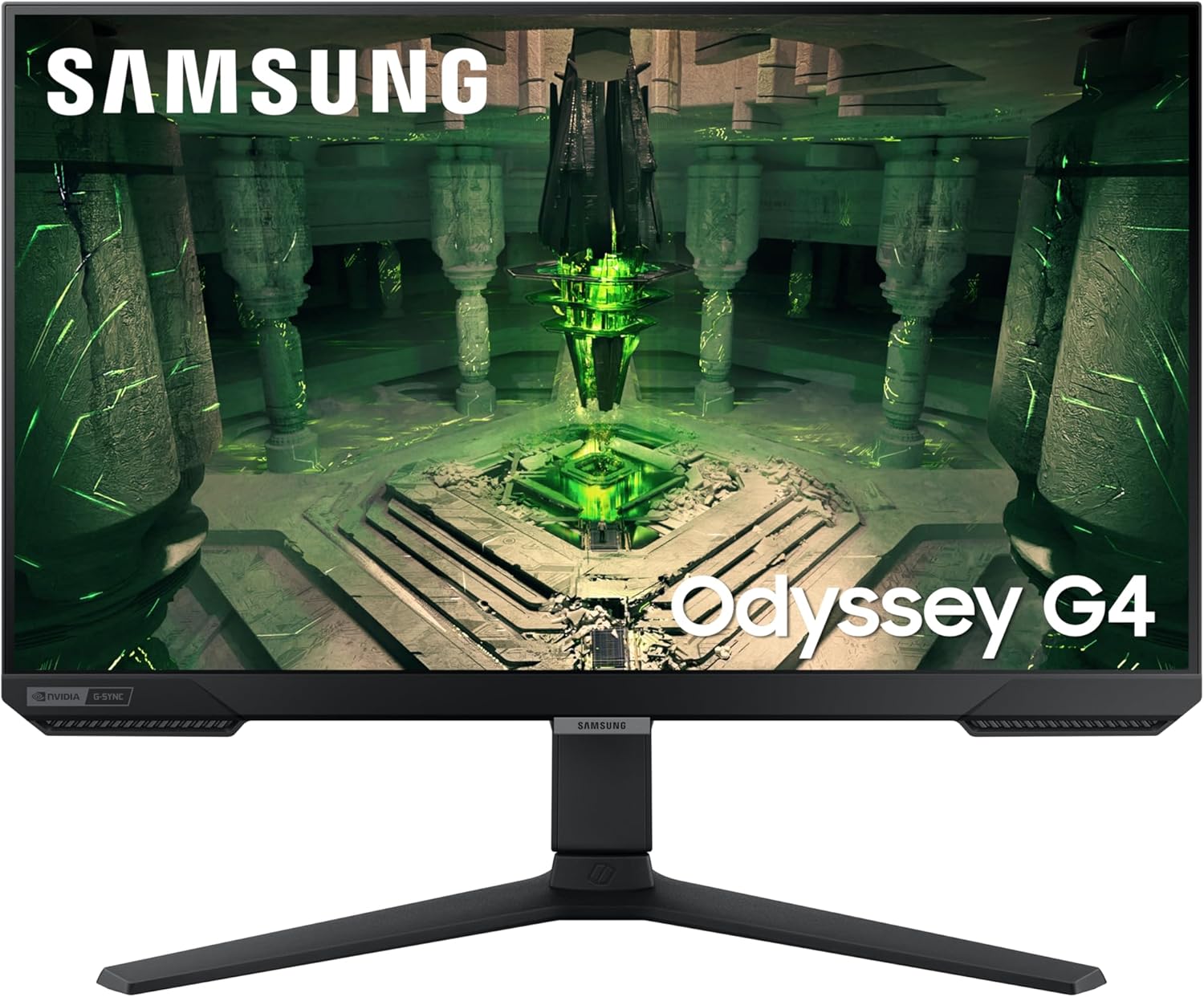
Samsung Odyssey G4 LS25BG400EUXXU Analysis: 240Hz Without Compromise
My Honest Verdict
The Samsung Odyssey G4 LS25BG400EUXXU is a focused, no-nonsense competitive gaming monitor. If you play fast-paced shooters, MOBAs, or any game where reaction time matters, this is built directly for you. The headline strength is the 240Hz refresh rate paired with a 1ms response time on an IPS panel — a combination that used to cost considerably more. The headline limitation is equally clear: 1080p on a 25-inch screen keeps pixel density reasonable but rules this out as a content creation or cinematic viewing tool.
What does that spec combination actually feel like to use? At 240Hz, motion is visibly smoother than 144Hz — not marginally, actually noticeably. Crosshairs track cleanly, fast movement doesn’t smear, and the IPS panel means you get decent colour fidelity alongside that speed rather than the washed-out look of older TN alternatives. The 1920 x 1080 resolution at 25 inches gives you a pixel density that’s perfectly workable for gaming — sharp enough that you’re not squinting at jagged edges, but not the kind of crisp you’d expect from a 1440p panel. Brightness sits at 400 cd/m², which is sufficient for most indoor setups.
This is squarely for competitive PC gamers who want every frame they can get and aren’t fussed about resolution beyond playability. If you’re a content creator, photo editor, or someone who wants a monitor that doubles as a decent media screen, look elsewhere. If you want 240Hz IPS performance without paying for a larger or higher-res panel you don’t need, this makes a strong case for itself.

What It’s Best For
Competitive gaming is the obvious and correct answer. At 240Hz with a 1ms response time, this monitor is tuned for titles where the difference between winning and losing comes down to milliseconds — Counter-Strike, Valorant, Apex Legends, Overwatch. The IPS panel gives you solid colour accuracy compared to older TN panels at this refresh rate tier, and G-Sync compatibility ensures AMD and Nvidia GPU owners both get tear-free gameplay without needing proprietary hardware. At 25 inches, everything sits within your natural field of vision without excessive head movement, which competitive players actively prefer over larger screens.
Esports and tournament play specifically. The Ultrawide Game View feature lets you switch the aspect ratio to simulate a 21:9 field of view in compatible titles — useful for spotting enemies at the edges of the screen in games that support it. Combined with Auto Source Switch+, which detects and jumps to an active input automatically, the workflow is quick and clean. There’s no fumbling through OSD menus to switch sources mid-session.
Budget-conscious upgraders stepping up from a 60Hz or 75Hz screen will feel the difference immediately. This is one of the more accessible ways into the 240Hz tier without compromising on panel type — you’re getting IPS rather than TN, which matters for colour and viewing angle. It also handles general Windows desktop use fine; the ergonomic stand with height, tilt, and swivel adjustment means you can dial in a comfortable position for longer sessions.
The Specs That Really Matter
The IPS panel is worth dwelling on. At this refresh rate, IPS is not the default — plenty of 240Hz monitors at this size use TN panels to hit the speed target, which means narrower viewing angles and noticeably worse colour reproduction. The Samsung Odyssey G4 LS25BG400EUXXU gives you a 178-degree viewing angle and IPS colour quality. It won’t satisfy a professional colour grader, but for gaming and general use it’s a genuine step up from TN. Contrast ratio sits at 1000:1 — standard for IPS, so blacks won’t be deep in a dark room, but it’s not a problem in normal lighting conditions.
The 240Hz refresh rate and 1ms response time combination is the main draw. If you’re coming from 144Hz, the jump to 240Hz is real — not subtle. Your GPU needs to be capable of pushing frame rates high enough to take advantage, so check that before buying. The 1ms figure is the GtG (grey-to-grey) measurement — the standard Samsung uses — which is the most favourable way to measure response time. Real-world pixel response in complex transitions will be higher than 1ms, but in practice this panel is fast enough that ghosting is not a meaningful concern for its target use case. For a fuller breakdown of how these figures are measured, the refresh rate and response time guide covers the details without the manufacturer spin.
G-Sync compatible certification means Nvidia GPU owners get adaptive sync without requiring a dedicated G-Sync module, and the panel also supports AMD FreeSync Premium — so either camp is covered. Connectivity is functional rather than generous: 2x HDMI and 1x DisplayPort, which is enough for a PC and a console simultaneously without swapping cables. No USB-C here — worth knowing if your setup relies on it. HDR10 is listed, but brightness is rated at 400 cd/m², which puts this firmly in entry-level HDR territory. HDR400 makes no meaningful visual difference in practice and is essentially a checkbox feature — don’t factor it into your decision either way. If you want a grounding in what these specs actually mean before committing, the monitor specs explained page is worth a read.
Resolution and screen size are linked decisions. 1920 x 1080 at 25 inches gives you roughly 88 pixels per inch — not the sharpest you can buy at this size, but perfectly adequate for gaming where you’re sitting at a normal desk distance. The advantage of staying at 1080p is the frame rate headroom: your GPU can push 240fps far more easily at this resolution than at 1440p. For competitive play, that trade-off is rational. For productivity or media, you might want to reconsider — there’s a broader discussion on the display size and resolution page that’s useful if you’re on the fence. As we move into 2026, IPS panels at this refresh rate are increasingly common, but the Samsung Odyssey G4 LS25BG400EUXXU remains competitive for what it costs.
Check the full spec sheet and buyer Q&As for the Samsung Odyssey G4 LS25BG400EUXXU on Amazon.
What Buyers Are Saying
The Samsung Odyssey G4 LS25BG400EUXXU holds a 4.6 out of 5 rating from 243 customer reviews on Amazon — that’s a healthy sample size, and a 4.6 average is genuinely good rather than the inflated nonsense you sometimes see on newer listings with a handful of early reviews. The distribution of feedback suggests consistent satisfaction rather than a polarised split.
The dominant praise theme is the smoothness of gameplay. Buyers upgrading from 60Hz or 75Hz screens repeatedly describe the 240Hz experience as a significant, visible improvement — not a marginal one. Competitive shooter players in particular single out the response time as living up to its billing, with no meaningful complaints about ghosting or blurring during fast movement. The IPS colour quality also gets regular mentions, with buyers noting it’s noticeably better than TN alternatives they’d previously used at similar refresh rates.
The stand gets consistent credit too. Height adjustment, tilt, and swivel — all present and apparently well-built. For a monitor at this tier, a genuinely adjustable stand rather than a tilt-only unit is appreciated, and buyers notice. Setup experience is described as straightforward across the board. The included HDMI cable means you’re not immediately hunting for accessories out of the box.
Recurring criticisms are limited and mostly reflect the spec choices rather than build defects. Some buyers flag that 1080p shows its limits on the desktop — particularly for productivity use — which is a fair point but not a surprise given the target audience. A small number mention the HDR implementation is unremarkable, which aligns with the hardware reality of HDR400. Neither of these is a product flaw — they’re accurate descriptions of what the monitor is.
Buyer Highlights
“The difference from my old 75Hz monitor is night and day — everything just looks smoother.” — Consistent reaction from buyers upgrading from budget or office screens.
“Colours are actually decent for a gaming monitor at this speed, wasn’t expecting IPS quality here.” — Repeated observation from buyers who’d previously owned TN panels at high refresh rates.
“Stand is solid and the height adjustment is genuinely useful — not wobbly at all.” — Frequent comment, especially from buyers who’ve dealt with poor-quality stands on cheaper monitors.
“Setup was simple, plugged in and it just worked — no driver headaches.” — Common feedback on the out-of-box experience across multiple reviewers.
“1080p is fine for what I use it for — Valorant and CS2 run buttery smooth at these frame rates.” — Typical response from competitive shooter players who’ve prioritised frame rate over resolution.

Worth Knowing Before You Buy
The glossy screen finish is the one thing worth flagging upfront. Glossy panels deepen contrast and make colours pop, but they also reflect ambient light — windows behind you, overhead lighting, lamps. In a well-controlled setup or a darker room this is not a problem, and many competitive gamers actively prefer glossy. In a brightly lit office environment or with direct light sources in your field of view, it can become distracting. Check your room setup before committing.
The HDR10 badge on the spec sheet should be treated with scepticism. 400 cd/m² peak brightness is the minimum threshold for HDR400 certification — it won’t deliver the high-contrast, HDR-rich experience you’d get from a proper HDR600 or HDR1000 panel. Enabling HDR in Windows can actually make the image look worse on screens at this brightness level. Turn it off and enjoy the SDR image, which is genuinely good. This is an industry-wide issue at this price tier, not specific to Samsung — but it’s worth understanding so you don’t feel misled.
Port selection is adequate but not generous. Two HDMI ports and one DisplayPort covers the typical PC-plus-console setup, but there’s no USB-C, no USB hub, and no audio pass-through beyond a headphone jack. If your setup relies on USB-C connectivity — a laptop, for instance — this won’t suit you. Check the connectivity guide if you need a clearer picture of which port setup fits your devices. The two-year manufacturer warranty is standard for Samsung and reasonable at this tier. No significant reliability concerns surface in the customer reviews, which at 243 responses would likely surface them if they existed.
View current stock levels for the Samsung Odyssey G4 LS25BG400EUXXU on Amazon.
Who Should Buy It (And Who Shouldn’t)
Buy If
- You play competitive multiplayer titles — shooters, MOBAs, battle royale — and want the smoothest possible motion at an accessible entry point into the 240Hz tier.
- You’re upgrading from a 60Hz or 75Hz screen and want a meaningful jump in gameplay fluidity without paying for resolution you won’t use in competitive play.
- You want IPS colour quality at 240Hz rather than accepting a TN panel — and you have a GPU capable of pushing high frame rates at 1080p to actually use the refresh rate.
- You want G-Sync and FreeSync Premium compatibility so your setup works regardless of whether you’re on an Nvidia or AMD card.
- Ergonomics matter to you — height adjustment, tilt, and swivel all present on a stand that buyers consistently describe as well-built.
Avoid If
- You need a monitor that works well for productivity, content creation, or media — 1080p at 25 inches is limiting for anything beyond gaming, and this isn’t the right tool for colour-accurate work.
- Your setup is in a bright room with direct light sources — the glossy panel will cause reflections that a matte-finish alternative would handle better.
- You were hoping HDR10 would deliver a genuine HDR experience — at 400 cd/m² it won’t, and you’d be better served by a panel with higher peak brightness if HDR performance matters to you. The monitor buying guide covers what to look for if that’s a priority.
The Bottom Line
The Samsung Odyssey G4 LS25BG400EUXXU does exactly what it sets out to do. It’s a 240Hz IPS gaming monitor that doesn’t compromise on panel type to hit the speed target, comes with a genuinely usable ergonomic stand, and has the buyer sentiment to back up the spec sheet. It’s not for everyone — the 1080p resolution and HDR400 implementation are real limitations for buyers outside its target use case. But if you’re a competitive gamer who wants fast, smooth, tear-free gameplay from a Samsung panel with a strong reliability track record, this earns a straightforward recommendation.
Find the Samsung Odyssey G4 LS25BG400EUXXU on Amazon and check the latest availability.
At The Monitor Expert, our approach is built on data transparency rather than simulated hands-on testing. We rigorously analyse official manufacturer specifications and aggregate verified customer sentiment to provide honest, straightforward buying advice that cuts through the marketing noise.
As an Amazon Associate, I earn from qualifying purchases.
Browse by Specification
Looking for something specific? Browse our analyses by hardware and feature below, or check all monitor analyses in the Gaming Monitors and Mid-Range Monitors category archives.
[IPS Monitors] — [VA Monitors] — [TN Monitors] — [OLED Monitors]
Browse by Refresh Rate
[60Hz] — [75Hz] — [100Hz] — [120Hz] — [144Hz] — [165Hz] — [180Hz] — [200Hz] — [240Hz+] — [360Hz+]
Browse by Screen Size
[Small Screen] — [24-inch] — [27-inch] — [32-inch] — [Large Screen] — [Ultrawide]




