
KTC H32S17F Analysis: 240Hz at a Familiar Cost
My Honest Verdict
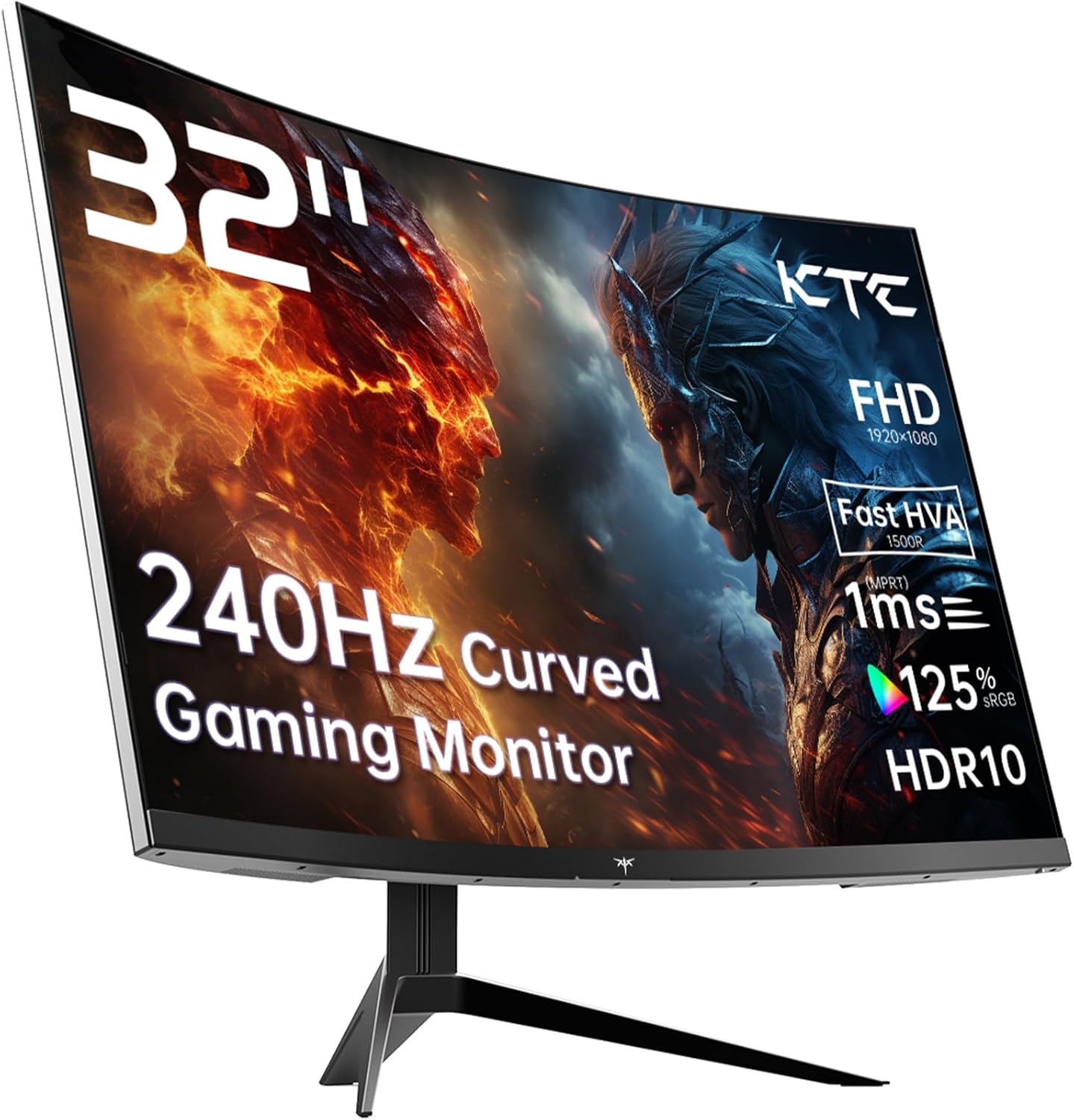
The KTC H32S17F is a 32-inch, 1080p, 240Hz curved gaming monitor aimed squarely at console and PC gamers who want a large, fast screen without paying large, fast-screen prices. The headline strength is the refresh rate paired with the screen size — 240Hz at 32 inches is a combination that costs considerably more from the established brands. The headline limitation is equally straightforward: 1920×1080 on a 32-inch panel produces a noticeably soft image for anyone who spends time close to the screen doing anything other than gaming.
In everyday use, 240Hz means motion is genuinely smooth — fast-paced games feel responsive in a way that 60Hz or even 144Hz simply cannot match. The VA panel brings a 3500:1 contrast ratio, so dark scenes look dark rather than washed-out grey, which is a real advantage in atmospheric games. Colours cover 125% sRGB, and buyers are reporting vibrancy that punches above what you’d expect. The 1500R curve is among the tighter options available — it wraps around your field of view more aggressively than the common 1800R, which works well at this size for a single viewer sat directly in front.
This is right for a gamer who sits back from the screen, plays fast-paced titles, and genuinely doesn’t need pixel-perfect sharpness for productivity or content work. It’s also a reasonable PS5 or Xbox companion — though with caveats on HDMI bandwidth covered below. If you’re buying a screen to do design work, read text for hours, or sit close to a large monitor, 1080p at 32 inches will frustrate you. Go read our screen size and resolution guide before committing to this size at this resolution — it’s a pairing that suits some users and genuinely doesn’t suit others.
See the current listing and availability for the KTC H32S17F on Amazon.

What It’s Best For
Fast-paced gaming is where the KTC H32S17F earns its keep. At 240Hz with Adaptive Sync covering both FreeSync and G-Sync compatible setups, competitive titles — shooters, racing games, fighting games — run with the kind of fluidity that makes a genuine difference to your ability to track movement on screen. The 1ms marketed response time (spec sheet lists 3ms measured — see the specs section for context) keeps ghosting manageable. Combined with the 1500R curve pulling peripheral vision into the frame, this is a setup that suits someone who plays seated close-ish to the screen and values motion clarity above all else.
Console gaming is a reasonable fit with some nuance. PS5 and Xbox Series X both connect via HDMI 2.0, which the KTC H32S17F carries two of. At 1080p and 240Hz, bandwidth over HDMI 2.0 isn’t a bottleneck. The large 32-inch size and strong contrast from the VA panel make atmospheric single-player games look genuinely good on a couch-adjacent setup. One buyer in early 2026 noted their teenager was adamant this was a step-change improvement over playing on a TV — and while that’s partly teenage enthusiasm, the jump from a 60Hz television to a 240Hz gaming monitor is real and noticeable.
Home entertainment and streaming benefits from the contrast ratio. The 3500:1 native contrast on a VA panel means dark cinema scenes don’t turn into grey murk — a persistent problem with budget IPS screens. HDR10 support adds some pop to compatible content, though at 350 cd/m² peak brightness, this doesn’t reach the luminance levels needed for genuine HDR spectacle. It’s more about enabling HDR metadata than delivering a transformative HDR experience — but buyers report the colour and brightness still genuinely impresses in practice.
The Specs That Really Matter
The panel is labelled by KTC as “HVA” — their term for an enhanced VA variant designed to address the traditional VA weakness of slow pixel transitions. The spec sheet lists the native response time as 3ms, while the marketing claims 1ms. That discrepancy is common across the industry — the 1ms figure typically uses an accelerated overdrive mode, and whether that introduces visible inverse ghosting depends on the specific implementation. For more context on how manufacturers measure response times and why those figures can mislead, the refresh rate and response time explainer is worth a read. In practice, buyers report the motion handling as smooth rather than problematic, which is encouraging — but don’t take the 1ms figure at face value.
The resolution question is important and worth being blunt about. 1920×1080 across 32 inches gives a pixel density of around 69 pixels per inch. That is low. Text will look soft at normal desk distances. Icons and UI elements will look noticeably less crisp than on a 27-inch 1080p or any 1440p screen at this size. For gaming at normal viewing distances — say, sitting back a bit — it’s less of an issue, because the game fills the frame and motion takes priority. But if you plan to use this monitor for work, browsing, or anything text-heavy, that pixel density will bother you fairly quickly. The tradeoff is that your GPU doesn’t need to push many pixels, so you can actually hit and sustain 240Hz on modest hardware.
Connectivity covers 2× HDMI 2.0 and 1× DisplayPort 1.4, plus a USB 2.0 port. For PC gaming, DP 1.4 is the right cable to use at 240Hz — HDMI 2.0 can handle 1080p at 240Hz but check your specific GPU output before assuming. Console users on PS5 should be aware that as of 2026, PS5 HDMI output tops out at 120Hz — one Amazon reviewer (writing in Arabic) noted the monitor only delivered 60Hz on their Sony console, which points to potential settings or HDMI handshake issues worth researching before purchase. For a full rundown on ports and what matters, the connectivity guide covers HDMI versions in plain English. Adaptive sync works with both AMD and Nvidia setups, which is the right call at this price point — no reason to limit buyers to one GPU camp.
The 3500:1 contrast ratio is a genuine advantage over IPS panels at similar prices, which typically land around 1000:1. Blacks look meaningfully deeper, and dark-scene gaming benefits noticeably. The 178-degree viewing angle spec is standard for VA, but real-world off-axis performance will degrade before you hit those extremes — buyers confirm the image greys out if you’re not looking directly on. Sit square in front of it and this is a non-issue.
Check the full spec sheet and buyer Q&As for the KTC H32S17F on Amazon.
What Buyers Are Saying
The KTC H32S17F carries a rating of 4.3 out of 5 from 1,980 customer reviews — a reasonably large sample for a monitor from a lesser-known brand. The overall tone from UK buyers is positive, with recurring praise for the brightness, colour vibrancy, and value relative to comparable monitors from mainstream brands.
Brightness gets mentioned repeatedly and enthusiastically. One UK buyer described the HDR brightness as enough to make them physically recoil when the sun appeared in-game — which, dramatic as it sounds, suggests the panel is genuinely delivering peak output that HDR content can make use of. Another buyer reported peaks at 1400 nits, which would be well above the 350 cd/m² sustained brightness figure in the spec sheet — peak HDR luminance figures often exceed sustained figures on VA panels. Colour performance draws consistent praise: buyers upgrading from standard screens report the vibrancy as a genuine step up.
The stand is a recurring weak point. Multiple buyers flagged it as flimsy — one specifically recommended buying a monitor arm rather than relying on it. Build quality of the panel itself and bezels gets more positive treatment, described as professional-looking and thin-bezelled. The glossy rear finish attracts dust, which is a minor annoyance but worth knowing. The VA viewing angle limitation comes up as well — buyers confirm you need to be seated directly in front for the image to look its best, which aligns with what the panel type guide would lead you to expect from VA.
The one serious negative in the reviews involves KTC’s after-sales support. One buyer experienced a fault developing on the DisplayPort connection after approximately a month, and described a frustrating, drawn-out experience with KTC’s customer support that went unresolved over several months. That’s one data point, not a pattern — but given KTC is a smaller brand without an established UK support infrastructure, it’s worth factoring in alongside the three-year manufacturer warranty on paper.
Buyer Highlights
“Superbly bright, peaking at 1400 nits, and genuinely giving amazing HDR performance for the money.” — A consistent theme from buyers who weren’t expecting much from HDR at this price point.
“The display itself is great — colours are vibrant, brightness is entirely adequate for my usage.” — Recurring sentiment from buyers doing general gaming and media use in naturally lit rooms.
“The stand is flimsy at best — pick up a good monitor arm for this.” — Mentioned across multiple reviews; worth budgeting for a VESA arm if you care about stability and adjustability.
“Viewing angles aren’t the best — it greys out very quickly if you’re not looking directly on.” — Standard VA behaviour, flagged by buyers coming from IPS screens who weren’t expecting it.
“Great when it works — atrocious support when it doesn’t.” — A single but pointed warning from a buyer who experienced a hardware fault and struggled to get KTC to respond.

Worth Knowing Before You Buy
The response time discrepancy is worth being clear about before you commit. KTC markets this as a 1ms panel; the specification sheet lists 3ms. That gap isn’t unusual — it reflects the difference between an overdrive-boosted figure and a native measured one — but it means the 1ms claim should be treated as a marketing number rather than a measured guarantee. In real-world gaming this matters less than the spec war suggests, but if you’re shopping specifically on response time figures, understand what you’re actually comparing. If you want a plain-English breakdown of how these figures work, the monitor specs explained guide is worth ten minutes of your time.
The stand situation is a genuine practical concern. Multiple buyers are clear that it feels lightweight and unstable relative to the panel size. A 32-inch curved monitor with a flimsy stand is an uncomfortable combination — the panel has meaningful weight and depth, and a wobbly stand amplifies any desk vibration. The good news is VESA 100×100 mount support means a third-party arm is a straightforward upgrade. If you’re planning to wall-mount or use an arm anyway, this is a non-issue. If you were expecting a solid tilt-and-forget stand, budget for an arm or go in with reduced expectations.
KTC is not a household name in the UK, and their support infrastructure reflects that. The three-year manufacturer warranty looks good on paper, but the customer support experience described by at least one buyer in this review pool raises a reasonable flag. A monitor fault that takes months to get a response on is not an acceptable warranty experience, regardless of what the paperwork says. If buying from a lesser-known brand without a local support presence makes you nervous, that concern is legitimate — it’s worth consulting our monitor buying guide for advice on balancing brand risk against price savings. The broader picture — 1,980 reviews averaging 4.3 stars — suggests the vast majority of units work fine out of the box, but the tail risk of a fault is worth acknowledging.
Console buyers should double-check the HDMI handshake situation before assuming they’ll get 240Hz from their PS5 or Xbox. PS5 maxes out at 120Hz over HDMI regardless of monitor capability, and there appear to be some settings-related hiccups reported by console users in the wider review pool. Worth doing your research on your specific console’s output settings before the parcel arrives.
View current stock and delivery options for the KTC H32S17F on Amazon.
Who Should Buy It (And Who Shouldn’t)
Buy If
- You play fast-paced games at PC and want a large curved screen with genuine 240Hz fluidity without paying the premium that brands like ASUS or Samsung charge for equivalent specs.
- You’re a console gamer who wants a step up from a 60Hz television — the jump to 120Hz on PS5 or Xbox over HDMI is real, and the large 32-inch size with strong VA contrast suits living room or bedroom gaming setups.
- You already plan to use a monitor arm or wall mount, making the weak stand a non-issue, and you want the VESA compatibility baked in at no extra cost.
- Your GPU can sustain high frame rates at 1080p — this resolution is light to drive, meaning budget and mid-range cards can actually exploit the 240Hz rather than hitting it only in benchmarks.
Avoid If
- You sit close to a 32-inch screen and do significant text work, browsing, or content creation — 1080p at this size will look noticeably soft compared to 1440p or 4K options, and no amount of refresh rate compensates for that.
- You need reliable manufacturer support and have low tolerance for after-sales risk — KTC’s support responsiveness, based on available buyer feedback, is not in the same league as the established monitor brands, and that matters if something goes wrong under warranty.
- You share the screen with people viewing from the side — the VA off-axis colour shift will be genuinely distracting for multi-viewer setups or anyone not sitting directly in front.
The Bottom Line
The KTC H32S17F does a specific job well: it delivers a large, curved, fast screen at a price point where most competitors either charge more or compromise more visibly. The 240Hz refresh rate, 3500:1 contrast, and 125% sRGB colour coverage are a strong combination for gaming, and buyers back that up with consistently positive feedback on brightness and vibrancy. The limitations — low pixel density at 1080p on a 32-inch panel, a flimsy stand, and uncertain after-sales support — are real, but they’re knowable limitations that the right buyer can either live with or work around. Go in with clear eyes about what 1080p at this size looks like up close, budget for an arm if you need stability, and this is a genuinely hard spec sheet to argue with at the asking price.
Find the KTC H32S17F on Amazon and check current availability.
At The Monitor Expert, our approach is built on data transparency rather than simulated hands-on testing. We rigorously analyse official manufacturer specifications and aggregate verified customer sentiment to provide honest, straightforward buying advice that cuts through the marketing noise.
As an Amazon Associate, I earn from qualifying purchases.
Browse by Specification
Looking for something specific? Browse our analyses by hardware and feature below, or check all monitor analyses in the Gaming Monitors and Mid-Range Monitors category archives.
[IPS Monitors] — [VA Monitors] — [TN Monitors] — [OLED Monitors]
Browse by Refresh Rate
[60Hz] — [75Hz] — [100Hz] — [120Hz] — [144Hz] — [165Hz] — [180Hz] — [200Hz] — [240Hz+] — [360Hz+]
Browse by Screen Size
[Small Screen] — [24-inch] — [27-inch] — [32-inch] — [Large Screen] — [Ultrawide]




