
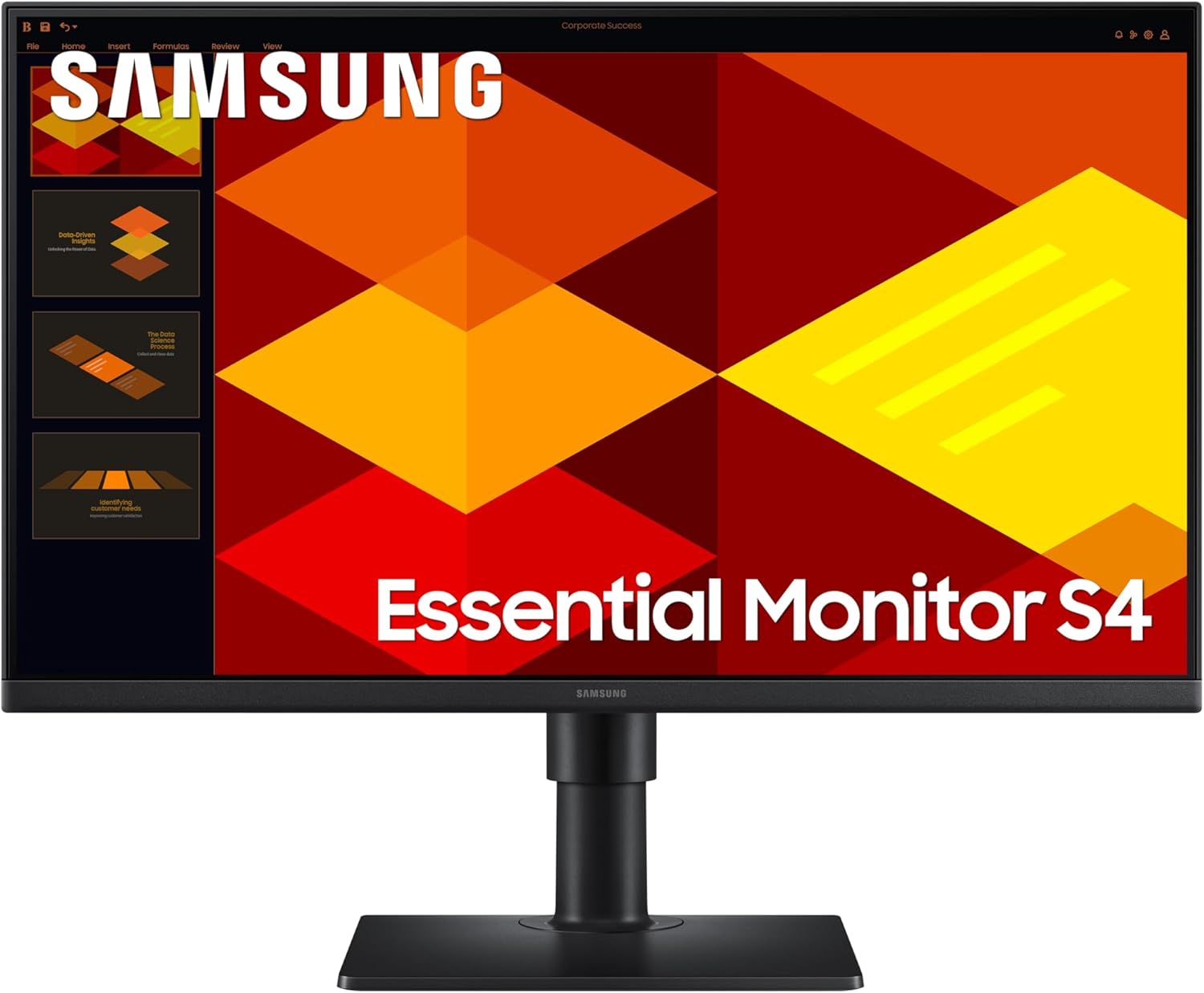
Samsung LS27D406GAUXXU Analysis: Strong Office IPS, Weak Speakers
My Honest Verdict
The Samsung LS27D406GAUXXU is a straightforward office monitor that does what it promises: a clean, colour-accurate IPS panel at 27 inches, with a decent port selection and ergonomics that most budget screens don’t bother with. It’s aimed squarely at people who need a reliable second screen or a primary work display and don’t want to think too hard about it. The headline limitation is brightness — 250 nits is modest, and if you work in a bright room or next to a window, you’ll notice. The built-in speakers are also, by all accounts, genuinely bad. That’s not an attack on the monitor; it’s just something you need to know before you assume they’re a bonus.
Day-to-day, 1920 x 1080 resolution on a 27-inch panel lands you at around 82 pixels per inch. That’s not sharp by modern standards — text won’t have the crispness you’d get from a 1440p panel at the same size, and if you sit close you may occasionally notice the pixel grid. For productivity work at a normal desk distance, most people won’t be bothered. The 100Hz refresh rate is a minor but genuine upgrade over the 60Hz or 75Hz you’d find on many office monitors at this tier — scrolling and cursor movement feel a little smoother. The IPS panel delivers consistent colour across wide viewing angles, which matters if you regularly share your screen with someone beside you.
This is the right monitor for someone setting up a home office or adding a second screen to a laptop. It’s also a reasonable choice for students who want a bigger canvas than a laptop screen without any fuss. It is not the right monitor for anyone who games seriously, works in a dim room and relies on decent speaker audio, or expects sharpness comparable to a higher-resolution display. If you want help working out which type of display suits your specific setup, the monitor selection guide is worth a few minutes of your time.
See the Samsung LS27D406GAUXXU listing and current availability on Amazon.

What It’s Best For
Office and productivity work is where this monitor makes the most sense. The IPS panel keeps colours consistent across the screen, which matters when you’re comparing documents, working in spreadsheets side by side, or on video calls where the person next to you needs to see your screen at an angle. The ergonomic stand — height-adjustable and pivot-capable — means you can actually position it properly, which is something a lot of monitors at this tier don’t offer. Samsung’s Eye Saver Mode reduces blue light output, which is a welcome addition for anyone spending six-plus hours in front of it daily.
Dual-screen setups are another natural home for the Samsung LS27D406GAUXXU. Several buyers specifically mention using it as a second screen alongside a laptop, and the combination of DisplayPort, dual HDMI, and USB-A ports means you’re not scrambling for adapters. The slim bezel design keeps the visual gap between screens tidy. If your main machine doesn’t have many ports to spare, the USB hub functionality here — two USB-A outputs via a USB-B upstream connection — adds a little practical flexibility without needing a separate hub.
Casual home entertainment gets a qualified mention. The 100Hz refresh rate makes streaming and lighter gaming feel smooth enough. The IPS panel produces decent colour rendering for films and YouTube without the washed-out look you sometimes get from budget TN panels. Just don’t expect the speakers to pull any weight — multiple buyers are emphatic on this point. Plug in external speakers or use headphones and the viewing experience holds up reasonably well for casual use.
The Specs That Really Matter
The IPS panel is the most important thing on this spec sheet for office buyers. IPS means you get accurate colour reproduction and consistent brightness across a 178-degree viewing angle — practically speaking, colours don’t shift when you tilt the screen or look at it from the side. The contrast ratio sits at 1000:1, which is typical for IPS and fine for everyday work but won’t produce the deep blacks you’d get from a VA panel. If you’re doing colour-sensitive work — photo editing, graphic design — an IPS at this price tier is the right call over TN or VA, even if it’s not a professional-grade display. For a broader look at how panel types compare in practice, the panel types guide breaks it down clearly.
The 100Hz refresh rate deserves a measured assessment. It’s not a gaming spec — serious PC gaming starts at 144Hz — but it is a genuine improvement over the 60Hz baseline that still ships on plenty of budget monitors. Scrolling through long documents, moving windows around, light gaming: all of these feel noticeably less judder-prone at 100Hz. Combined with a 5ms response time and FreeSync adaptive sync support, the Samsung LS27D406GAUXXU is capable enough for casual console or PC gaming without being a dedicated gaming monitor. The refresh rate and response time guide explains what these numbers actually mean in practice if you want the full picture.
Resolution is the one area worth some scrutiny. 1920 x 1080 across 27 inches is a combination that works but is starting to show its age at this screen size. The screen size and resolution relationship is something worth understanding before you commit — in short, the pixel density at this size is lower than at 24 inches, and if text sharpness matters to you, it’s worth knowing that before you buy. Most buyers don’t find it a problem, but anyone coming from a high-DPI laptop screen may notice the step down. Brightness at 250 nits is the other thing worth flagging — adequate for a dim or controlled-light environment, potentially insufficient next to a sunny window.
The connectivity is genuinely one of the stronger parts of this package. Two HDMI inputs, one DisplayPort, two USB-A ports, and a USB-B upstream make this a proper hub for a home desk setup. That’s more flexibility than most monitors at this tier bother to include. For more on what each port type means practically, the connectivity guide is the right place to start.
Check the full spec sheet and buyer Q&As for the Samsung LS27D406GAUXXU on Amazon.
What Buyers Are Saying
The Samsung LS27D406GAUXXU holds a rating of 4.4 out of 5 from 127 verified UK buyers. That’s a meaningful sample, and the feedback is consistent enough to draw real conclusions from. The dominant theme across reviews is satisfaction with the image quality for the price — buyers repeatedly describe the picture as clear, sharp, and well-calibrated without any tweaking required out of the box. Setup is frequently praised as quick and uncomplicated.
The stand gets specific mentions — the height adjustment and tilt flexibility are called out by multiple buyers as genuine positives, which is notable because that level of ergonomic flexibility isn’t guaranteed at this price point. The Eye Saver Mode gets quiet but consistent praise from buyers who use the monitor for long sessions. Nobody is complaining about eye fatigue, which suggests it actually does something useful rather than just being a marketing checkbox. The connection to a MacBook is also mentioned positively, which points to it working cleanly with non-Windows setups.
The speakers are a different story. Multiple buyers across different ratings are unambiguous: they’re poor. One buyer calls them “truly awful,” another says their laptop speakers are better. The important context here is that no one seems to have bought the monitor specifically for the speakers — they bought it for the screen, and the screen is delivering. The speakers are effectively a non-feature. One buyer also flags that brightness could be a little stronger, which aligns with the 250 nit spec — not a surprise, but worth knowing if your room gets direct sunlight. One reviewer in early 2026 notes the colours could be a touch brighter, suggesting that out-of-box calibration may lean slightly conservative — adjusting the OSD brightness and contrast settings would likely address this.
Buyer Highlights
“Screen clarity is good, no flickers or delay — added this for dual screen and makes life much easier for PC work.” — Typical of buyers using this as a second display alongside a laptop or desktop.
“The eye saver mode makes long usage less tiring on the eyes — colours are bright and accurate.” — Consistent feedback from buyers doing extended daily work sessions.
“Don’t think you can use the built-in speakers — they are truly awful. You will need a good set of externals.” — A recurring and honest caveat from multiple buyers across different ratings.
“Very adaptable stand that can sit low on the desk or higher if preferred — crisp, responsive picture, everything perfect.” — Repeated praise for the ergonomic flexibility of the stand, which punches above its weight at this tier.
“Easy to set up and change height and tilt angle — great value for money.” — The out-of-box experience consistently described as quick and problem-free.

Worth Knowing Before You Buy
Brightness is the most practically significant limitation here. At 250 nits, the Samsung LS27D406GAUXXU is on the lower end for a 27-inch panel. In a reasonably controlled office environment — away from direct sunlight, with ambient lighting you can adjust — it’ll be fine. Position it facing a window on a bright afternoon and the image will look washed out. This isn’t unique to this monitor; plenty of monitors at this tier share this limitation. But it’s the one spec where you should honestly assess your room before buying. If you want a clearer sense of how specs like this translate to real-world use before committing to any monitor, the monitor buying guide is worth reading first.
The built-in speakers need to be mentally written off before you order. They exist on the spec sheet, Samsung markets them as a connectivity benefit, and buyers consistently report they’re poor. If you’re buying this monitor and factoring in the speakers as a reason to skip a separate audio setup, adjust that plan now. External speakers or headphones are not optional if audio quality matters to you. On the positive side of build concerns: the stand is stable and well-received, the bezel is slim, and the physical footprint of the base is described as compact by buyers who care about desk space. No meaningful reliability concerns appear in the reviews — by 2026, with over 100 UK buyers, patterns of hardware failures would typically surface and they haven’t here. The 2-year manufacturer warranty is standard and adequate for this product tier.
The 5ms response time is fine for office and casual use, but worth contextualising for anyone considering this for serious gaming. Manufacturers measure response time in different ways, and 5ms at this tier is unlikely to reflect the fastest grey-to-grey switching — it’s more than adequate for productivity and streaming but not what a competitive gamer should be shopping for. If you want an objective breakdown of what response time specs actually tell you, the monitor specs explained page covers it plainly.
View current stock levels for the Samsung LS27D406GAUXXU on Amazon.
Who Should Buy It (And Who Shouldn’t)
Buy If
- You’re building a dual-screen home office setup and need a second monitor with decent ergonomics — the height adjustment and pivot make it significantly more versatile than the typical budget alternative.
- You want a reliable, colour-accurate IPS panel for daily work — documents, spreadsheets, video calls — and don’t need the sharpness of a 1440p display at this size.
- Your setup needs multiple connections — two HDMI inputs, DisplayPort, and USB ports on a single monitor is genuinely useful if you switch between devices or want to reduce desk cable clutter.
- You work in a dim or controlled-light environment where 250 nits brightness won’t be an issue, and you’ll use external speakers or headphones rather than relying on built-in audio.
Avoid If
- You need a monitor for competitive or fast-paced gaming — the 100Hz refresh rate and 5ms response time are adequate for casual play but won’t satisfy anyone serious about gaming performance.
- Your desk gets direct sunlight or you work in a bright room — 250 nits will struggle under those conditions and the image will look flat.
- You’re upgrading from a high-resolution laptop screen and expect the same pixel sharpness — 1920 x 1080 at 27 inches is a step down in perceived sharpness from most modern laptop displays.
The Bottom Line
The Samsung LS27D406GAUXXU is a well-specified office monitor that earns its positive reception. The IPS panel delivers what it should, the ergonomic stand is a genuine differentiator at this tier, and the port selection is more practical than most alternatives. The two things to make peace with before buying: the brightness ceiling and the speakers, both of which are known quantities rather than surprises. For home office work, productivity setups, and dual-screen arrangements, this is a monitor that does the job without drama.
Find the Samsung LS27D406GAUXXU on Amazon and check the latest buyer questions and answers.
At The Monitor Expert, our approach is built on data transparency rather than simulated hands-on testing. We rigorously analyse official manufacturer specifications and aggregate verified customer sentiment to provide honest, straightforward buying advice that cuts through the marketing noise.
As an Amazon Associate, I earn from qualifying purchases.
Browse by Specification
Looking for something specific? Browse our analyses by hardware and feature below, or check all monitor analyses in the Office Monitors and Budget Monitors category archives.
[IPS Monitors] — [VA Monitors] — [TN Monitors] — [OLED Monitors]
Browse by Refresh Rate
[60Hz] — [75Hz] — [100Hz] — [120Hz] — [144Hz] — [165Hz] — [180Hz] — [200Hz] — [240Hz+] — [360Hz+]
Browse by Screen Size
[Small Screen] — [24-inch] — [27-inch] — [32-inch] — [Large Screen] — [Ultrawide]




