
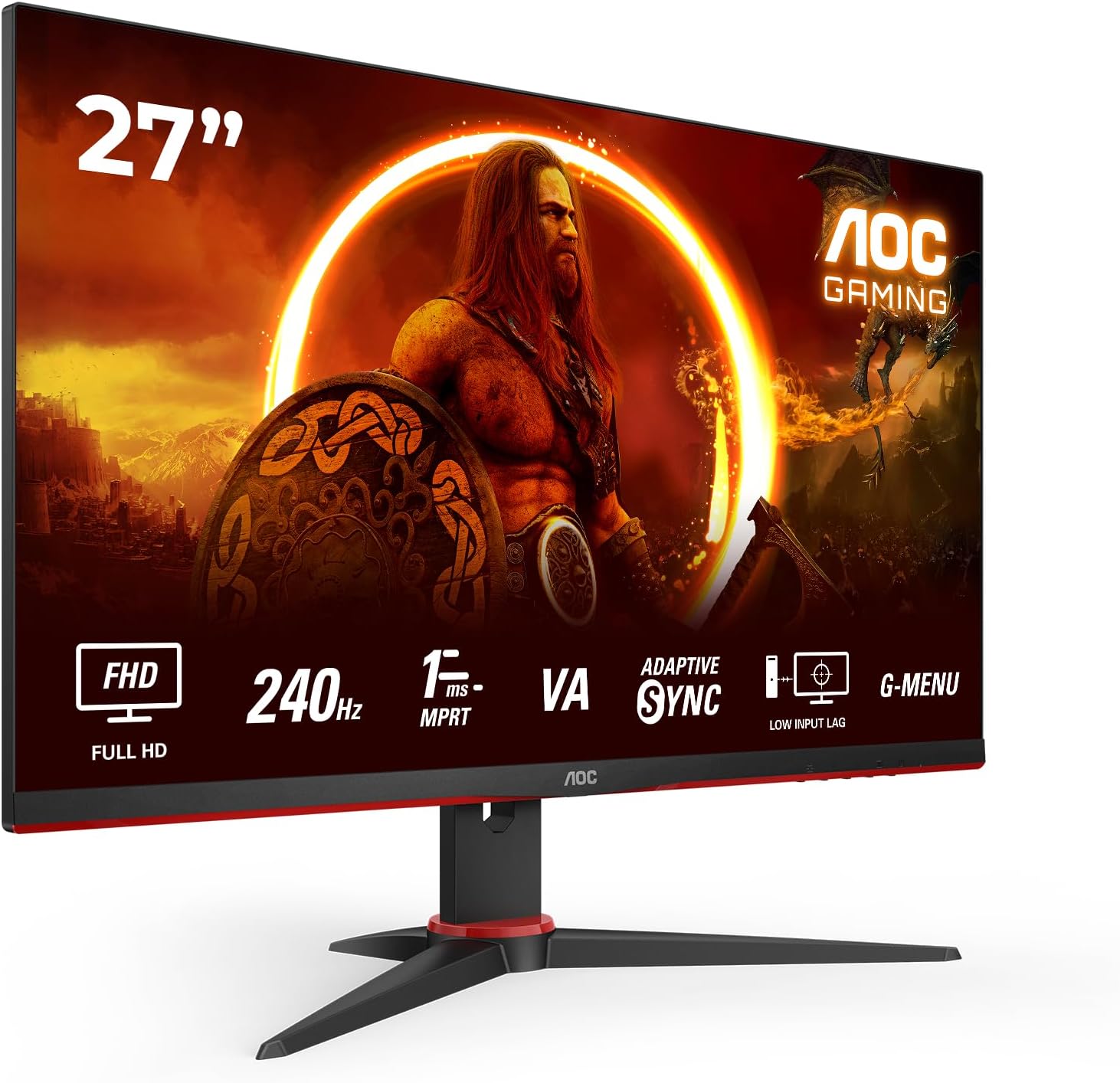
AOC Gaming 27G2ZNE/BK Analysis: 240Hz at a Sharp Price
My Honest Verdict
The AOC Gaming 27G2ZNE/BK is a straightforward proposition: a 27-inch, 1080p VA panel running at 240Hz, aimed squarely at competitive gamers who want high refresh rate without a painful outlay. It does what it says on the tin. The headline strength is that 240Hz refresh rate at this price tier — that’s genuinely rare, and buyers feel it immediately. The headline limitation is equally clear: 1080p on a 27-inch screen is a stretch, and the HDR10 badge on the box deserves a sceptical look.
In everyday use, 240Hz means noticeably smoother motion in fast-paced games — frame transitions that feel instant rather than lagged. The VA panel brings a 3000:1 contrast ratio, which means richer blacks than most IPS panels at this tier. The downside of VA is ghosting in fast motion — a few buyers here mention it, and it’s a known characteristic of the panel type, not a unit defect. The 0.5ms MPRT response figure is a marketing metric measured under specific conditions; real-world pixel response on a VA panel will lag that number, which is part of why some ghosting persists even at this refresh rate.
This is a monitor for someone getting into PC gaming or upgrading from a 60Hz or 75Hz screen who wants to feel the difference without spending serious money. If you’re colour-grading video, working with detailed visuals, or sitting at a competitive level where ghosting costs you frags, look at IPS panels instead. For everyone else stepping up to high refresh rate gaming on a budget — this is a solid choice.
See the current listing and availability for the AOC Gaming 27G2ZNE/BK on Amazon.

What It’s Best For
Competitive and casual FPS gaming. This is the obvious home for the AOC Gaming 27G2ZNE/BK. At 240Hz, motion in games like CS2, Valorant, or Overwatch 2 feels genuinely fluid — the kind of smoothness that you notice within the first ten minutes and can’t easily go back from. FreeSync Premium keeps tearing in check when your frame rate dips below the ceiling, which it will. One buyer specifically called this out as their go-to for FPS titles and confirmed the smooth refresh rate delivers. The built-in game presets for FPS, RTS, and racing are functional extras, though experienced players will likely dial in their own settings.
First-time PC gaming setups. If you’re building a first gaming rig or handing down a PC to someone who wants to actually use it for games, this monitor covers the essentials without overcompleting the spec sheet. Setup is reportedly straightforward — multiple buyers mention a near-instant assembly experience, with the stand clicking together cleanly. Two HDMI cables included out of the box is a small but welcome touch. The 3-year manufacturer warranty provides reassurance on a budget purchase that some similarly-priced options skip entirely.
Console gaming. With 2 x HDMI 2.0 ports, this pairs naturally with a PlayStation or Xbox setup. You won’t hit 240Hz from a console — they cap out well below that — but the screen’s fast response and contrast characteristics still make for a decent console experience. Worth noting the port situation before connecting multiple devices simultaneously.
The Specs That Really Matter
The panel type matters here more than AOC’s marketing copy suggests. This is a VA panel — and understanding what that means is worth a minute of your time before buying. VA panels sit between TN and IPS in terms of image quality. They offer significantly better contrast than IPS — the 3000:1 contrast ratio on this screen is real and you’ll notice it in darker game environments — but they carry a known trade-off in fast motion scenarios. Pixel response on VA panels isn’t as clean as IPS at equivalent refresh rates, which is where the ghosting some buyers mention comes from. It’s not a defect; it’s a characteristic. If you want more on how panel types affect what you see on screen, the panel types guide covers this properly.
The 240Hz refresh rate is the headline spec and it’s the right one to lead with. The jump from 60Hz to 240Hz is visible to almost everyone. The jump from 144Hz to 240Hz is more debated — most people can feel it in competitive gaming, fewer can in casual play. What’s not debatable is that having headroom above your average frame rate means smoother gameplay even when your GPU isn’t maxing out the ceiling. The relationship between refresh rate and response time is worth understanding if you’re making a buying decision at this tier. The 0.5ms MPRT figure is a motion blur reduction measurement, not a traditional GTG pixel response time — don’t treat it as equivalent.
Resolution at this screen size deserves a direct statement. 1920 x 1080 on a 27-inch screen produces a pixel density that some buyers will notice as slightly soft compared to 27-inch 1440p displays. If you sit close to your monitor — and one buyer here specifically flags this — 27-inch at 1080p can feel like you’re inside the screen in a way that isn’t always flattering. If you want more on how screen size and resolution interact, that’s worth reading before committing. For competitive gaming, pixel density matters less than reaction-speed specs; for general desktop use, it shows more.
The HDR10 label appears in the specs. Be clear-eyed about this: 300 cd/m² peak brightness doesn’t support HDR in any meaningful way. HDR content will technically display, but the monitor lacks the brightness range to do what HDR is supposed to do. Ignore the HDR feature entirely for buying purposes — this is not an HDR monitor in practice, only on paper. For proper HDR, you need VESA DisplayHDR 600 at a minimum. The monitor specs explained guide has a section on this if you want the full picture.
Connectivity is functional for this tier. 2 x HDMI 2.0 and 1 x DisplayPort 1.2 covers most setups. No USB-C, no Thunderbolt — standard for a gaming monitor at this price point. The connectivity guide is worth a check if you’re running multiple sources or need USB-C passthrough from a laptop.
Check the full spec sheet and buyer Q&As for the AOC Gaming 27G2ZNE/BK on Amazon.
What Buyers Are Saying
The AOC Gaming 27G2ZNE/BK carries a rating of 4.7 out of 5 from 830 customer reviews on Amazon — that’s a meaningful sample size and a notably high score for a budget gaming monitor. The feedback is largely consistent across UK and European buyers, and the themes align with what the spec sheet predicts.
The dominant praise is for the 240Hz refresh rate actually delivering what it promises. Multiple buyers describe the smoothness as immediately noticeable — not a marginal improvement but a step-change from lower refresh rate screens. One buyer with a March 2026 review specifically calls out how everything feels smoother straight away, noting reliable performance over extended use. That kind of long-term reliability feedback is more useful than first-impression reactions.
Value is the second consistent theme. Buyers across the UK, Ireland, Germany, Italy, and France all arrive at roughly the same conclusion: at this screen size and refresh rate, it’s hard to find anything cheaper that doesn’t compromise more. Felix Barber, who gave a measured 4-star review, put it plainly — if you want 240Hz without stepping up to a 24-inch display, options at this price are thin on the ground. The honest caveat in his review — that contrast isn’t great and ghosting exists — mirrors what the VA panel characteristics predict, and he frames it correctly: you’re not buying a £1000 OLED.
The ghosting and blurring note from FPS-focused buyers is the main recurring concern. Adam’s detailed review for CS2 and Valorant players acknowledges it directly and still recommends the monitor as a budget option — the caveat being that serious competitive players might want to save more for something with a faster IPS panel. That’s a fair and honest take, not a dealbreaker for the target audience. The screen size concern at close viewing distances also comes up, which is worth flagging if your desk setup has you sitting less than 60cm from the screen.
Buyer Highlights
“The 240Hz refresh rate makes a noticeable difference straight away, everything feels much smoother.” — A consistent reaction from buyers upgrading from 60Hz or 144Hz screens.
“It lives up to the specs and does everything it says on the tin — and at this price, it’s a bargain.” — Repeated across multiple reviews from buyers comparing options in the budget 240Hz market.
“Ghosting and blurring can occur, but if you’re looking for a cheap budget monitor, this is the one.” — Honest summary from an FPS gamer who still recommends it with caveats.
“They even include two HDMI cables — no dead pixels, everything works great.” — Out-of-box experience feedback from a buyer noting the included accessories.
“Really crystal clear image, great value.” — Recurring sentiment from buyers new to high refresh rate gaming monitors.

Worth Knowing Before You Buy
Ghosting on VA panels at high refresh rates is a known trade-off, not a surprise, and the AOC Gaming 27G2ZNE/BK doesn’t escape it. MPRT-based response time figures are measured with backlight strobing engaged, which reduces perceived motion blur but can affect brightness and introduce other artefacts. In normal use without MPRT mode active, fast-moving objects — especially in darker scenes — will show trailing on a VA panel at this price. It’s manageable for most gaming, less acceptable if you’re playing at a level where clarity in fast motion actually changes outcomes. If VA panel behaviour is something you want to understand more thoroughly before deciding, the monitor selection guide covers this by use case.
Stand adjustability is limited. The fixed stand offers no height adjustment or pivot — tilt only. If ergonomics matter to you, budget for a VESA arm; the monitor is wall-mount compatible. The OSD navigation is standard AOC fare — functional, not elegant. The G-Menu software for PC-side customisation is mentioned in the product description as a useful addition, though buyers don’t comment on it specifically. On the warranty front, the 3-year manufacturer warranty is a genuine positive here — this tier of monitor doesn’t always include it, and for a display you’re relying on daily, that matters. As of 2026, AOC’s warranty service in the UK has a reasonable reputation in the broader customer feedback record for their gaming range.
One more honest note: 1080p on a 27-inch panel is a pixel density that some people find perfectly fine and others find noticeably soft. It correlates strongly with viewing distance and the kind of content you’re looking at. Gaming tends to mask it; desktop text and fine detail work exposes it more. If you spend time with windows open, reading on screen, or doing any kind of design work, a 1440p display at this size would serve you noticeably better. For pure gaming, it’s a non-issue for most people. Check the monitor buying guide if you’re still deciding between this and a higher-resolution option.
View current stock and availability for the AOC Gaming 27G2ZNE/BK on Amazon.
Who Should Buy It (And Who Shouldn’t)
Buy If
- You’re upgrading from a 60Hz or 75Hz monitor and want to feel what high refresh rate gaming actually means — the jump to 240Hz is immediately perceptible and you’ll wonder why you waited.
- You play competitive FPS games like CS2 or Valorant and want smooth motion at a price point that doesn’t require saving for months — this hits that requirement directly.
- You want a 27-inch gaming display with FreeSync Premium and a genuine 3-year warranty without paying mid-range prices for specs you don’t need.
- You’re building a first gaming setup or buying a second monitor for a secondary station where you want high refresh rate without duplication of cost.
Avoid If
- You’re a serious competitive player where ghosting in fast dark scenes could genuinely affect your game — an IPS panel at 240Hz will serve you better here, and it’s worth the price difference.
- You use your monitor for productivity, design, colour-sensitive work, or significant amounts of desktop reading — 1080p at 27 inches shows its limits quickly in those contexts, and the VA colour accuracy isn’t suited to it.
- You sit very close to your monitor — under 60cm — and are sensitive to pixel density; one buyer specifically flags 27 inches as feeling overwhelming at close range at this resolution.
The Bottom Line
The AOC Gaming 27G2ZNE/BK is a monitor that knows what it is and delivers it cleanly. The 240Hz refresh rate is real, the price is competitive for this screen size and spec, and the 3000:1 VA contrast gives it richer blacks than most IPS rivals in the same bracket. The ghosting is a genuine caveat, the HDR label is functionally meaningless, and 1080p at 27-inch won’t please everyone. But for a first gaming monitor, an upgrade from a slow screen, or a straightforward setup where fast motion and smooth gameplay matter most — it earns its rating and its recommendation.
Find the AOC Gaming 27G2ZNE/BK on Amazon and see what other buyers are saying.
At The Monitor Expert, our approach is built on data transparency rather than simulated hands-on testing. We rigorously analyse official manufacturer specifications and aggregate verified customer sentiment to provide honest, straightforward buying advice that cuts through the marketing noise.
As an Amazon Associate, I earn from qualifying purchases.
Browse by Specification
Looking for something specific? Browse our analyses by hardware and feature below, or check all monitor analyses in the Gaming Monitors and Budget Monitors category archives.
[IPS Monitors] — [VA Monitors] — [TN Monitors] — [OLED Monitors]
Browse by Refresh Rate
[60Hz] — [75Hz] — [100Hz] — [120Hz] — [144Hz] — [165Hz] — [180Hz] — [200Hz] — [240Hz+] — [360Hz+]
Browse by Screen Size
[Small Screen] — [24-inch] — [27-inch] — [32-inch] — [Large Screen] — [Ultrawide]




