
Samsung LS32D396GAUXXU Analysis: Big Screen, Honest Limits
My Honest Verdict
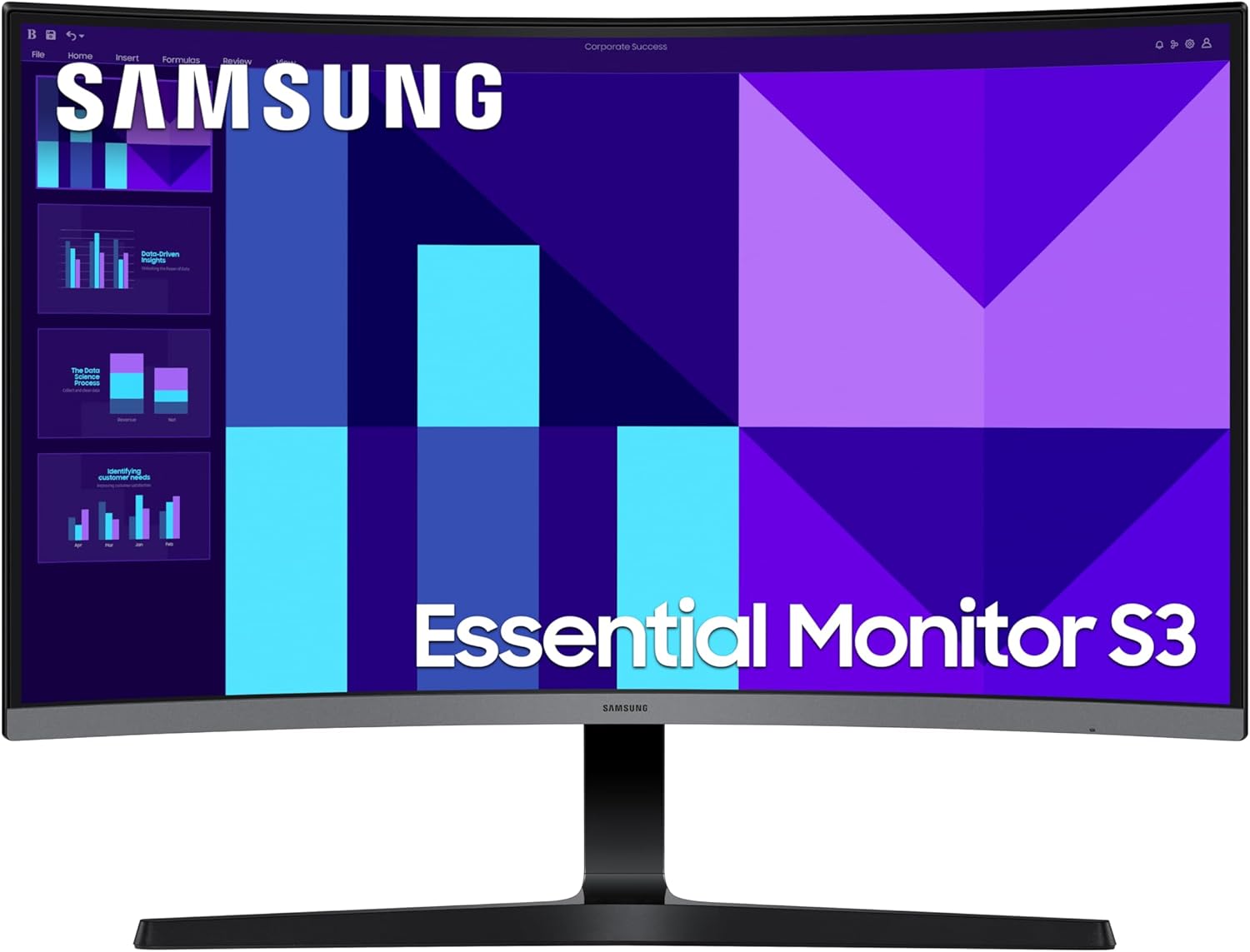
The Samsung LS32D396GAUXXU is a 32-inch, 1080p curved office and casual gaming monitor that does exactly what it says on the tin — and not much more. It’s a solid choice for someone who wants a large screen for everyday computing, light gaming, or a family setup, and doesn’t want to faff around with external speakers or complicated connectivity. The headline limitation is equally straightforward: at 1920×1080 resolution across a 32-inch panel, the pixel density is low enough that close-up text and fine detail will look softer than they would on a smaller or higher-resolution screen.
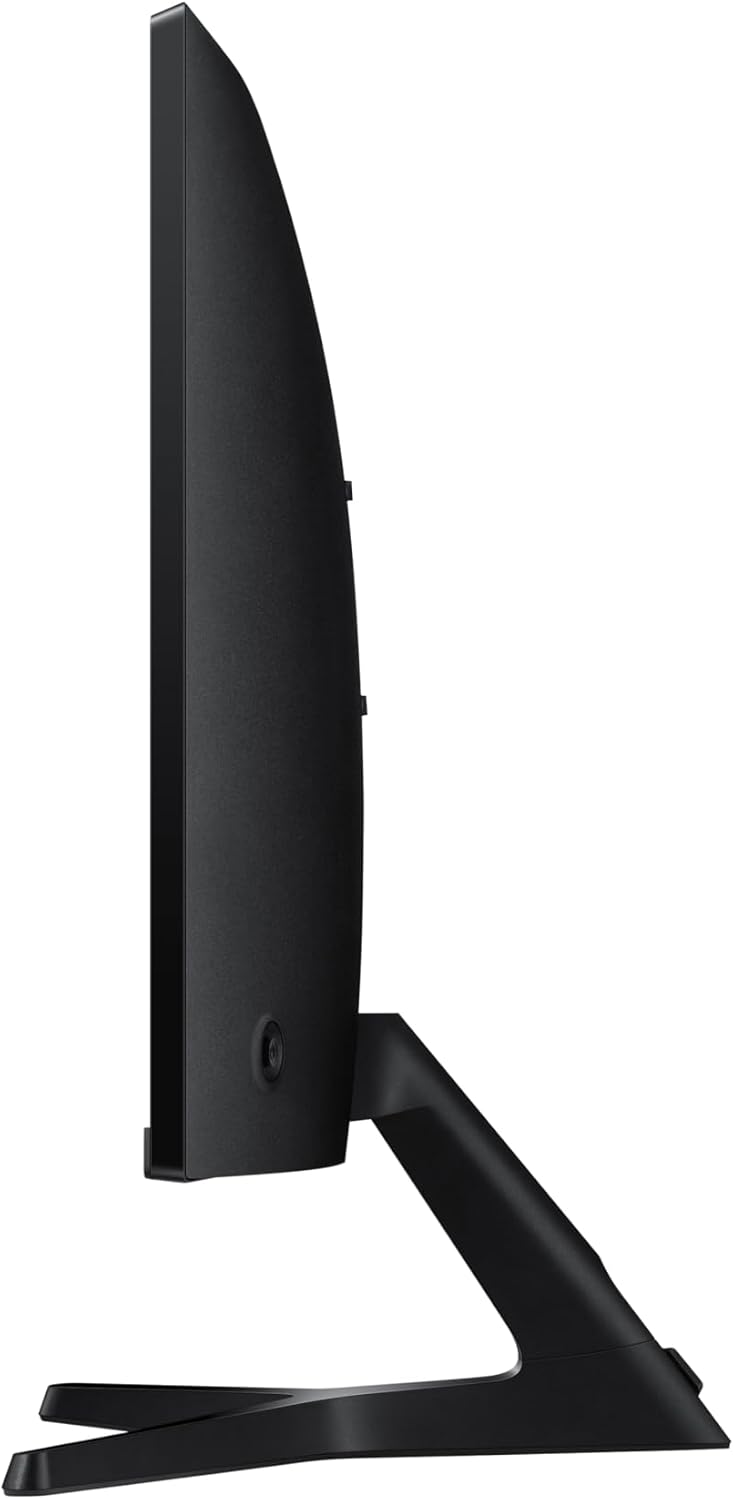
The VA panel delivers a 2000:1 contrast ratio, which is genuinely good — you’ll notice it immediately in darker scenes and moody content. The 100Hz refresh rate is a step above the budget baseline of 60Hz, which makes general use feel more fluid and gives light gaming a noticeable boost. The 1800R curve is tighter than average, wrapping more of the screen into your peripheral vision, which works well at this screen size for single-person use. What you won’t get is class-leading brightness at just 250 cd/m², which a couple of buyers flagged as too dim in bright room conditions.
This monitor is right for someone setting up a home desk, a kid’s gaming station, or a secondary workspace where budget and simplicity matter more than pixel-perfect sharpness. If you’re a competitive gamer who needs 144Hz and sub-millisecond response times, or a creative professional who needs accurate colour reproduction and high resolution, look elsewhere. But if you want a big, comfortable, curved screen with speakers included and easy setup — the Samsung LS32D396GAUXXU makes a genuine case for itself.
See the Samsung LS32D396GAUXXU listing and current availability on Amazon.
What It’s Best For
Everyday home and office use: This is where the Samsung LS32D396GAUXXU earns its keep most comfortably. The large 32-inch canvas gives you room to work across multiple windows without constantly resizing, and the 1800R curve reduces the need to pan your head across the screen — everything stays within a more natural arc of vision. For browsing, word processing, video calls, and spreadsheets, it’s a genuinely roomy and comfortable experience. The built-in speakers remove one cable and one device from your desk, which matters if your setup is already cluttered. They’re not going to fill a room, but for background audio and video calls they’re adequate — more on that in a moment. If you’re after a general-purpose home display that covers most daily tasks without a big setup overhead, this fits well.
Light and casual gaming: The 100Hz refresh rate and 4ms response time put this monitor in reasonable territory for casual and mid-pace gaming — think RPGs, open-world adventures, racing games, or a console session on the sofa-style setup. The VA panel’s high contrast brings out shadow detail and dark environments better than a budget IPS would, and the Game Mode colour adjustment gives you a quick way to lift visibility in dark scenes. G-Sync Compatible adaptive sync is also listed, which helps with screen tearing if your GPU output fluctuates. It’s not a competitive gaming monitor — the 100Hz ceiling and 4ms response time won’t satisfy anyone chasing frames in ranked play — but for a parent buying a gaming monitor for a teenager, or someone who plays casually after work, it’s well-suited.
Home media and content consumption: The 2000:1 contrast ratio is where the VA panel genuinely shines for movie watching. Blacks are properly dark rather than the washed-out grey you’d see on budget IPS panels, which makes a real difference in dimly lit scenes. The curve adds to the cinematic feel at this screen size. The 16:9 aspect ratio means standard video content fills the screen without letterboxing. If your living room or bedroom setup needs a monitor that doubles as a media screen, the Samsung LS32D396GAUXXU handles that role well — especially at the price point this sits at.
The Specs That Really Matter
The panel type here is VA, and that’s the single most important spec to understand before buying. VA panels sit between TN and IPS in most respects, but their standout advantage is contrast — the 2000:1 contrast ratio on this monitor is roughly double what a typical budget IPS delivers. That means noticeably deeper blacks and richer dark scenes. The trade-off is that VA panels can show some colour shift when viewed from sharp off-axis angles, and they can exhibit a “black smear” artefact in very fast motion. For the target use cases here — office work, casual gaming, media — neither of those is a serious problem. For a full breakdown of what panel type means in practice, the panel types guide covers it properly.
Resolution and screen size interact directly, and at 1920×1080 on a 32-inch panel the pixel density lands at roughly 69 PPI. That’s noticeably softer than a 27-inch 1080p panel, and significantly softer than a 32-inch 1440p screen. Whether that matters depends on how close you sit. At a metre or more, most people won’t actively notice it — it just looks like a big screen. Under 70cm and doing text-heavy work, the softness becomes apparent. Worth being honest about: if sharp text is important to you, this isn’t the strongest candidate at this size. The size and resolution guide explains that relationship in more depth.
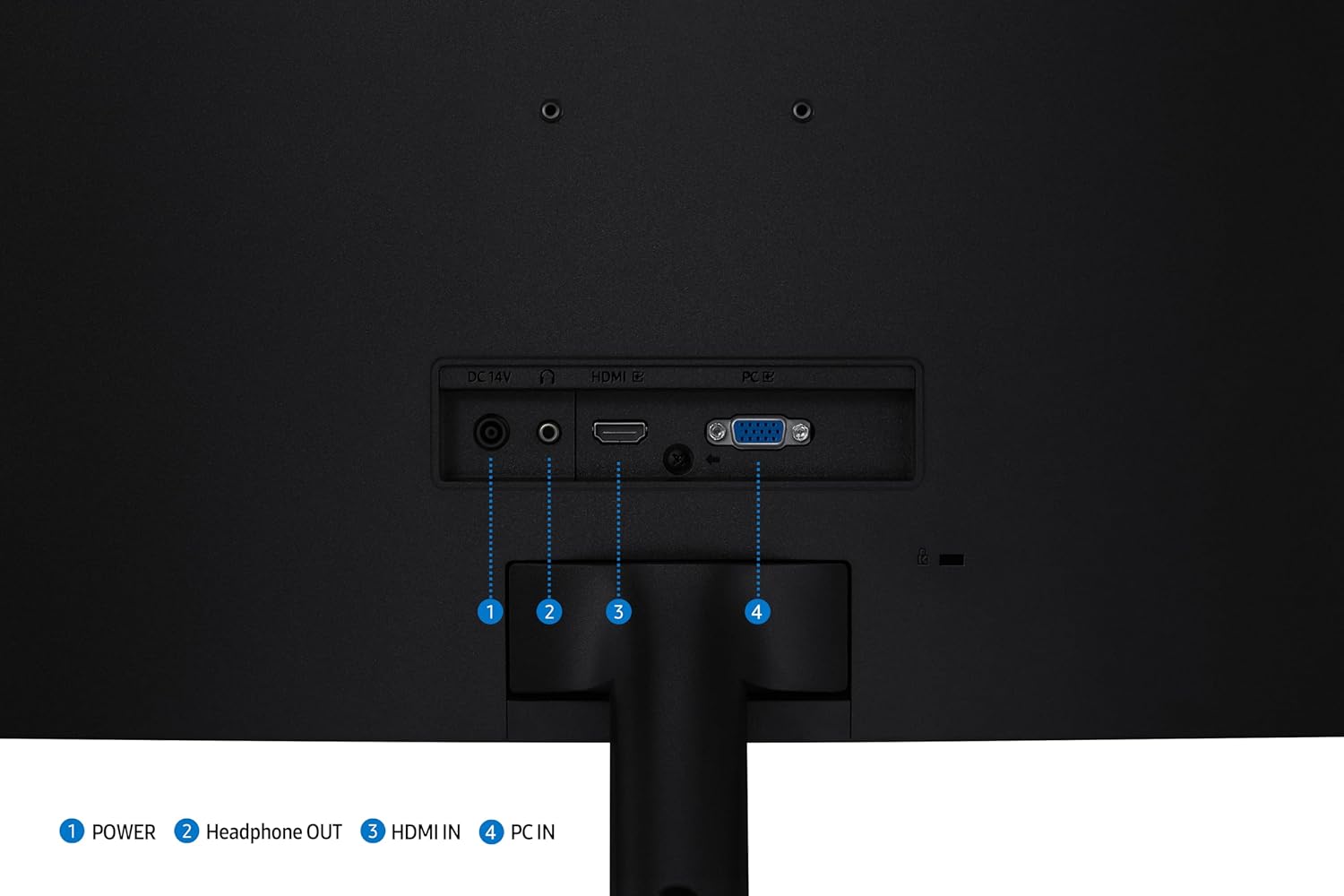
The 100Hz refresh rate is a genuine step up from 60Hz — everyday cursor movement and scrolling feel smoother, and light gaming is more comfortable. It’s not the 144Hz floor that dedicated gaming monitors tend to start at, but for the audience this monitor is aimed at, it’s more than adequate. The listed 4ms response time is reasonable for this use case. Understanding how refresh rate and response time interact is useful here — the short version is that 4ms at 100Hz is fine for casual gaming and general use, but not where you want to be if competitive shooters are a priority. Connectivity is limited to one HDMI port and a D-Sub (VGA) port — no DisplayPort. For most home setups that’s fine, but if you’re running dual inputs simultaneously via modern connectors, the port selection is worth factoring in. The connectivity guide covers what different port standards actually give you. Brightness at 250 cd/m² is on the lower end for 2026 standards — adequate in a typical room but potentially insufficient in a sun-facing space. Worth knowing if your desk gets direct light.
Check the full spec sheet and buyer Q&As for the Samsung LS32D396GAUXXU on Amazon.
What Buyers Are Saying
The Samsung LS32D396GAUXXU holds a 4.4 out of 5 rating from 110 customer reviews. That’s a reasonably sized sample for a monitor at this tier, and the sentiment is broadly consistent — most buyers are happy with the purchase, and the complaints are specific rather than structural.
The dominant theme in positive feedback is straightforward satisfaction: good picture quality, easy setup, and strong value for the screen size. Gaming use cases feature prominently — multiple buyers picked this up specifically for console or PC gaming and found it did the job well. One buyer notes it’s working well for a son’s gaming setup, which tracks with the casual gaming audience this monitor suits. The curve and overall build quality draw positive mentions, with one buyer describing it as a “modern designed bit of tech.” Office buyers, including at least one working-from-home reviewer in Germany, highlight the visual quality as good for productivity work at a reasonable price.
The recurring complaint — and it’s worth flagging clearly — is the built-in speakers. Multiple buyers across different countries mention the speaker volume and output as disappointingly weak. One buyer found them so inadequate they added a separate sound system. This is a known characteristic of built-in monitor speakers generally, but the feedback here is consistent enough to suggest these are particularly modest even by that standard. The second notable complaint is brightness: one buyer returned the monitor specifically because the 250 cd/m² peak brightness was insufficient for their environment, even at maximum settings with Eye Saver Mode disabled. That’s a single data point, but it’s specific enough to be useful if your space gets significant ambient light.
Buyer Highlights
“Love this monitor — picture quality is great and it’s easy to set up, great for gaming.” — A common reaction from buyers using the Samsung LS32D396GAUXXU for casual gaming sessions.
“The sound was much too low — I had to add a separate sound system to compensate.” — A recurring theme across multiple reviews; the built-in speakers are not a replacement for dedicated audio.
“Found the screen a bit too dim for my ageing eyes, even on max brightness.” — One buyer returned the monitor for this reason; worth considering if your room is brightly lit.
“Good value for money, works perfectly for my son’s gaming.” — Typical sentiment from buyers picking this up as a family or younger-user gaming monitor.
“Great for working from home — high quality for office work at a reasonable price.” — Feedback from buyers using it primarily for productivity rather than gaming.
Worth Knowing Before You Buy
The speaker situation deserves more than a passing mention. Samsung lists built-in speakers as a feature, and technically that’s accurate — they exist and they produce sound. But the buyer feedback is consistent enough to treat them as supplementary rather than primary audio. If you’re buying this partly to avoid needing external speakers, that expectation should be adjusted. They’ll handle a video call or background music at low volume, but anything louder than that and you’ll want a separate solution. If audio is genuinely important to your setup, budget for a soundbar or a small desktop speaker alongside this. The monitor itself is otherwise well-regarded for build and ease of use, so this isn’t a reason to avoid it — just a reason not to buy it specifically for the speakers.
On brightness: 250 cd/m² is workable in a controlled environment but sits at the lower end of what’s available at this screen size and tier. If your desk is near a window or receives direct sunlight at any point in the day, the image can look washed out. The Eye Saver Mode reduces brightness further, so that should be switched off if you’re already finding the screen dim. Stand adjustability is worth checking against your setup needs — the listing doesn’t specify tilt-only or height-adjustable options, and at this tier it’s common to find tilt-only stands. If ergonomics matter to you, a monitor arm is a low-cost fix that resolves most stand limitations. The monitor buying guide covers ergonomics and stand types if you want to think that through properly. The two-year manufacturer warranty is the standard Samsung offer and broadly reassuring.
One port selection note: connectivity here is HDMI and VGA only. No DisplayPort, no USB-C, no USB hub. For most home users connecting a single PC or console this is fine. If you’re running a laptop that only has USB-C or DisplayPort out, you’ll need an adapter — worth checking your device’s outputs before ordering.
View current stock and delivery options for the Samsung LS32D396GAUXXU on Amazon.
Who Should Buy It (And Who Shouldn’t)
Buy If
- You want a large curved screen for general home use — browsing, video, light office work — and don’t need high pixel density or colour-critical accuracy.
- You’re setting up a casual gaming station, particularly for console gaming or younger users, and the step up to 100Hz from a standard 60Hz display is a meaningful improvement on what you’re replacing.
- You want built-in speakers for convenience and understand they’re supplementary rather than high-quality audio — useful for keeping the desk tidy and handling calls without extra hardware.
- You’re in a room with controlled lighting where 250 cd/m² brightness won’t be a limiting factor, and you want the contrast benefit of a VA panel for darker content and evening viewing.
Avoid If
- Sharp text and high pixel density matter to you — at 1080p across 32 inches, fine detail and fonts will look noticeably softer than on a higher-resolution panel or a smaller screen at the same resolution. A 1440p panel at this size is the upgrade to consider.
- Your desk receives significant natural light or you prefer working with overhead lighting — the 250 cd/m² peak brightness has already caused one buyer to return the unit, and that’s a real risk in a bright environment.
- You’re a serious gamer who needs 144Hz or above and a response time measured in fractions of a millisecond — this monitor is not built for that use case and you’d notice the ceiling quickly.
The Bottom Line
The Samsung LS32D396GAUXXU is a straightforward, well-priced curved monitor that delivers on the basics without overcomplicating things. The VA panel’s 2000:1 contrast ratio is a genuine strength, the 100Hz refresh rate makes daily use feel smooth, and the 32-inch screen gives you room to breathe. The built-in speakers are weaker than the marketing implies, the brightness ceiling is modest, and the pixel density at 1080p is a known trade-off at this size — but none of that makes it a bad monitor. It makes it the right monitor for a specific buyer. If that buyer is you, it’s a solid, unfussy choice from a brand that has always been reliable at this tier.
The Samsung LS32D396GAUXXU is available on Amazon — see the current listing for full details.
At The Monitor Expert, our approach is built on data transparency rather than simulated hands-on testing. We rigorously analyse official manufacturer specifications and aggregate verified customer sentiment to provide honest, straightforward buying advice that cuts through the marketing noise.
As an Amazon Associate, I earn from qualifying purchases.
Browse by Specification
Looking for something specific? Browse our analyses by hardware and feature below, or check all monitor analyses in the Office Monitors and Budget Monitors category archives.
[IPS Monitors] — [VA Monitors] — [TN Monitors] — [OLED Monitors]
Browse by Refresh Rate
[60Hz] — [75Hz] — [100Hz] — [120Hz] — [144Hz] — [165Hz] — [180Hz] — [200Hz] — [240Hz+] — [360Hz+]
Browse by Screen Size
[Small Screen] — [24-inch] — [27-inch] — [32-inch] — [Large Screen] — [Ultrawide]




