
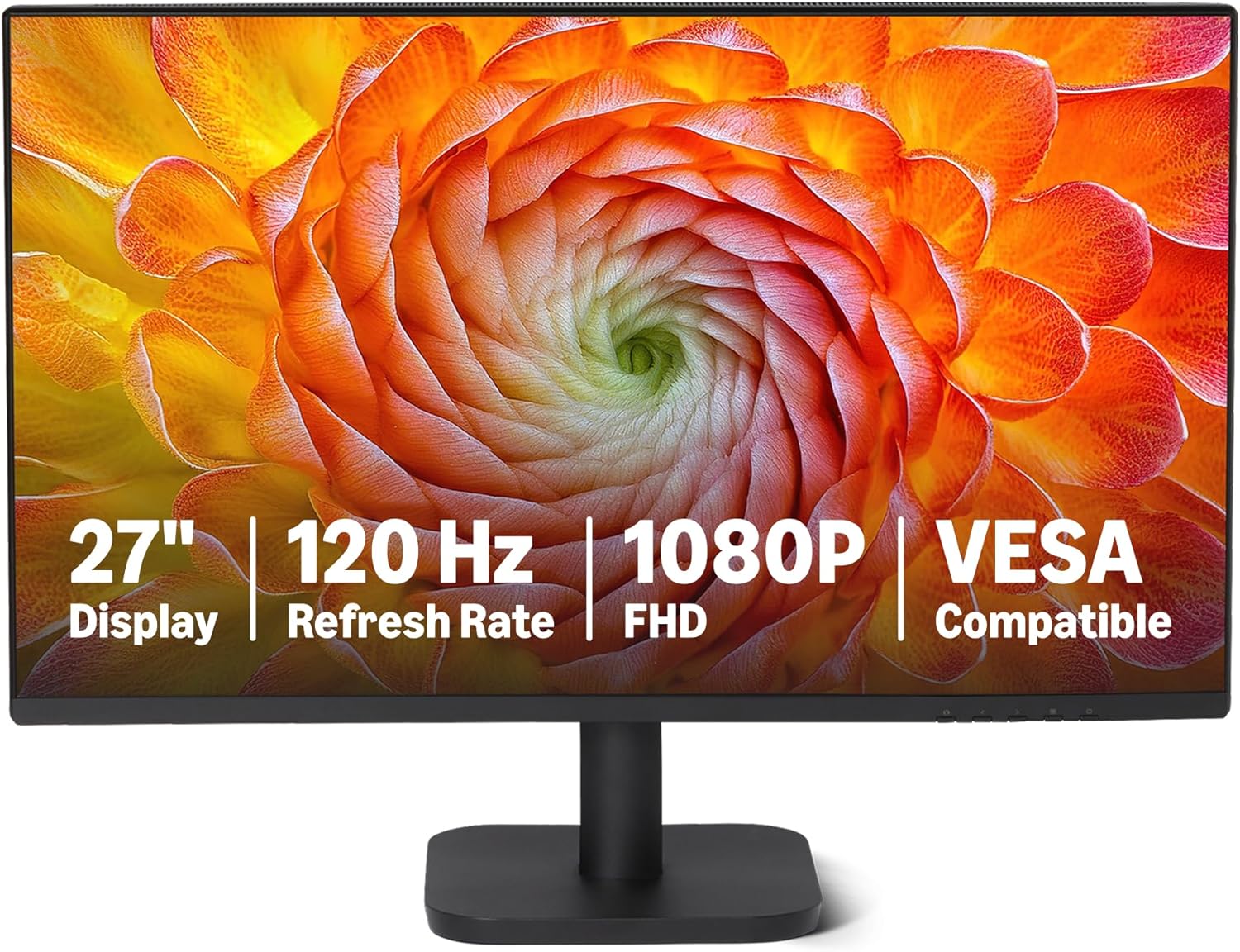
Amazon Basics 27-inch Monitor 120Hz FHD Analysis: No Fuss, No Fluff
My Honest Verdict
The Amazon Basics 27-inch Monitor 120Hz FHD is a no-nonsense office and home screen that does exactly what it says on the tin. It’s a 27-inch IPS panel running at 1920×1080 with a 120Hz refresh rate, and at this end of the market that combination is genuinely hard to argue with. The headline limitation is also straightforward: 1080p at 27 inches gives you a pixel density that won’t satisfy anyone who works closely with text or fine detail for hours at a time. But for a second screen, a console display, or a home desk setup where you’re not pixel-peeping, it earns its place.
In everyday use, 120Hz means noticeably smoother scrolling and cursor movement compared to the 60Hz screens still common at this price tier — it’s a real-world difference, not a spec sheet boast. The IPS panel means wide 178-degree viewing angles and decent colour reproduction with 99% sRGB coverage, so colours won’t shift dramatically when you’re not sitting dead centre. The 1500:1 contrast ratio is a bold claim for IPS — worth flagging that most IPS panels land closer to 1000:1 in practice, so treat that figure with mild scepticism. The 14ms response time is on the slower side, which matters for competitive gaming but is entirely fine for office work, media, and casual console play.
This is the right monitor if you want a clean, functional screen for home or office use without overthinking it. If you need sharp text density for professional work, or you’re a serious gamer who’ll be chasing frames above 120Hz, look at something higher-res or purpose-built for gaming. For everyone else — second monitors, home desks, console setups, budget first builds — the Amazon Basics 27-inch Monitor 120Hz FHD is a genuinely sensible choice.
See the current listing and availability for the Amazon Basics 27-inch Monitor 120Hz FHD on Amazon.

What It’s Best For
Second Monitor and Home Desk Setups
This is where the Amazon Basics 27-inch Monitor 120Hz FHD genuinely shines. The four-sided narrow bezel keeps things tidy when it’s sitting alongside another screen, and the lightweight 3.9kg frame means repositioning it isn’t a production. Multiple buyers specifically bought this as a second display, and the feedback is consistent: it does the job without fuss. You get a decent-sized canvas for email, reference windows, or browser tabs, and the IPS panel means colours stay readable even when you’re glancing at it from a slight angle.
Console Gaming
One buyer connected a PS5 and immediately got it running at 120Hz — which is exactly what this screen is built for. Console players who want to take advantage of 120fps output from a PlayStation 5 or Xbox Series X need a display that actually supports it, and a lot of budget monitors top out at 60Hz. The HDMI 1.4 port does limit you here — HDMI 1.4 maxes out at 1080p at 120Hz, which is fine for this resolution, but worth knowing if you plan to upgrade consoles in future. For current-gen console gaming at 1080p, this hits the mark. If you want to understand how refresh rate and response time interact for gaming, the refresh rate and response time guide is worth a read before deciding.
Office and Productivity Work
The matte screen finish is the unsung hero here for office use — it cuts reflections from overhead lighting without any fiddling. Combined with the built-in Low Blue Light and Flicker-Free features, it’s a screen you can sit in front of for a full working day without your eyes staging a protest by mid-afternoon. The 99% sRGB coverage is fine for everyday document and web work. If you’re doing colour-graded photography or print design professionally, this isn’t the right panel — but for standard office tasks it handles everything you’d throw at it.
The Specs That Really Matter
The IPS panel is the right choice at this price point for most buyers. Compared to TN alternatives you still see at budget tier, IPS gives you far better colour consistency and those wide 178-degree viewing angles — useful if you have a monitor off to one side or you’re sharing a screen with someone. The trade-off is that IPS panels typically have less punchy contrast than VA panels, which is why the 1500:1 stated contrast ratio should be treated as aspirational marketing rather than guaranteed measured performance. For a fuller breakdown of what panel type actually means for your buying decision, that’s worth checking separately.
The 120Hz refresh rate is meaningful at this price. You’ll feel it in smoother window animations, more responsive cursor movement, and noticeably less blur during fast motion in games or video. The step from 60Hz to 120Hz is genuinely visible to most people — far more so than the marginal gap between 144Hz and 165Hz that higher-end gaming monitors argue over. Adaptive Sync is included, which helps eliminate screen tearing when your frame rate fluctuates. As we move into 2026, 120Hz IPS panels at this screen size are becoming the expected baseline rather than a selling point — and this monitor lands squarely in that territory.
The 14ms response time is the spec that requires the most honest framing. For office use, streaming, and casual gaming it’s irrelevant — you won’t notice it. For competitive first-person shooters where fast motion clarity matters, it’s a genuine limitation. Serious gamers should be looking at monitors with faster pixel response. Connectivity covers HDMI 1.4, DisplayPort 1.2, and VGA — a wide enough spread to cover most devices. The VGA inclusion is either useful (older machines, certain KVM switches) or irrelevant depending on your setup. Worth noting the DisplayPort 1.2 connection will serve PC users better than HDMI 1.4 for driving 120Hz reliably. If you want to understand which cable and port combination to use, the monitor connectivity guide has the detail.
The built-in 2W×2 speakers are there if you need them. They won’t replace a decent pair of headphones or desktop speakers, but for video calls or background audio they function. The 3.5mm audio-out jack lets you bypass them entirely when needed. Resolution and screen size is a topic worth addressing directly — at 27 inches and 1920×1080, pixel density is around 82 PPI, which is noticeably softer than a 1440p panel at the same size. For the right context on whether that gap matters for your use case, the display size and resolution page breaks it down without jargon.
Check the full spec sheet and buyer Q&As for the Amazon Basics 27-inch Monitor 120Hz FHD on Amazon.
What Buyers Are Saying
The Amazon Basics 27-inch Monitor 120Hz FHD currently holds a rating of 4.9 out of 5 from 43 reviews on Amazon UK. That’s a high score, though 43 reviews is still a relatively modest sample — enough to identify clear patterns, but not so large that outliers have been averaged away. All reviews in the current dataset are five stars, which is unusual enough to flag: early buyers may skew enthusiastic, and the pool will likely diversify as volume grows. That said, the praise themes are specific and credible rather than vague, which adds weight.
The dominant theme is value — buyers repeatedly note the display quality feels disproportionate to the cost. Several mention it as a second monitor, and the consensus is that it slots in cleanly alongside an existing screen. Console users appear in the reviews too, with at least one buyer specifically noting the PS5 running smoothly at 120Hz after a simple plug-in setup. The ease of setup is mentioned across multiple reviews — this isn’t a monitor that requires driver hunting or display settings archaeology to get running. One buyer did note that colours are more muted than vivid, which is consistent with what you’d expect from a budget IPS panel without aggressive factory calibration — not a fault, just honest.
The one practical complaint worth flagging: the stand only offers tilt adjustment, no height or swivel. One buyer specifically wished for a height adjuster. That’s a real ergonomic limitation if you’re planning to use this at a desk for long stretches and you’re not at the ideal eye height. A monitor arm solves it, but that’s an additional cost to factor in. If you want broader buying guidance before committing, the monitor buying guide covers what to check before you spend.
Buyer Highlights
“Was apprehensive about an Amazon basic monitor but couldn’t have been more wrong — very impressive display for the price.” — A recurring reaction from buyers who expected less and got more.
“Literally five seconds to set up and my PS5 went from 60fps to 120fps straight away.” — Console buyers consistently highlight how painless the setup process is.
“Don’t expect deep and rich colours, but for the price it’s fantastic.” — An honest assessment that sets accurate expectations for a budget IPS panel.
“Works perfectly as a screen for my laptop doing complicated and detailed map work — it looks expensive.” — Buyers using this as a laptop extension report it holds up well for focused professional tasks.
“Colours are muted so easy on my eyes — I was able to adjust them easily and it’s great value for money.” — The matte finish and adjustable colour settings get consistent praise from buyers who prefer a calmer screen.

Worth Knowing Before You Buy
The stand is tilt-only — no height adjustment, no swivel, no pivot. That’s normal at this tier, but it’s not something to discover after delivery. If your desk height puts the monitor above or below eye level, you’ll want either a monitor arm or a physical riser under the base. The VESA compatibility means mounting arms work fine with this screen, which is the cleaner long-term solution if ergonomics matter to your setup. For anyone spending significant hours at a desk, it’s worth factoring that into the total cost. If you’re unsure what monitor setup suits your working style, the how to choose a monitor guide covers the ergonomic considerations alongside the usual spec questions.
The HDMI 1.4 port is worth understanding before you connect anything. It supports 1080p at 120Hz, which is exactly what this monitor needs — so for current use it’s fine. But HDMI 1.4 won’t carry higher resolutions at high refresh rates if you ever swap this screen for a 1440p or 4K display. For PC users specifically, the DisplayPort 1.2 connection is the more future-aware choice and the one to use if your GPU supports it. The macOS HiDPI scaling note in the product listing is also worth taking seriously if you’re connecting a Mac — the manufacturer flags it directly, so follow the setup instructions before assuming the display isn’t working correctly.
The 14ms response time figure deserves a brief mention in this context. It won’t cause problems for office work or casual gaming, but anyone playing fast-paced competitive titles — think fast-twitch shooters — will notice ghosting during rapid movement. That’s not a flaw for the monitor’s intended audience, but it’s a genuine reason to look elsewhere if that description fits your gaming habits. The monitor specs explained page has a plain-English breakdown of what response time figures actually mean in practice.
Check current stock and availability for the Amazon Basics 27-inch Monitor 120Hz FHD on Amazon.
Who Should Buy It (And Who Shouldn’t)
Buy If
- You want a second monitor for a home or office desk and don’t need the pixel density of a 1440p panel — the 27-inch IPS panel at 120Hz gives you a noticeably smoother experience than most budget second screens.
- You’re connecting a PS5 or Xbox Series X and want to use 120fps output — HDMI 1.4 at 1080p supports it, and buyers report the setup is genuinely plug-and-play.
- You’re building a first PC setup or upgrading from a very old display — the jump from a 60Hz screen to 120Hz is immediately perceptible, and the 99% sRGB coverage and matte finish make this a comfortable all-day screen.
- You want VESA compatibility for a monitor arm — the stand is tilt-only, but the VESA mount means you can sort the ergonomics properly without replacing the screen.
Avoid If
- You work closely with text, fine detail, or image editing for extended periods — 1080p at 27 inches produces around 82 PPI, which is noticeably softer than a 1440p panel at the same size and will cause eye fatigue for precision work.
- You play fast-paced competitive games where motion clarity is a priority — the 14ms response time means ghosting in rapid movement, and purpose-built gaming monitors at this size offer significantly faster pixel response.
- You need reliable 120Hz output from a newer console over HDMI at any resolution above 1080p — HDMI 1.4 is the ceiling here, and it is a real constraint if your setup evolves.
The Bottom Line
The Amazon Basics 27-inch Monitor 120Hz FHD doesn’t pretend to be something it isn’t. It’s a 27-inch IPS screen at 1080p with a 120Hz refresh rate, honest port selection, and a price that reflects all of that accurately. For second screens, console setups, home desks, and anyone stepping up from a 60Hz display for the first time, it delivers where it counts. The stand is basic, the pixel density is what it is, and the response time rules out serious gaming — but none of that changes what this monitor is genuinely good at. If your needs match its strengths, it’s a straightforward yes.
View the Amazon Basics 27-inch Monitor 120Hz FHD listing and buyer questions on Amazon.
At The Monitor Expert, our approach is built on data transparency rather than simulated hands-on testing. We rigorously analyse official manufacturer specifications and aggregate verified customer sentiment to provide honest, straightforward buying advice that cuts through the marketing noise.
As an Amazon Associate, I earn from qualifying purchases.
Browse by Specification
Looking for something specific? Browse our analyses by hardware and feature below, or check all monitor analyses in the Office Monitors and Budget Monitors category archives.
[IPS Monitors] — [VA Monitors] — [TN Monitors] — [OLED Monitors]
Browse by Refresh Rate
[60Hz] — [75Hz] — [100Hz] — [120Hz] — [144Hz] — [165Hz] — [180Hz] — [200Hz] — [240Hz+] — [360Hz+]
Browse by Screen Size
[Small Screen] — [24-inch] — [27-inch] — [32-inch] — [Large Screen] — [Ultrawide]




