
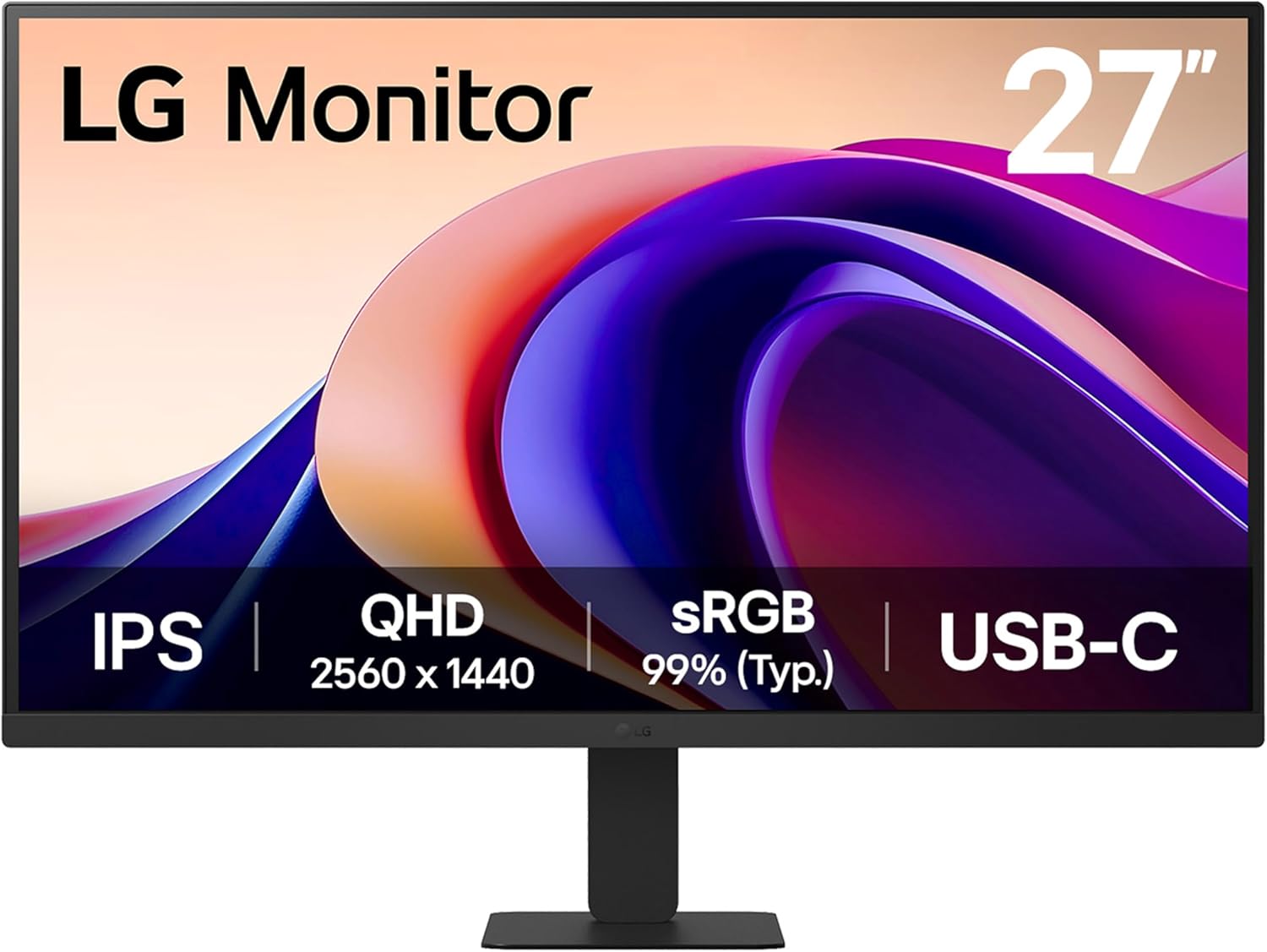
LG 27U631A Analysis: QHD IPS Without the Fuss
My Honest Verdict
The LG 27U631A is a straightforward, well-specced office and productivity monitor that earns its place without any drama. QHD resolution on a 27-inch IPS panel is the sweet spot for desk work and general use — sharp enough to make a visible difference over 1080p, wide enough to feel genuinely spacious. The LG 27U631A 27-inch QHD does what it needs to do, and does it without the usual budget-monitor compromises on colour quality.
In everyday use, 2560 x 1440 at this screen size gives you noticeably crisper text and images than a full HD panel at the same size — desktop icons, browser text, spreadsheet columns, all tighter and easier on the eye. The IPS panel means colours stay consistent whether you’re sitting dead-centre or glancing from an angle, which matters more than most people realise in a multi-person office setup or even just when you’re not sitting perfectly upright. The 100Hz refresh rate is a modest but real step up from the 60Hz that most office monitors ship with — scrolling feels smoother, UI animations are noticeably less choppy.
This is the right monitor for someone who wants a clean, colour-accurate screen for work, streaming, or light gaming, and doesn’t need a feature-heavy spec list. It is not the right choice if you need height adjustment in the stand, multiple HDMI inputs, or USB-C power delivery capable of keeping a MacBook Pro charged while you work. Those are the three gaps that will matter to some buyers, and they’re worth knowing upfront.
See the LG 27U631A listing and current availability on Amazon.

What It’s Best For
Office and Productivity Work. This is where the LG 27U631A 27-inch QHD genuinely earns its keep. The jump from a 24-inch 1080p screen to a 27-inch QHD is one of the more noticeable upgrades you can make to a desk setup — more pixels, more screen real estate, less time scrolling through documents. The 99% sRGB coverage means colour rendition is honest and accurate, not saturated or washed out. Reader Mode and Flicker Safe are useful additions for long working days rather than just checkbox features — reducing eye fatigue over a full working session is a real benefit, not marketing fluff. If your work involves spreadsheets, documents, design comps, or multi-window tasking, this screen is well-suited.
Home Streaming and Media. A QHD IPS panel with wide colour coverage looks noticeably better for Netflix, YouTube, and general media than a budget 1080p VA screen. The 178-degree viewing angle means the image holds up well if you’re watching from slightly off-centre, which is common in living room or bedroom setups. The matte screen finish is genuinely helpful for rooms with ambient light — it kills reflections without killing contrast the way a cheap anti-glare coating sometimes does.
Light Gaming. The LG 27U631A won’t win a spec-sheet battle against a dedicated gaming monitor, but it’s not embarrassing either. 100Hz with FreeSync adaptive sync gives you tear-free gameplay with compatible AMD or Intel graphics. 5ms response time is fine for casual and mid-level gaming — racing games, RPGs, strategy titles, even most shooters at this level will feel smooth. The Dynamic Action Sync feature reduces input lag, which makes a genuine difference even if you can’t measure it directly. For anyone who games occasionally rather than competitively, this handles it without complaint. If you need to understand how which type of monitor suits your use case, there’s a useful breakdown worth reading before committing.
The Specs That Really Matter
The IPS panel is the headline spec that separates this from cheaper alternatives. IPS gives you accurate colour reproduction across the full screen and consistent brightness at wide viewing angles — qualities that matter in colour-sensitive work and everyday desktop use alike. The 99% sRGB coverage is a meaningful figure at this price tier. Most budget monitors hit around 72% NTSC or low-80s sRGB, which means colours appear duller and less accurate. This one doesn’t have that problem. If you want more context on IPS versus other panel types, it’s worth five minutes of your time before buying.
Resolution and screen size are closely linked, and the 2560 x 1440 resolution at 27 inches is a genuinely good pairing. The pixel density lands at around 109 PPI — dense enough for crisp text without needing to scale the display. By comparison, 1080p at 27 inches starts to look a bit soft up close. This is one of those specs where the difference is immediately obvious rather than something you have to look for. In 2026, most buyers have seen enough QHD screens to know the jump is real. For a deeper look at how screen size and resolution interact, that’s covered in detail separately.
The 100Hz refresh rate deserves a word of honest context. It’s not a gaming-grade figure, but it’s a clear step up from 60Hz for everyday desktop use. The difference in UI smoothness — particularly scrolling and window dragging — is more noticeable than the marketing implies. Pair that with FreeSync adaptive sync, and you get tear-free output even when frame rates fluctuate during gaming. The 5ms response time sits comfortably in the acceptable range for this class of monitor. It won’t match a 1ms TN or OLED panel, but the target audience here isn’t competitive esports. Anyone wanting to understand the real-world difference between refresh rate and response time figures should check that out before fixating on the numbers.
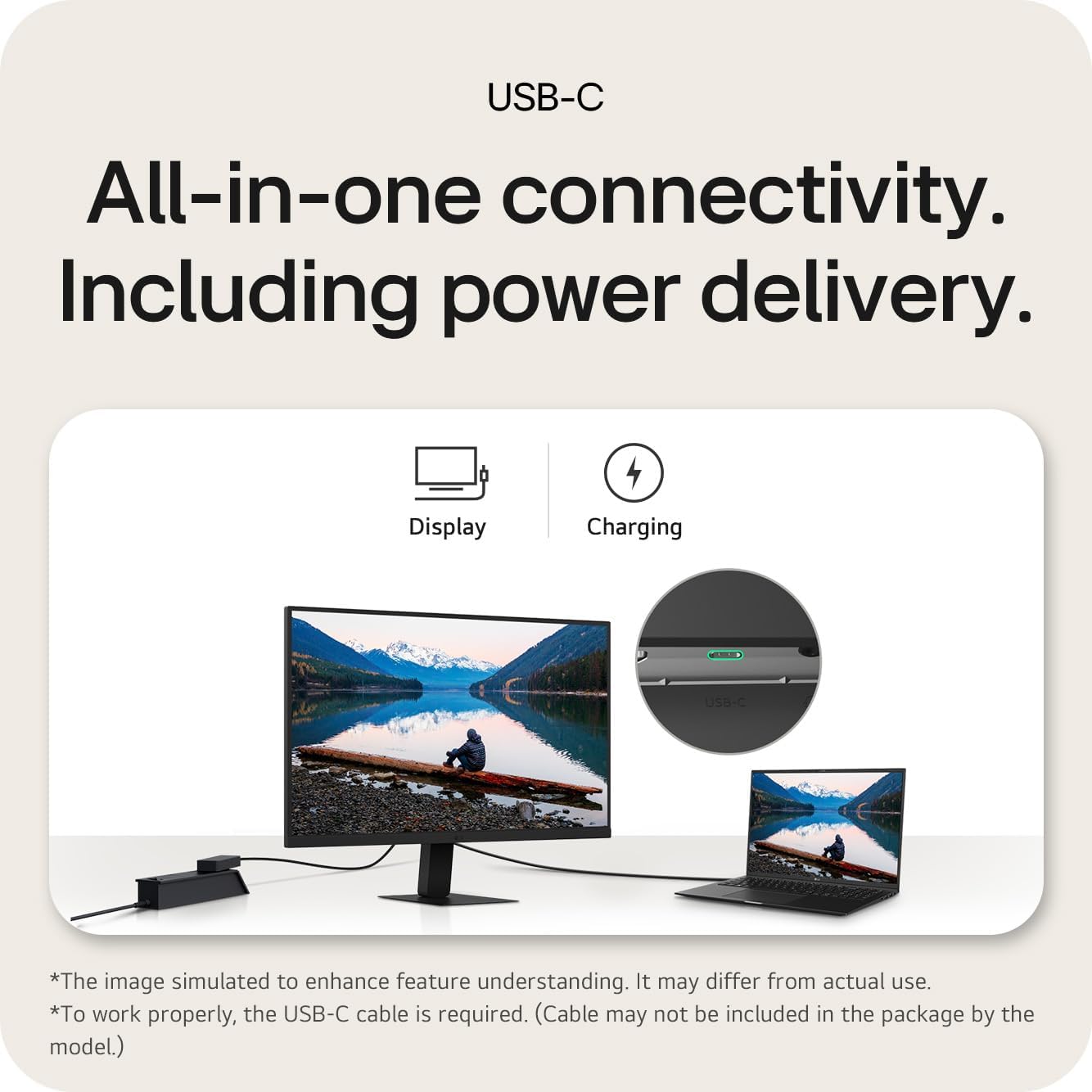
Connectivity is where this monitor shows its limits. You get 1 HDMI port and 1 USB-C port — that’s it for video inputs. The USB-C handles display connectivity and delivers up to 15W of power. That’s enough to trickle-charge a phone or power a USB light bar, but it won’t fast-charge most laptops and won’t keep a MacBook Pro alive under load. If you’re planning to run this as a docking hub for a laptop with high power draw, that’s a genuine gap. The connectivity guide covers what to look for in USB-C and HDMI specs if this is a concern.
Check the full spec sheet and buyer Q&As for the LG 27U631A on Amazon.
What Buyers Are Saying
The LG 27U631A carries a rating of 4.4 out of 5 from 23 Amazon customer reviews. That’s a small sample — not enough to draw statistically firm conclusions, and the usual caveat applies: early buyers tend to skew positive. With that said, the pattern here is consistent enough to be useful, and the complaints are specific rather than vague.
The dominant theme across reviews is value for money relative to image quality. Multiple buyers mention upgrading from 24-inch 1080p screens and being struck by the visible improvement — not just in screen size but in sharpness, colour, and general clarity for streaming and productivity. The matte finish gets specific praise for handling ambient light without washing out the image. Several buyers are repeat LG customers, which in itself says something about the brand’s track record at this tier.
The recurring complaints are concrete. The USB-C power delivery at 15W is explicitly called out as insufficient for MacBook Pro charging, which is a fair and accurate observation — it won’t keep power-hungry laptops topped up under load. The external power brick (a separate box rather than a cable-and-plug setup) surprised a couple of buyers, though this is common in LG’s monitor range and not a quality issue. The stand having no height adjustment is the other consistent gripe — tilt-only stands are a category-wide problem at this price point, not specific to this model, but worth flagging if ergonomics are important to your setup.
Buyer Highlights
“Crisp quality and really decent value — ordered one for my wife’s desk too.” — The kind of response that only happens when someone is genuinely pleased with a purchase.
“The screen real estate is much better and video quality is noticeably better for streaming with bright colours — better than expected.” — Consistent feedback from buyers coming up from 1080p at 24 inches.
“The matte display is a huge plus for me when it comes to glare.” — Particularly valued by buyers working near windows or in brighter rooms.
“LG always come through quality and price wise — needed to replace a couple of screens and these delivered.” — Reflects the brand confidence that appears repeatedly across the LG monitor range.
“Won’t charge entry-level laptop via USB-C and there’s no height adjustment on the stand.” — The two most frequently cited limitations, worth taking seriously if either applies to your setup.
Worth Knowing Before You Buy
The stand is the most practical concern. Tilt-only adjustment — no height, no swivel, no pivot — is exactly what the product listing describes, and it’s consistent with what buyers report. If you’re sitting at a fixed desk height that already positions a monitor at eye level, it’s fine. If your chair height, desk height, or posture means you’d normally raise or lower a monitor, you’re either buying a monitor arm or accepting a sub-optimal viewing angle. A decent VESA-compatible arm is a straightforward fix, and the flat minimal stand base (which buyers actually praise for freeing up desk space underneath) makes that swap easier rather than harder. For what it’s worth, the LG 27U631A is VESA-compatible, though confirm the mounting spec before ordering an arm. Looking at the monitor buying guide is useful if stand ergonomics or VESA compatibility are on your checklist.
The external power brick is worth knowing about before setup day. It’s not a defect — it’s how this model is engineered — but if you expected a single cable from plug socket to monitor, you’ll get a two-piece power arrangement instead. The included mains lead is a standard UK 3-pin type, so no adapter needed there, but the brick itself is an extra piece of cable management to deal with. On ports: one HDMI and one USB-C means you can’t run two video sources simultaneously without a switch or adapter. If you’re connecting a desktop PC and a laptop, plan for that in advance. The 15W USB-C power delivery cap is a genuine limitation specifically for MacBooks and high-end laptops — it’ll charge slower than the battery drains under load. For anything less demanding, it covers you. The 1-year manufacturer warranty is standard for the category — not exceptional, but not a red flag either.
Check current stock levels for the LG 27U631A on Amazon.
Who Should Buy It (And Who Shouldn’t)
Buy If
- You’re upgrading from a 24-inch or smaller 1080p screen and want the visible sharpness improvement that QHD at 27 inches delivers for day-to-day work and streaming.
- You work in a bright room and need a matte panel that handles glare without compromising image quality — the anti-glare coating here is genuinely effective.
- Colour accuracy matters to your work — 99% sRGB coverage from an IPS panel at this price tier is legitimately good, not just a marketing claim.
- You want a monitor that can handle light gaming without buying a dedicated gaming screen — 100Hz with FreeSync and Dynamic Action Sync is more than capable for casual play.
- You use a monitor arm or are happy with a fixed viewing height — the minimal stand base makes arm installation clean and easy.
Avoid If
- You need to charge a power-hungry laptop (MacBook Pro or similar) through the monitor — 15W USB-C won’t keep up with battery drain under load.
- You need height adjustment built into the stand and don’t want to buy a monitor arm to compensate.
- You’re connecting more than one video source regularly — a single HDMI and a single USB-C input means switching between devices requires a workaround.
The Bottom Line
The LG 27U631A 27-inch QHD is a well-considered monitor for anyone who wants a genuinely sharp, colour-accurate IPS screen for office work, productivity, or everyday use without paying for gaming features they’ll never use. The IPS panel with 99% sRGB, QHD resolution at 27 inches, and a clean matte finish are all solid choices that will make a visible difference to anyone coming from a budget 1080p screen. The stand limitations and USB-C power cap are real constraints, but they’re known quantities — not surprises. If neither of those applies to your setup, this is a genuinely good monitor for the use cases it targets. If you want to weigh it against the wider field before deciding, the monitor specs explained guide is a useful reference point.
View the LG 27U631A on Amazon and check current availability.
At The Monitor Expert, our approach is built on data transparency rather than simulated hands-on testing. We rigorously analyse official manufacturer specifications and aggregate verified customer sentiment to provide honest, straightforward buying advice that cuts through the marketing noise.
As an Amazon Associate, I earn from qualifying purchases.
Browse by Specification
Looking for something specific? Browse our analyses by hardware and feature below, or check all monitor analyses in the Office Monitors and Budget Monitors category archives.
[IPS Monitors] — [VA Monitors] — [TN Monitors] — [OLED Monitors]
Browse by Refresh Rate
[60Hz] — [75Hz] — [100Hz] — [120Hz] — [144Hz] — [165Hz] — [180Hz] — [200Hz] — [240Hz+] — [360Hz+]
Browse by Screen Size
[Small Screen] — [24-inch] — [27-inch] — [32-inch] — [Large Screen] — [Ultrawide]




