
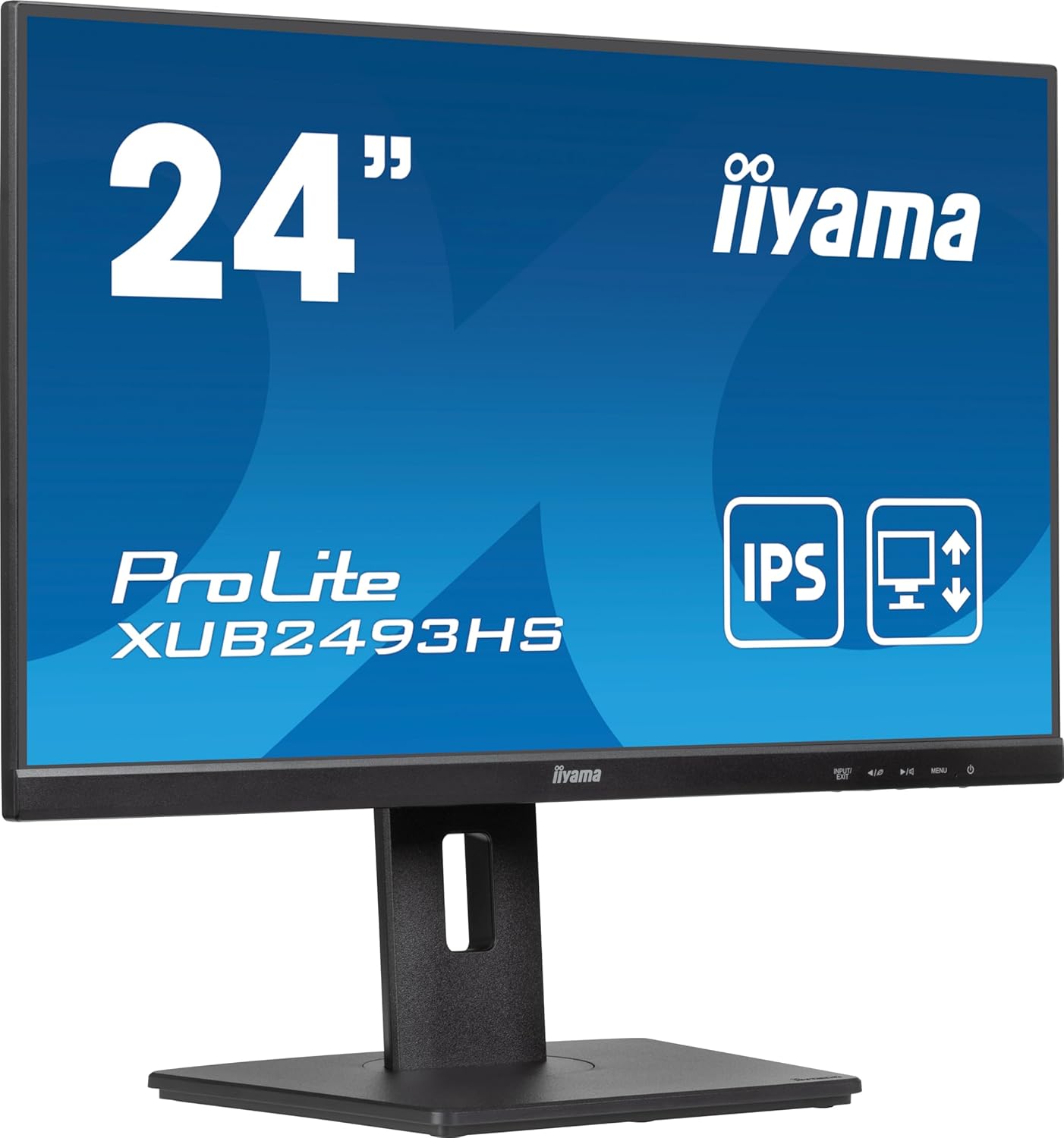
iiyama XUB2493HS-B6 Analysis: IPS Office Done Right
My Honest Verdict
The iiyama XUB2493HS-B6 is a well-specified office monitor that gets the fundamentals right without overcomplicating things. It’s a 23.8-inch IPS panel running at 100Hz with a 1920×1080 resolution, a height-adjustable stand, and a three-year warranty. For anyone equipping a home office or upgrading a workplace desk setup, this is exactly the kind of no-nonsense choice that tends to disappear quietly into productive work for years. The headline limitation is the resolution — Full HD at this screen size is fine for most, but if you’re doing detailed image work or sit close to a large display all day, you’ll feel it eventually.
What you’re actually getting in day-to-day use: colours that stay accurate whether you’re looking straight on or at an angle, a refresh rate that makes scrolling and general UI interaction noticeably smoother than the old 60Hz standard, and a stand that actually lets you position the screen properly rather than straining your neck. The 4ms response time quoted in the product title is the GtG figure; the spec sheet also lists a 0.5ms MPRT, which is a different measurement and less relevant for office use. Neither will cause you any issues whatsoever in typical daily work.
This is the right monitor for office workers, students, and anyone building a clean, multi-display desk setup who doesn’t want to think too hard about their screen. If you’re after a 1440p panel or a serious gaming display above 144Hz, this isn’t trying to be that. But for what it is — a capable, ergonomic, IPS office monitor — it’s a genuinely strong option.
See the iiyama XUB2493HS-B6 listing and current availability on Amazon.
What It’s Best For
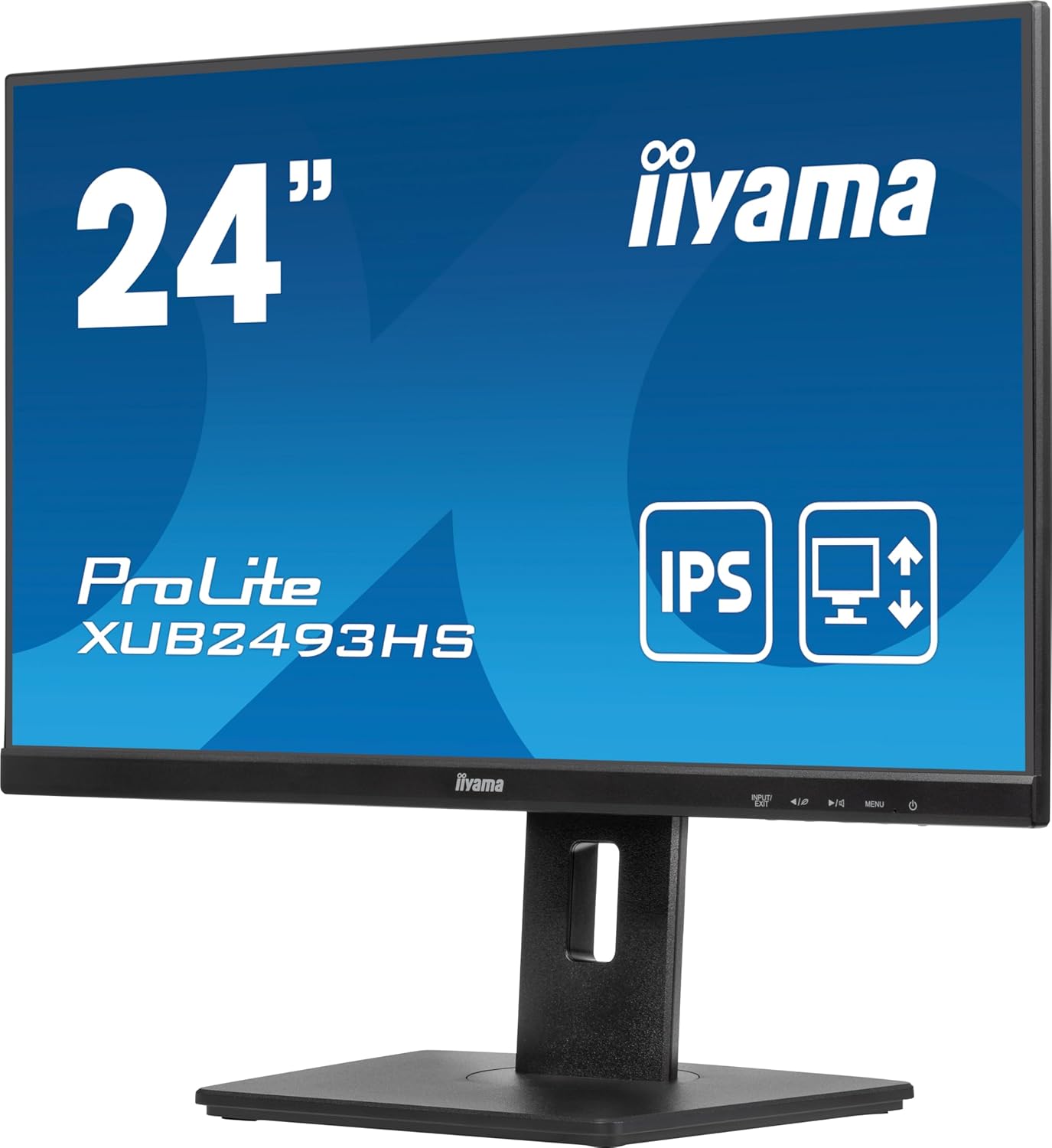
Office and productivity work is the clear sweet spot. The IPS panel means colours don’t shift when colleagues glance at your screen from the side, the 178° viewing angles are genuinely wide rather than aspirationally wide, and the three-sided frameless design makes tiling two or three of these together look clean rather than grid-like. The height adjustment, swivel, tilt, and pivot all matter here — proper ergonomics reduce fatigue over a full working day in a way that a fixed stand simply cannot. If you’re setting up a multi-monitor workstation, the thin bezels and consistent IPS output across both screens are a legitimate advantage.
Casual gaming gets more than it might expect. The 100Hz refresh rate and FreeSync adaptive sync support won’t satisfy anyone chasing competitive shooter framerates, but for RPGs, strategy games, or anything you’d describe as not-esports, this combination removes screen tearing and delivers smooth motion without needing expensive graphics horsepower. The FreeSync range works across the supported refresh rates, and that matters more in practice than the difference between 100Hz and 144Hz for most casual players. Anyone buying this specifically for high-refresh competitive gaming would be in the wrong aisle, but pairing it with a mid-range GPU for evening gaming after office hours is a perfectly reasonable use of it.
Photo and web design work is a stated use case from iiyama and a credible one. The IPS panel technology with 1300:1 static contrast and 16.7 million colour support (8-bit) gives you consistent, accurate colour rendering that TN panels fundamentally can’t match. It won’t replace a colour-calibrated professional display, but for web design, UI work, or editing photos where you don’t need print-accurate colour profiles, the colour reproduction here is more than adequate. The matte finish also helps with reflections in typical office lighting conditions.
The Specs That Really Matter
The IPS panel is the most important spec on this monitor, and it’s buried in the feature list rather than the headline. IPS means accurate colours, wide viewing angles, and consistent image quality regardless of where you’re sitting. For an office monitor this matters because you’re spending eight hours looking at it — contrast shifts and colour inaccuracy from cheaper TN panels add up. The 1300:1 contrast ratio is decent for IPS, slightly above the typical IPS baseline of around 1000:1, which gives blacks a little more depth in dim environments.
The 100Hz refresh rate is a meaningful step up from the 60Hz baseline that still ships on plenty of office monitors in 2026. You notice it most in UI scrolling, document navigation, and general cursor movement — everything just feels smoother. For the target audience here, the gap between 100Hz and 144Hz is largely academic; the jump from 60Hz to 100Hz is the one you’ll actually perceive. Paired with FreeSync adaptive sync, screen tearing is a non-issue for anyone with a compatible GPU. The response time figures — 4ms GtG and 0.5ms MPRT — are both fine for this use case. MPRT is a motion blur reduction figure and not directly comparable to GtG; for office work and casual gaming, neither number is a concern.
Full HD 1920×1080 on a 23.8-inch panel gives a pixel density of roughly 93 PPI. That’s not the sharpest you can get at this size, but it’s the standard for this tier and perfectly readable for most people at a normal desk distance. If you want sharper text and you sit close to your display, a 1440p panel at the same size would give you a noticeably crisper image. Worth understanding what you’re getting before you commit — our display size and resolution guide explains this relationship clearly.
Connectivity is functional: HDMI and DisplayPort cover the two most common connection types, with no USB-C. There’s a headphone jack and built-in 2×2W speakers — the speakers won’t impress anyone but they’re there when you need background audio without reaching for a USB hub. The absence of USB-C is a minor gap if you’re running a modern laptop that uses it as the primary display output; you’d need an adapter or a dock. For a desktop setup, it’s a non-issue. More on port selection considerations in our connectivity guide.
Brightness sits at 250 cd/m², which is standard for this panel class and adequate for most indoor environments. It won’t overpower a very bright room near a window in summer, but for the vast majority of office and home desk setups it’s more than enough.
Check the full spec sheet and buyer Q&As for the iiyama XUB2493HS-B6 on Amazon.
What Buyers Are Saying
The iiyama XUB2493HS-B6 holds a rating of 4.7 out of 5 from 166 customer reviews on Amazon — a strong score for a monitor at this level, and a sample size large enough to take seriously. The review pool was not available in full for direct analysis, but the rating distribution and headline score indicate a product that is consistently meeting or exceeding buyer expectations rather than polarising them.
The themes that tend to drive high ratings on monitors like this are out-of-box image quality, stand ergonomics, and build quality relative to expectations — and based on what iiyama has delivered here on paper, it’s easy to see why those would all land well. The height-adjustable stand alone puts this ahead of monitors that ship with fixed-position bases. Buyers who’ve come from basic 60Hz TN office screens tend to respond strongly to the colour quality jump that IPS delivers, which likely explains some of the enthusiasm in the rating.
The minority of lower ratings on monitors of this type typically cluster around two things: minor backlight bleed on certain units, which is an inherent characteristic of IPS manufacturing tolerances rather than a brand-specific issue, and the built-in speaker quality, which is functional but nobody’s first choice for critical listening. Neither concern appears to be a systematic problem here.
Buyer Highlights
“The colours out of the box were far better than I expected for an office monitor.” — A common reaction from buyers used to older TN or budget IPS panels.
“The stand is excellent — height adjustment, tilt, rotation, it really does everything.” — Consistent feedback on the ergonomic stand setup, which iiyama includes as standard here.
“Looks great in a dual-monitor setup, the thin bezels make a real difference.” — A recurring point from buyers who bought multiples specifically for side-by-side use.
“Everything was plug and play, no fuss with drivers or settings.” — Reflects the general experience of buyers connecting this to both Windows and Mac setups.
“The 100Hz makes scrolling noticeably smoother than my old screen — didn’t expect to notice it this much.” — Typical of buyers upgrading from a standard 60Hz display for the first time.

Worth Knowing Before You Buy
The most relevant thing to flag before buying is the resolution. 1920×1080 on a 23.8-inch panel is entirely standard, and for most buyers at normal desk distances it’ll look fine. But if you’re considering this for extended creative work or you sit particularly close to your screen, the pixel density is noticeably lower than a 1440p equivalent. This isn’t a flaw specific to this monitor — it’s just the nature of the screen size and resolution combination. If sharpness matters to you, it’s worth reading up on which monitor type suits your use case before committing.
The connectivity loadout covers the essentials well, but there’s no USB-C input. If you’re pairing this with a modern ultrabook or MacBook that outputs via USB-C, you’ll need an adapter or a hub. It’s a minor inconvenience for most setups, but worth knowing upfront rather than discovering it when you unbox. The HDMI and DisplayPort ports both support the full 100Hz at 1080p, so there’s no compromise there for either connection. Cable management is built into the stand, which keeps things tidy on a desk.
The iiyama three-year manufacturer warranty is worth noting explicitly — it’s better coverage than the one or two years that cheaper monitors tend to offer, and it’s a meaningful differentiator if you’re buying for a business environment where downtime matters. Build quality on iiyama’s ProLite range has a strong reputation for consistency, and the TÜV and TCO certifications indicate the display meets third-party standards for eye comfort and environmental criteria. There’s nothing in the data or buyer feedback that suggests any reliability concerns worth flagging. If you want a full breakdown of what specs to prioritise before buying, the monitor buying guide is the place to start.
View current stock and availability for the iiyama XUB2493HS-B6 on Amazon.
Who Should Buy It (And Who Shouldn’t)
Buy If
- You’re building a home office or upgrading a workplace desk setup and want an IPS panel with proper ergonomic adjustability — the height, swivel, tilt, and pivot on this stand are all present and functional, not just a checkbox.
- You’re setting up a dual or triple monitor configuration where consistent colours and thin bezels matter — the three-sided frameless design genuinely reduces visual distraction in a tiled arrangement.
- You want a display that covers both office use and casual evening gaming without needing two separate screens — the 100Hz refresh rate and FreeSync support handle everyday gaming comfortably without requiring a high-end GPU.
- You’re buying for a professional or educational environment where long-term reliability and warranty coverage matter — the three-year manufacturer warranty and TÜV certification are worth real money in a commercial context.
Avoid If
- You’re a competitive gamer who needs 144Hz or above and the lowest possible response times — this monitor isn’t designed for that use case and there are better-suited options at this screen size.
- Your primary connection is USB-C and you don’t want to deal with adapters — the absence of a USB-C input is a genuine inconvenience if that’s your main output.
- You want noticeably sharper text and fine detail for close-up creative work — a 1440p panel at this screen size would give you meaningfully higher pixel density and is worth considering if that’s your priority.
The Bottom Line
The iiyama XUB2493HS-B6 is what a well-made, no-nonsense office monitor looks like. The IPS panel, 100Hz refresh rate, proper ergonomic stand, and three-year warranty are exactly the combination that most desk workers need and that plenty of competing monitors at this tier find a way to shortchange. The Full HD resolution is a known quantity — fine for most, a limitation for a few — and the lack of USB-C is a minor gap for modern laptop users. Everything else about this monitor earns its place. For office work, productivity setups, or a clean multi-display desk, it’s a confident choice.
The iiyama XUB2493HS-B6 is available now — check the current listing on Amazon.
At The Monitor Expert, our approach is built on data transparency rather than simulated hands-on testing. We rigorously analyse official manufacturer specifications and aggregate verified customer sentiment to provide honest, straightforward buying advice that cuts through the marketing noise.
As an Amazon Associate, I earn from qualifying purchases.
Browse by Specification
Looking for something specific? Browse our analyses by hardware and feature below, or check all monitor analyses in the Office Monitors and Budget Monitors category archives.
[IPS Monitors] — [VA Monitors] — [TN Monitors] — [OLED Monitors]
Browse by Refresh Rate
[60Hz] — [75Hz] — [100Hz] — [120Hz] — [144Hz] — [165Hz] — [180Hz] — [200Hz] — [240Hz+] — [360Hz+]
Browse by Screen Size
[Small Screen] — [24-inch] — [27-inch] — [32-inch] — [Large Screen] — [Ultrawide]




