
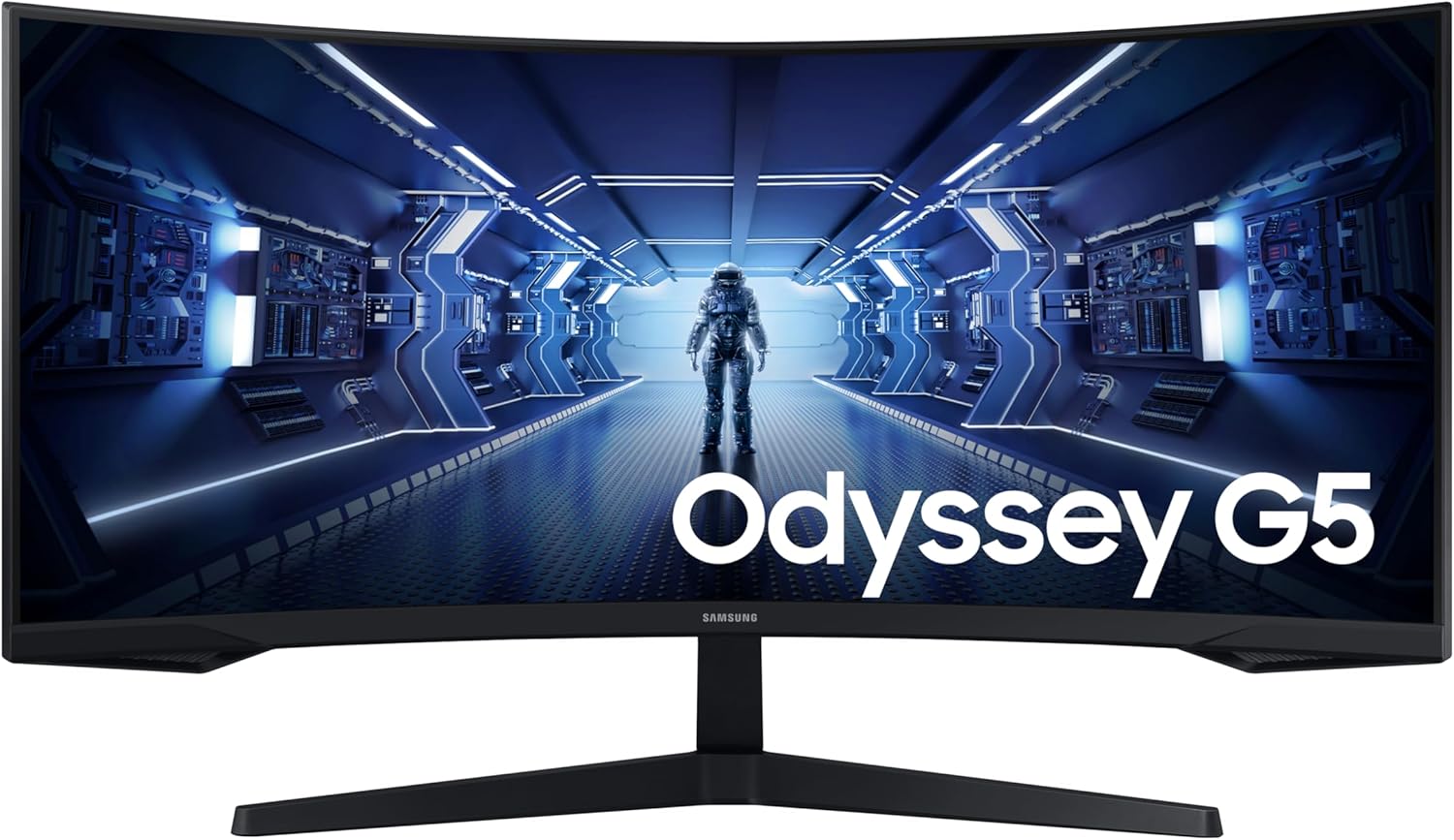
Samsung Odyssey G5 LC34G55TWWPXXU Analysis: Curve Without Compromise
My Honest Verdict
The Samsung Odyssey G5 LC34G55TWWPXXU is a solid entry point into ultrawide gaming. It gives you a 34-inch, 21:9 curved screen at 3440×1440 resolution with a 165Hz refresh rate — that combination is genuinely hard to argue with at this price tier. The headline limitation is colour performance: this is a VA panel (Samsung doesn’t shout about this, naturally) and while VA gives you better contrast than IPS alternatives, some buyers find the colours a touch washed-out compared to pricier Samsung siblings. That trade-off defines exactly who this monitor suits.
In everyday use, 3440×1440 on a 34-inch screen looks sharp without being excessive to drive. The 1000R curve is aggressive — one of the tightest on the market — and you’ll either love it or find it slightly disorienting at first. The 165Hz refresh rate keeps motion smooth for most gaming scenarios, and FreeSync Premium adaptive sync means you’re protected from screen tearing across a decent frame rate range. The HDR10 certification and 250 nits of peak brightness deserve an honest flag: HDR10 at 250 nits is entry-level HDR at best. Don’t buy this expecting the HDR pop you’d get from a high-brightness OLED or a proper FALD panel. The 2500:1 contrast ratio does some of that heavy lifting instead.
This is a monitor for gamers who want ultrawide immersion and smooth motion without spending serious money. If colour accuracy or genuine HDR performance matters to you — for creative work, media consumption, or just getting the most out of vibrant titles — you’ll want to spend more. If you’re primarily gaming and want a big, curved, fast screen that doesn’t make your GPU sweat as hard as 4K, the Samsung Odyssey G5 LC34G55TWWPXXU makes a strong case for itself.
See the current listing and availability for the Samsung Odyssey G5 LC34G55TWWPXXU on Amazon.

What It’s Best For
Gaming is where the Samsung Odyssey G5 LC34G55TWWPXXU earns its keep. The 21:9 ultrawide format transforms open-world games, racing titles, and first-person shooters — you see more of the scene without turning your head, and the 1000R curve pulls your peripheral vision into the action. At 165Hz with FreeSync Premium keeping frame delivery consistent, motion feels genuinely fluid. You won’t be chasing the absolute bleeding edge of competitive esports at this resolution, but for immersive single-player experiences or relaxed multiplayer sessions, the experience is hard to fault at this price point.
General desktop and productivity use also holds up reasonably well. The ultrawide format replaces a dual-monitor arrangement without the bezel gap down the middle, which is a real practical benefit for anyone who runs multiple windows side by side. Spreadsheets, coding environments, and document editing all benefit from the extra horizontal real estate. The joystick-controlled OSD makes switching between display presets straightforward. That said, if your productivity work involves colour-sensitive tasks — photo editing, graphic design, video colour grading — the colour accuracy limitations of this panel tier mean it’s not the right tool.
Casual media consumption sits somewhere in the middle. The 34-inch screen size and curve make films and streaming content genuinely enjoyable, particularly content shot in a widescreen aspect ratio. The 2500:1 contrast ratio helps with shadow detail. Where it falls short is the HDR experience — at 250 nits peak brightness, HDR10 content won’t look dramatically different from standard dynamic range material. Manage expectations there and you’ll still have a very watchable screen.
The Specs That Really Matter
The panel type isn’t listed explicitly in Samsung’s spec sheet for this model — a frustrating but common omission, and one worth flagging. Based on the 2500:1 contrast ratio and Samsung’s known panel use across the Odyssey G5 range, this is almost certainly a VA panel. That matters because VA panels sit between TN and IPS in most respects: better contrast and black depth than IPS, but typically narrower viewing angles and occasionally visible colour shifting at off-axis positions. For a gaming monitor used solo from a fixed seating position, that’s a fine trade. If you want to understand how panel types compare across VA, IPS, and beyond, that’s worth a read before you commit.
Resolution and screen size matter more together than either does alone. At 3440×1440 on a 34-inch panel, pixel density lands around 109 PPI — sharp enough that text looks clean and game environments have genuine detail without demanding the GPU horsepower that 4K ultrawide would require. This is the sweet spot many buyers land on when they want quality visuals without a £600 graphics card to match. Buyers gaming at 1440p ultrawide on mid-range hardware in 2026 will find this resolution genuinely approachable to drive at high frame rates.
The 165Hz refresh rate deserves a measured take. For the vast majority of gamers, the difference between 144Hz and 165Hz is not something you’ll consciously notice in a gaming session — the jump from 60Hz to either of those figures is transformative, but the gap between them isn’t. What matters more is how that refresh rate pairs with your GPU output, and that’s where FreeSync Premium earns its place. FreeSync Premium guarantees low framerate compensation (LFC), meaning the adaptive sync range extends below the monitor’s minimum supported rate to prevent judder when your GPU drops frames. That’s meaningfully better than basic FreeSync. On the response time side, Samsung quotes 1ms MPRT — which is a motion blur reduction measurement, not a grey-to-grey pixel transition time. The distinction matters: MPRT figures are achieved by strobing the backlight and may come with brightness trade-offs. Real-world motion performance is still good for gaming, but don’t treat the 1ms figure as a direct comparison to GtG spec sheets from other manufacturers.
Connectivity is lean but functional. You get one HDMI port and one DisplayPort — two video inputs in total. That’s enough for a PC and a console, but there’s no USB hub, no USB-C, and no Thunderbolt. If you’re running a modern MacBook or need to charge a laptop through the monitor, this won’t work for that. Check the connectivity guide if ports are a meaningful part of your setup decision. One important note flagged by buyers: 165Hz is only achievable over DisplayPort. The HDMI port caps out at a lower refresh rate — relevant if you’re connecting a console and expecting maximum speed.
Check the full spec sheet and buyer Q&As for the Samsung Odyssey G5 LC34G55TWWPXXU on Amazon.
What Buyers Are Saying
The Samsung Odyssey G5 LC34G55TWWPXXU carries a rating of 4.3 out of 5 from 588 verified reviews on Amazon — a meaningful sample that gives a reasonably reliable picture of real-world ownership. The overall sentiment is positive, with the most consistent praise landing on the immersive curved display, smooth gaming motion, and ease of assembly. Negative feedback clusters around colour performance and the limitations of HDR at this brightness level.
The 1000R curve gets specific mention from multiple buyers, particularly those using the monitor for first-person games and racing simulators. The consensus is that it genuinely changes how you experience those genres — it’s not marketing copy, the curve does pull you in. Assembly also comes up repeatedly as simpler than expected: buyers report the stand connects cleanly and everything feels solid once built. The joystick-based OSD navigation gets a positive shout from users upgrading from monitors with button-only controls.
The colour criticism is the most substantive negative thread and it’s worth taking seriously. One buyer who compared this directly to another Samsung Odyssey G5 variant described the colours as more washed out and the brightness as insufficient for a meaningful HDR experience. This aligns with what the specs tell us: 250 nits is not a panel that will make HDR pop. Buyers who’ve come from flat or brighter screens may find the colour output underwhelming by comparison. There’s one isolated review criticising colour reproduction strongly, though the majority of buyers with no direct comparison point report being satisfied with the image quality for the price.
Buyer Highlights
“Assembly took me two minutes — everything connected easily and feels firm, no wobble at all.” — Consistently reported by first-time buyers who expected the setup process to be more involved.
“The curve really does pull you in — especially in first-person games, it’s a different experience entirely.” — A common reaction from buyers who were initially unsure whether the 1000R curvature would be too aggressive.
“Not OLED colours, but still really nice at 1440p for what I paid — image is clear and sharp with no visible pixelation.” — Typical feedback from buyers using this for a mix of creative work and gaming who calibrated expectations appropriately.
“The joystick control for the OSD is something I didn’t know I needed — so much better than fiddling with buttons.” — Noted specifically by buyers who’ve owned monitors with traditional button-based menus.
“165Hz through DisplayPort is genuinely smooth — motion is buttery and I’ve had zero tearing with FreeSync enabled.” — Reported by PC gamers connecting via DisplayPort, which is the correct route for maximum refresh rate.

Worth Knowing Before You Buy
The HDR situation needs repeating plainly: HDR10 support at 250 nits peak brightness is not real HDR in any meaningful visual sense. Samsung’s marketing around “deep dark blacks” and “luminous whites” is doing a lot of heavy lifting here. The 2500:1 contrast ratio does give you better black depth than a typical IPS monitor, so dark scenes look genuinely good — but the HDR certification itself won’t transform your gaming the way a proper HDR display would. If HDR is a buying priority, you need to look at monitors with significantly higher peak brightness. A buying guide covering HDR tiers will make clear how wide that gap is.
The 165Hz cap via HDMI is a practical gotcha worth knowing before you buy. Console players connecting via HDMI — a PS5 or Xbox, for instance — will not reach the maximum refresh rate. The HDMI port on this model has bandwidth limitations that prevent full-speed operation. PC users on DisplayPort are fine. This isn’t unusual for monitors in this class, but it’s the kind of thing that’s easy to miss in the spec listing and frustrating to discover after purchase.
Ergonomics are better than you’d expect at this price: the stand supports tilt and height adjustment, which is genuinely useful for a 34-inch panel where desk positioning matters more than with smaller screens. Build quality feedback from buyers is broadly positive — no recurring reports of wobble, dead pixels, or backlight bleed beyond what’s typical for VA panels at this tier. Samsung’s 2-year manufacturer warranty is standard but not exceptional. There’s no OLED-specific consideration here — this is an LED-backlit panel, so burn-in risk doesn’t apply. For anyone unsure what specs like panel type and brightness measurements actually mean in practice, that’s worth a look before deciding.
View current stock levels for the Samsung Odyssey G5 LC34G55TWWPXXU on Amazon.
Who Should Buy It (And Who Shouldn’t)
Buy If
- You want ultrawide gaming immersion without the cost of a premium curved display — the 34-inch 21:9 format and 1000R curve deliver a genuinely different experience from standard widescreen monitors.
- You’re gaming on a mid-range PC and want 1440p ultrawide at 165Hz — this resolution is far more approachable to drive smoothly than 4K, and FreeSync Premium keeps things tear-free across a wide GPU output range.
- You’re replacing a dual-monitor setup and want a single seamless screen — the ultrawide format handles multitasking and side-by-side windows without the bezel gap in the middle.
- You connect via DisplayPort from a PC — you’ll get the full 165Hz refresh rate and the best overall experience the monitor can offer.
Avoid If
- Colour accuracy matters to you — whether for photo editing, graphic design, or simply getting the most vibrant viewing experience, this panel’s colour output has clear limitations that buyers comparing it directly to other Samsung models have flagged.
- You’re a console player expecting maximum refresh rate over HDMI — the HDMI port does not support 165Hz, so you won’t get the speed the spec sheet implies unless you’re on a PC with DisplayPort.
- Genuine HDR performance is on your must-have list — 250 nits peak brightness means HDR10 content will look similar to SDR, and no amount of marketing language changes that physics.
The Bottom Line
The Samsung Odyssey G5 LC34G55TWWPXXU is a capable, honest ultrawide gaming monitor that does what it promises within clear limits. You get a large curved screen, a fast refresh rate, solid contrast, and adaptive sync — all the building blocks of an immersive gaming setup — without demanding a premium price or a top-tier GPU to run it properly. The colour performance and HDR implementation are the gaps, and they’re real gaps, not nitpicks. Know what you’re buying: a gaming-first ultrawide with serviceable everyday use, not a colour-accurate or HDR-capable display. On those terms, it earns a solid recommendation.
At The Monitor Expert, our approach is built on data transparency rather than simulated hands-on testing. We rigorously analyse official manufacturer specifications and aggregate verified customer sentiment to provide honest, straightforward buying advice that cuts through the marketing noise.
As an Amazon Associate, I earn from qualifying purchases.
Browse by Specification
Looking for something specific? Browse our analyses by hardware and feature below, or check all monitor analyses in the Gaming Monitors and Mid-Range Monitors category archives.
[IPS Monitors] — [VA Monitors] — [TN Monitors] — [OLED Monitors]
Browse by Refresh Rate
[60Hz] — [75Hz] — [100Hz] — [120Hz] — [144Hz] — [165Hz] — [180Hz] — [200Hz] — [240Hz+] — [360Hz+]
Browse by Screen Size
[Small Screen] — [24-inch] — [27-inch] — [32-inch] — [Large Screen] — [Ultrawide]




