
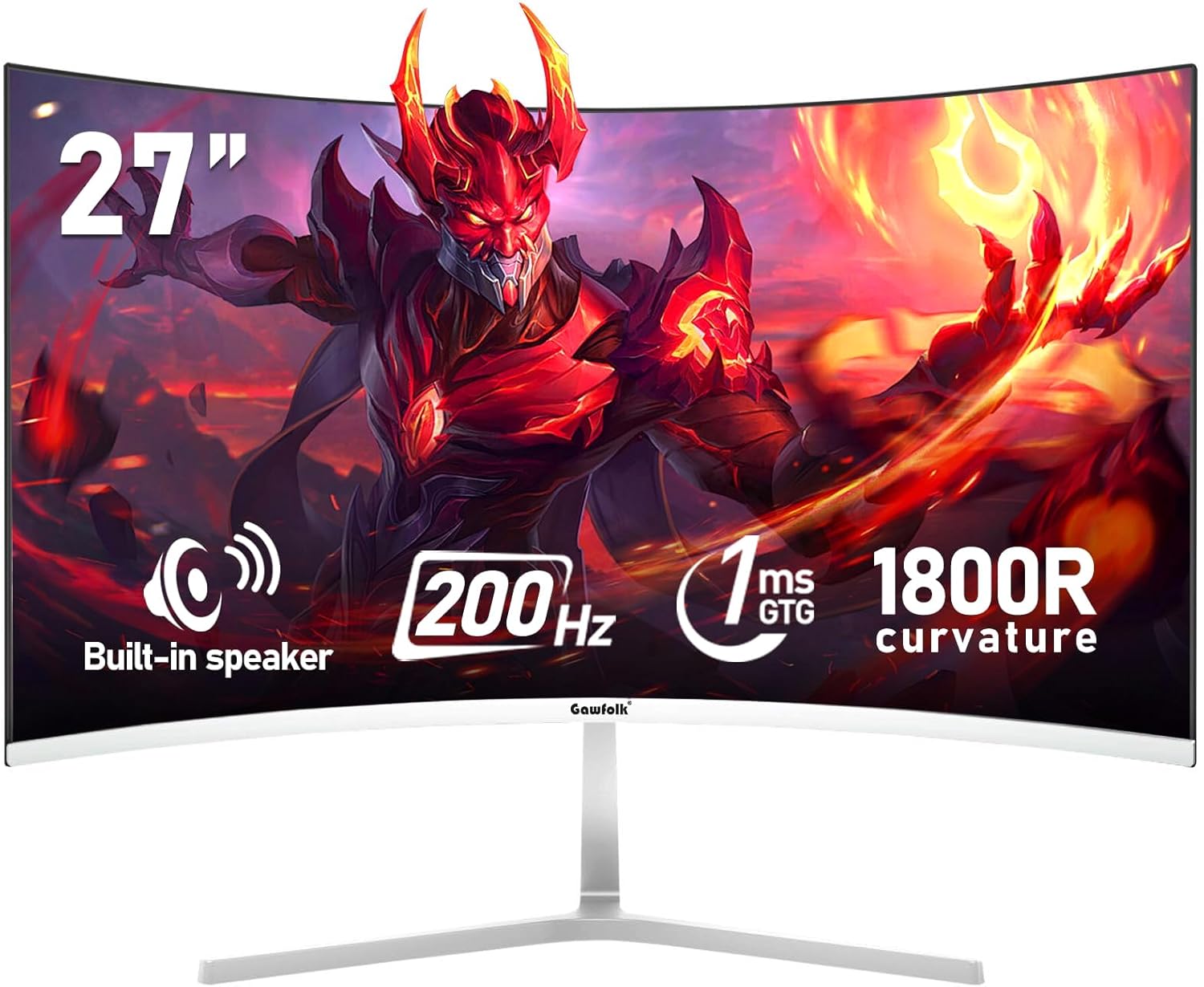
Gawfolk GF270K Analysis: 200Hz at a Real Cost
My Honest Verdict
The Gawfolk GF270K is a 27-inch, 1080p curved gaming monitor with a 200Hz refresh rate and a VA panel — and for its position in the market, that combination is genuinely hard to argue with. The headline strength is the refresh rate relative to what you’re paying. The headline limitation is that it’s 1080p on a 27-inch screen, which is a meaningful trade-off that not everyone will be comfortable with.
In everyday use, the VA panel delivers noticeably richer blacks and a stronger 4000:1 contrast ratio than you’d get from most budget IPS alternatives. That shows up in dark gaming scenes and films where the picture has actual depth to it. The 1800R curve is subtle rather than aggressive — it adds some sense of wrap without feeling dramatic. The 200Hz refresh rate requires a DisplayPort connection to hit; over HDMI you’re capped at 120Hz, which still beats most mid-range monitors but is worth knowing upfront.
This is a monitor for budget-conscious gamers who want fluid motion above all else and aren’t doing colour-critical work. If pixel density matters to you — and at 27 inches with 1920 x 1080 resolution, it’s around 82 PPI, which is noticeably soft — look at a 1440p panel instead. If you mostly play fast-paced games, aren’t fussed about sharpness at close range, and want that 200Hz ceiling without spending serious money, the Gawfolk GF270K makes a reasonable case for itself.
See the current availability and listing details for the Gawfolk GF270K on Amazon.
What It’s Best For
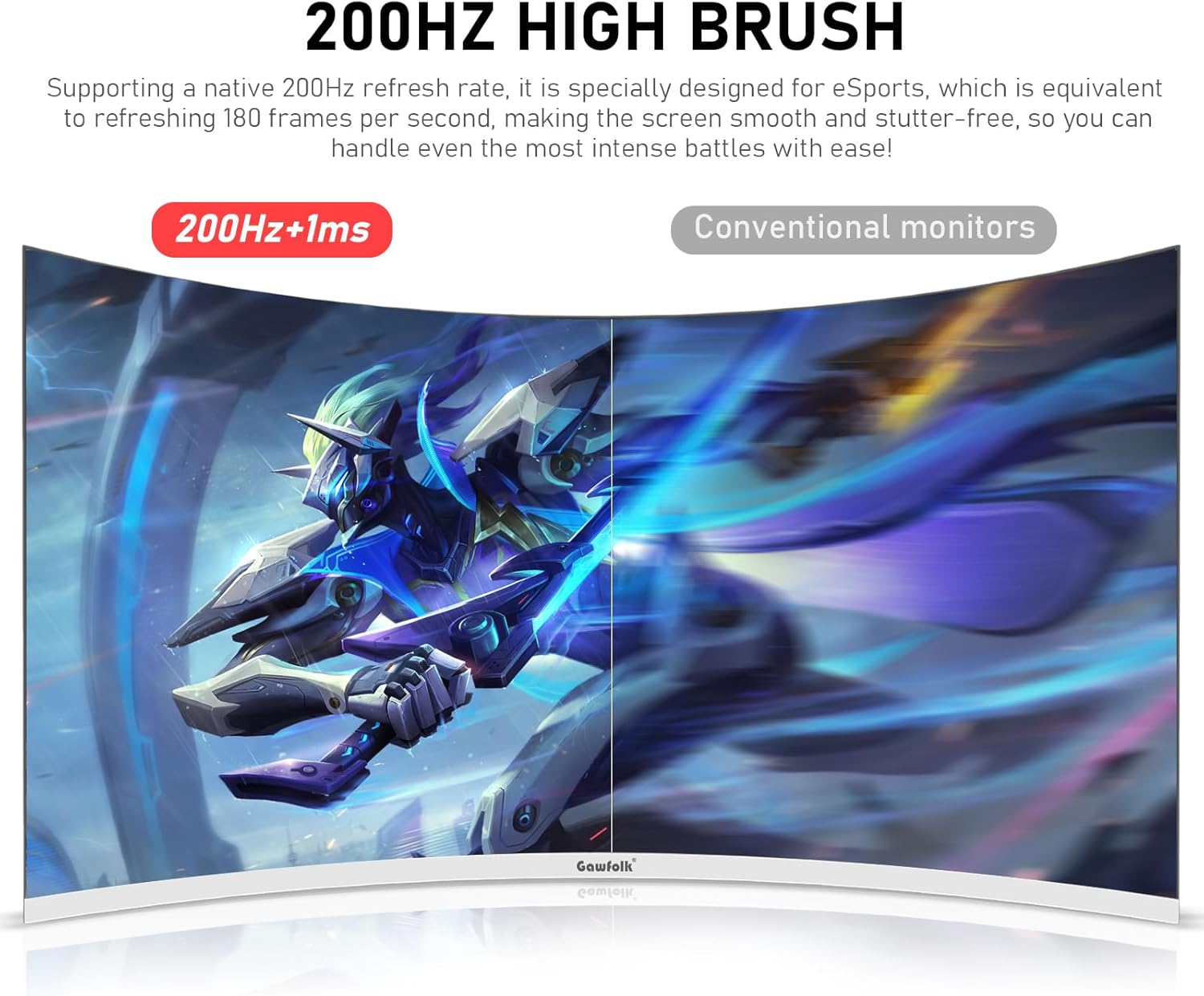
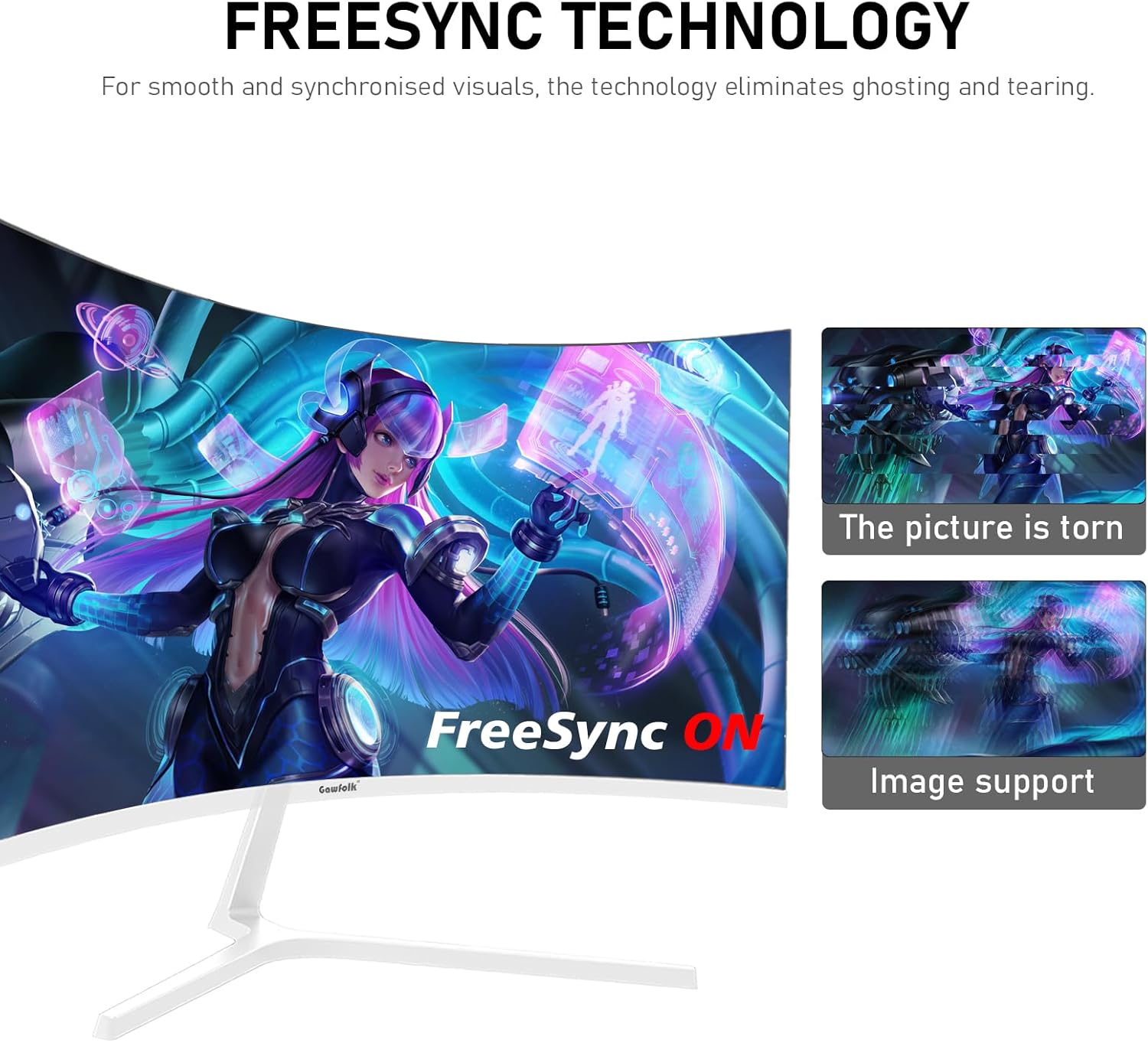
Budget gaming: This is where the Gawfolk GF270K earns its keep. A 200Hz refresh rate and 1ms GTG response time sit at a tier most buyers associate with monitors costing significantly more. In fast shooters and racing games, the motion clarity is genuinely apparent — not just a marketing number. AMD FreeSync support keeps screen tearing in check when your frame rate dips below the refresh ceiling, which matters more in practice than the maximum figure itself. The trade-off is pixel density, but if you’re sitting a comfortable distance from the screen and your priority is smooth motion, the Gawfolk GF270K delivers that.
Multi-monitor trading and productivity setups: One buyer in the reviews bought four of these for a trading setup and was satisfied enough to double down after four weeks. That’s an actual data point worth flagging. The matte screen finish reduces glare, the 178-degree viewing angle means consistent colour across a wide spread of monitors, and the VESA 100x100mm mounting compatibility makes multi-arm setups straightforward. For data-heavy screens where you’re reading charts and figures rather than editing photos, the pixel density is less of a concern.
Casual home media and everyday use: The VA panel’s contrast advantage makes it well-suited to film watching and streaming. Dark scenes look genuinely dark rather than washed out grey. The built-in speaker means it’ll function as a standalone setup without needing external audio — though buyer feedback suggests the 3.5mm audio output volume is on the quiet side if you’re routing to a soundbar. For YouTube, streaming, and general desktop use, the white finish and slim bezels make for a clean-looking setup.
The Specs That Really Matter
The panel type here is VA, and that’s actually one of the better calls at this price tier for gaming. VA panels sit between TN and IPS — better contrast than either, decent viewing angles, and reasonable colour. That 4000:1 contrast ratio is not a marketing exaggeration for VA; it’s a characteristic of the technology. In practice it means darker blacks and more visible shadow detail in games. The flip side is that VA panels can show slightly slower pixel transitions in very dark tones, which occasionally produces a smearing effect in fast motion — the quoted 1ms GTG figure is the best-case scenario rather than the average across all transitions.
The 200Hz refresh rate is the headline spec and it’s worth understanding what you actually need to access it. Over HDMI, the Gawfolk GF270K caps at 120Hz. You need a DisplayPort connection to hit 200Hz. That’s not unusual — many monitors work this way — but if your graphics card or gaming console only has HDMI, 120Hz is your ceiling. For most gaming scenarios 120Hz is still very capable, but it’s not the spec being marketed. If this matters to you, check your GPU’s outputs before buying. Worth understanding the real difference between refresh rate figures before that number becomes the deciding factor.
Resolution is where you need an honest conversation with yourself. 1920 x 1080 at 27 inches produces a pixel density that some buyers will find noticeably soft compared to a 1440p or 4K panel at the same size. For gaming at distance, or primarily fast-paced titles where you’re not studying fine detail, it’s workable. For close-up desktop work or content consumption with text-heavy layouts, you may find the lack of sharpness distracting. Heading into 2026, 1440p panels have come down enough in price that the gap between tiers is narrower than it used to be — worth checking the size and resolution trade-offs if you’re undecided.
Brightness is rated at 300 nits, which is adequate for a standard indoor environment but won’t cut it in bright daylight near a window. The matte finish helps with glare but can’t compensate for a genuinely bright room. There’s no meaningful HDR certification here — the listing doesn’t specify HDR400 or above, and buyers mention HDR functionality existing but it’s not the reason to buy this screen.
Connectivity gives you HDMI and DisplayPort inputs plus a 3.5mm audio jack. One buyer noted having two HDMI and two DisplayPort inputs available, which is more generosity than most budget monitors offer. If you’re running a multi-source setup — PC plus console, for example — that flexibility has real practical value. See the connectivity guide for a rundown of what different port versions mean for bandwidth and refresh rate limits.
Check the full spec sheet and buyer Q&As for the Gawfolk GF270K on Amazon.
What Buyers Are Saying
The Gawfolk GF270K holds a 4.2 out of 5 rating from 1,211 customer reviews on Amazon — a meaningful sample at this point. The majority of feedback skews positive, with buyers repeatedly calling out the picture quality and value relative to what they paid. Several reviewers note being pleasantly surprised by a brand they weren’t familiar with before purchasing.
Positive sentiment clusters around colour accuracy and display quality for the price, the high refresh rate, the matte finish, and the ease of setup. A trading professional who bought four units specifically praised the clarity of charts and data — a use case the manufacturer clearly isn’t targeting but the hardware supports. One buyer upgraded from a 144Hz MSI monitor and commented positively on the noticeable improvement in smoothness. The white colourway and slim bezels get consistent mentions for aesthetics.
The complaints worth flagging are unit-level quality control issues rather than design flaws: one buyer received a cracked screen, another reported a dead pixel in the centre of the panel, and a third experienced backlight bleeding around the edges. One buyer had both DisplayPort inputs fail on arrival and returned the unit as faulty — but they explicitly said they’d recommend the monitor in working condition. These are the kinds of QC concerns that appear across budget monitor brands generally, and the overall rating suggests they’re not representative of the majority of units shipped. The OSD button placement — tucked under the bezel — gets a mild mention in one review as fiddly.
Buyer Highlights
“The colours and picture quality are both amazing — couldn’t fault it for the money.” — A consistent sentiment from buyers who were sceptical of an unfamiliar brand before purchasing.
“I now have four of them for my trading setup — bought two, used them for a month, then bought two more.” — Direct feedback from a buyer who stress-tested the monitors in a demanding multi-display professional environment.
“The display port inputs weren’t working, but I wouldn’t let that put you off — a non-faulty version is definitely worth it.” — A measured response from a buyer who experienced a QC issue but still rated the product positively overall.
“The screen quality is excellent — bright, crisp, and great viewing angles — and setup was super easy.” — Common feedback from buyers using the monitor for general productivity and daily work rather than gaming.
“It does exactly what it says — the refresh rate, the sRGB coverage, and the thin bezels are all genuinely there.” — Reassurance from a buyer validating that the spec claims hold up in real use.
Worth Knowing Before You Buy
The quality control pattern in the reviews is worth understanding before you commit. Dead pixels, cracked screens on arrival, and backlight bleeding all appear in the feedback — none in overwhelming numbers, but enough to be a known risk with this manufacturer. The 12-month warranty covers quality problems, and the brand appears responsive based on nothing contradicting that in the reviews. If you buy and have an issue, the returns process via Amazon should be straightforward. It’s worth inspecting the unit carefully within the return window rather than living with a panel defect.
Stand ergonomics aren’t mentioned prominently in the spec sheet or reviews, and given the price tier, tilt adjustment is likely the only movement available — height and swivel adjustment are typically absent at this level. The VESA 100x100mm compatibility is a meaningful upside here: if ergonomics matter to you, a monitor arm solves the problem cleanly. One buyer noted needing shorter VESA screws than standard when mounting, so factor that in if you’re buying a third-party arm kit. The OSD navigation buttons are reportedly tucked under the bezel, which some users find fiddly — it’s a minor inconvenience, but worth knowing if you expect to change settings regularly.
One buyer flagged that the 3.5mm audio line-out from the monitor produced very low volume when routing to a soundbar — even at maximum settings. If you’re planning to use external speakers via that socket, test it early. The built-in speaker exists but is a bonus at this price tier, not a reason to buy. Windows 11 compatibility was flagged in one European review as needing attention — one buyer had no issues on Windows 7 but faced problems on a new Windows 11 machine initially. This is likely a driver or resolution configuration issue rather than a hardware fault, but it’s worth knowing if you’re setting up fresh. Consulting a buying guide before purchasing can help avoid setup surprises.
View current stock and availability for the Gawfolk GF270K on Amazon.
Who Should Buy It (And Who Shouldn’t)
Buy If
- You want 200Hz gaming on a tight budget and your GPU has a DisplayPort output — this is a rare combination at this price tier and the Gawfolk GF270K delivers it without compromise on the refresh rate spec itself.
- You’re building a multi-monitor setup — the VESA 100x100mm mount compatibility and the two HDMI plus two DisplayPort inputs make it flexible enough for multi-source or multi-display configurations that budget monitors often can’t match.
- You primarily game in dark environments or watch films with dark scenes — the VA panel’s 4000:1 contrast ratio produces genuinely deep blacks that IPS panels at this price simply can’t match.
- You’re happy to sit further back from the screen — the 1080p resolution at 27 inches becomes far less noticeable at arm’s length or beyond, and the 1800R curve helps maintain visual engagement across the width.
Avoid If
- Pixel sharpness matters to you — 1080p on a 27-inch screen is visibly soft at close range, and if you’re used to a 1440p or 4K panel, the step down will be noticeable in everyday desktop use and text rendering.
- You only have HDMI available on your GPU — you’ll be capped at 120Hz and the main selling point of this monitor becomes less relevant, at which point there are other options better suited to HDMI-only setups.
- You’re doing colour-critical or professional photo editing work — the 98% sRGB coverage is solid but VA panels carry some gamut consistency limitations, and the lack of a proper HDR specification rules this out for any HDR grading workflow.
The Bottom Line
The Gawfolk GF270K is a budget gaming monitor that doesn’t pretend to be anything else, and within that remit it holds up. A VA panel with genuine 4000:1 contrast, a 200Hz ceiling via DisplayPort, and enough connectivity to run a multi-source or multi-display setup is a solid package. The pixel density trade-off at 27 inches and 1080p is real and you should know it going in. The QC pattern from reviews is a minor flag rather than a red flag — the warranty and Amazon returns process are your safety net. If you want to understand how this fits against alternatives, the how to choose a monitor guide breaks down which type suits which buyer. For budget gaming, casual home use, or a multi-monitor work setup where sharpness isn’t the priority, the Gawfolk GF270K makes a confident case.
The Gawfolk GF270K is listed on Amazon — check current availability before deciding.
At The Monitor Expert, our approach is built on data transparency rather than simulated hands-on testing. We rigorously analyse official manufacturer specifications and aggregate verified customer sentiment to provide honest, straightforward buying advice that cuts through the marketing noise.
As an Amazon Associate, I earn from qualifying purchases.
Browse by Specification
Looking for something specific? Browse our analyses by hardware and feature below, or check all monitor analyses in the Gaming Monitors and Budget Monitors category archives.
[IPS Monitors] — [VA Monitors] — [TN Monitors] — [OLED Monitors]
Browse by Refresh Rate
[60Hz] — [75Hz] — [100Hz] — [120Hz] — [144Hz] — [165Hz] — [180Hz] — [200Hz] — [240Hz+] — [360Hz+]
Browse by Screen Size
[Small Screen] — [24-inch] — [27-inch] — [32-inch] — [Large Screen] — [Ultrawide]




