
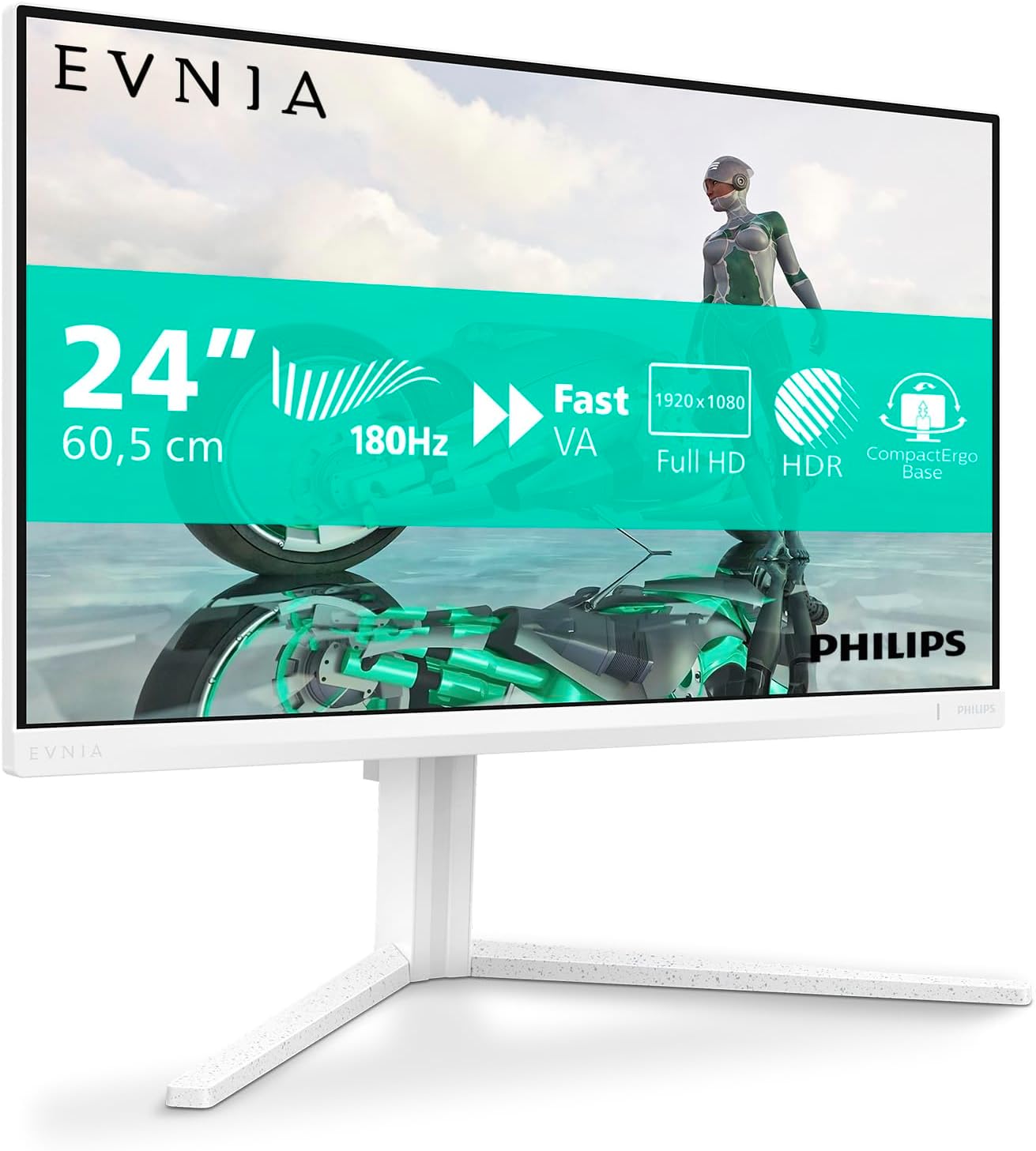
Philips 24M2N3201A Analysis: 180Hz IPS Without the Fuss
My Honest Verdict
The Philips 24M2N3201A is a straightforward win for anyone who wants a capable entry-level gaming monitor without overthinking it. A Fast IPS panel at 180Hz with a 23.8-inch screen, full ergonomic stand, and built-in speakers — at this price tier, that combination is genuinely hard to argue with. The headline limitation is simple: 1920×1080 resolution, which is exactly what it says on the tin. If you want more pixels, you need to spend more money.
In everyday use, 180Hz on an IPS panel means motion looks smooth and colours stay accurate from any angle. You won’t get the screen-door effect of TN, and you won’t get the washed-out viewing angles of cheaper VA panels. The 1ms GtG response time keeps fast motion tight. Philips also quotes 0.5ms with Smart MBR (motion blur reduction) enabled — that’s a backlight strobing mode, so worth knowing it’s not always-on without some brightness trade-off. The 250 nits brightness is honest mid-range, fine for a desk setup in normal lighting, not great if you’re fighting direct sunlight.
This monitor is squarely aimed at people building their first gaming rig, upgrading from a 60Hz panel for the first time, or picking up a second screen without spending serious money. If you’re running competitive shooters on a mid-range GPU and want smooth, tear-free gameplay, the Philips 24M2N3201A delivers exactly that. If you want 1440p or a screen bigger than 24 inches, this isn’t your monitor — but that’s not a criticism, it’s just the wrong tool for a different job.
See the Philips 24M2N3201A listed on Amazon before reading further.

What It’s Best For
Competitive and entry-level gaming is where this monitor earns its keep. A 180Hz refresh rate with FreeSync Premium and G-Sync compatibility means you can pair it with AMD or Nvidia hardware and get adaptive sync tearing elimination across the board. At 1920×1080, almost any mid-range GPU can push enough frames to actually exploit that refresh rate — which is the point. There’s no use in a 180Hz screen if your GPU is only hitting 80fps. Full HD keeps the GPU load light enough that you’ll genuinely spend time above 100fps in most titles. The low-latency Fast IPS panel keeps motion sharp. For anyone playing shooters, racers, or fast-paced competitive titles, the experience is noticeably better than anything sitting at 60Hz or even 75Hz.
Secondary monitor duty is another genuinely good fit. The white finish option makes it a cleaner-looking desk addition, the speakers remove the need for extra audio hardware, and the ergonomic stand with height adjustment means you can position it properly alongside a primary display. One reviewer specifically flagged it as a second monitor for a workstation — cables included in the box, easy to install, job done. For anyone expanding a dual-screen setup without wanting to spend much, this is sensible territory.
Kids’ gaming and casual home use also makes sense. The height-adjustable stand means the screen can literally be raised as a child grows, which isn’t something you get at every price point. Built-in speakers, a matte anti-glare coating, flicker-free backlight, and LowBlue mode all reduce the friction of daily use. It’s not a monitor that needs babying or complicated setup — reviewers consistently mention it just works from the moment it’s plugged in.
The Specs That Really Matter
The panel type here is Fast IPS, and that distinction matters. Standard IPS panels have always been the sensible choice for colour accuracy and wide 178-degree viewing angles, but they historically struggled with motion clarity. Fast IPS addresses that by reducing pixel transition times — which is why Philips can quote 1ms GtG on what is fundamentally an IPS panel. If you want to understand more about how panel types affect the buying decision, the guide to monitor panel types breaks it down properly. The practical upside: you get IPS colour with gaming-grade motion handling. The contrast ratio of 1000:1 is standard for IPS — expect blacks to look slightly grey in a dark room compared to a VA panel, but colours to look more accurate and consistent.
At 180Hz, the refresh rate is meaningfully faster than the 144Hz that was the previous budget ceiling — and that gap is small but real in fast-paced titles. The jump from 60Hz to 180Hz, however, is enormous and immediately obvious to anyone who hasn’t experienced it. FreeSync Premium adaptive sync requires a minimum frame rate of at least half the maximum, which means the tearing elimination stays active even when frame rates dip — a step up from basic FreeSync. G-Sync compatibility means Nvidia GPU owners aren’t left out, though they won’t get the full G-Sync hardware module. For a deeper look at how refresh rate and response time interact in practice, that’s worth a read before committing.
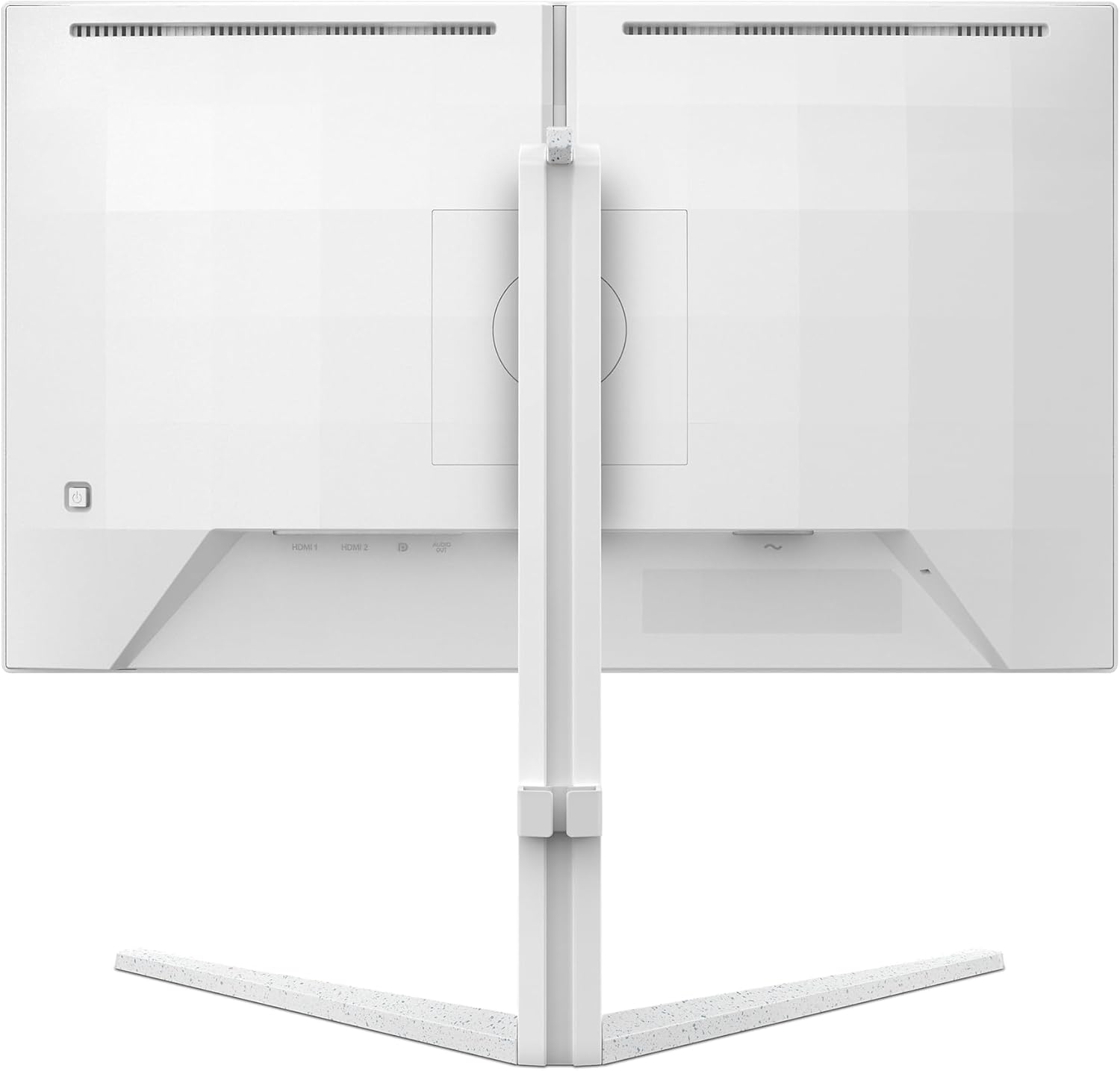
Connectivity is functional without being flashy. Two HDMI ports and one DisplayPort input covers most setups — console on HDMI, PC on DisplayPort for the full 180Hz bandwidth. One buyer confirmed 180Hz running via DisplayPort with no issues. There’s no USB-C here, which matters if you’re connecting a laptop that charges via USB-C — but at this size and resolution tier, that’s not an unusual omission. If your setup involves USB-C daisy-chaining or laptop connectivity, the connectivity guide is worth checking first. HDR is listed in the specs, but no certification level is provided — treat this as basic HDR processing rather than anything transformative. In 2026, monitors at this price point with genuine HDR performance are still rare.
The stand deserves a specific mention. Height adjustment, tilt, swivel, and full pivot rotation are all present. That’s an ergonomic spec sheet that costs extra on many competing monitors. The joystick-based OSD navigation is a sensible design choice — single-button menus are faster to navigate than the row of unlabelled physical buttons you get on cheaper screens.
Check the full spec sheet and buyer Q&As for the Philips 24M2N3201A on Amazon.
What Buyers Are Saying
The Philips 24M2N3201A holds a 4.7 out of 5 rating across 253 Amazon reviews, which is a strong result for any monitor. The sample is large enough to trust, and the sentiment is consistent — this is a monitor that meets and occasionally exceeds expectations at its price point.
The dominant praise theme is colour quality and image clarity. Buyers describe the picture as vibrant and sharp, with the IPS panel delivering noticeably better colour than budget VA alternatives. Several reviewers specifically mention upgrading from 60Hz screens and finding the jump to 180Hz genuinely striking. One buyer running a 4080 Super confirms it works flawlessly with high-end Nvidia hardware, which answers the G-Sync compatibility question in practice. Multiple buyers across the UK, France, and Germany — including non-English reviews where the meaning was unambiguous — call out the colour performance as standing above the competition at this price level. A French reviewer tested multiple IPS monitors at 1080p and concluded this one clearly beats the rest in colour reproduction, while also flagging zero dead pixels out of the box — something they couldn’t say for MSI and AOC alternatives they’d tried.
The stand gets consistent praise that feels specific rather than generic. Height adjustment, tilt range, and build quality are called out individually — and one buyer using this for a child’s PC specifically highlighted that the adjustable height will stay useful as the child grows. That’s the kind of practical observation that comes from real use. The built-in speakers land where you’d expect: fine at low volume for casual use, no bass, not a substitute for external audio — but present, which is more than many monitors at this size can say. One buyer noted an audio out jack for headphones, which adds flexibility. The joystick OSD navigation also gets a quiet nod in the positive column.
Complaints are minimal and specific. One buyer flagged that the monitor doesn’t auto-sleep when no signal is detected — the indicator light just keeps flashing. It’s an annoyance, not a hardware defect, but worth knowing. A German reviewer noted the 1000:1 contrast ratio is on the weaker end even for IPS, and that the speakers underperform a phone. The stand is mentioned as taking up significant desk depth. None of these are deal-breakers — they’re calibration points for managing expectations.
Buyer Highlights
“Tested the refresh rate via DisplayPort with Fortnite and the screen performed at the advertised 180Hz — no tearing, no blurring, no ghosting at all.” — Direct confirmation from a buyer that the headline spec delivers in actual gaming conditions.
“One of the most affordable 180Hz monitors I’ve found, and the display is genuinely good — I’d buy a second one.” — Typical sentiment from buyers who prioritise refresh rate without wanting to overspend.
“The height-adjustable stand is a great feature — especially useful for a kid’s PC where the screen height can be raised over time.” — A practical observation that highlights how the ergonomic stand adds long-term value beyond a standard setup.
“The colours look great and it came with HDMI cables included — easy to install and no hassle from the start.” — Consistent feedback on the out-of-box experience, with cable inclusion mentioned as a welcome touch.
“Upgraded from a 24-inch 60Hz and the new refresh rate delivers really well — I only wish it were QHD, but I understand that’s not common at this size.” — An honest appraisal from someone who knows exactly what they’re trading and is comfortable with it.
Worth Knowing Before You Buy
The 250 nits peak brightness is adequate for indoor use at a normal desk but won’t hold up against strong ambient light or a window directly behind you. This isn’t unusual at this price point — most budget IPS gaming monitors sit in this range — but if your workspace is particularly bright, factor that in. The HDR labelling in the specs should be treated with scepticism. No certification level is quoted, and at 250 nits maximum brightness, any HDR effect is going to be marginal at best. HDR mode might shift contrast and colour handling in a way some buyers prefer, but don’t expect the kind of HDR pop you’d see on a dedicated HDR-capable display. This applies broadly to monitors in this category — the monitor buying guide covers what to actually look for in HDR specs.
The 1000:1 contrast ratio is standard IPS territory, and one German reviewer flags this as a relative weakness — noting that even at this price tier, some IPS panels now do better. In a dark room, blacks won’t look as deep as a VA panel. If dark scene gaming matters to you, that’s a genuine trade-off. The stand depth was flagged by a French reviewer as longer than ideal for tighter desks, so measure your depth before assuming it’ll fit comfortably. The auto-sleep issue mentioned by one buyer — where the monitor keeps flashing when no signal is present rather than switching off — appears to be a firmware behaviour rather than a fault, but it’s worth knowing about if that’s likely to bother you in practice. The three-year manufacturer warranty is a genuine plus at this level and gives some reassurance on long-term reliability. If you want to understand how this monitor’s specs sit within the broader budget category, the display size and resolution guide gives useful context on what 1080p at 24 inches actually looks like in use.
View current stock levels for the Philips 24M2N3201A on Amazon.
Who Should Buy It (And Who Shouldn’t)
Buy If
- You’re upgrading from a 60Hz or 75Hz monitor and want the smoothness jump that 180Hz actually delivers — the difference is immediately obvious and this is one of the more affordable ways to get there on a Fast IPS panel.
- You’re building a gaming setup around a mid-range GPU where 1080p is the right resolution target — you’ll actually hit the frame rates that make 180Hz worthwhile, which matters more than the spec number alone.
- You want a second monitor with a clean white finish, built-in speakers, and a properly adjustable stand without paying a premium for ergonomics that’s usually reserved for more expensive screens.
- You’re buying a monitor for a young person whose ideal screen height will change over time — the fully adjustable stand makes this a genuinely practical long-term choice in that context.
Avoid If
- You want 1440p resolution — at 24 inches, 1080p is fine, but if you’re expecting noticeably sharper text and image detail, you need a different monitor and a GPU that can push the higher resolution at useful frame rates.
- You game primarily in dark environments and want deep blacks — the 1000:1 IPS contrast ratio means this monitor won’t satisfy buyers who prefer VA panel depth in dark scenes, and there are VA alternatives worth comparing if that’s a priority.
- Your laptop or single-cable setup depends on USB-C connectivity — there’s no USB-C input here, so check your connectivity needs match what’s on offer before buying.
The Bottom Line
The Philips 24M2N3201A is exactly what a good budget gaming monitor should be — honest about what it is, and genuinely good at it. A Fast IPS panel at 180Hz, proper ergonomics, dual HDMI with DisplayPort, adaptive sync for both AMD and Nvidia, and a white finish option that actually looks decent on a desk. The 1080p resolution is the ceiling, and the HDR spec is entry-level at best — but for the buyer who knows that going in, there’s very little to complain about. Real-world buyer feedback backs up the spec sheet rather than contradicting it, which is more than can be said for plenty of monitors at this price point. If 180Hz Fast IPS at 24 inches is what you need, this delivers without fuss.
Find the Philips 24M2N3201A on Amazon and check the latest availability.
At The Monitor Expert, our approach is built on data transparency rather than simulated hands-on testing. We rigorously analyse official manufacturer specifications and aggregate verified customer sentiment to provide honest, straightforward buying advice that cuts through the marketing noise.
As an Amazon Associate, I earn from qualifying purchases.
Browse by Specification
Looking for something specific? Browse our analyses by hardware and feature below, or check all monitor analyses in the Gaming Monitors and Budget Monitors category archives.
[IPS Monitors] — [VA Monitors] — [TN Monitors] — [OLED Monitors]
Browse by Refresh Rate
[60Hz] — [75Hz] — [100Hz] — [120Hz] — [144Hz] — [165Hz] — [180Hz] — [200Hz] — [240Hz+] — [360Hz+]
Browse by Screen Size
[Small Screen] — [24-inch] — [27-inch] — [32-inch] — [Large Screen] — [Ultrawide]




