
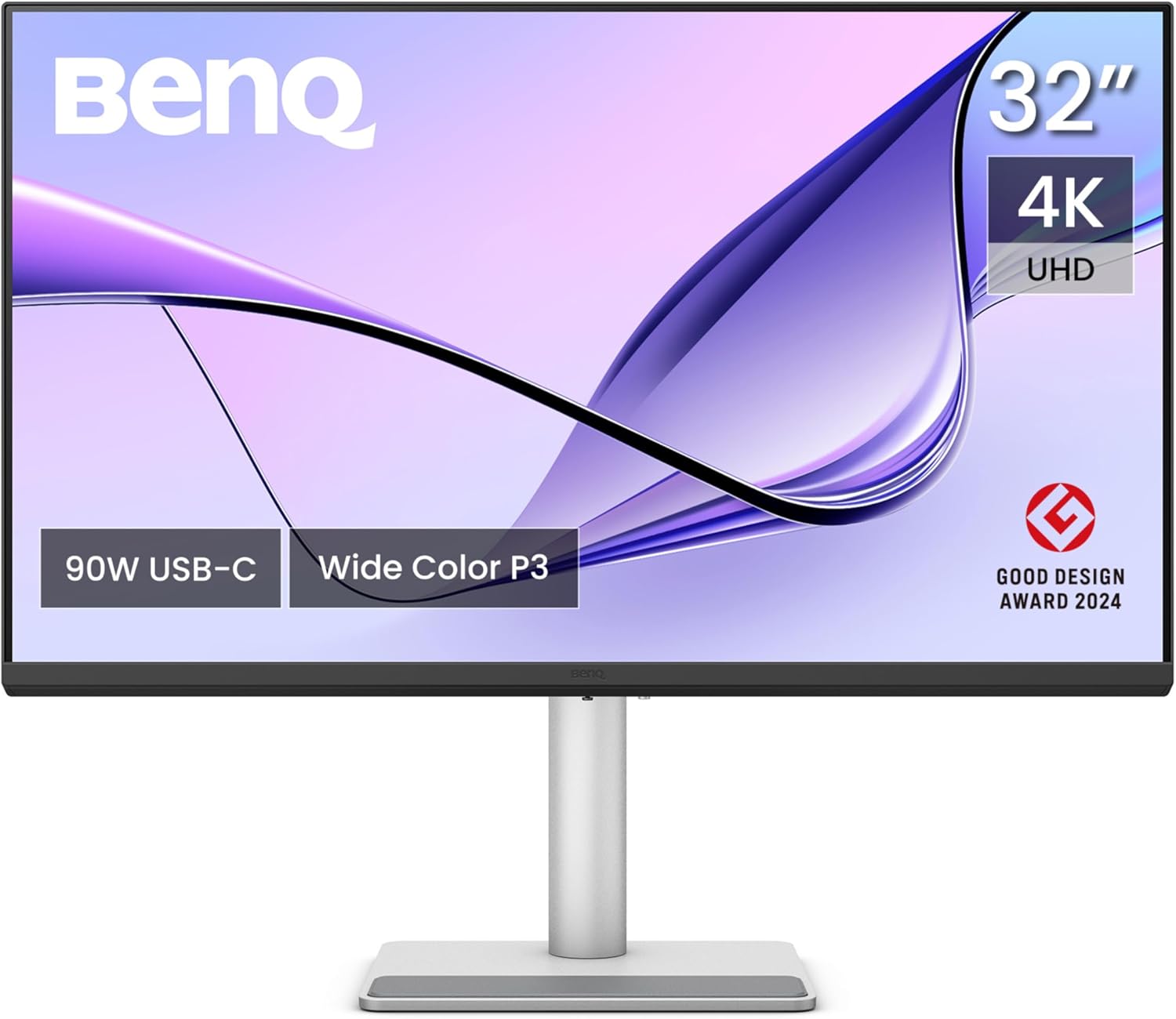
BenQ MA320U Analysis: Mac Colour Without the Mac Price
My Honest Verdict
The BenQ MA320U is the monitor Mac users have been waiting for someone to actually build properly. 32 inches, 4K resolution, dual USB-C with 90W Power Delivery, colour calibrated specifically for macOS — and it backs up those claims with genuine buyer satisfaction rather than empty spec sheet promises. This is the BenQ MA320U doing what it says on the tin, which in the monitor world is more rare than it should be.
The headline here is colour accuracy. BenQ has had their Colour Lab calibrate this panel against a MacBook Pro display, and the result is a 99% P3 wide colour gamut that tracks what your MacBook screen shows rather than wandering off into its own interpretation. At 3840 x 2160 pixels on a 32-inch panel, pixel density sits at roughly 137 PPI — sharp enough that you won’t be hunting for jagged edges. Pair that with 550 cd/m² brightness and a matte anti-glare panel, and you have something genuinely usable in a bright room. The 60Hz refresh rate is what it is — this is a productivity and creative monitor, not a gaming panel, and BenQ isn’t pretending otherwise.
If you use a Mac — MacBook, Mac Mini, Mac Pro — and you want a large external display that doesn’t fight you over colour, connectivity, or keyboard shortcuts, this is the clearest recommendation in its class. If you need anything above 60Hz, or if you’re primarily on Windows without caring about Mac-specific software integration, there are better options for the money. But for Mac users who do photo or video work, or who just want a second screen that behaves like an Apple product without the Apple price tag, the BenQ MA320U is a serious contender.
See the current listing and availability for the BenQ MA320U on Amazon.

What It’s Best For
Photo and video editing on Mac. This is the primary use case and where the BenQ MA320U earns its reputation. The 99% P3 colour gamut combined with BenQ’s hardware-level calibration against a MacBook Pro means the colours you see on this screen are the colours you’re actually editing. That matters. Most monitors that claim colour accuracy are relying on factory presets that drift over time or were never particularly accurate to begin with. BenQ’s Colour Lab approach is more rigorous, and buyers doing photo and video work consistently note that what they export looks the way it looked during editing — which is the whole point. The matte anti-glare surface keeps glare from killing your shadow detail in bright environments.
Mac desk setups and productivity. The single-cable setup is genuinely useful here. One USB-C cable carries video, data, and 90W of power to your MacBook — no separate charger needed, no cable chaos. The BenQ Display Pilot 2 software integrates Mac keyboard shortcuts so you can control brightness and volume from the keys you already use. It’s the kind of integration Apple charges a large premium for in their own displays. Add in the USB hub functionality — 2 USB-C and 2 USB-A ports — and this becomes a genuine desktop hub rather than just a screen. For anyone running a Mac Mini or docking a MacBook, that’s a practical day-to-day win.
Multi-device workstations. Several buyers run this across Mac and Windows machines simultaneously, and the 2 HDMI plus 2 USB-C port configuration makes switching between sources straightforward. One port charges your MacBook at full speed, a second USB-C delivers 15W for an iPad or iPhone. Whether you’re alternating between a personal MacBook and a work Windows laptop, or adding a PS5 into the mix for casual gaming, the port selection covers it without requiring a separate dock.
The Specs That Really Matter
The panel type isn’t explicitly listed in the spec data, but the combination of 178-degree viewing angles, 2000:1 contrast ratio, and colour gamut performance points clearly to an IPS-type panel. That’s the right call for colour work — IPS panels deliver consistent colour from off-axis, which matters when you’re not always sitting dead centre. The 2000:1 contrast is better than typical IPS (which usually lands around 1000:1), suggesting some panel or backlight optimisation is in play. Don’t expect OLED-level blacks, but this isn’t an OLED situation — it’s a properly calibrated IPS-class display for daytime creative work, and it performs accordingly.
Resolution and screen size are directly linked decisions, and at 3840 x 2160 on a 32-inch screen, you’re getting a pixel density that renders text sharply without macOS needing to do heavy-handed scaling gymnastics. If you’ve ever run a 4K monitor at the wrong scaling setting and ended up with everything looking either tiny or blurry, you’ll appreciate that this combination sits in the sweet spot. For more context on how screen size and resolution interact, it’s worth understanding the relationship before committing to any panel size. The MA320U hits the right balance for a desktop productivity screen viewed at normal arm’s length.
The 60Hz refresh rate will be the line item that filters out some buyers, and that’s fine. For everything this monitor is designed to do — document work, image editing, video grading, general Mac use — 60Hz is completely adequate. You won’t notice the difference between 60 and 144Hz editing a Lightroom catalogue or writing in Final Cut. Where you will notice it is in fast-paced gaming, and BenQ clearly isn’t targeting that audience with this product. The 5ms response time is similarly a non-issue for the target buyer. If you’re curious how refresh rate and response time actually translate to real-world experience, the difference only becomes meaningful in gaming scenarios. For 2026 and beyond, as Mac gaming slowly improves, this limitation is worth flagging — but it’s not a flaw in context.
Connectivity deserves a mention because it’s genuinely well thought out. Dual USB-C ports, dual HDMI, and a downstream USB hub isn’t standard at this level. The 90W Power Delivery on the primary USB-C port handles a MacBook Pro without needing a wall brick alongside it. The secondary USB-C at 15W handles an iPad or iPhone simultaneously. For anyone building a tidy single-cable Mac desk setup, the connectivity alone justifies a serious look.
Check the full spec sheet and buyer Q&As for the BenQ MA320U on Amazon.
What Buyers Are Saying
The BenQ MA320U carries a rating of 4.6 out of 5 from 554 reviews — a solid sample size, and the sentiment is consistent enough to draw real conclusions. Colour accuracy and the Mac integration features attract the most praise, and buyers who specifically came from other monitors — including LG and Dell — note that the BenQ’s Mac-specific calibration makes a visible difference. One buyer ran the display across Windows PC, MacBook Air, and Dell laptop simultaneously and called out the auto brightness and colour temperature adjustment as a standout feature they hadn’t seen discussed elsewhere. Another compared it favourably to an Apple 5K display and called it a strong substitute without the Apple price.
The nano matte panel gets specific attention. This isn’t just standard matte anti-glare — multiple buyers noted that it eliminates reflection without the haze that cheaper matte coatings introduce, keeping text sharp even at MacOS scaling. That’s a genuine differentiator and it’s consistent across reviews from buyers using it in bright rooms and beside windows.
Criticism exists but it’s limited. One buyer found initial BenQ Display Pilot 2 software setup finicky, with brightness keyboard control requiring workarounds before it worked as expected. A second note on built-in speakers — they’re described by one buyer as adequate for speech but poor for music. That’s a fair and honest assessment, but it’s also true of virtually every monitor in this class. Internal speakers on a monitor are rarely worth relying on. The viewing angle complaint from one buyer sits slightly at odds with the majority of the positive sentiment, and likely reflects a comparison to a high-end IPS iMac panel rather than a realistic benchmark against competing monitors at this level.
Buyer Highlights
“Colour accuracy is great across both Mac and Windows — and the auto brightness feature genuinely makes long screen time easier on your eyes.” — A consistent theme from buyers who use this across multiple platforms and care about eye comfort.
“Sitting alongside an Apple Mac 5K and it’s a good substitute for considerably less money.” — Buyers upgrading or expanding their Mac setup frequently land on this comparison.
“The nano matte panel is insane — so much better than regular matte panels with no compromise to text sharpness.” — Specific praise for the anti-glare coating that goes beyond just reducing reflections.
“Picture quality is beautiful, colours are accurate and 99% similar to my Mac — I can edit photos knowing I have a colour accurate display.” — Photo and video editors consistently cite colour matching as the deciding factor.
“Worked seamlessly out of the box with my Mac Mini, and the stand offers all the flexibility you could ask for.” — Out-of-box setup experience rated positively by the majority of reviewers.

Worth Knowing Before You Buy
The BenQ Display Pilot 2 software is central to the Mac-specific features — keyboard brightness control, auto brightness sync, and the Mac colour mode all route through it. Most buyers find it works cleanly out of the box, but at least one buyer encountered issues with brightness keyboard control specifically and had to supplement with third-party software (Monitor Control) to get full functionality. It’s not a widespread pattern across the review pool, but it’s worth knowing that if the software integration is your primary reason for buying this over a generic 4K display, you may need to spend a few minutes in settings before everything clicks. BenQ’s customer support and the Display Pilot documentation are both reasonably well regarded, so it’s a manageable situation rather than a design flaw. For anyone weighing up which type of monitor actually suits their workflow, the use-case guide is a useful reference point.
The built-in speakers are there, but treat them as a fallback rather than a feature. They’ll handle a Teams call in a quiet room. For anything else, an external speaker is the right call — and the monitor’s USB hub means you can plug one in directly. The stand is genuinely good: height, tilt, swivel, and full 90° pivot for portrait use are all included, which is not a given at this level. No VESA adapter concerns either — wall mounting is supported. The 2-year manufacturer warranty is standard for BenQ and consistent with the category. Build quality from buyer feedback reads as solid — weighty, well-assembled, no reported structural issues. At 9.1kg with stand, it’s not something you’re moving around daily, but that’s appropriate for a 32-inch panel.
View current stock and delivery options for the BenQ MA320U on Amazon.
Who Should Buy It (And Who Shouldn’t)
Buy If
- You use a Mac — MacBook, Mac Mini, or Mac Pro — and want a large external display with genuine colour consistency rather than a generic panel that needs manual calibration.
- You do photo or video editing and need your external monitor to reflect what your MacBook display shows, particularly within the P3 colour space.
- You want a single-cable desk setup that delivers video, data, and 90W of MacBook charging without a separate power brick.
- You regularly switch between a Mac and a Windows machine, or want to connect an iPad and iPhone simultaneously — the port configuration handles this without a separate hub.
Avoid If
- You need more than 60Hz — whether for gaming, fast-paced video work, or any scenario where frame rate fluidity matters. This monitor has no answer to that requirement.
- You’re primarily a Windows user with no particular interest in Mac colour integration — the Mac-specific features are the core value proposition here, and without them you’re paying for calibration work that a broader-spec Windows-focused display might spend its budget on elsewhere. Check the monitor buying guide for alternatives if your needs are more general.
The Bottom Line
The BenQ MA320U does something most monitors in its category don’t bother attempting: it treats Mac colour accuracy as a hardware and software problem worth genuinely solving, rather than something you can paper over with a preset. The combination of a properly calibrated 99% P3 panel, 90W USB-C single-cable connectivity, Mac keyboard integration, and a well-built adjustable stand makes this a coherent, purposeful product. The 60Hz ceiling is the only meaningful constraint, and for the Mac-focused productivity and creative audience this monitor is built for, that’s simply not a daily problem. At a 4.6-star rating across 554 buyers, the sentiment backs the spec sheet up. Straightforward recommendation.
Find the BenQ MA320U on Amazon and check current availability.
At The Monitor Expert, our approach is built on data transparency rather than simulated hands-on testing. We rigorously analyse official manufacturer specifications and aggregate verified customer sentiment to provide honest, straightforward buying advice that cuts through the marketing noise.
As an Amazon Associate, I earn from qualifying purchases.
Browse by Specification
Looking for something specific? Browse our analyses by hardware and feature below, or check all monitor analyses in the Office Monitors and Premium Monitors category archives.
[IPS Monitors] — [VA Monitors] — [TN Monitors] — [OLED Monitors]
Browse by Refresh Rate
[60Hz] — [75Hz] — [100Hz] — [120Hz] — [144Hz] — [165Hz] — [180Hz] — [200Hz] — [240Hz+] — [360Hz+]
Browse by Screen Size
[Small Screen] — [24-inch] — [27-inch] — [32-inch] — [Large Screen] — [Ultrawide]




