
Z-Edge UG34 Analysis: Ultrawide VA That Undercuts the Market
My Honest Verdict
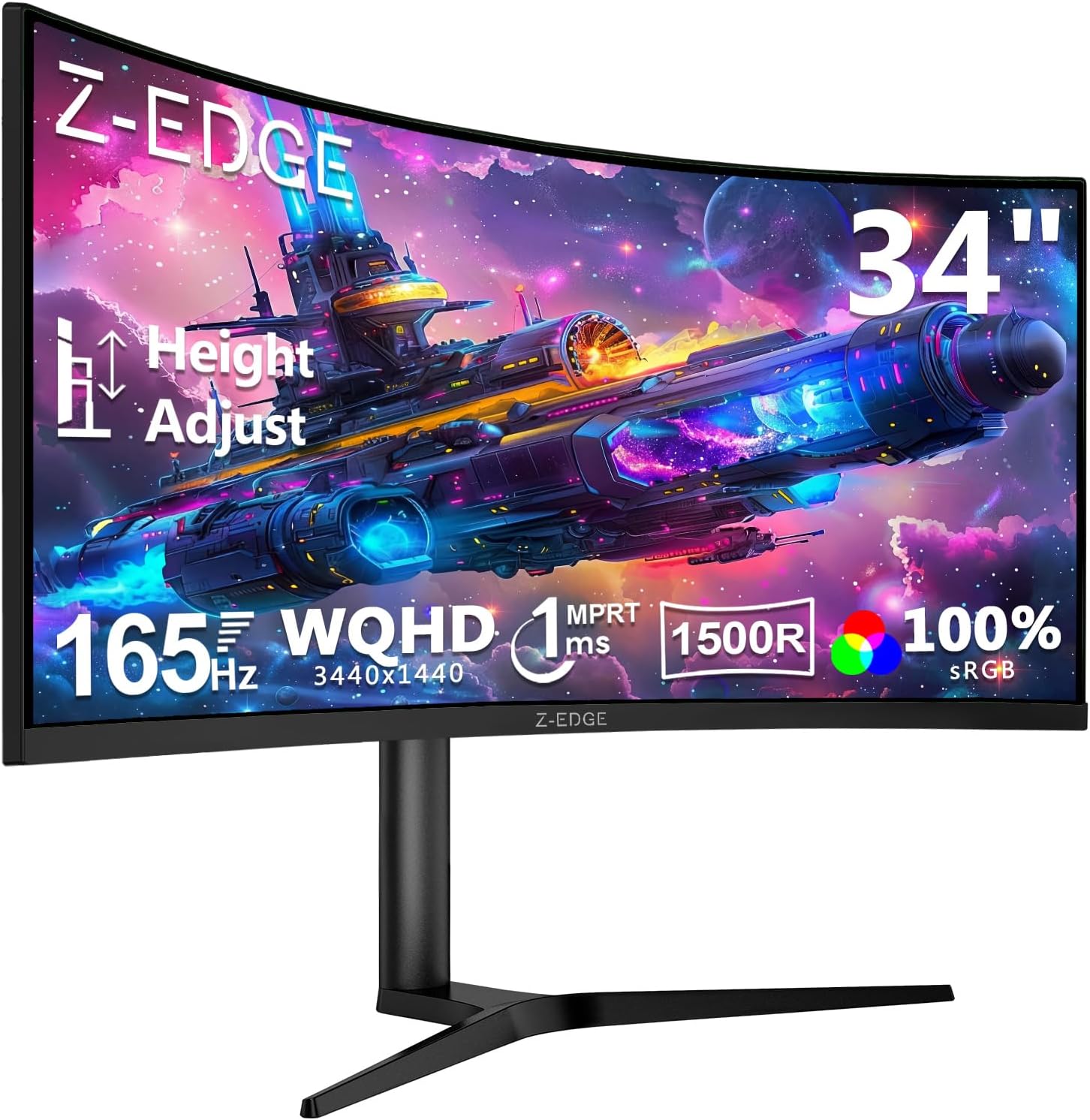
The Z-Edge UG34 is a 34-inch ultrawide curved gaming monitor that punches well above what its price bracket normally delivers. It offers a VA panel, 3440×1440 resolution, 165Hz refresh rate via DisplayPort, and a 1500R curve — a spec combination that until recently required spending considerably more. The trade-offs are real but manageable, and for most buyers considering this size and resolution tier, the Z-Edge UG34 deserves a serious look.
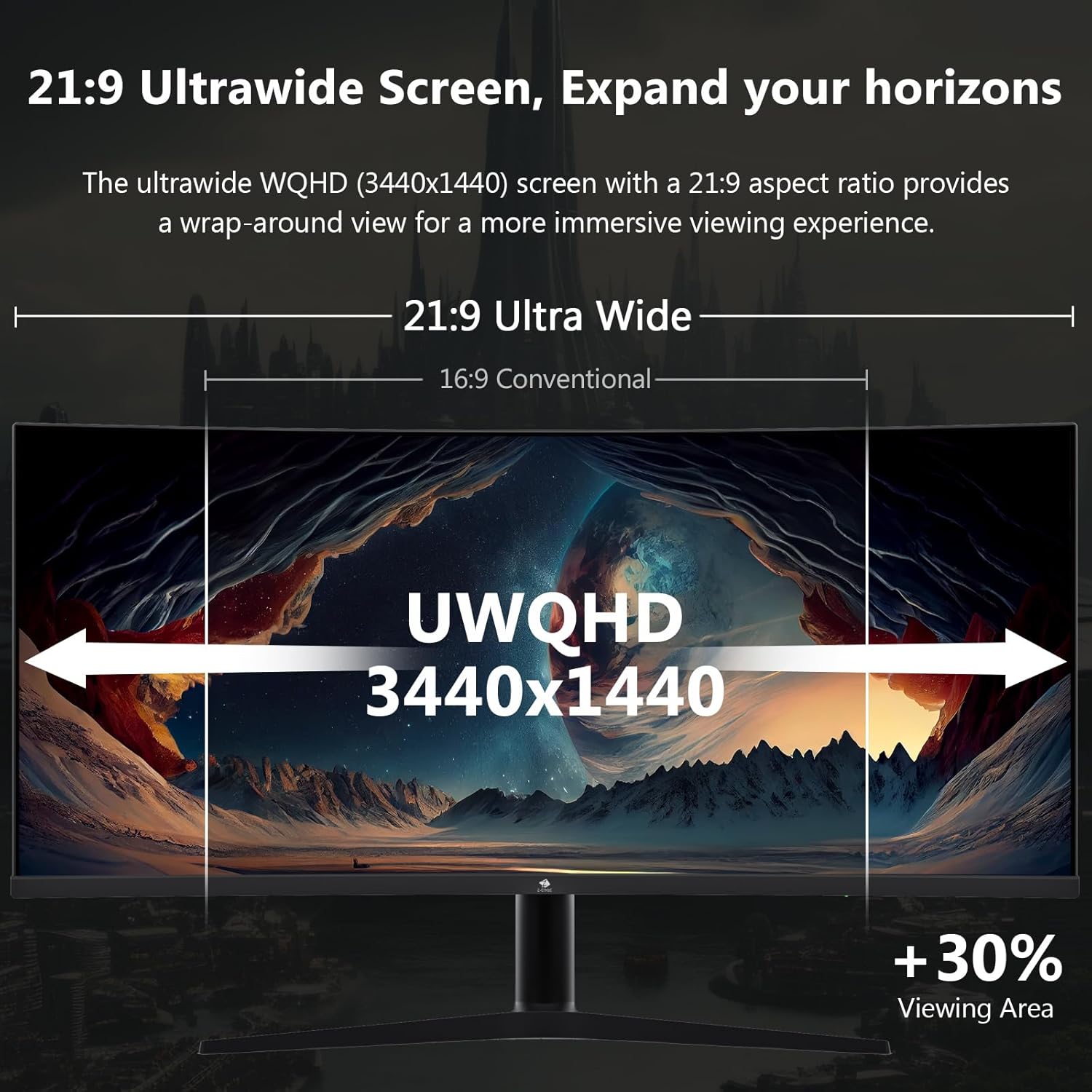
A UWQHD resolution at 34 inches means genuinely sharp images — noticeably crisper than a standard 1080p screen at this size, with enough pixel density that text is clean and game environments have real detail. The 1500R curvature is well-matched to that screen width, wrapping your peripheral vision without feeling theatrical. Running at 165Hz on DisplayPort makes motion smooth enough that going back to 60Hz feels like punishment. The VA panel brings a quoted 3000:1 contrast ratio, which means blacks that IPS screens at this price level genuinely can’t match.
If you want an ultrawide gaming setup without spending IPS-premium money, this is a credible path. If you’re a competitive FPS player who prioritises absolute pixel response over contrast, or you need USB-C connectivity, look elsewhere. But for the casual-to-serious gamer who wants cinematic immersion and a productivity-capable workday screen in one, the Z-Edge UG34 makes a strong case.
See the Z-Edge UG34 listing and current availability on Amazon.

What It’s Best For
Gaming is where the Z-Edge UG34 is most at home. The 21:9 aspect ratio widens your field of view in supported titles — open-world games, racing sims, and RPGs reward you with genuinely more environment on screen. The 1500R curve keeps the edges of that wide canvas in comfortable focus without head movement. At 165Hz over DisplayPort, motion is fluid and responsive for most game genres. You’re not getting an esports-grade zero-compromise response here, but for immersive gaming across a wide variety of titles, the experience is solid.
Office and productivity work is a legitimate second use case, and several buyers use it exactly this way. The 3440×1440 canvas at 34 inches gives you side-by-side application windows with room to breathe — the equivalent of two decent monitors in one continuous display. The PIP and PBP modes allow two separate inputs to run simultaneously, which is genuinely useful if you’re flipping between a laptop and a desktop. The height-adjustable stand is a bigger deal for all-day use than some buyers realise — not every monitor at this price offers real ergonomic adjustment. If you’re unsure whether ultrawide works for your workflow, the type of monitor that suits a particular use case matters more than the headline spec.
Home entertainment and streaming also benefit here. The VA panel’s deep contrast makes dark scenes in films look properly cinematic — shadow detail holds up in a way that budget IPS panels struggle with. The 21:9 format is also the native aspect ratio of many films, meaning you get the full image without the letterbox bars you’d see on a 16:9 screen. There’s no built-in speaker, so you’ll need headphones or external audio, but that’s a minor inconvenience for what you get in visual terms.
The Specs That Really Matter
The VA panel is the single most important thing to understand about this monitor. VA sits between IPS and TN in the panel hierarchy — better contrast than IPS, better colour depth than TN, but slower pixel response than either in absolute terms. The 3000:1 contrast ratio is the headline advantage: blacks genuinely look black, not dark grey, which matters enormously in dark gaming environments and films. Viewing angles are decent at a quoted 178 degrees, though colour shift at extreme angles is more noticeable than on a good IPS screen. For a seated desk setup, that’s rarely a practical issue. If panel types affect your decision and you want the full breakdown, the differences between IPS, VA, TN, and OLED panels are worth understanding before you commit.
The 165Hz refresh rate via DisplayPort is legitimately useful — not just a marketing number. Whether you’ll notice the gap between 165Hz and 144Hz in practice is debatable, but the jump from 60Hz to this refresh rate is transformative. One important caveat: HDMI ports on this monitor cap at 100Hz. If you’re connecting via HDMI — a console, for instance — you will not get the full refresh rate. Use DisplayPort 1.4 for PC gaming and you’re fine. The Adaptive Sync (FreeSync) support keeps frame rates tied to render output, eliminating screen tearing without needing a locked frame rate. More on how refresh rate and response time interact in practice if you want to understand when these specs genuinely move the needle.
The quoted 1ms MPRT response time needs context. MPRT is motion picture response time — a measurement of how long a pixel appears on screen when backlight strobing is involved, not the actual grey-to-grey pixel transition speed. It’s not a fake number, but it’s also not directly comparable to GtG figures from IPS panels. Real-world VA ghosting depends on the signal, the overdrive setting, and the specific content. Buyers who’ve run UFO tests on this unit report clean results, which is encouraging, but don’t expect pixel-perfect response at the level of a high-end IPS or OLED gaming screen.
Resolution and screen size matter together, and at 3440×1440 across 34 inches the pixel density lands at a comfortable level — detailed enough for sharp text and fine game textures without needing GPU-punishing 4K rendering. That said, your GPU needs to be capable of pushing reasonable frame rates at this resolution to make the most of the 165Hz ceiling. Pairing this with an entry-level card will leave headroom unused. The relationship between display size and resolution is worth thinking through if you’re building a new system around this screen. As of 2026, mid-range GPUs handle UWQHD at high refresh rates far more comfortably than they did even two years ago, which makes the Z-Edge UG34’s spec sheet look better timed than ever.
Connectivity: two HDMI ports and two DisplayPort inputs is a generous port count for this price. The 3.5mm audio out adds headphone or speaker flexibility. No USB-C or Thunderbolt — if that’s essential for your workflow, this isn’t the monitor. There’s also a USB 2.0 hub (two ports) noted in the spec data. For a fuller picture of what the port selection means in practice, the monitor connectivity guide covers HDMI versions, DisplayPort bandwidth, and what each port can actually handle.
Check the full spec sheet and buyer Q&As for the Z-Edge UG34 on Amazon.
What Buyers Are Saying
The Z-Edge UG34 holds a rating of 4.4 out of 5 from 427 customer reviews — a meaningful sample with a clear positive lean. The dominant theme across UK buyers is straightforward: the value-to-specification ratio surprises people. Multiple reviewers reference comparable Samsung screens costing significantly more for no tangible quality advantage. That kind of direct comparison carries weight.
Build quality gets consistent praise for the price bracket. The stand in particular — height-adjustable, tiltable, and swivel-capable — draws specific mentions from buyers who expected less. Several productivity users highlight the curve as genuinely comfortable for all-day work, with one noting that moving from a flat ultrawide to this curved screen eliminated the need to tilt their head at screen edges. The PIP/PBP function has impressed buyers managing multiple inputs, and the HDR10 support via DisplayPort is working correctly despite an error in the printed manual suggesting otherwise.
Negative reviews represent a small but real minority. One buyer reports erratic physical button behaviour — the OSD triggering randomly — and colour cycling issues on standby. Another notes the bezel is larger than the marketing images suggest. These are legitimate concerns: OSD build quality is a known weak point at this price tier across most brands, and marketing photography routinely flatters bezels. One UK buyer reported a unit fault after ten months but praised Z-Edge’s customer service for replacing it without hassle, which is worth noting given the one-year warranty.
Buyer Highlights
“I have 5 Samsung screens the same size and it’s no better than this.” — A recurring sentiment from buyers who’ve owned name-brand ultrawides and found the step down in brand prestige doesn’t mean a step down in image quality.
“Looking from one end of the screen to the other feels good and I don’t feel like I need to tilt my head.” — Consistent feedback from productivity users who upgraded from flat ultrawide screens.
“The monitor worked great and if a fault develops, the customer service is brilliant — they replaced it seamlessly.” — Encouraging pattern from buyers who tested the warranty support first-hand.
“The bezels are much larger than shown in the advertisement.” — A fair and recurring complaint worth flagging — the product photography is flattering and doesn’t represent the actual bezel size accurately.
“Works fine at 165Hz with DisplayPort 1.4 — very good blacks and the UFO refresh rate test looks really clear and sharp.” — Useful real-world confirmation that the full refresh rate and VA response hold up in practice when using the correct connection.
Worth Knowing Before You Buy
The HDMI refresh rate cap is the most practically important detail to get right before you unbox. Both HDMI ports on the Z-Edge UG34 top out at 100Hz — you need DisplayPort for the full 165Hz. The box does include a DisplayPort cable, which is the right call, but if you’re planning to connect a console or any device that only outputs HDMI, manage your expectations accordingly. The manual apparently states HDR only works over HDMI — buyers have confirmed this is incorrect and HDR does function over DisplayPort. Minor, but annoying when you’re setting up a new screen and working from bad documentation.
VA panel ghosting is a real consideration, not a panic point. At 165Hz with correct overdrive settings, most buyers report no visible smearing in practice — the UFO test results cited in reviews back this up. But fast-moving content in dark scenes can expose VA limitations that wouldn’t appear on a high-end IPS panel. If your primary use is competitive FPS where every frame of motion clarity matters, this matters. If you play story games, RPGs, racing titles, or use the screen for productivity and streaming, it’s unlikely to affect your experience. Understanding the full picture of what these specs mean helps set realistic expectations before buying.
The OSD button reliability issue reported by at least one buyer is worth flagging without overstating. It represents a small fraction of units, and Z-Edge’s warranty support appears responsive based on the evidence available. Still, if you receive a unit with erratic button behaviour, treat it as a fault to escalate rather than something to live with. The one-year warranty is standard for this segment — not exceptional, though buyers have noted you can extend to two years. Z-Edge isn’t a household brand, and that cuts both ways: fewer assumptions about support quality, but the customer feedback on warranty handling is more positive than you might expect from an unknown name.
The bezel size is worth a quick reality check. Marketing images consistently make the bezels appear thinner than they are. This won’t affect performance, but if you’re planning a multi-monitor setup and need precise bezel-match aesthetics, measure before you commit. For a single-screen setup, it’s a non-issue. The monitor buying guide covers this kind of pre-purchase checklist in more detail if you want a structured framework.
View current stock and availability for the Z-Edge UG34 on Amazon.
Who Should Buy It (And Who Shouldn’t)
Buy If
- You want a 34-inch UWQHD ultrawide gaming monitor with genuine 165Hz performance and can connect via DisplayPort — this delivers the full spec at a price that significantly undercuts branded alternatives.
- You split your time between gaming and desk work — the wide canvas, height-adjustable stand, dual-input PIP/PBP support, and sharp resolution make it a capable all-day screen, not just a gaming piece.
- Deep blacks matter to you — the VA panel’s 3000:1 contrast ratio gives dark scenes and night-time game environments a quality that IPS panels at this price tier can’t replicate.
- You’re upgrading from a 60Hz or 1080p screen and want a meaningful step up in both resolution and fluidity without paying flagship prices.
Avoid If
- You play competitive FPS games where absolute pixel response and motion clarity are non-negotiable — the VA panel, however well-tuned, cannot match a high-end IPS or OLED screen in that specific use case.
- You need USB-C or Thunderbolt connectivity — neither is present, and if your workflow depends on single-cable laptop connections, this monitor won’t support it.
- Your GPU struggles to push reasonable frame rates at 3440×1440 — buying a 165Hz ultrawide and running it at 60fps because your card can’t keep up is a waste of what this screen offers.
The Bottom Line
The Z-Edge UG34 is a genuinely strong option in a segment that usually demands much more money for comparable specifications. A 34-inch VA panel at 3440×1440 with 165Hz over DisplayPort, proper ergonomic adjustment, and a growing base of satisfied buyers who’ve compared it directly to premium-brand alternatives — that’s a monitor worth taking seriously. It has real limitations: the HDMI refresh rate cap, the VA motion caveats in competitive gaming, and occasional OSD reliability questions. None of these are deal-breakers for the target buyer, and none should be dressed up as things they’re not. For most people who want an immersive, high-resolution ultrawide for gaming and daily work, the Z-Edge UG34 earns a recommendation without caveats.
The Z-Edge UG34 is listed on Amazon with full buyer Q&As and recent customer reviews.
At The Monitor Expert, our approach is built on data transparency rather than simulated hands-on testing. We rigorously analyse official manufacturer specifications and aggregate verified customer sentiment to provide honest, straightforward buying advice that cuts through the marketing noise.
As an Amazon Associate, I earn from qualifying purchases.
Browse by Specification
Looking for something specific? Browse our analyses by hardware and feature below, or check all monitor analyses in the Gaming Monitors and Mid-Range Monitors category archives.
[IPS Monitors] — [VA Monitors] — [TN Monitors] — [OLED Monitors]
Browse by Refresh Rate
[60Hz] — [75Hz] — [100Hz] — [120Hz] — [144Hz] — [165Hz] — [180Hz] — [200Hz] — [240Hz+] — [360Hz+]
Browse by Screen Size
[Small Screen] — [24-inch] — [27-inch] — [32-inch] — [Large Screen] — [Ultrawide]




