
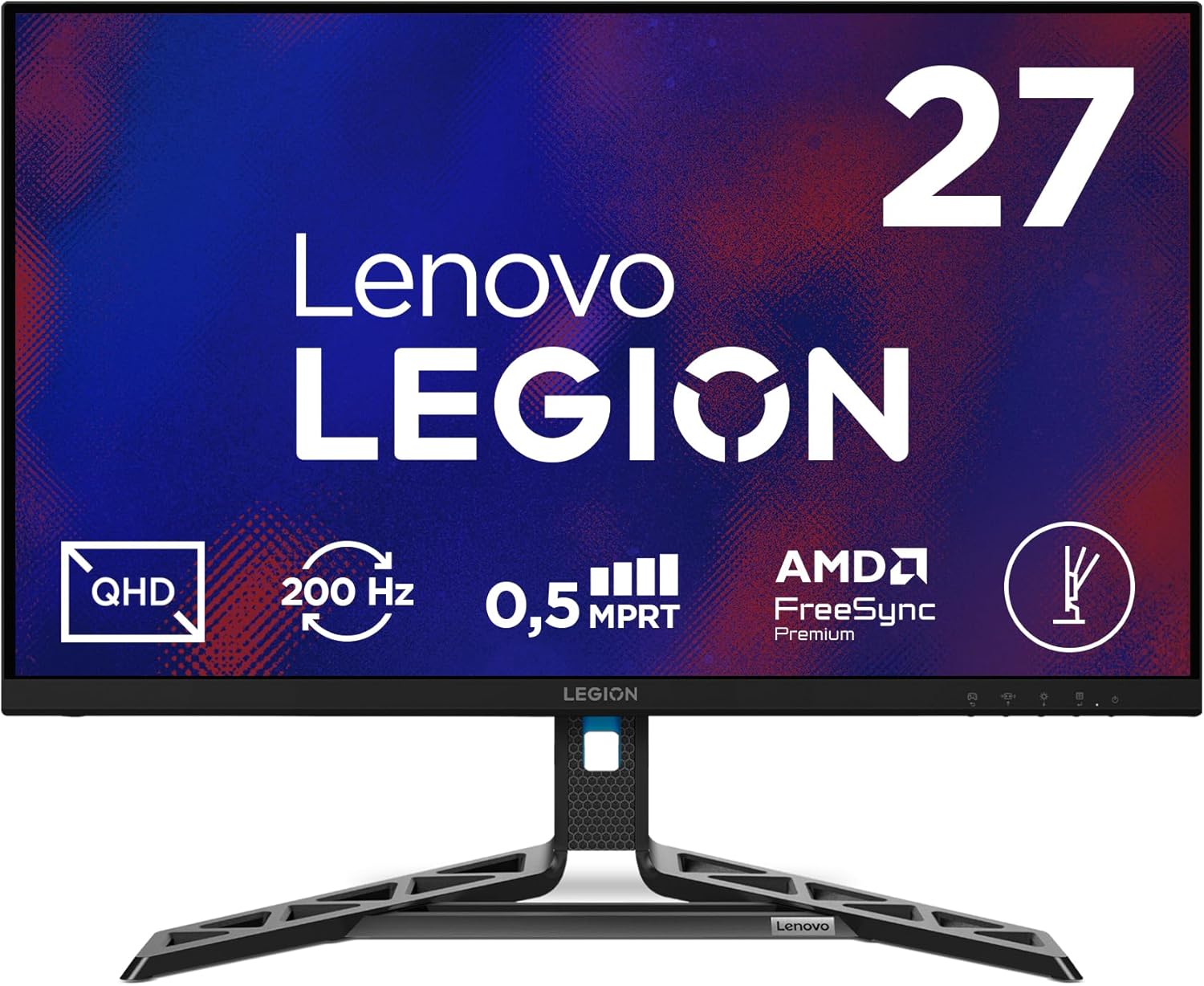
Lenovo Legion R27qe Gen 2 Analysis: QHD at 200Hz
My Honest Verdict
The Lenovo Legion R27qe Gen 2 is a strong entry in the crowded 27-inch QHD gaming monitor space. It pairs a 2560×1440 IPS panel with a 200Hz refresh rate, and for buyers upgrading from an older 1080p or 144Hz screen, the jump in clarity and fluidity will be immediately noticeable. The headline limitation is the absence of built-in speakers — worth knowing if you haven’t already got audio sorted — but that’s a minor gripe rather than a structural flaw.
What the specs translate to in daily use: sharper text and finer detail than anything running at 1920×1080, smooth motion across everything from competitive shooters to open-world games, and the wide viewing angles that IPS panels are known for. The 0.5ms MPRT response time is a moving picture response time figure — the kind of measurement that flatters spec sheets — but at 200Hz on an IPS panel, real-world motion handling is genuinely capable for gaming use. The AMD FreeSync adaptive sync support means screen tearing stays away without needing an NVIDIA GPU to get the most from it.
This is the right monitor for PC gamers and console users — the dual HDMI 2.1 ports handle PS5 and Xbox Series X at up to 120fps without any adapter workarounds — who want a serious step up from entry-level screens without paying for features they’ll rarely use. It’s not the right call if you need built-in speakers or USB-C connectivity, or if you’re a content creator who needs a DisplayPort 1.4 certified connection (the specs list DP 1.4 in features but DP 1.2 in the product title — more on that below).
See the current listing and availability for the Lenovo Legion R27qe Gen 2 on Amazon.

What It’s Best For
Competitive and immersive gaming: The combination of 200Hz refresh and QHD resolution is genuinely uncommon at this tier. For competitive titles — shooters, racing games, anything where smoothness and sharpness both matter — this hits the mark. You’re not choosing between fluid motion and detailed visuals; you get both. The three-sided NearEdgeless design keeps the image clean without thick bezels breaking the immersion, and FreeSync compatibility covers both AMD GPU users and, through VESA Adaptive Sync, most recent NVIDIA cards as well. One buyer specifically called out Doom: The Dark Ages in 1440p as looking “absolutely incredible” after upgrading from a 1080p 144Hz screen — that’s a realistic expectation here.
Console gaming: Two HDMI 2.1 ports is a genuine differentiator at this screen size and price tier. Most monitors in this bracket ship with a single HDMI 2.1 or HDMI 2.0 — having two means you can connect a PS5 and an Xbox Series X simultaneously and switch between them via the OSD without unplugging anything. Both consoles can push 1440p at high frame rates, and the FreeSync support extends to Xbox via HDMI. If you’re gaming on console as much as PC, this port layout is a practical advantage. If you’re figuring out which display setup suits your needs, the use case matching guide covers this well.
Everyday desktop and productivity use: At 27 inches, 2560×1440 sits at a pixel density where text is genuinely crisp without needing scaling tricks. The IPS panel’s wide viewing angles mean colour accuracy holds up across the full screen width — useful for spreadsheets, document work, and anything where you’re not always centred. The 99% sRGB colour gamut also means web content looks accurate and natural rather than washed out. The stand ships with height, tilt, swivel, and pivot adjustment, which is more than most budget competitors offer.
The Specs That Really Matter
The panel is IPS, which matters more than almost any other single specification. VA panels at this price tier can look better in dark scenes on paper but often suffer from smearing in motion — a significant problem for gaming. TN panels are faster but look noticeably worse from anything but dead centre. IPS gives you good colours, wide viewing angles, and motion handling that’s genuinely capable for most gaming use. If you want to understand the full trade-offs, the panel types breakdown covers this in plain English. For this use case and price bracket, IPS is the right choice.
The 200Hz refresh rate is where this monitor earns its gaming credentials. The jump from 60Hz to 144Hz is dramatic and visible to anyone. The gap between 144Hz and 200Hz is real but more subtle — you’d notice the difference mainly in fast competitive gaming rather than general desktop use. That said, at QHD resolution, pushing 200Hz consistently requires a capable GPU — a mid-range card will hit those numbers in lighter titles but may not sustain it in demanding open-world games. The 0.5ms figure is an MPRT (moving picture response time) measurement, which uses backlight strobing to achieve the number rather than measuring pixel switching time directly. It reads well on a spec sheet but doesn’t translate directly to real-world pixel transitions. In practice, the monitor’s motion handling at 200Hz will be solid — just don’t read too much into that 0.5ms figure in isolation. A fuller explanation of how refresh rate and response time interact is worth reading before you finalise this purchase.
Connectivity deserves a mention because there’s a discrepancy worth flagging. The product title states DisplayPort 1.2, but the features section lists a “DP 1.4 port”. This matters because DP 1.4 can comfortably handle 2560×1440 at 200Hz with headroom to spare, while DP 1.2 can also technically handle it but with less bandwidth margin. A DisplayPort cable is included in the box, which is useful. The dual HDMI 2.1 ports are unambiguously specified and carry the full bandwidth needed for QHD 144fps on console without bottleneck. For a full picture of what port versions actually mean in practice, the connectivity guide is the clearest breakdown I know of. The 1000:1 contrast ratio is standard IPS — not particularly deep blacks, but entirely acceptable for gaming and bright-environment use. The 90% DCI-P3 colour gamut gives the panel some reach into wider colour content beyond standard sRGB.
In 2026, 200Hz QHD IPS monitors at this tier represent genuinely good value relative to what was available even two years ago — and the Lenovo Legion R27qe Gen 2 sits comfortably within the better end of that field based on what the specs indicate and what buyers are reporting.
Check the full spec sheet and buyer Q&As for the Lenovo Legion R27qe Gen 2 on Amazon.
What Buyers Are Saying
The Lenovo Legion R27qe Gen 2 holds a rating of 4.4 out of 5 from 47 reviews on Amazon UK. That’s a small but useful sample — enough to spot patterns, not enough to treat every data point as definitive. The majority of reviews land at five stars, and the consistent themes are brightness, colour quality, and the step-change experience for buyers upgrading from older or lower-resolution screens.
The most detailed positive review comes from someone who upgraded from an ASUS 1080p 144Hz panel. Their reaction was blunt: they were “blown away.” Sharper text, better colour, and a setup that brought both their PC and PS5 to life. The brightness in particular got called out — reportedly striking even at 62% brightness. That matches IPS panels in this tier, which tend to be well-specified on peak brightness even if the marketing numbers aren’t always quoted directly. Several other buyers made specific mentions of colour reproduction and clarity that track with the 99% sRGB and 90% DCI-P3 figures on paper. If screen resolution and size are factors you want to understand better before buying, the display size and resolution guide is a useful reference.
There are two recurring complaints worth noting, neither of which is a design flaw. One buyer received a unit with a screen scuff that was present on arrival — a transit damage issue rather than a product quality problem, and one that Lenovo’s 3-year manufacturer warranty should cover. A second complaint was about Amazon’s delivery service specifically — the monitor arrived with a dented box after reportedly being thrown by the courier. The monitor itself was fine according to that buyer, who rated it 4 stars on its merits. Neither complaint reflects on the product itself, but both are worth knowing if you’re ordering to a location with inconsistent courier service.
Buyer Highlights
“The text is sharper, clearer, and games look absolutely incredible in 1440p.” — A recurring sentiment from buyers upgrading from 1080p screens.
“Incredibly bright with picture quality being great — you can connect with HDMI or DisplayPort and switch between them easily.” — Consistent feedback on ease of multi-source setup.
“It’s responsive, bright, sharp, bursting with colour — the viewing angles are amazing.” — Reflects the typical IPS advantage that buyers are noticing in daily use.
“Really crisp and clear screen — no complaints.” — A common short verdict from buyers who weren’t expecting to be impressed and were.
“Works great with the PS5 — it’s compatible with anything you throw at it.” — Console users in particular are noting the dual HDMI setup as a practical win.

Worth Knowing Before You Buy
The DisplayPort version discrepancy between the product title (DP 1.2) and the features list (DP 1.4) is genuinely unclear from the available data. Either version will handle QHD at 200Hz — there are compression options that make this work over DP 1.2 — but if you’re pairing this with a high-end GPU and want the cleanest uncompressed signal, it’s worth checking the spec sheet on Lenovo’s own website or raising a question via the Amazon listing before purchasing. The included DisplayPort cable in the box is a practical plus regardless.
There’s no built-in audio — no speakers, no headphone jack based on the available specifications. If you’re desktop-speaker-free or using a headset via your PC or console, this is irrelevant. If you were hoping the monitor would handle audio output, you’ll need to factor in a separate solution. There’s also no USB-C or Thunderbolt port, so laptop users who want a single-cable docking solution should look elsewhere. The monitor buying guide has a useful section on what to check for connectivity before committing.
Build quality impressions from buyers are broadly positive — the monitor is described as feeling premium for its tier. The stand is well-specified with height, tilt, swivel, and pivot adjustment, which puts it ahead of most competitors that ship with tilt-only. The 3-year manufacturer warranty from Lenovo is a genuine asset — longer than the one-year coverage that’s still common at this price point. The transit damage reports are worth noting if you’re in an area with variable delivery quality, but those are Amazon logistics issues rather than product ones. Inspect the box on arrival.
View current stock and delivery options for the Lenovo Legion R27qe Gen 2 on Amazon.
Who Should Buy It (And Who Shouldn’t)
Buy If
- You’re upgrading from a 1080p or sub-144Hz monitor and want a meaningful jump in both clarity and smoothness — the 2560×1440 IPS panel at 200Hz is a genuine two-way upgrade over most older screens.
- You game on both PC and console and want dual HDMI 2.1 ports so a PS5 and a PC (or two consoles) can stay plugged in simultaneously without adapter juggling.
- You want a well-built monitor with a proper ergonomic stand — height, tilt, swivel, and pivot adjustment at this price bracket is above the norm and matters if you spend long hours at the desk.
- You want AMD FreeSync adaptive sync without being locked into an NVIDIA-only ecosystem — this covers AMD GPU users directly and works via VESA Adaptive Sync on compatible NVIDIA cards.
Avoid If
- You need built-in speakers or a headphone output from the monitor — there are none here, and that’s not something a firmware update will fix.
- You’re a laptop user looking for USB-C single-cable connectivity, or a content creator who specifically needs verified DisplayPort 1.4 bandwidth for HDR or high-refresh colour work — the port spec ambiguity and absence of USB-C make this the wrong tool for that job.
The Bottom Line
The Lenovo Legion R27qe Gen 2 does what the best monitors at this tier are supposed to do: it gives you a sharp QHD IPS panel, a 200Hz refresh rate, genuinely useful dual HDMI 2.1 ports for console users, and a stand that adjusts properly — all backed by a 3-year warranty that’s better than most of the competition. The DisplayPort version ambiguity is mildly irritating but unlikely to affect the vast majority of buyers. The absence of speakers and USB-C are knowable limitations rather than nasty surprises. If a fast, sharp 27-inch gaming screen is what you’re after and you can live without audio output from the monitor itself, this earns a clear recommendation.
The Lenovo Legion R27qe Gen 2 is available to order now on Amazon.
At The Monitor Expert, our approach is built on data transparency rather than simulated hands-on testing. We rigorously analyse official manufacturer specifications and aggregate verified customer sentiment to provide honest, straightforward buying advice that cuts through the marketing noise.
As an Amazon Associate, I earn from qualifying purchases.
Browse by Specification
Looking for something specific? Browse our analyses by hardware and feature below, or check all monitor analyses in the Gaming Monitors and Budget Monitors category archives.
[IPS Monitors] — [VA Monitors] — [TN Monitors] — [OLED Monitors]
Browse by Refresh Rate
[60Hz] — [75Hz] — [100Hz] — [120Hz] — [144Hz] — [165Hz] — [180Hz] — [200Hz] — [240Hz+] — [360Hz+]
Browse by Screen Size
[Small Screen] — [24-inch] — [27-inch] — [32-inch] — [Large Screen] — [Ultrawide]




